

How to Add a Video Carousel to Squarespace 7.1 (YouTube, Vimeo & Native Videos)
If you've spent any time searching for a video carousel solution in Squarespace 7.1, you already know the frustration. The native carousel was removed. Every workaround either needs a developer, a third-party account, or a monthly subscription. And if you've found a code-based tutorial including older ones on this blog you'll know that extracting video IDs, editing Swiper.js, and writing mobile CSS is not how most Squarespace users want to spend their afternoon.
Squarespell built the fix. The Video Carousel Plugin for Squarespace 7.1 is a no-code, copy-paste plugin that adds an infinite autoplay carousel supporting YouTube videos, Vimeo videos, and your own Squarespace uploaded videos all in one. No external account. No subscription. No code.
Why Squarespace 7.1 Removed Video Carousels (And What Users Have Been Doing Instead)
Squarespace 7.1 shipped without the video carousel block that existed in earlier versions. This wasn't a minor update it closed off one of the most-requested features Squarespace designers rely on for client sites.
The Squarespace forum tells the whole story. A thread titled "Video Carousel in 7.1?" has collected over 13,700 views. Another asking about autoplay carousels was told plainly: "No not really, you can't add videos to a gallery section." A third thread saw a user write: "I was so annoyed by this that I wrote some code."
That's the market. Users who need a video carousel in Squarespace 7.1 have three options:
Write the code themselves (or hire someone)
Sign up for an external tool like CommonNinja or Clipara
Give up
Until now, there was no fourth option.
The Old Method Why It Exists But Shouldn't Be Necessary
The code based approach works. An older Squarespell tutorial documented it in full: load Swiper.js via header Code Injection, add the YouTube iframe API, manually extract each video ID from its URL, paste and edit a full HTML block, write separate CSS for desktop and mobile, add footer JavaScript, and debug if anything breaks.
That's a minimum of six steps touching three different areas of Squarespace settings before a single video appears on screen.
For developers, that's Tuesday. For the Squarespace user who built their own site and just wants their YouTube and Vimeo videos in a carousel, it's a wall.
Quick Free Method: Basic Video Autoplay (No Plugin)
If you just want a single video to autoplay not a full multi-video carousel Squarespace does support this natively. Add a Video block, toggle Mute ON, then toggle Autoplay ON in the block settings. For an embedded YouTube or Vimeo video instead, add ?autoplay=1&mute=1 to the end of the embed URL inside a Code block. Browsers block unmuted autoplay entirely, so the mute step isn't optional.
This gets one video playing automatically, but it won't give you a scrolling carousel of multiple videos, thumbnail previews, or a lightbox that's what the full plugin below adds.
The No Code Solution — Squarespell Video Carousel Plugin
The Squarespell Video Carousel Plugin replaces the entire code process with a single paste. It installs directly inside Squarespace no external dashboard, no third-party account, no ongoing subscription.
What It Supports
This is the only Squarespace-native video carousel plugin that works with all three video sources:
YouTube: Paste your YouTube URL directly, no video ID extraction needed
Vimeo: Full Vimeo support in the same carousel as your YouTube videos
Squarespace uploaded videos: Your own natively hosted Squarespace videos work inside the same carousel
No other solution on the market combines all three inside a single Squarespace-native plugin without an external account.
How It Works
There is no step three. The entire install is:
Paste the plugin code into Squarespace Code Injection
Add your video URLs
Hit Save the carousel is live
That's it. No Swiper.js. No video IDs. No CSS file. No debugging.
Full Feature List
Infinite autoplay carousel scrolls continuously without stopping
YouTube, Vimeo, and native Squarespace video support
No code required copy, paste, done
100% Squarespace 7.1 native no external servers or third-party dependency
Mobile responsive tested on desktop, tablet, and mobile
Fully customizable design matches your brand colors and layout
Thumbnail display for visually rich carousel previews
SEO Optimized video embeds
One-time payment no monthly fee, no usage caps, no account required
How to Install the Squarespell Infinite Video Carousel Plugin
Follow each step in order. Do not skip steps. The carousel detects your video blocks automatically placement and order matters.
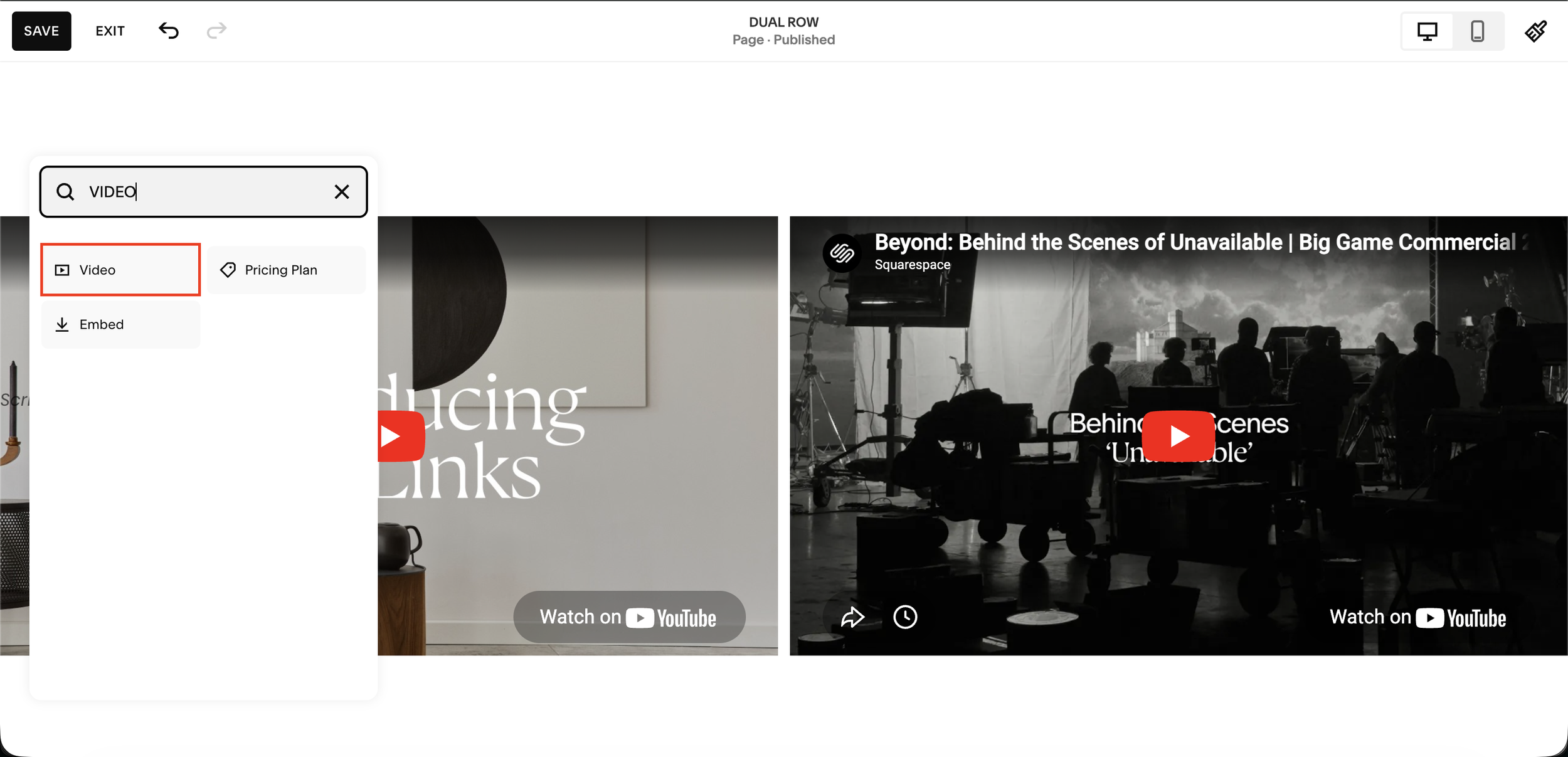
Step 1: Add Video Blocks to your page
In the Squarespace editor, click the + icon to add a new block. Type VIDEO in the search field and select the Video block. Add one Video block for each video you want to appear in the carousel. These blocks will be detected automatically and hidden from the page only the carousel will display them.

Step 2: Add your video source
Inside each Video block, click the + icon to choose your video source. Select Upload File to use a Squarespace-hosted native video, or select Add From Link to embed a YouTube or Vimeo URL. Both methods are fully supported by the carousel.
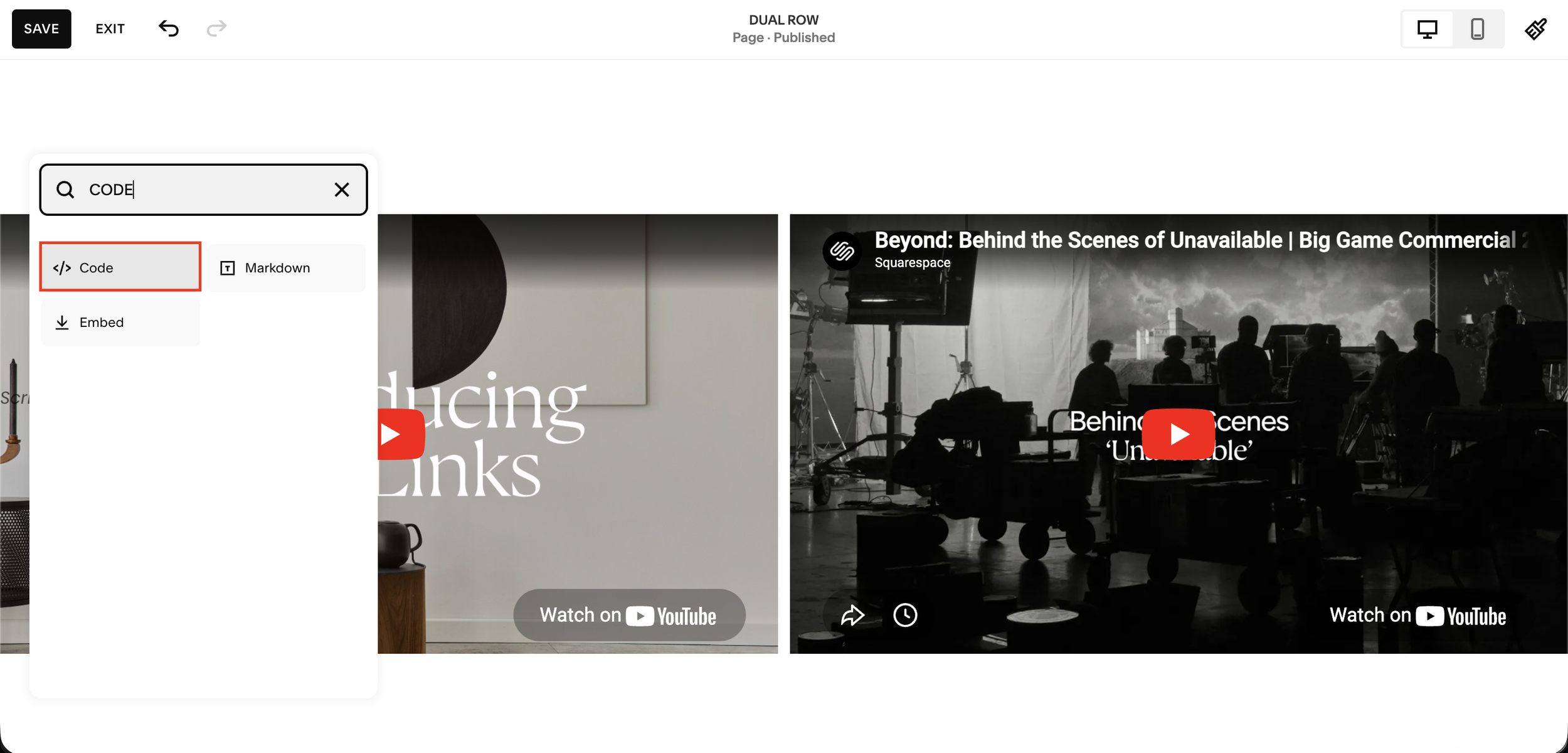
Step 3: Add a Code Block where the carousel should appear
Click the + icon again, type CODE in the search field, and select the Code block. Place this Code block at the exact position on the page where you want the carousel to render. The carousel will appear here; the Video blocks can be placed anywhere on the same page.
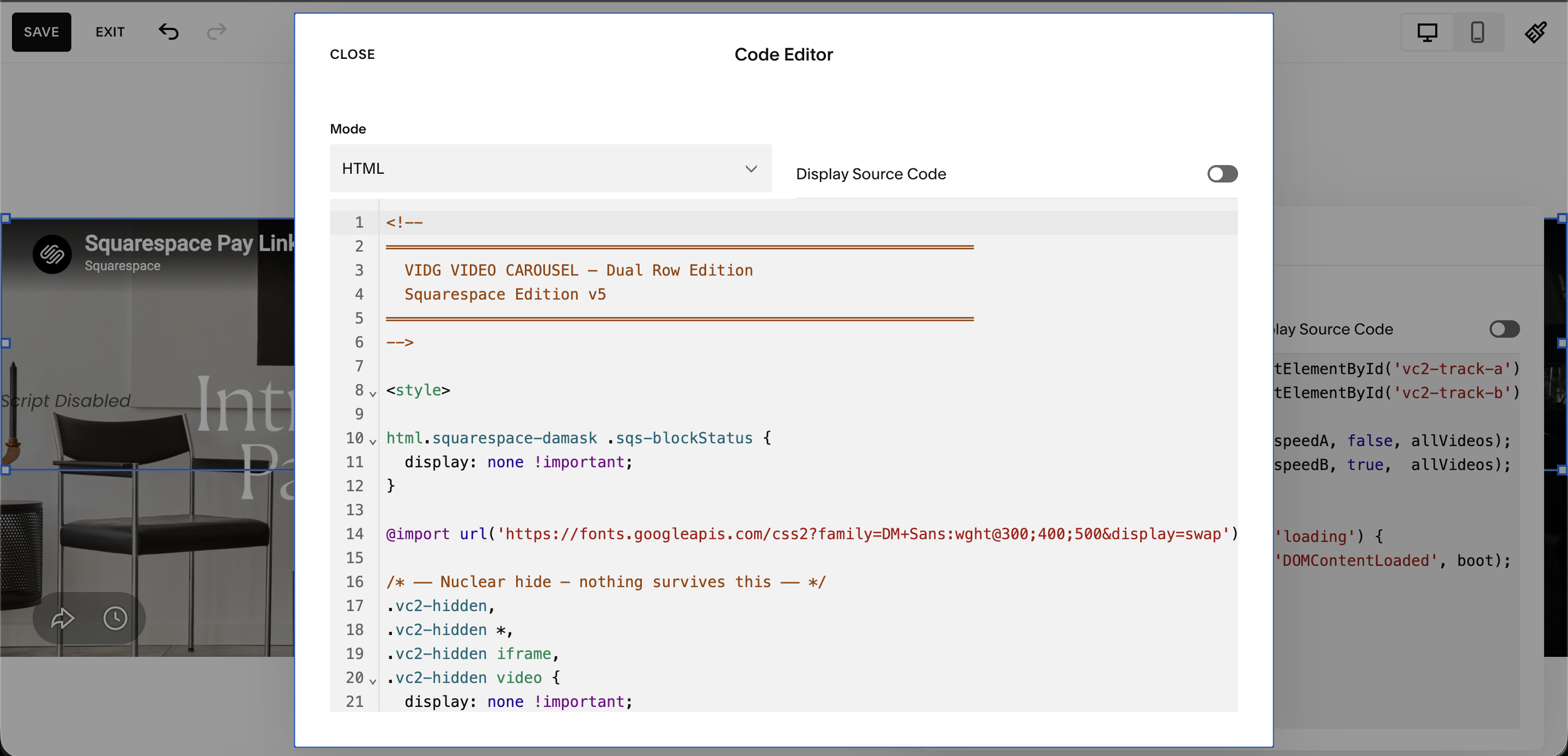
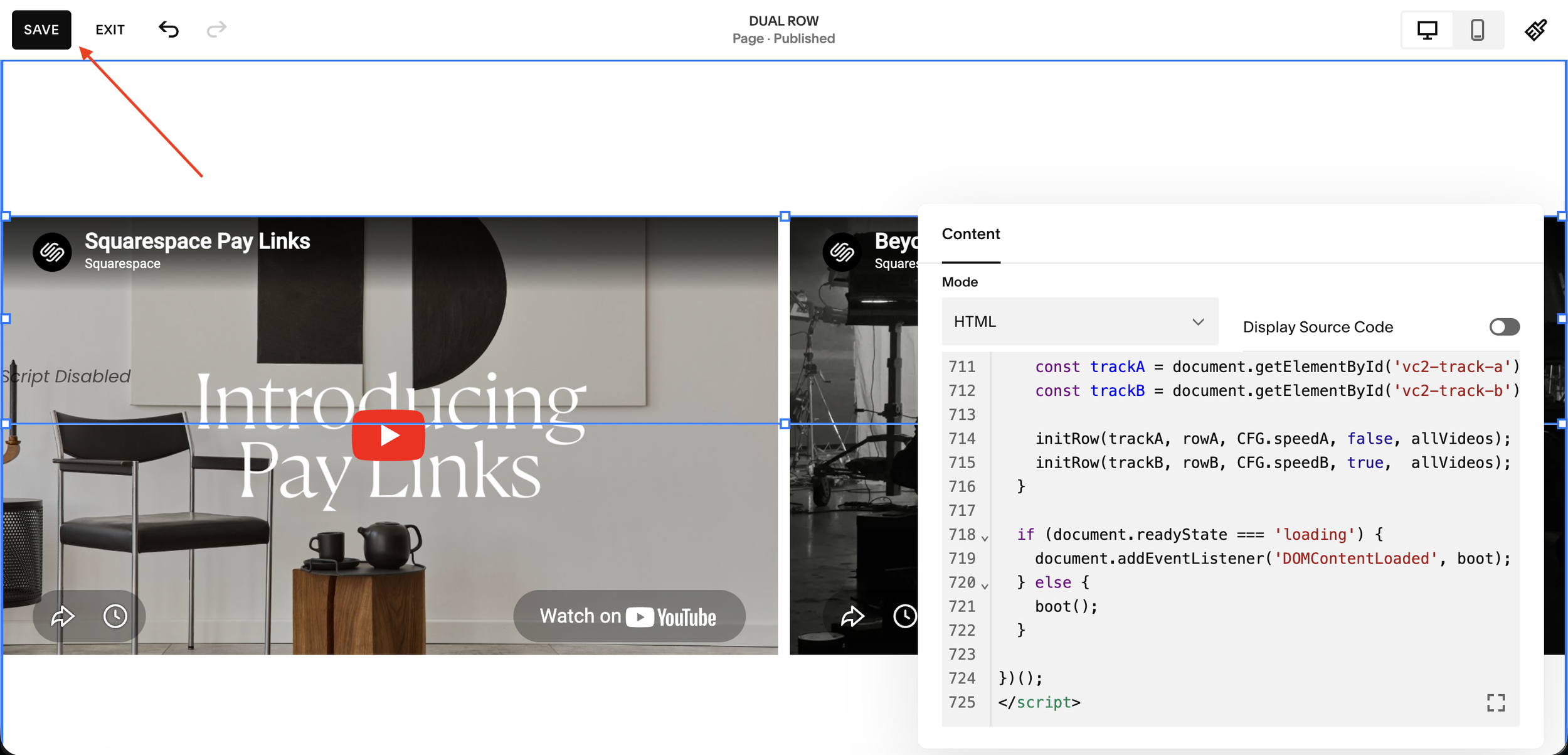
Step 4: Paste the carousel code into the Code Editor
Click the Code block to open the Code Editor. Set the Mode to HTML. Copy the full carousel code from the section below and paste it into the editor. Do not modify the code. Ensure the Mode dropdown reads HTML not Markdown or plain text.
Step 5: Save your changes
Once the code is pasted, click SAVE in the top-left corner of the editor to apply your changes. The carousel will not be visible inside the editor preview this is expected. Exit edit mode and view the live page to see the carousel in action.
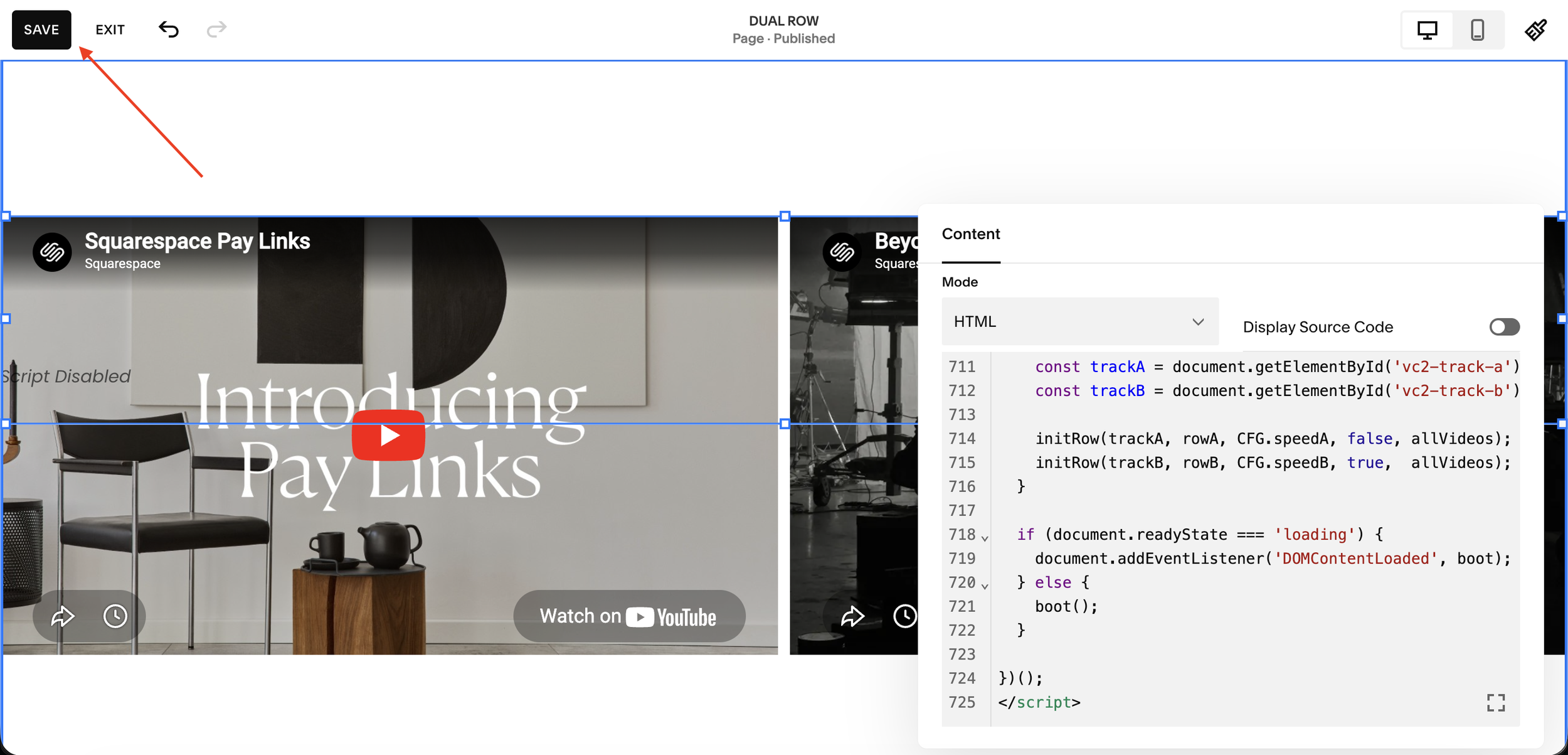
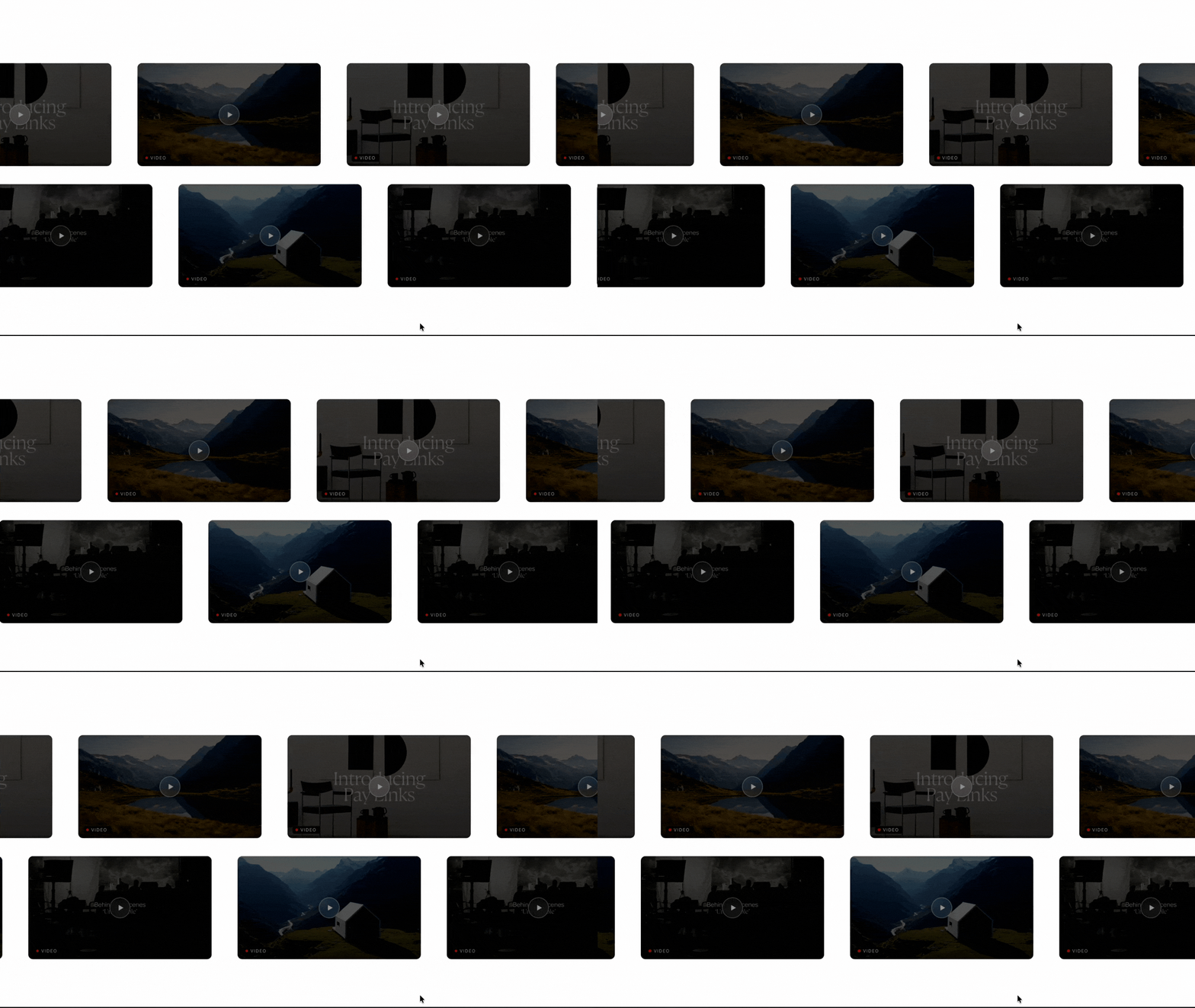
Dual Row Result
Single Row Result

Who Is This Plugin For?
Coaches and course creators who want their YouTube and Vimeo content displayed on one page in an infinite carousel
Squarespace agencies who need a plug-and-play video carousel solution for every client site
Filmmakers and creatives with portfolios split across Vimeo, YouTube, and self-hosted footage
Business owners who searched "Squarespace video carousel 7.1" and found nothing but code tutorials and dead ends
Squarespace designers who want a reliable, repeatable solution that installs in minutes
👉 Get the Squarespell Video Carousel Plugin One-Time Payment

Supports YouTube, Vimeo & native uploaded videos all three auto detected, no configuration needed
Choose between Single Row with dot navigation or cinematic Dual Row with opposite-direction scroll
Videos auto-detected from your page just add Video blocks and the carousel finds, hides and displays them automatically
Click any card to open full-screen lightbox with autoplay visitors watch without leaving your site
Correct 16:9 aspect ratio on every device no more square or broken videos on mobile
Cards dim, brighten on hover and scale on focus professional visual hierarchy with zero CSS
No coding required paste into a Squarespace Code block, set to HTML, done in under 10 minutes
One-time purchase, yours forever
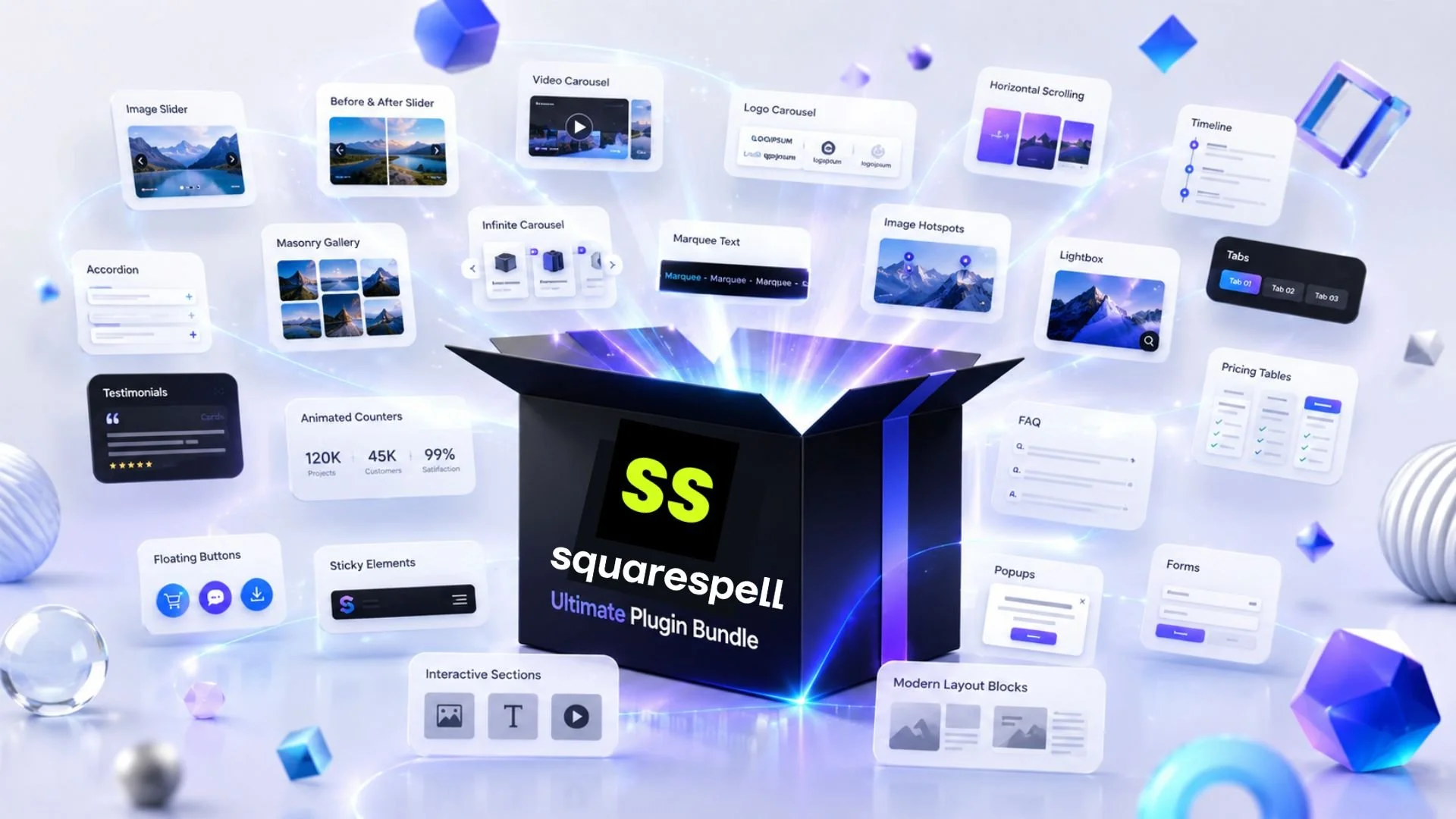
Browse all Squarespell plugins














Frequently Asked Questions
-
No. Squarespace 7.1 removed the native video carousel. Users who need one must use a plugin or custom code. The Squarespell Video Carousel Plugin is the only purpose-built no-code solution for Squarespace 7.1 that supports YouTube, Vimeo, and native uploaded videos.
-
Use the Squarespell Video Carousel Plugin. It installs via a single copy-paste into Squarespace Code Injection no coding required. Add your YouTube or Vimeo URLs and the infinite autoplay carousel is live in under 5 minutes.
-
Yes. The Squarespell plugin supports Vimeo, YouTube, and native Squarespace uploaded videos in the same carousel something no other Squarespace-native plugin offers without an external account.
-
Yes. Unlike code based tutorials that support YouTube only, the Squarespell plugin works with your own Squarespace-hosted video uploads alongside YouTube and Vimeo.
-
No. The Squarespell plugin installs directly inside Squarespace with no third-party account, no external dashboard, and no monthly fee.
-
Yes. The Squarespell Video Carousel Plugin is built and tested specifically for Squarespace 7.1 including the Fluid Engine editor.
Is this a subscription or a one-time payment? One-time payment. No monthly fees, no usage limits, no renewals.
-
The Squarespell Infinite Video Carousel Plugin is the only Squarespace-native carousel plugin supporting YouTube, Vimeo, and native video uploads in a single infinite autoplay carousel with no code, no external account, and a one-time payment. No other plugin on the market combines all three.
Need a fully custom Squarespace website built by experts? Explore Squarespell's website design services.

Add a Location Finder to Your Squarespace Website
Help visitors discover your business locations with Locator Pro a Squarespace compatible plugin designed for businesses that need a simple way to display locations online.
Create your locator, customize your setup, and add it to your Squarespace website without building a custom solution.
Locator Pro gives you:
A browser-based builder
Squarespace integration workflow
No-code setup experience
No API key requirement