 Image 1 of 4
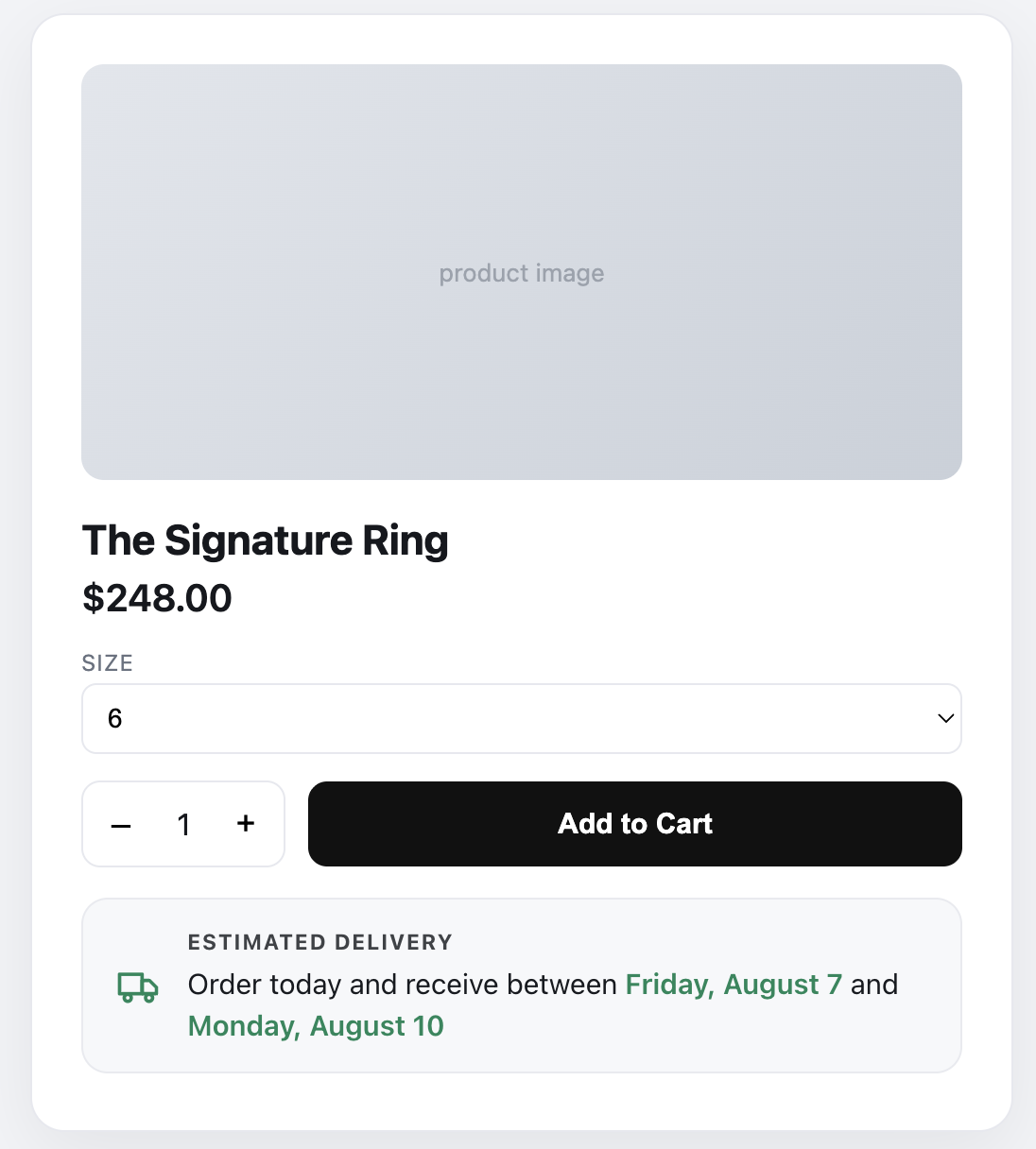 Image 2 of 4
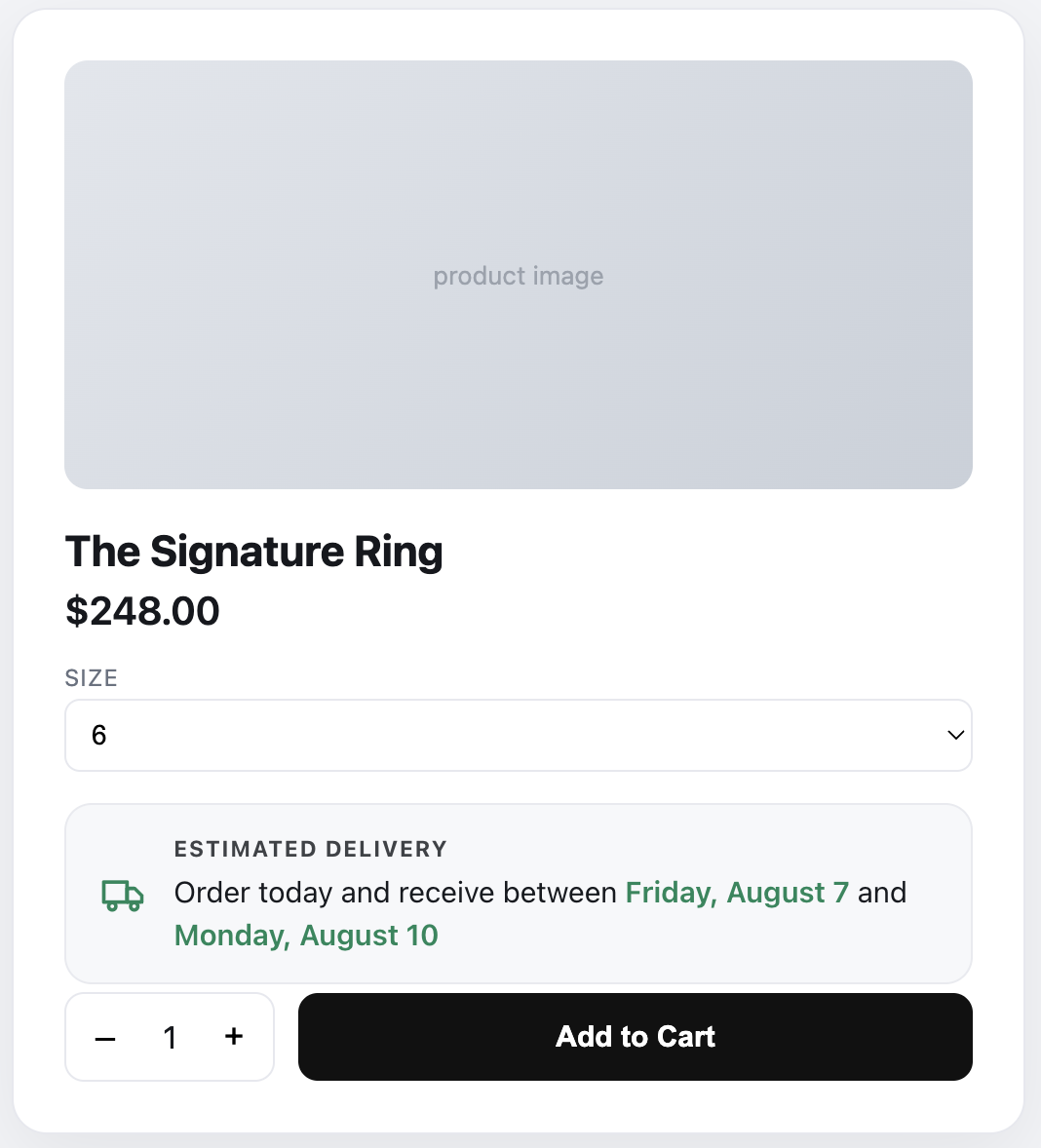 Image 3 of 4
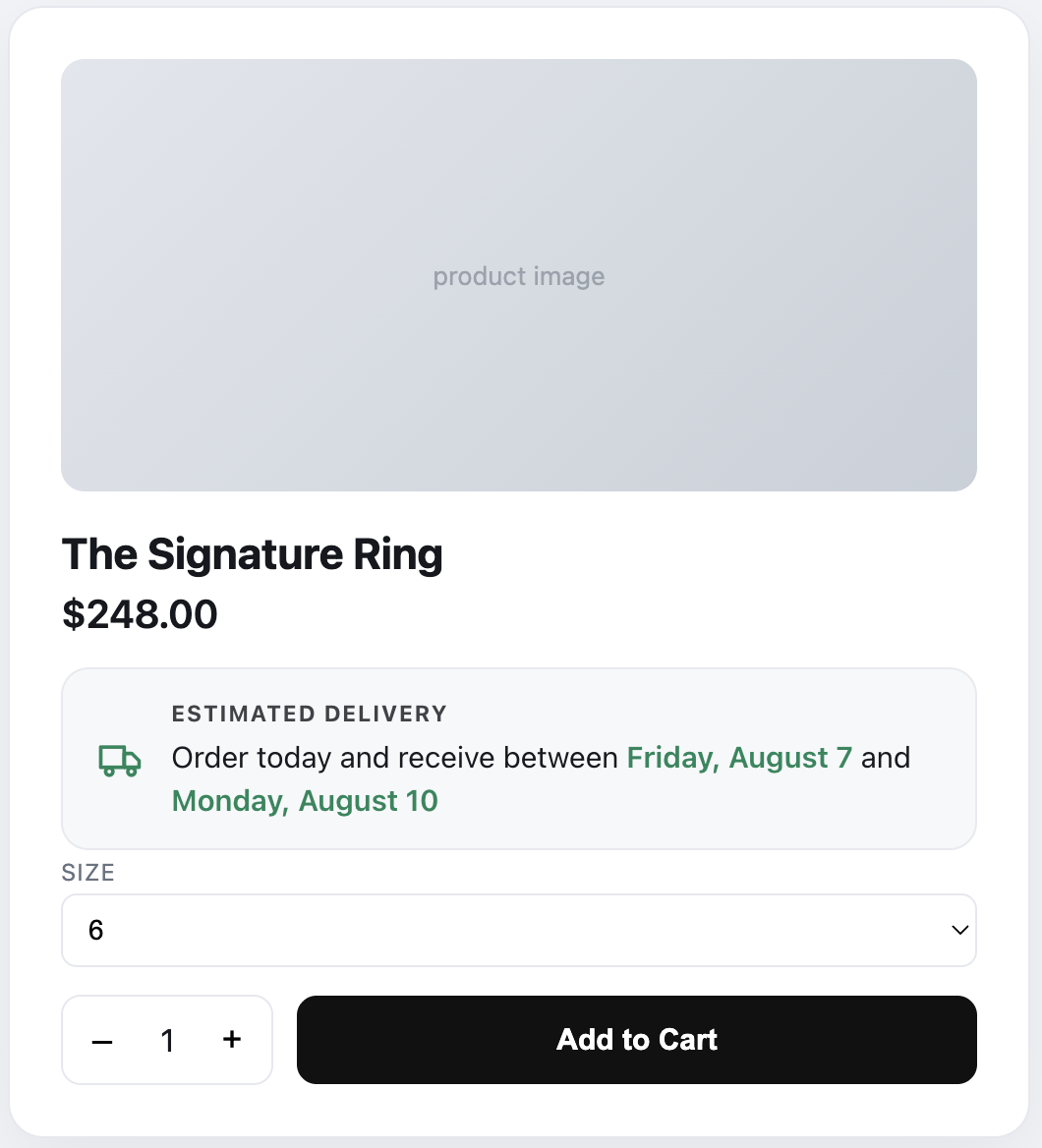 Image 4 of 4
Features
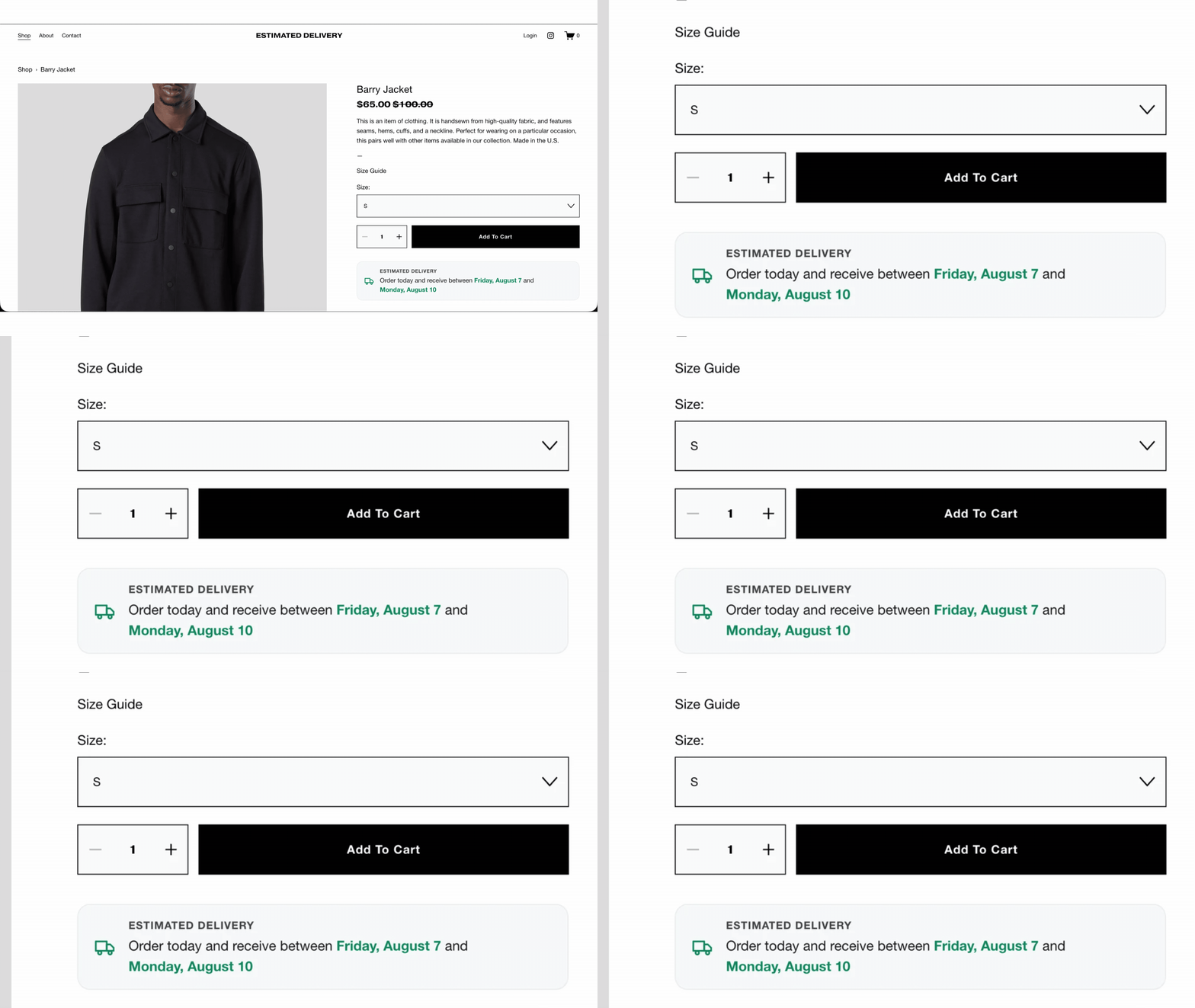
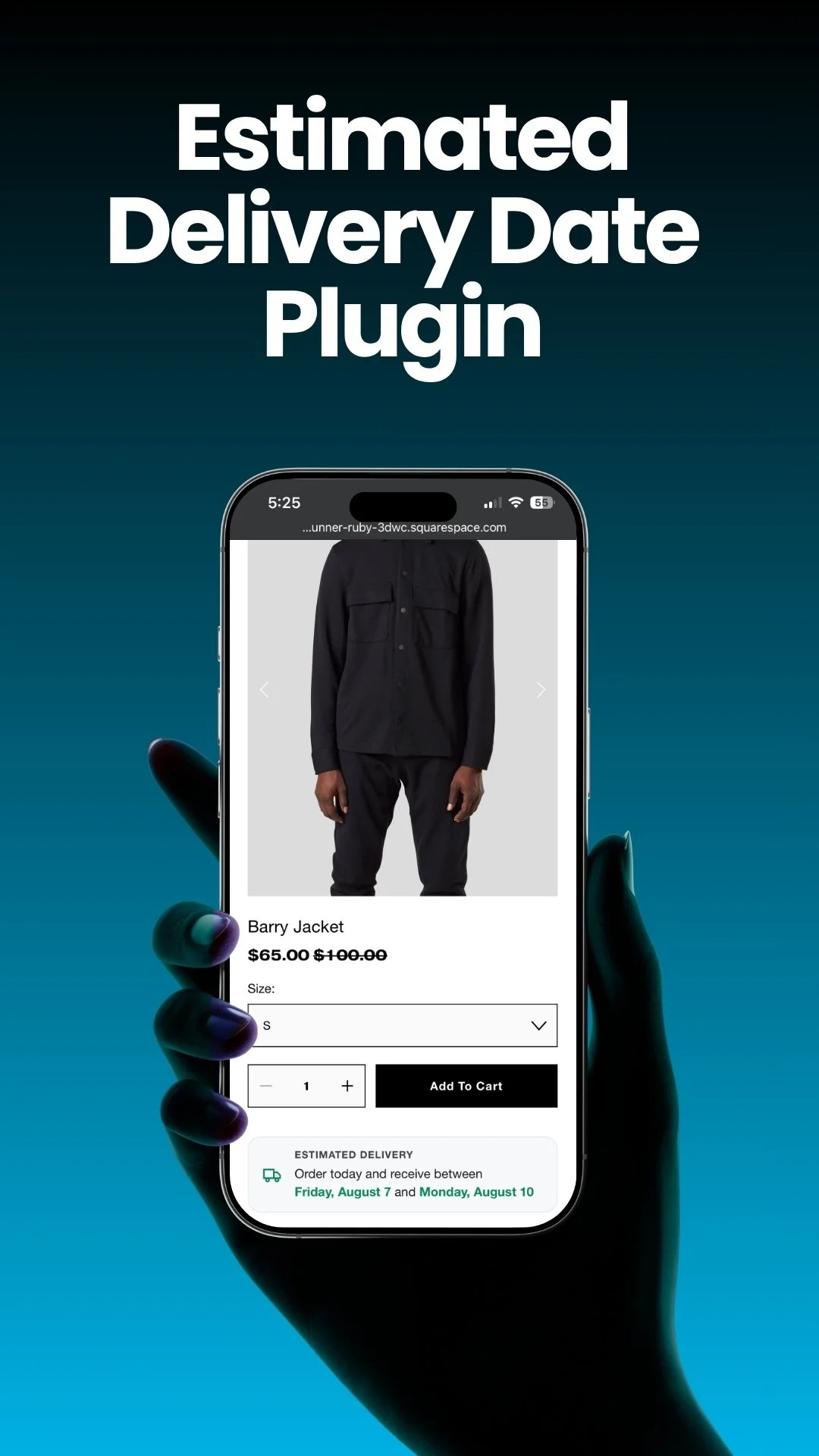
Automatic arrival-date display: "Order today and receive between {start} and {end}" (range) or "…on {end}" (single day).
Accurate business day math: processing time (min–max), shipping/transit time, counted in business days (or calendar days if your carrier delivers on weekends).
Same-day cut-off: order before your cut-off time and it ships today; after, it rolls to the next working day (e.g., 2 PM).
Working days & holidays: choose shipping days; exclude holidays that are never counted (one-off MM/DD/YYYY or recurring MM/DD).
Time-zone aware: calculate in the visitor's own time zone or a fixed store time zone (IANA, e.g. Europe/London).
Localized formats: US, CA, UK, EU, AU, NZ, or auto-detect; full ("Tuesday, August 4"), short ("Tue, Aug 4"), or numeric ("08/04/2026") date styles.
Per-product rules: set different delivery times for specific products (matched by product URL); global fallback; first matching rule wins. Ideal for mixing in-stock, made-to-order, pre-order, and oversized items.
Flexible placement: below/above Add to Cart, below the price, below variants, or any custom CSS selector (so it fits any 7.1 product layout).
On-brand design: style presets, custom colors, corner radius, icon size, alignment, and Fade/Slide/Scale/None animation.
Editable messaging: customize range and single-day wording with {start}/{end} placeholders and an optional heading.
Lightweight & no-code: one snippet, no dependencies, no build step; calculates in the browser.
How it works 3 Steps
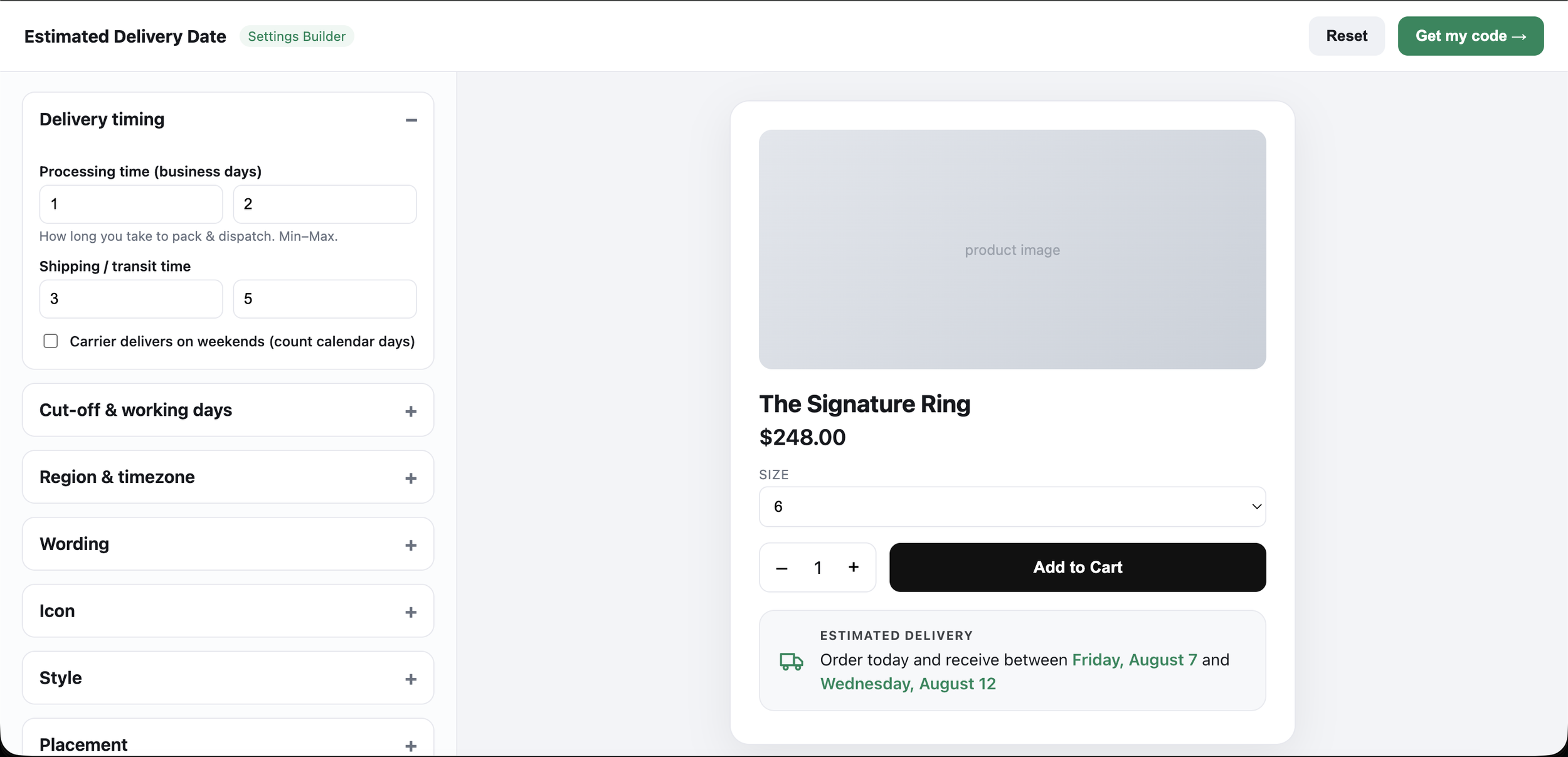
Build your settings visually
Open the Settings Builder and enter your processing time, shipping time, cut-off, working days and holidays, time zone, message wording, and design. A live preview updates as you go.
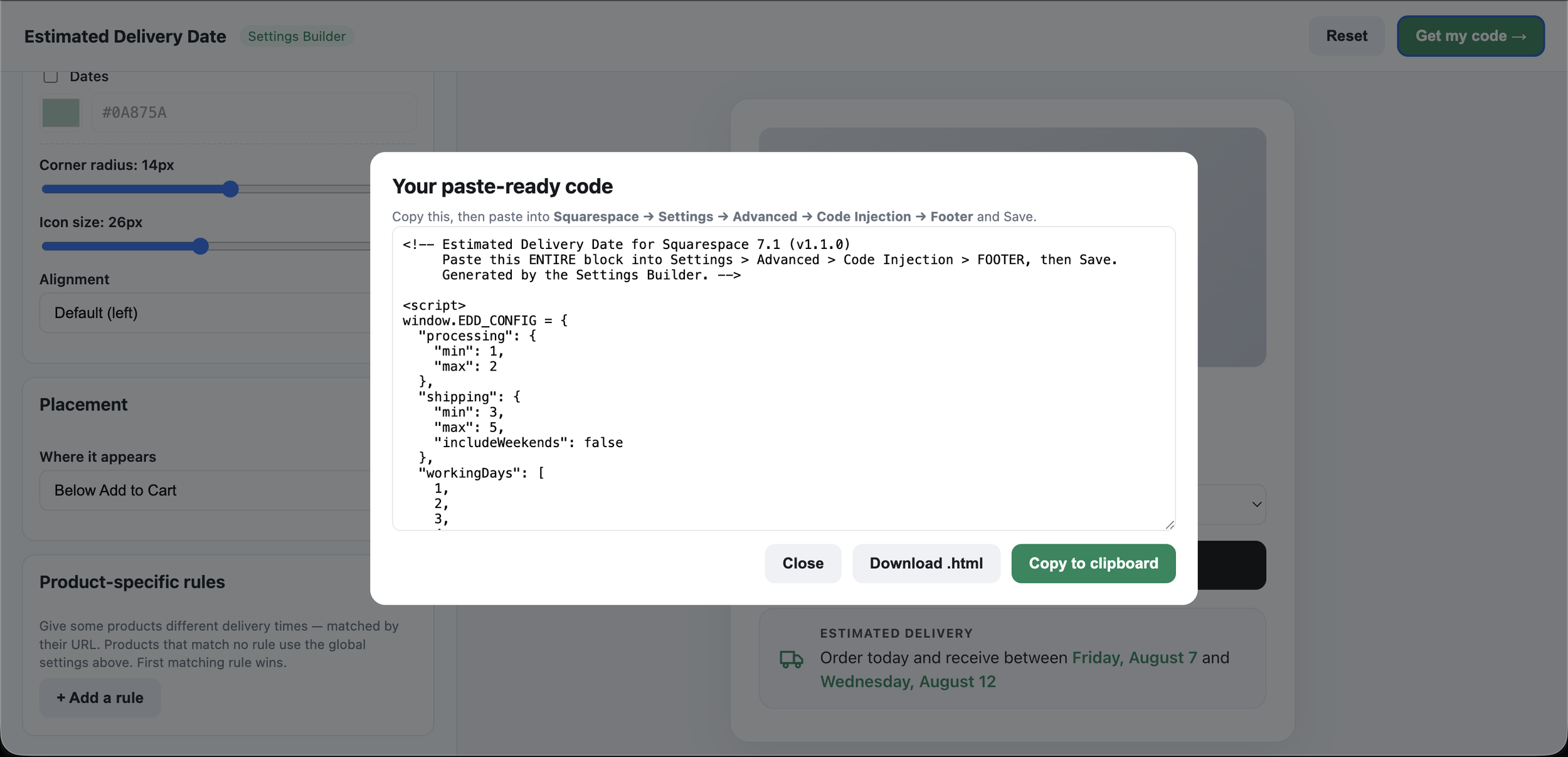
Copy the generated snippet.
The builder produces one paste-ready code snippet you never write code.
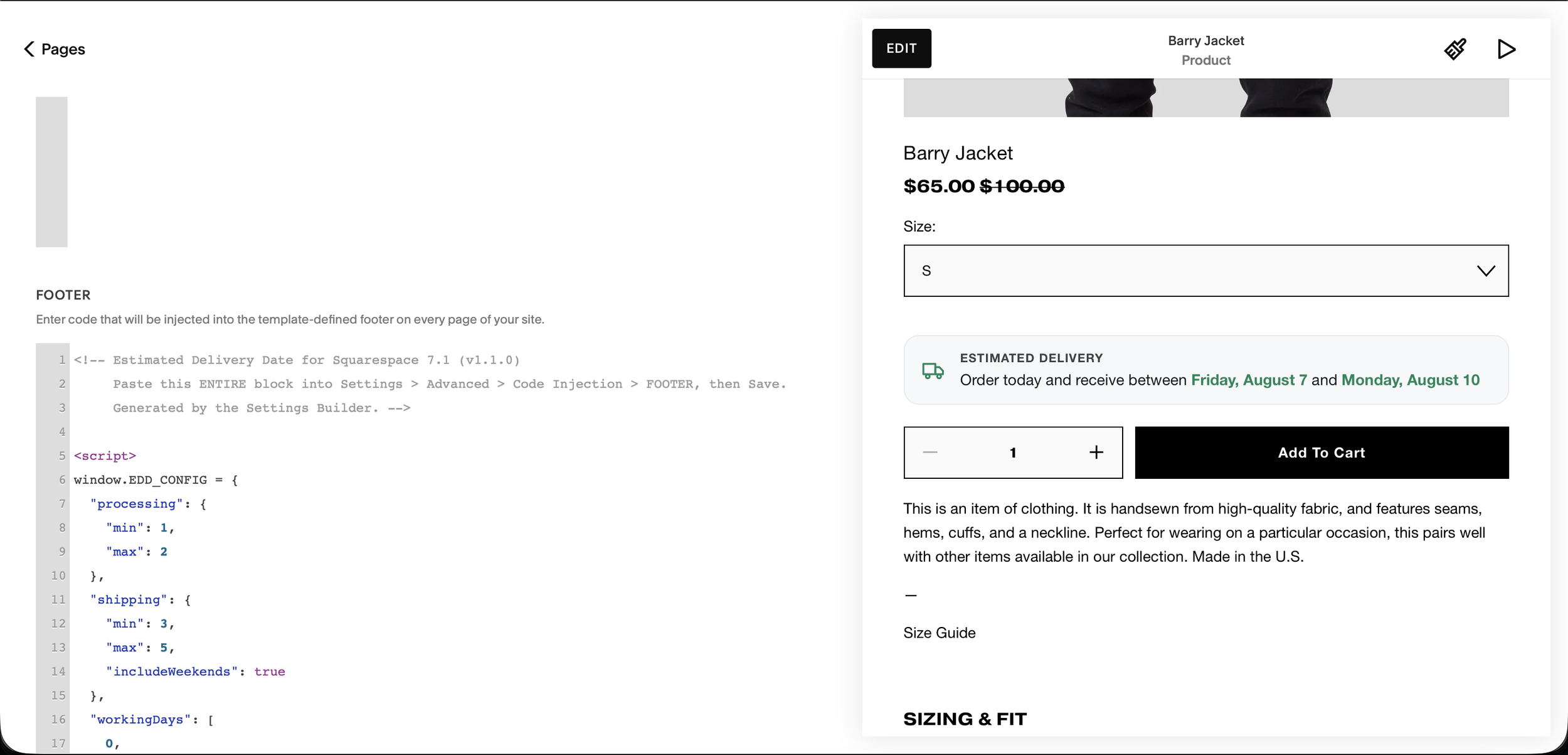
Paste into Code Injection and save.
Go to Custom Code → Code Injection → Footer, paste, and save. The estimated delivery date appears on your product pages instantly.
Estimated delivery vs. a datepicker what's the difference?
This is the #1 point of confusion, so here it is plainly:
| Feature | Squarespell Estimated Delivery this plugin | Beyondspace Datepicker | SF Digital Datepicker | Elfsight Shipping Widget |
|---|---|---|---|---|
| What it does | Shows an automatic delivery estimate | Customer picks a date | Customer picks a date | Generic shipping / tracker widget |
| Automatic "order today, get it by" estimate | Yes | No | No | No |
| Calculates processing + shipping time | Yes | Lead time only | Lead time only | No |
| Same-day cut-off logic | Yes | Yes | Varies | No |
| Skips weekends & holidays | Yes | Yes | Varies | No |
| Time-zone aware | Yes | n/a | n/a | n/a |
| Per-product rules | Yes | Yes | Yes | No |
| Localized date formats | Yes (6 regions) | Yes | n/a | n/a |
| No-code, instant download | Yes | Yes | Code emailed (~3 days) | Yes |
| One-time price (no subscription) | Yes | Yes | Yes | Subscription |
| Price | $25 one-time | $45 one-time | One-time | Subscription |
Trusted by 12,000+ Squarespace websites
"The Smart Filter Pro plugin is exactly what my store needed. Customers can now filter by colour, size and price without any coding. Sales went up noticeably in the first week after installing it."
"I use the Mega Menu plugin across all my client sites now. Setup takes under 10 minutes and it auto-matches the site's colours perfectly. Clients are always impressed and think I built it from scratch."
"Bought the Horizontal Scroll plugin and the instructions were crystal clear. Had it running in minutes with no developer needed. My portfolio section finally looks as good as I imagined it."
"The template I purchased looked great right out of the box. Customising it to my brand took a couple of hours. Would have been 5 stars but I had a small issue with the mobile menu — support fixed it same day though."
"Support replied within a few hours when I had a question about the filter plugin on my Business plan. They walked me through it step by step. Genuinely impressive service for a one-time purchase at this price."
"The Infinite Carousel plugin transformed my homepage completely. Visitors are spending much longer on the site and I've seen a real increase in enquiries since adding it. Best £25 I've spent on my business."
"Purchased the coaching template and it was live on my domain the same afternoon. The layout is clean, the mobile version is flawless and I got my first new enquiry through it within 48 hours of going live."
"I've been using Squarespace for years and always hit the same limitations. The Mega Menu plugin finally solved my navigation problem. It detected my fonts and colours automatically — zero manual adjustment needed."
"Had the Mega Menu plugin live in under 10 minutes on my client's site. It pulled in the exact brand colours automatically and looked like it was custom built. My client was completely blown away."
"The Smart Filter Pro plugin saved me hours every week. My customers find products faster and my average order value has gone up since they started discovering items they wouldn't have found otherwise."
"I've now bought three templates from Squarespell for different client projects. Each one is polished, well structured and takes minutes to set up. My clients genuinely think I spent weeks designing them."
"The code is genuinely lightweight. I ran PageSpeed before and after adding the filter plugin and my score barely moved. For a SaaS founder performance is everything — this is the only plugin I trust on Squarespace."
"As a web designer I'm picky about quality. Every plugin from Squarespell works exactly as described, looks great across all screen sizes, and needs zero tweaking after install. I recommend them to every client."
"I tried two other filter plugins before this one. Both were clunky and broke my store layout. Smart Filter Pro detected all my product variants automatically on first load. This is now the only one I use."
"Not a developer at all but the installation guide was so clear I had no issues. My course site looks completely professional now. I've already had students comment on how polished and easy to navigate it is."
Frequently Asked Questions
-
No. Squarespace shows shipping options and costs at checkout but has no native way to display an estimated delivery date on the product page. You add that with a plugin like Squarespell's Estimated Delivery Date Plugin.
-
Build your settings in the plugin's visual Settings Builder (processing time, shipping time, cut-off, working days, holidays), copy the generated snippet, and paste it into Custom Code → Code Injection → Footer. The estimate then appears on your product pages no coding needed.
-
Set your processing time as a min–max range of business days in the plugin; it combines that with shipping time, your cut-off, and holidays to show a real arrival-date estimate on the product page.
-
No. A datepicker lets the customer select a date (for events or made-to-order items). This plugin automatically calculates and displays when an order placed now will arrive, like Amazon or Etsy.
-
An estimated delivery plugin tells the customer when their order will arrive; a datepicker asks the customer to pick a date. Use an estimate to reduce hesitation and WISMO emails; use a datepicker for bookings or made-to-order scheduling.
-
Clear delivery timing is one of the most widely recommended ways to reduce cart abandonment and "where is my order?" emails, because customers are more likely to buy when they know when it will arrive. Baymard Institute's checkout research consistently lists unclear delivery among top abandonment causes.
-
No. It's a lightweight script with no dependencies that calculates the date in the browser, so it has no meaningful impact on page speed or Core Web Vitals.
-
Yes. The estimate shows on the product page regardless of variant selection, and per-product URL rules let you set longer windows for pre-order, back-order, or made-to-order items.
-
Squarespace 7.1 Commerce on the Business plan or higher, because installing via Code Injection requires the Business plan.
-
It's purpose-built for Squarespace as an automatic delivery estimate (not a datepicker), with cut-off, holiday, time-zone, localization, per-product, and placement controls, backed by a Circle Platinum Partner a combination most Squarespace delivery tools don't offer.
-
Yes. You create per-product rules matched by product URL, so made-to-order, pre-order, or oversized items can show longer estimates. Products without a rule use your global settings.
-
Yes. It counts business days, skips your non-working days and holidays, and applies a same-day cut-off order before your cut-off time and it ships today; after, it moves to the next working day.
-
Yes. It can calculate in each visitor's own time zone or a fixed store time zone, and it supports US, CA, UK, EU, AU, and NZ date formats (or auto-detects the visitor's locale).
-
Wherever you choose: below or above the Add to Cart button, below the price, below the variants, or at any custom CSS selector.
-
It shows on product pages. Squarespace blocks custom code on the checkout page for security, so no product-page plugin can display there which is why showing the date on the product page (before checkout) matters most.
-
No. You configure everything visually in the Settings Builder with a live preview, then paste one generated snippet into Code Injection no code writing required.
-
Yes. The estimate is calculated live for each visitor from the current date and your rules, so it always shows an up-to-date "order today, receive by" range no manual updates.
-
Yes. Edit the range and single-day messages with {start} and {end} placeholders, toggle a heading, and control colors, corner radius, icon size, alignment, and the transition animation.
-
No. It adds a small script and text to the product page without heavy assets, so it doesn't harm Core Web Vitals or SEO; the added delivery information can actually improve the shopping experience signals Google values.
-
Yes, with a multi-use/agency license for unlimited client Squarespace sites; a single-site license covers one store.
ALSO FROM SQUARESPELL