

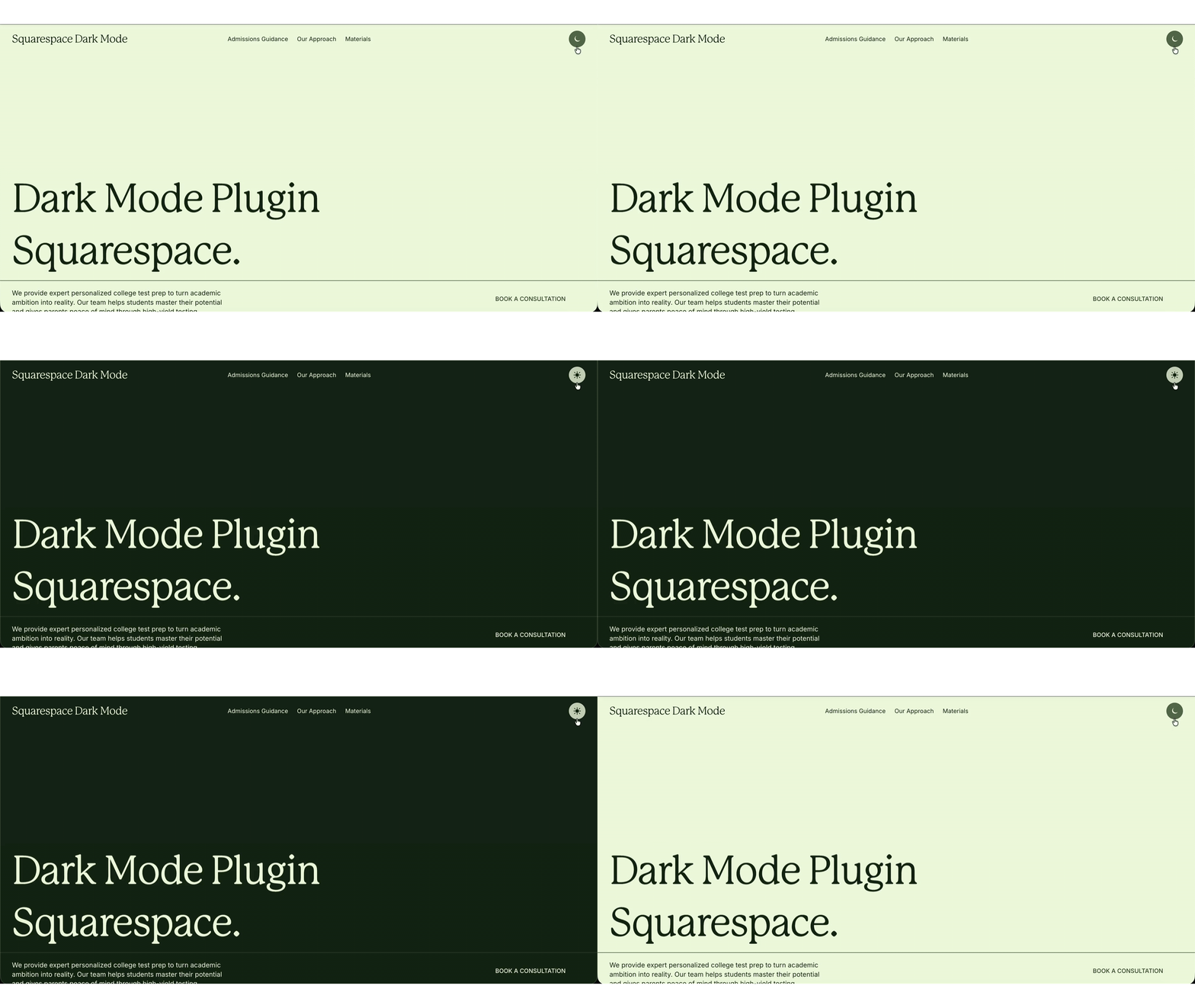
 Image 1 of 2
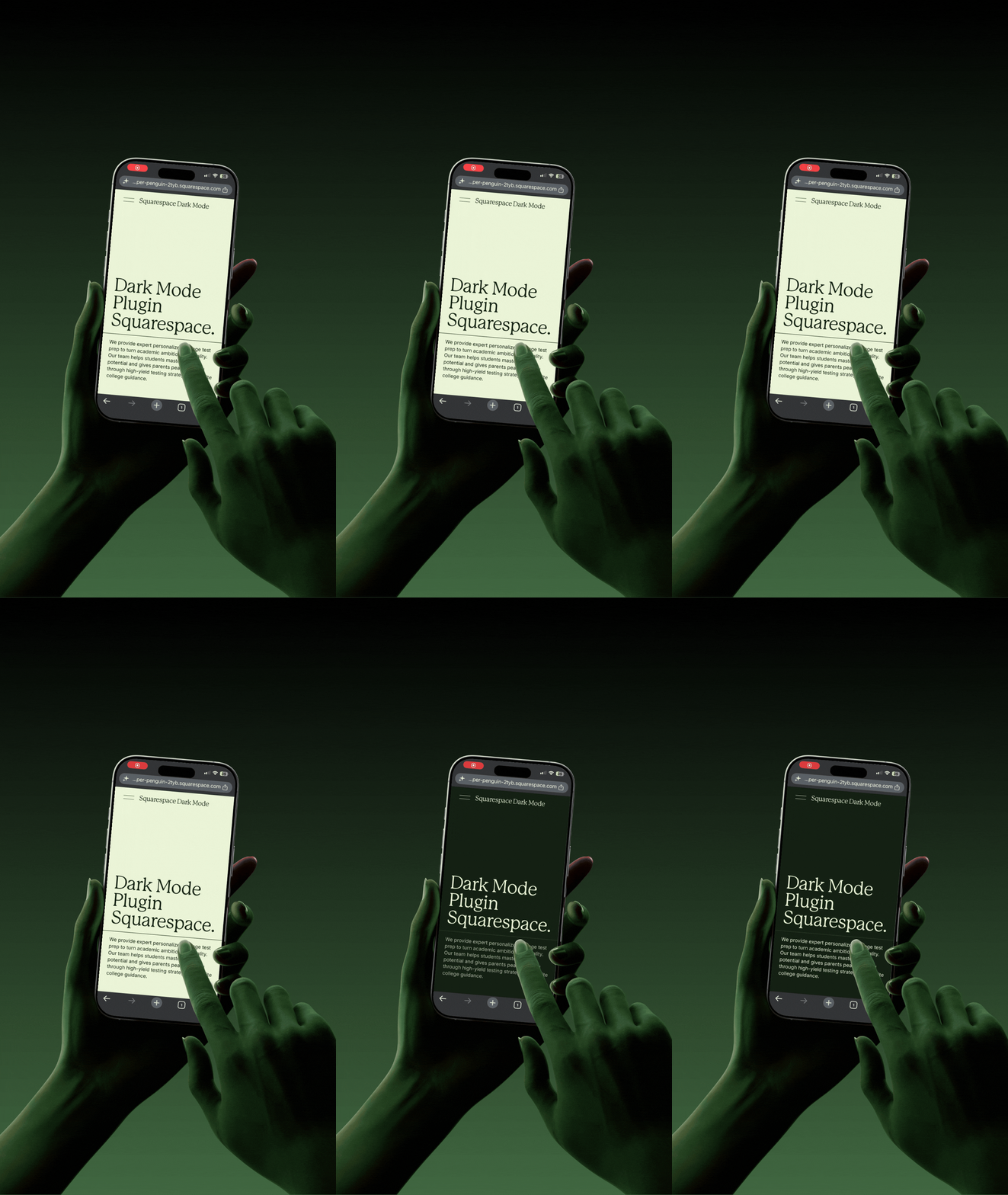 Image 2 of 2
What makes it different from other Squarespace dark mode plugins:
Reuses your real Squarespace themes: Dark mode uses the color themes you already set in Design → Colors, so it looks like a designed part of your site not a machine invert or overlay. Unlike theme switcher plugins, you don't have to rebuild your color palettes to make it work.
No flash of light on load: A tiny preload script paints the dark background instantly before the full theme swap finishes, so returning dark-mode visitors never see the white "flash" common to DIY setups and some plugins.
Works on every page including cart and 404: which competing plugins commonly miss.
Predictable and remembered: First-time visitors default to light mode (no surprises); each visitor's choice is saved in the browser; an optional "follow system preference" mode is available.
Three toggle placements, in any combination:
Nav-menu link: A light/dark link inline in your navigation.
Social Links icon: A moon/sun icon in your Social Links row, auto-matched to the size and spacing of your other social icons.
Floating button: A persistent corner button, optionally mobile-only (for sites where a nav toggle would be buried in the hamburger menu).
Built for comfort and accessibility:
A dark theme can reduce eye strain in low light and is easier to read for visitors with light sensitivity (photophobia) or migraines. Because it's a toggle, each visitor picks what's most comfortable, and you control the dark-mode contrast so text stays legible.
Trusted by 12,000+ Squarespace websites
"The Smart Filter Pro plugin is exactly what my store needed. Customers can now filter by colour, size and price without any coding. Sales went up noticeably in the first week after installing it."
"I use the Mega Menu plugin across all my client sites now. Setup takes under 10 minutes and it auto-matches the site's colours perfectly. Clients are always impressed and think I built it from scratch."
"Bought the Horizontal Scroll plugin and the instructions were crystal clear. Had it running in minutes with no developer needed. My portfolio section finally looks as good as I imagined it."
"The template I purchased looked great right out of the box. Customising it to my brand took a couple of hours. Would have been 5 stars but I had a small issue with the mobile menu — support fixed it same day though."
"Support replied within a few hours when I had a question about the filter plugin on my Business plan. They walked me through it step by step. Genuinely impressive service for a one-time purchase at this price."
"The Infinite Carousel plugin transformed my homepage completely. Visitors are spending much longer on the site and I've seen a real increase in enquiries since adding it. Best £25 I've spent on my business."
"Purchased the coaching template and it was live on my domain the same afternoon. The layout is clean, the mobile version is flawless and I got my first new enquiry through it within 48 hours of going live."
"I've been using Squarespace for years and always hit the same limitations. The Mega Menu plugin finally solved my navigation problem. It detected my fonts and colours automatically — zero manual adjustment needed."
"Had the Mega Menu plugin live in under 10 minutes on my client's site. It pulled in the exact brand colours automatically and looked like it was custom built. My client was completely blown away."
"The Smart Filter Pro plugin saved me hours every week. My customers find products faster and my average order value has gone up since they started discovering items they wouldn't have found otherwise."
"I've now bought three templates from Squarespell for different client projects. Each one is polished, well structured and takes minutes to set up. My clients genuinely think I spent weeks designing them."
"The code is genuinely lightweight. I ran PageSpeed before and after adding the filter plugin and my score barely moved. For a SaaS founder performance is everything — this is the only plugin I trust on Squarespace."
"As a web designer I'm picky about quality. Every plugin from Squarespell works exactly as described, looks great across all screen sizes, and needs zero tweaking after install. I recommend them to every client."
"I tried two other filter plugins before this one. Both were clunky and broke my store layout. Smart Filter Pro detected all my product variants automatically on first load. This is now the only one I use."
"Not a developer at all but the installation guide was so clear I had no issues. My course site looks completely professional now. I've already had students comment on how polished and easy to navigate it is."
FAQ
Common questions answered
-
No. As of 2026, Squarespace 7.1 has no native visitor-facing dark mode toggle. You can hand-design dark sections, but flipping the whole site and remembering the choice requires a plugin or custom code.
-
Paste the plugin's Header and Footer snippets into Custom Code → Code Injection, choose a toggle placement, and save. A light/dark switch then appears across your site no developer needed.
-
No. A preload script applies each visitor's saved mode before the page paints, so returning dark-mode visitors never see the white flash common to DIY dark mode setups.
-
Yes. It reuses the color themes you already set in Design → Colors, so dark mode uses your own brand colors instead of a generic inversion, and you control the contrast.
-
In your nav menu, your Social Links row, or as a floating corner button in any combination. The floating button can be set to mobile-only.
-
Yes. It saves the choice in the browser (localStorage) across pages and future visits. First-time visitors default to light mode, with an optional follow-the-system-setting mode.
-
Yes. It applies to every page type, including cart and 404 pages, which competing Squarespace dark mode plugins commonly miss.
-
No. It's a lightweight script with no dependencies, it avoids a flash of unstyled content, and it disables itself inside the Squarespace editor so it never slows down editing.
-
Squarespace 7.1 on the Business plan or higher, because installing via Code Injection requires the Business plan.
-
Yes. The agency/multi-use license covers unlimited client Squarespace sites; a single-site license covers one website.
Still have a question? Email us →
ALSO FROM SQUARESPELL
More plugins to power your Squarespace site







Ready to turn visitors into subscribers?
Join over 1,200 Squarespace creators using the Interactive Quiz Plugin to grow their email list on autopilot.
Free installation help