

The Best Squarespace 7.1 Templates for Photographers & Creative Portfolios in 2026
Your portfolio is the first thing a client sees and on Squarespace 7.1, the template you pick decides how fast it loads, how your images are framed, and how easily people can find their way to booking you. Below is a straight comparison of every Squarespace 7.1 template we build specifically for photographers and creative designers, what each one is actually built for, and how to tell which one fits your work.


Why Squarespace 7.1 Is Ideal for Photography & Design Portfolios
Squarespace 7.1 offers unparalleled flexibility and design options, making it a favorite among creative professionals. Here are a few reasons why these templates are ideal for photographers and designers:
1. Minimalist, Modern Design
Squarespace templates are known for their clean layouts, which put your work front and center. Whether you prefer grid-style galleries or full-screen slideshows, there’s a design to suit your needs.
2. Mobile-Responsive Layouts
With over half of web traffic coming from mobile devices, having a responsive website is crucial. Squarespace templates adjust seamlessly to any screen size, ensuring your portfolio looks flawless on desktops, tablets, and smartphones.
3. SEO-Ready Features
Squarespace makes it easy to optimize your site for search engines. From customizable meta descriptions to alt text fields for images, these built-in features can help improve your search rankings.
4. Ease of Use
No coding? No problem. Squarespace’s drag-and-drop interface allows you to build and customize your site without technical expertise. However, if you need additional help, some providers offer content replacement services to ensure your site is set up perfectly.


Best Templates for Wedding & Portrait Photographers
When choosing a Squarespace template, it’s essential to understand the options available. Here are two popular categories that stand out for creative professionals:
For Photographers
Luminara Best Overall for Photography Portfolios ($299)
Luminara is our dedicated template for photographers and creative designers: a clean, minimalist layout that puts your images first with an elegant project-showcase gallery. It ships with six pre-built pages Home, About, Portfolio, Services, Store, and Contact plus a standalone sales page if you sell prints, presets, or a course. Every purchase includes done-for-you installation: we set up the full site in your Squarespace account, add your content, design a custom logo, and install our premium plugins at no extra charge, so you go from template to a live, branded portfolio in about a week.
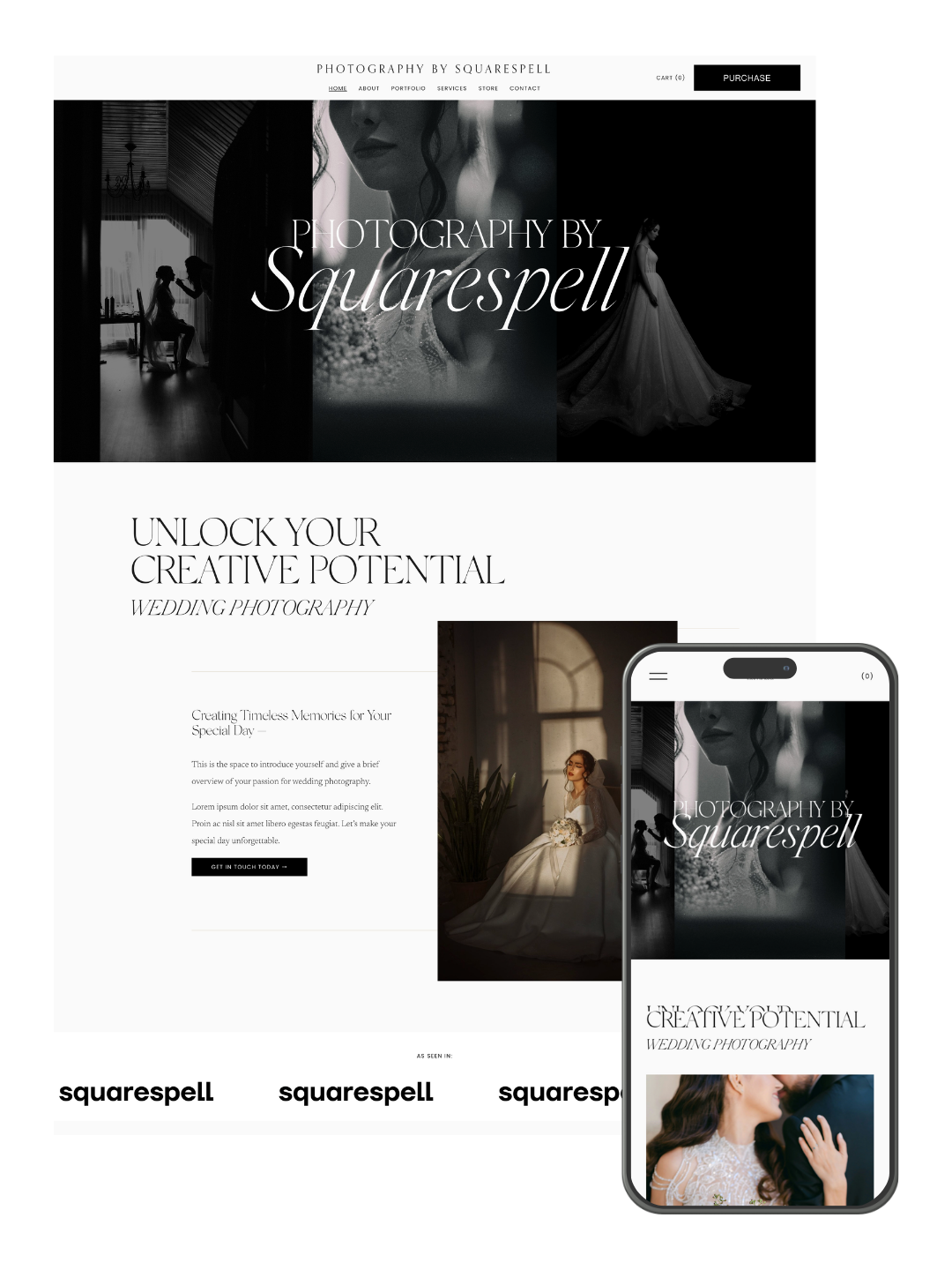
Minimal portfolio Squarespace website template by Squarespell for photographers and creative designers who want a modern, SEO optimized online presence.
Clean minimalist portfolio design
Mobile responsive layout
Easy drag and drop customization
SEO friendly structure
Built for photographers and designers
Elegant project showcase layout
Not sure which template fits your work? Read our Squarespace templates for photographers guide
Frequently asked questions
Do these Squarespace templates work with 7.1 and Fluid Engine?
Yes. Every template is built for Squarespace 7.1 and uses Fluid Engine sections, so you can drag, resize and restyle anything without touching code.
Is this a one-time payment or a subscription?
One-time. You pay once for the template licence. Your Squarespace plan is separate and paid to Squarespace.
Do I need to know how to code?
No. Installation is a guided process inside Squarespace, and every section is editable with the normal Squarespace editor.
Can I change the fonts, colours and images?
Yes. Fonts, colours, spacing, images and section order are all editable. The template is a starting point, not a locked design.
How long does setup take?
Installing the template itself takes a few minutes. Most people have their own copy, images and content in place the same day.
Can I use one template on more than one website?
A single-use licence covers one website. If you build sites for clients, use the multi-use licence linked on this listing.
Do I need a Squarespace subscription?
Yes. Templates are installed on a Squarespace 7.1 site, so you need an active Squarespace plan. You can install on a free trial first.
What if I get stuck installing it?
Every template comes with written setup instructions, and you can contact Squarespell if you need a hand.
Horizon Best for Travel, Fashion & Lifestyle Photographers ($299)
If your photography lives alongside a blog travel diaries, fashion editorials, home and lifestyle content Horizon is built for that hybrid. It runs on the same Squarespace 7.1 Fluid Engine as Luminara, but with a stronger editorial structure across five pre-built pages (Home, About, Services, Work, Contact), designed for bloggers and influencers who need their photography and their writing to live on one cohesive site.

Elegant Squarespace 7.1 website template by Squarespell for bloggers, influencers, and lifestyle creatives who want a stylish, SEO optimized online presence.
Modern elegant design
Mobile responsive layout
Highly customizable template
SEO friendly blog structure
Perfect for fashion, travel, home decor
Built for bloggers and influencers
Frequently asked questions
Do these Squarespace templates work with 7.1 and Fluid Engine?
Yes. Every template is built for Squarespace 7.1 and uses Fluid Engine sections, so you can drag, resize and restyle anything without touching code.
Is this a one-time payment or a subscription?
One-time. You pay once for the template licence. Your Squarespace plan is separate and paid to Squarespace.
Do I need to know how to code?
No. Installation is a guided process inside Squarespace, and every section is editable with the normal Squarespace editor.
Can I change the fonts, colours and images?
Yes. Fonts, colours, spacing, images and section order are all editable. The template is a starting point, not a locked design.
How long does setup take?
Installing the template itself takes a few minutes. Most people have their own copy, images and content in place the same day.
Can I use one template on more than one website?
A single-use licence covers one website. If you build sites for clients, use the multi-use licence linked on this listing.
Do I need a Squarespace subscription?
Yes. Templates are installed on a Squarespace 7.1 site, so you need an active Squarespace plan. You can install on a free trial first.
What if I get stuck installing it?
Every template comes with written setup instructions, and you can contact Squarespell if you need a hand.
For Designers & Creative Portfolios
Vera Best for Designers Who Also Take Client Work ($299)
Vera is built for coaches, consultants, and creative entrepreneurs, with a dedicated Gallery page alongside Home, About, Services, Blog, and Contact a strong fit for graphic designers or creative directors who need a portfolio and a services/booking structure in the same site.
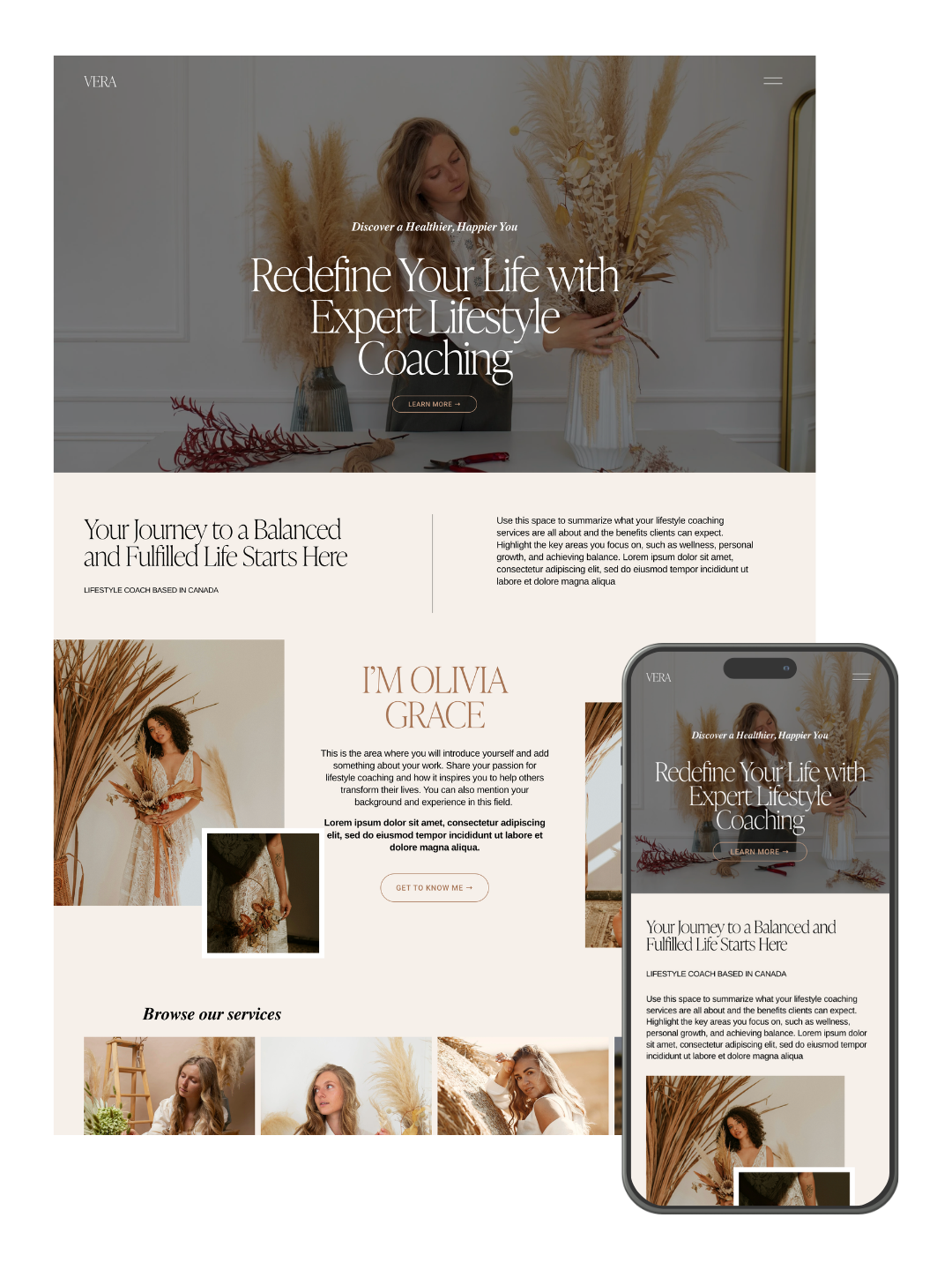
High converting Squarespace website template by Squarespell for coaches, consultants, and creative entrepreneurs who want a bold, SEO-optimized online presence.
• Modern minimalist design
• Mobile responsive layout
• Easy customization
• Built-in SEO structure
• Fast loading performance
• Perfect for coaches & creatives
Frequently asked questions
Do these Squarespace templates work with 7.1 and Fluid Engine?
Yes. Every template is built for Squarespace 7.1 and uses Fluid Engine sections, so you can drag, resize and restyle anything without touching code.
Is this a one-time payment or a subscription?
One-time. You pay once for the template licence. Your Squarespace plan is separate and paid to Squarespace.
Do I need to know how to code?
No. Installation is a guided process inside Squarespace, and every section is editable with the normal Squarespace editor.
Can I change the fonts, colours and images?
Yes. Fonts, colours, spacing, images and section order are all editable. The template is a starting point, not a locked design.
How long does setup take?
Installing the template itself takes a few minutes. Most people have their own copy, images and content in place the same day.
Can I use one template on more than one website?
A single-use licence covers one website. If you build sites for clients, use the multi-use licence linked on this listing.
Do I need a Squarespace subscription?
Yes. Templates are installed on a Squarespace 7.1 site, so you need an active Squarespace plan. You can install on a free trial first.
What if I get stuck installing it?
Every template comes with written setup instructions, and you can contact Squarespell if you need a hand.
Seren Best for Designers Who Sell Services or Courses ($299)
Seren pairs a high-converting layout with a built-in Portfolio page (Home, About, Services, Portfolio, Blog, Contact), making it a good match for designers who want their case studies sitting next to a clear services or course offer.
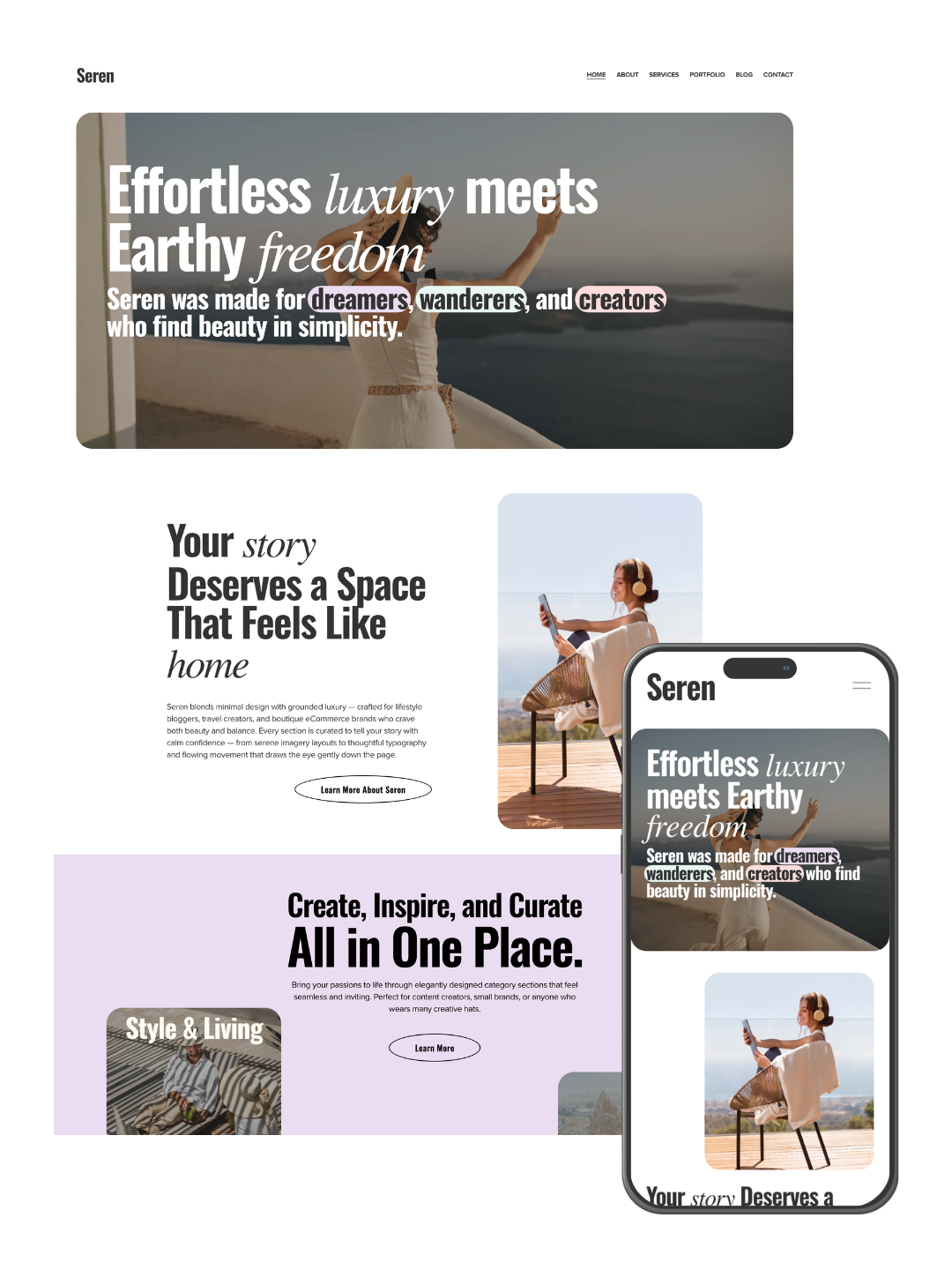
High converting Squarespace 7.1 website template by Squarespell for creators, coaches, and entrepreneurs who want a stylish, SEO optimized online presence.
Modern high end minimalist design
Strategic high converting layout
SEO friendly website structure
Mobile responsive and fast loading
Drag and drop easy customization
Sales, services, about, contact pages
Built for coaches and creatives
Frequently asked questions
Do these Squarespace templates work with 7.1 and Fluid Engine?
Yes. Every template is built for Squarespace 7.1 and uses Fluid Engine sections, so you can drag, resize and restyle anything without touching code.
Is this a one-time payment or a subscription?
One-time. You pay once for the template licence. Your Squarespace plan is separate and paid to Squarespace.
Do I need to know how to code?
No. Installation is a guided process inside Squarespace, and every section is editable with the normal Squarespace editor.
Can I change the fonts, colours and images?
Yes. Fonts, colours, spacing, images and section order are all editable. The template is a starting point, not a locked design.
How long does setup take?
Installing the template itself takes a few minutes. Most people have their own copy, images and content in place the same day.
Can I use one template on more than one website?
A single-use licence covers one website. If you build sites for clients, use the multi-use licence linked on this listing.
Do I need a Squarespace subscription?
Yes. Templates are installed on a Squarespace 7.1 site, so you need an active Squarespace plan. You can install on a free trial first.
What if I get stuck installing it?
Every template comes with written setup instructions, and you can contact Squarespell if you need a hand.
What Every Template Includes
All four run on Squarespace 7.1's Fluid Engine and come with the same Launch Package: done-for-you installation, your content added in, a custom logo, premium plugins pre-installed, and a tested, live launch a combined $1,200+ value included in the $299 template price. You only pay for the template itself; Squarespace's own hosting (from $16/month) and a domain (if you need one) are separate.
| Template | Best For | Pages Included | Price |
|---|---|---|---|
| Luminara | Pure photography portfolios | Home, About, Portfolio, Services, Store, Contact | $299 |
| Horizon | Travel / fashion / lifestyle photographers who blog | Home, About, Services, Work, Contact | $299 |
| Vera | Designers combining portfolio + client services | Home, About, Services, Gallery, Blog, Contact | $299 |
| Seren | Designers selling services or courses alongside a portfolio | Home, About, Services, Portfolio, Blog, Contact | $299 |
How to Choose
How to Choose the Right Template for Your Niche
Wedding & portrait photographers: prioritize fast-loading galleries and mobile proofing, since most clients will browse your work on their phone first. Luminara's image-first layout is built for this.
Fashion & editorial photographers: look for full-bleed imagery and strong typography that doesn't compete with your photos. Luminara's minimalist structure keeps the focus on the work.
Travel & lifestyle photographers: if you publish regularly alongside your photography, you need a template built for both that's what Horizon is for, with its blog-first page structure.
Graphic designers & creative directors: you likely need to show process, not just finished pieces. Vera and Seren both build a Services page directly alongside the portfolio, so a case study can sit next to your offer instead of being buried in a separate menu.
Why Templates Are a Smart Choice Over Custom Designs
Custom website designs can be expensive and time-consuming, but Squarespace templates offer a budget-friendly, time-efficient alternative. Templates are pre-designed to meet industry standards while allowing for extensive customization.
If you’re looking for an affordable yet professional website, purchasing a template is a smart choice—especially when paired with support services like content replacement or customization advice.
How We Can Help You Get Started
When you choose a template from our collection, we’ll assist you in replacing the demo content with your own photos and text. This ensures your website is ready to launch without the hassle of navigating setup processes alone. While competitors like Applet Studio offer great templates, we focus on providing personalized support to make your experience stress-free.
FAQs About Squarespace Templates
-
Absolutely! Squarespace’s intuitive editor makes customization easy for beginners. For advanced changes, support services are available.
-
Yes! Whether you’re a photographer, graphic designer, or creative coach, Squarespace templates are versatile enough to adapt to any niche.
-
No coding is required. However, if you’re looking for advanced customizations, additional support can help.
-
It depends on your niche. Luminara is our dedicated photography and portfolio template a minimalist, image-first layout built for photographers and creative designers who want their work to load fast and look sharp on every device. If you also blog across fashion, travel, or lifestyle content, Horizon adds a stronger editorial structure on the same foundation. Designers who split time between portfolio work and client services or coaching should look at Seren or Vera instead both include a dedicated gallery/portfolio page inside a broader business-site layout.
-
Yes, with a caveat. Squarespace 7.1's Fluid Engine generates clean, semantic HTML, supports custom meta titles and descriptions on every page, and is mobile-responsive by default all things Google rewards. But the template only gets you partway: you still need unique titles, alt text, and real body content for a page to rank. A great-looking template with a generic, sitewide title tag won't outrank a thinner site with better on-page SEO.
-
Yes. Luminara and Vera both include a dedicated portfolio/gallery page that works for photography or design work the layout is image-first and doesn't assume a specific medium. What changes is how you organize the gallery (by shoot or client for photographers, by project or case study for designers), not the template itself.
-
Our templates are $299 each, and that price includes full done-for-you installation, your content added in, a custom logo, premium plugins, and a live launch normally a $1,200+ value bundled into the template price. You'll also need a Squarespace subscription (from $16/month) and, if you don't already have one, a domain (roughly $10–20/year).
-
Yes every Squarespell template is built on Squarespace 7.1's Fluid Engine, which is fully responsive by default. Every site is tested across desktop, tablet, and mobile as part of the launch process before it goes live.
-
Yes. Squarespace's drag-and-drop editor is built for non-technical users you can swap images, edit text, and rearrange sections without touching code. If you want something beyond what the editor supports, we also offer custom design add-ons.
-
Squarespace's built-in free templates are a solid starting point but are more generic, and you'll need to build out structure, SEO, and design polish yourself. Premium templates like Luminara come with a finished page structure (six pre-built pages), a sales page template, and with Squarespell free professional installation, so you're customizing a finished site rather than building one from a blank layout.
-
Item description
Final Thoughts
Choosing the right Squarespace template is the first step toward building a professional online portfolio. With options tailored to photographers, creative designers, and other professionals, these templates provide the tools you need to showcase your talent and attract clients.
If you’re ready to create your dream website, explore our Squarespace 7.1 templates today. Need help? We’re here to guide you through the process and ensure your portfolio stands out.

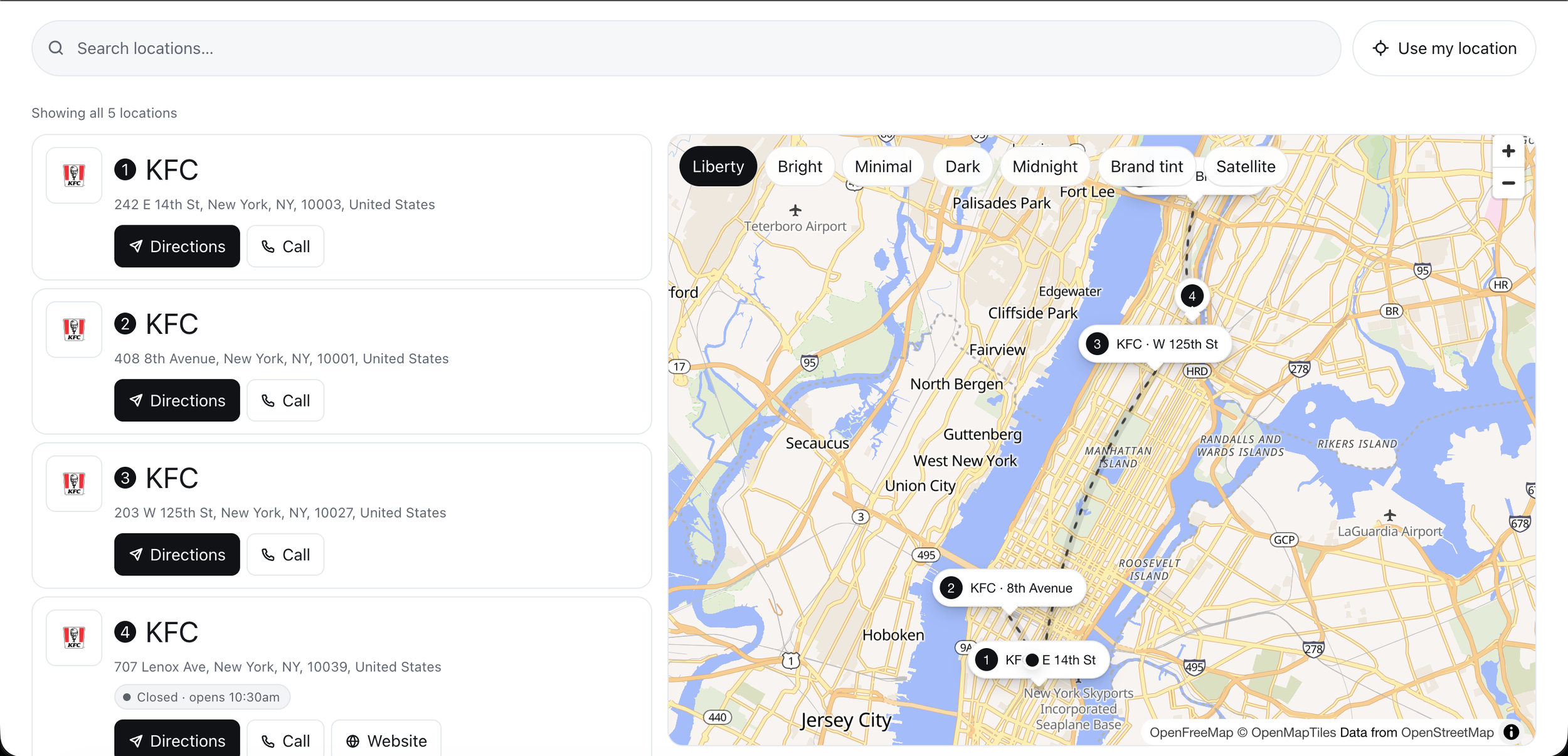


Once your portfolio is live, these plugins can help it stand out even more from mega menus that make browsing your work effortless to carousels that put your best shots front and center.
About Squarespell: Squarespell builds Squarespace 7.1 templates and plugins and holds a 4.9 average across 35 verified reviews from photographers, designers, and creative business owners. Every template above includes free done-for-you setup, so you're not customizing a blank layout alone.

Customizable: Change questions, answers, colors & branding
Lead Capture: Automatic email collection before quiz
Instant Results: Personalized delivery via email
Mobile Ready: Works on phones, tablets & desktop
Easy Setup: 10 minutes, no coding needed
Flexible Outcomes: Multiple results with custom messages
Grow Your List: Built-in lead generation & email integration
Modern Design: Professional look matching your brand
Engaging: Progress bar keeps users involved
Guided Setup: Step-by-step instructions included
Squarespace Ready: Works on 7.1 Business & Commerce