How to Add a Quiz to Your Squarespace Website (2026 Guide)
Quick Answer:
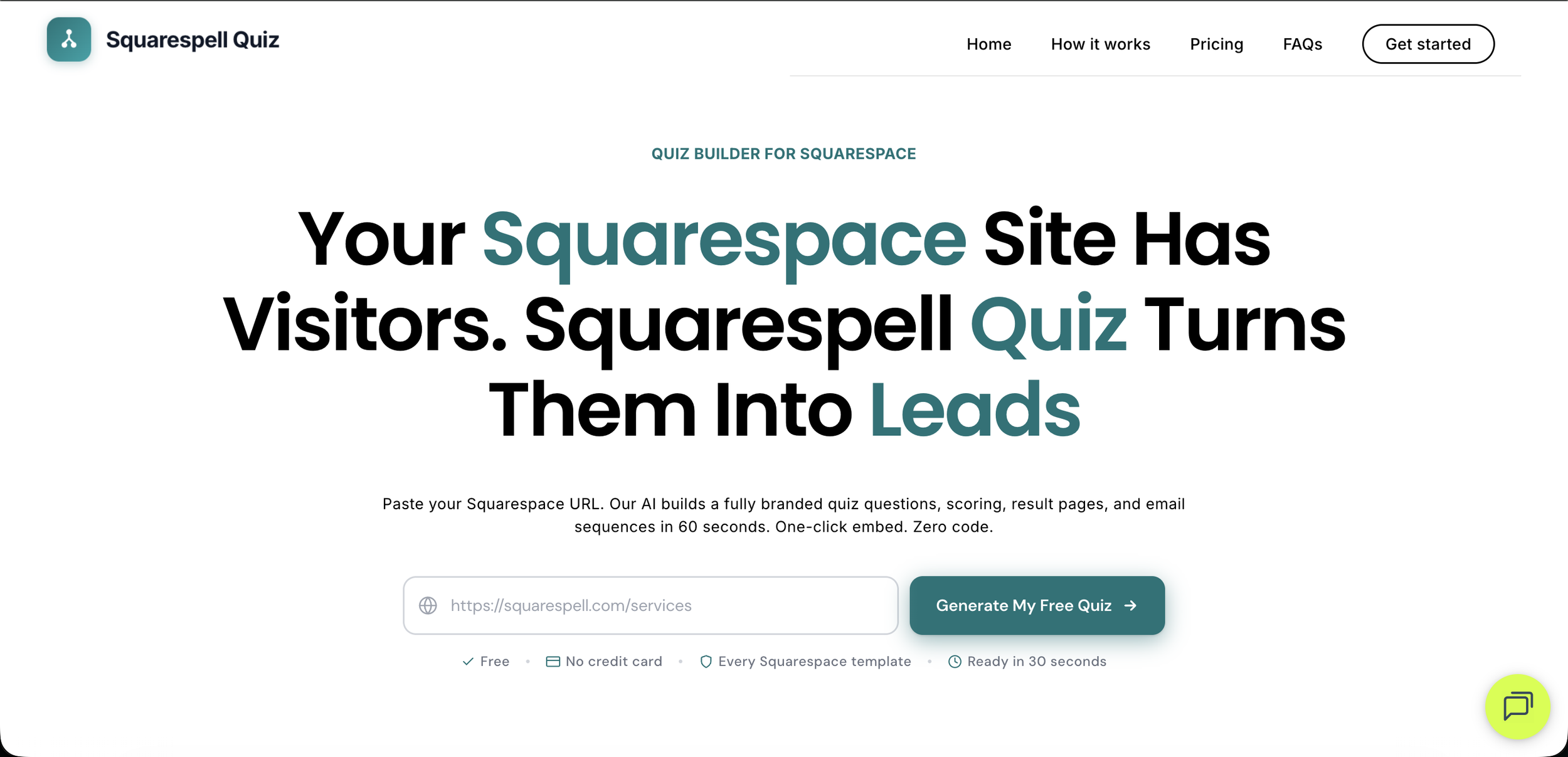
You can add a fully branded, AI-generated quiz to any Squarespace site in approximately 2 minutes using Squarespell Quiz. Paste your Squarespace URL, the AI reads your site's brand, and generates a ready to embed quiz with scoring and lead capture. Plans start at $9/mo (annual billing). No code required.
Squarespace doesn't ship with a native quiz builder. If you've gone looking, you already know: the built in form blocks collect information, but they don't score answers, segment visitors by outcome, or generate a personalized result page. For lead capture that actually qualifies your audience, you need something purpose built.
This guide walks through exactly how to do it from the first URL paste to a live quiz on your Squarespace page using Squarespell Quiz, an AI-powered quiz funnel builder built specifically for Squarespace sites.
Does Squarespace Have a Built In Quiz Feature?
Squarespace does not include a native quiz builder. The platform offers form blocks, surveys, and contact pages, but none of these produce scored results, outcome pages, or lead segmentation the core mechanics that make a quiz useful for lead generation or product recommendation.
To add a full quiz funnel to Squarespace, you need a third-party tool that generates a quiz and provides an embed snippet you paste into your site. Squarespell Quiz is designed specifically for this workflow: it reads your existing Squarespace site's brand and generates a quiz that matches your colors, fonts, and copy before you touch a single setting.
What Is Squarespell Quiz and How Does the AI Work?
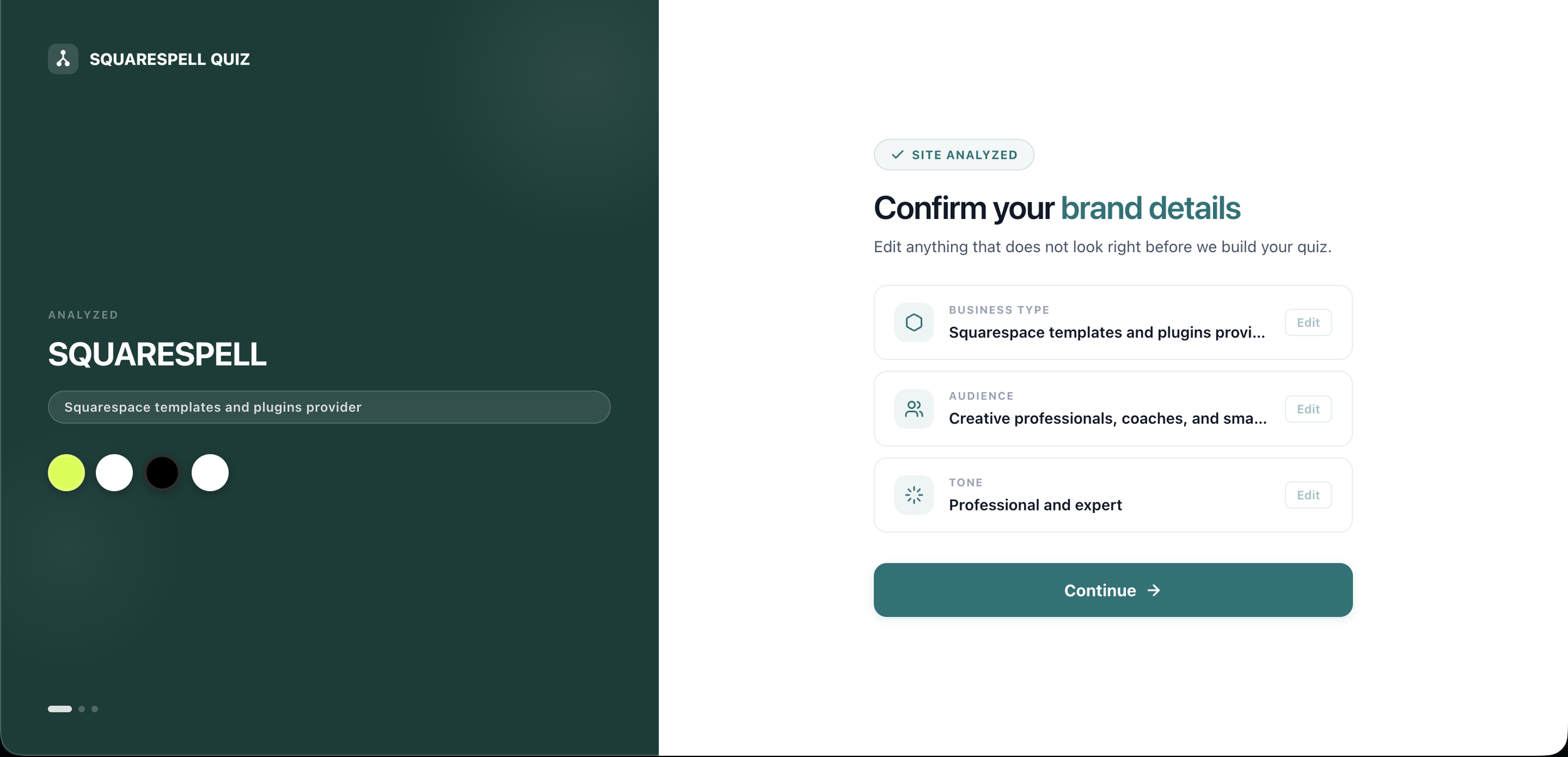
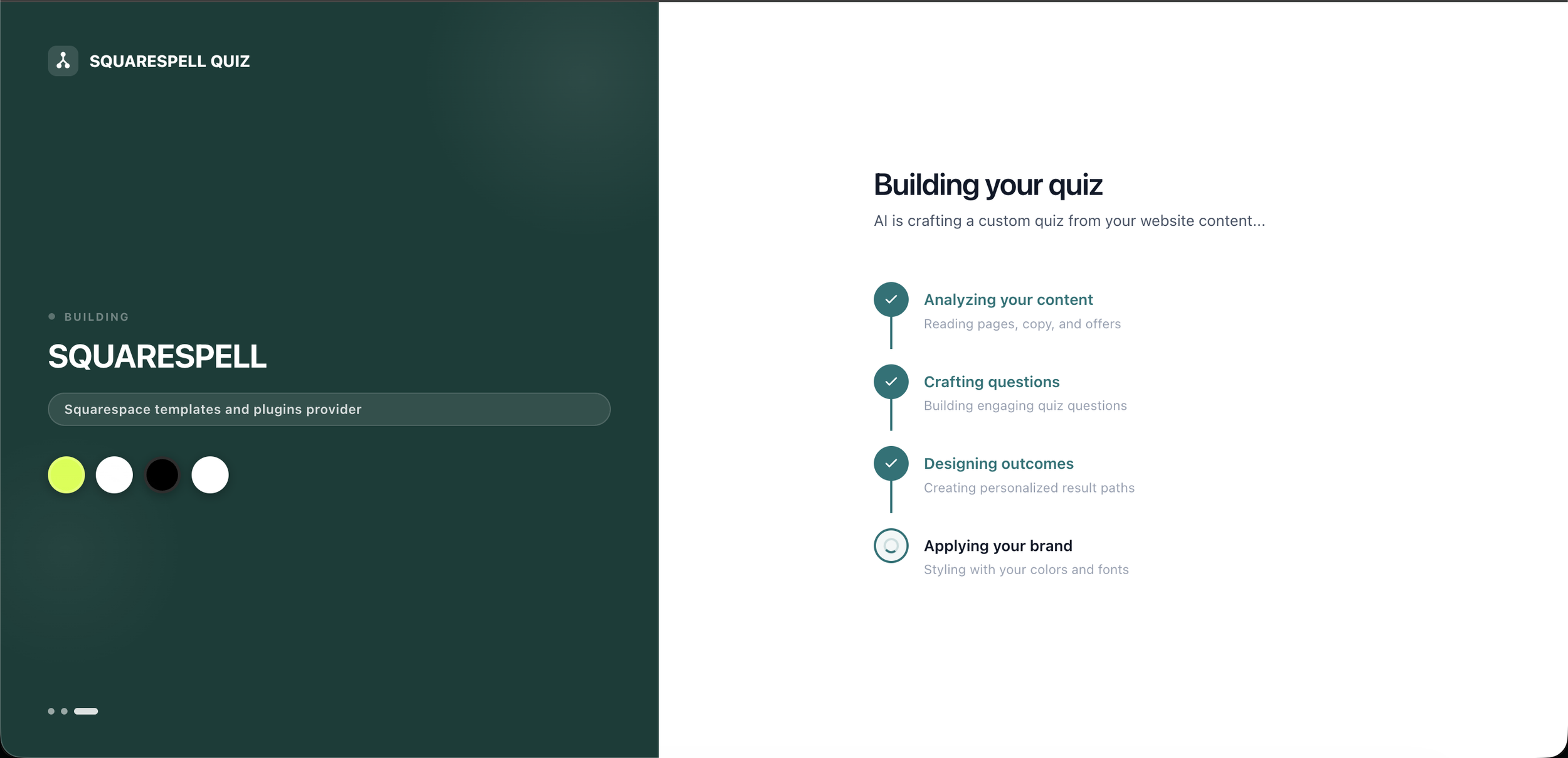
Squarespell Quiz is an AI-powered quiz funnel builder built for Squarespace websites. You paste your Squarespace URL into the dashboard, the AI reads your site's brand identity colors, fonts, button styles, and existing copy and generates a fully branded interactive quiz with scored questions, a lead-gate for email capture, and personalised outcome pages.
The result is a quiz that looks like it was hand-built to match your site, not a generic embed that clashes with your design. Once generated, you choose how to display it: inline within a page, as a popup, or as a persistent floating tab on every page.
How to Add a Quiz to Your Squarespace Website: Step by Step
Setup takes approximately 2 minutes from URL paste to live embed. Here is the complete walkthrough.
Step 1: Paste your Squarespace URL
Go to the Squarespell Quiz dashboard and enter your Squarespace site URL in the generator field. The AI will crawl your site's publicly visible design reading your colour palette, typography, button styles, and headline copy. You do not need to enter your Squarespace login credentials; the AI reads only what any visitor would see.
Step 2: Review the AI generated quiz
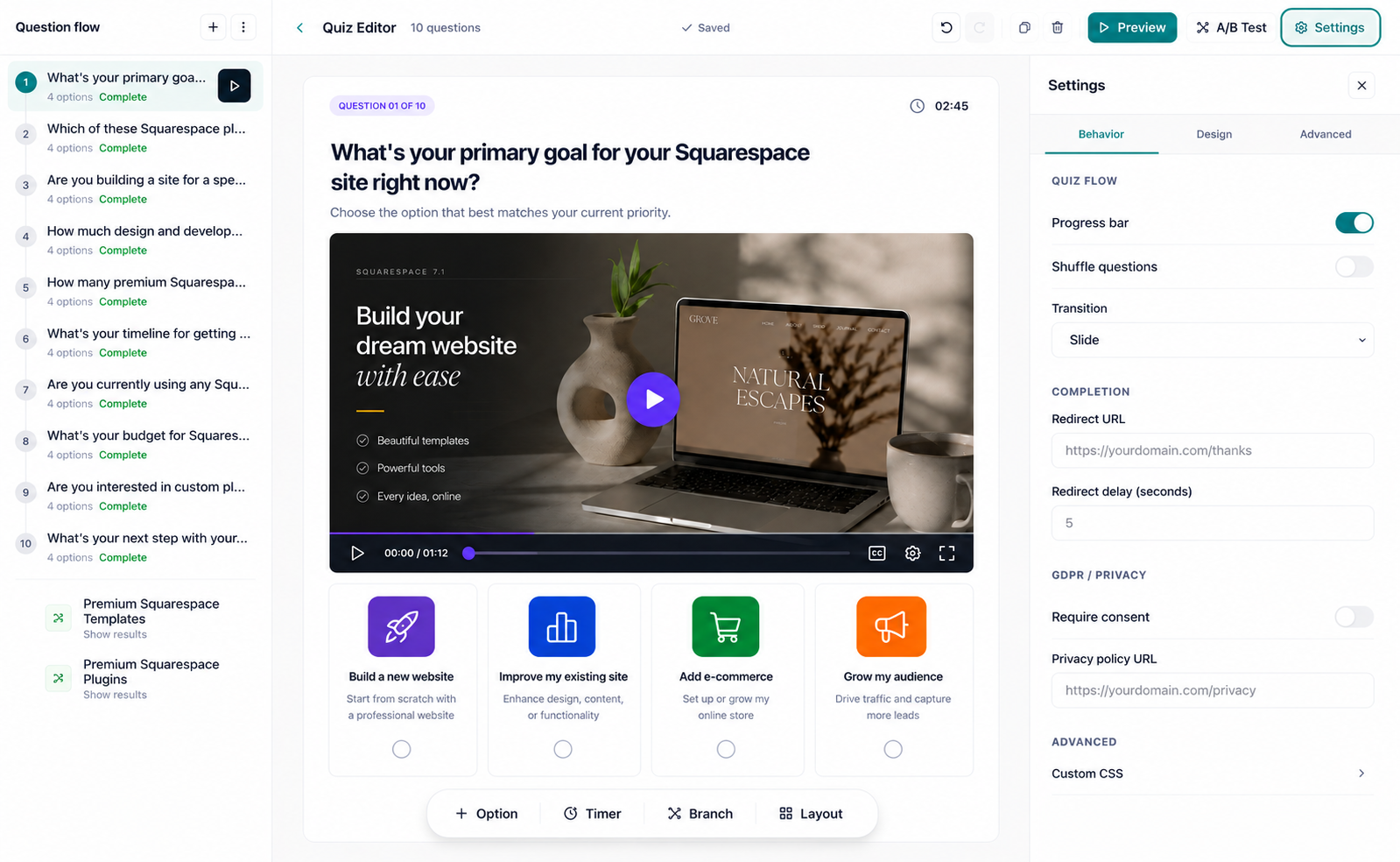
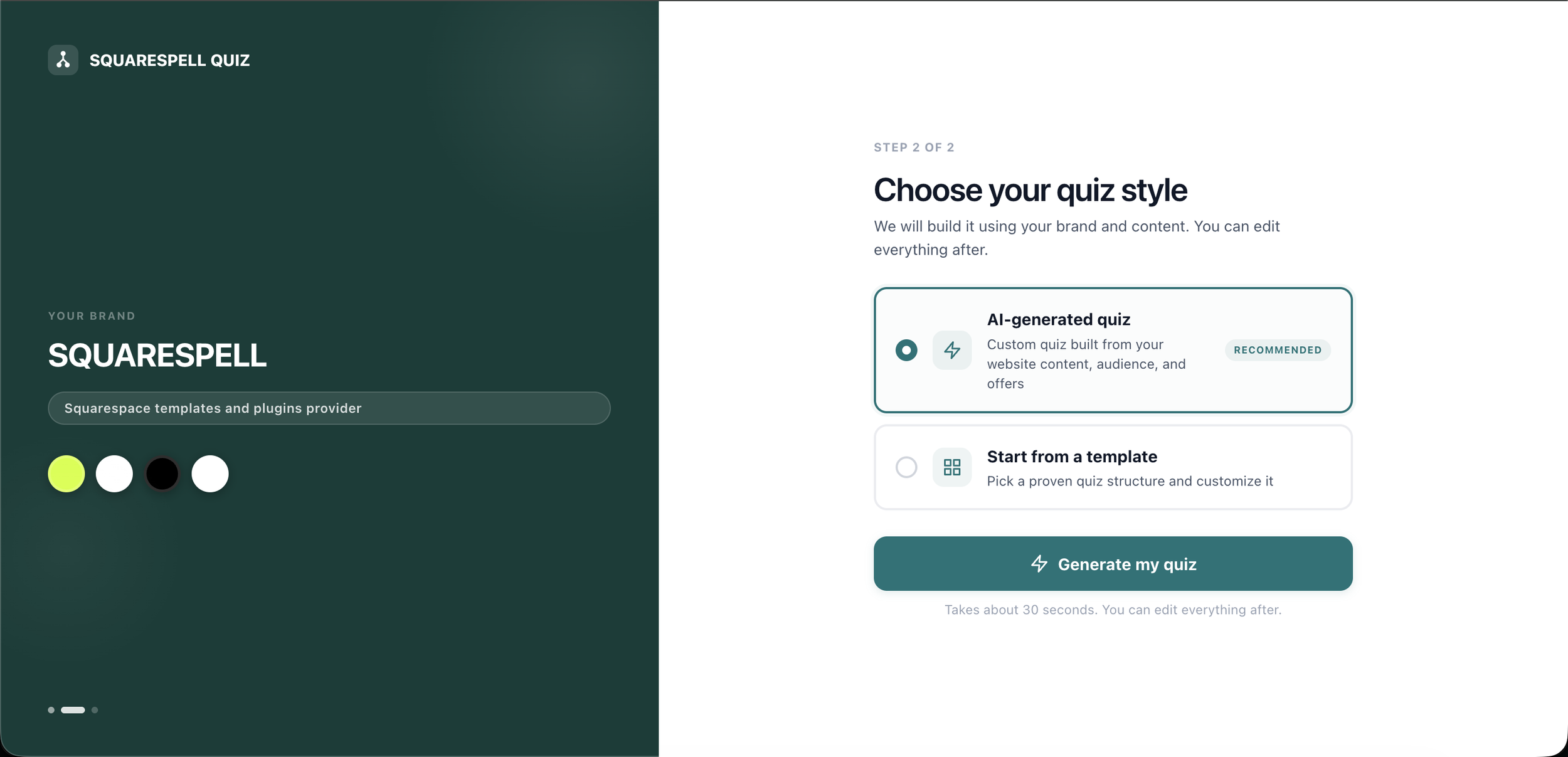
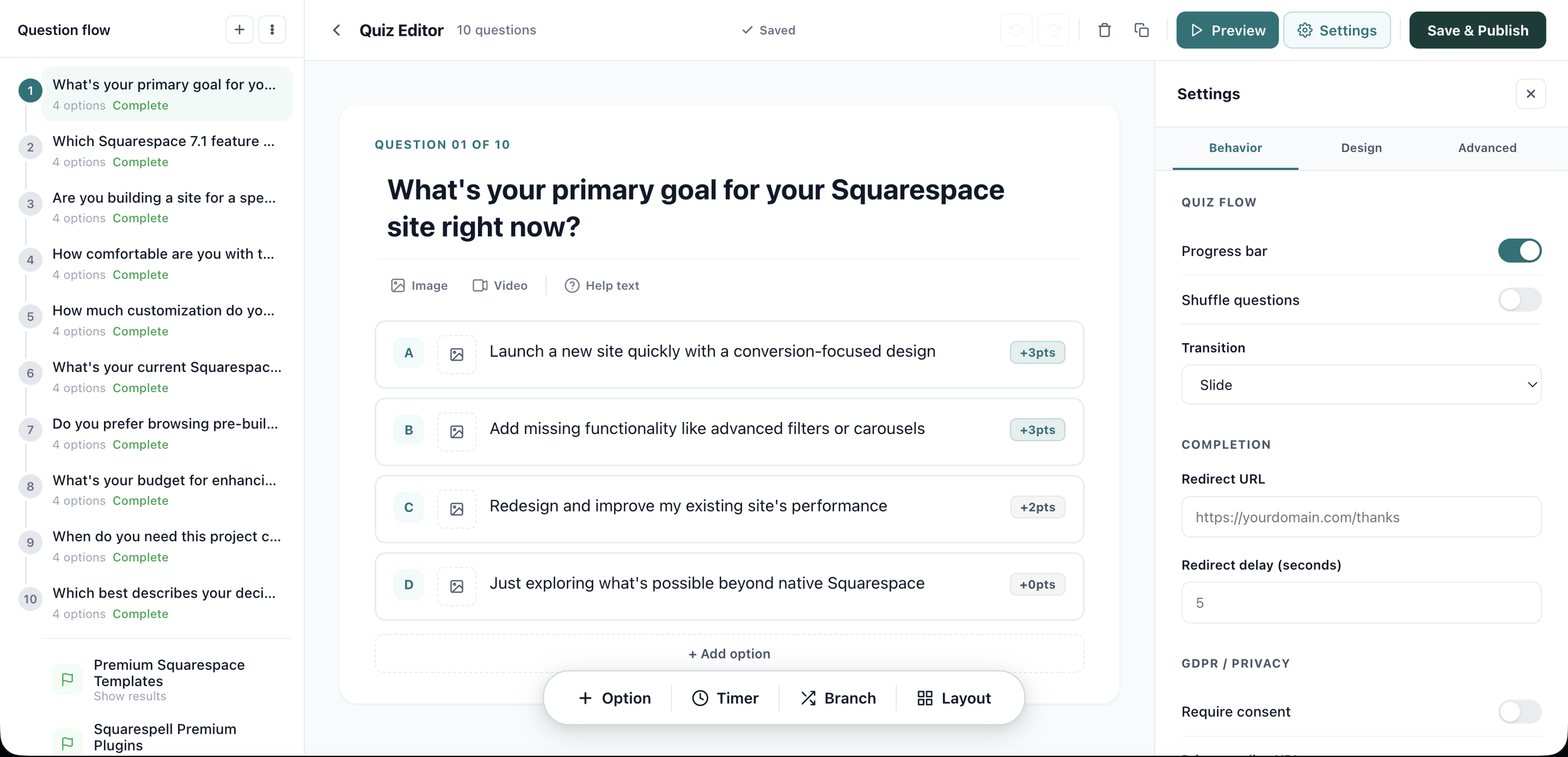
Within seconds, Squarespell Quiz returns a draft quiz branded to your site. Review the questions, answer options, scoring logic, and outcome pages in the visual editor. Each answer can be assigned a point value (used to place leads into the High ≥70, New 40–69, or Low <40 scoring bands). Edit, reorder, or accept the defaults most users need only minor tweaks.
Step 3: Choose your embed mode
Squarespell Quiz offers three ways to display your quiz. Choose based on where and how you want visitors to encounter it. For a detailed breakdown of when to use each option, see how to choose between inline, popup, and floating-tab embeds.
Inline The quiz appears as a block within a specific page. Best for a dedicated quiz landing page, a homepage section, or mid-content within a blog post.
Popup The quiz appears as an overlay, triggered by exit intent, a time delay, or a scroll threshold. Best for catching visitors before they leave.
Floating tab A persistent tab appears on every page of your site (e.g., "Find your fit →"). Best for sitewide visibility without interrupting page flow.
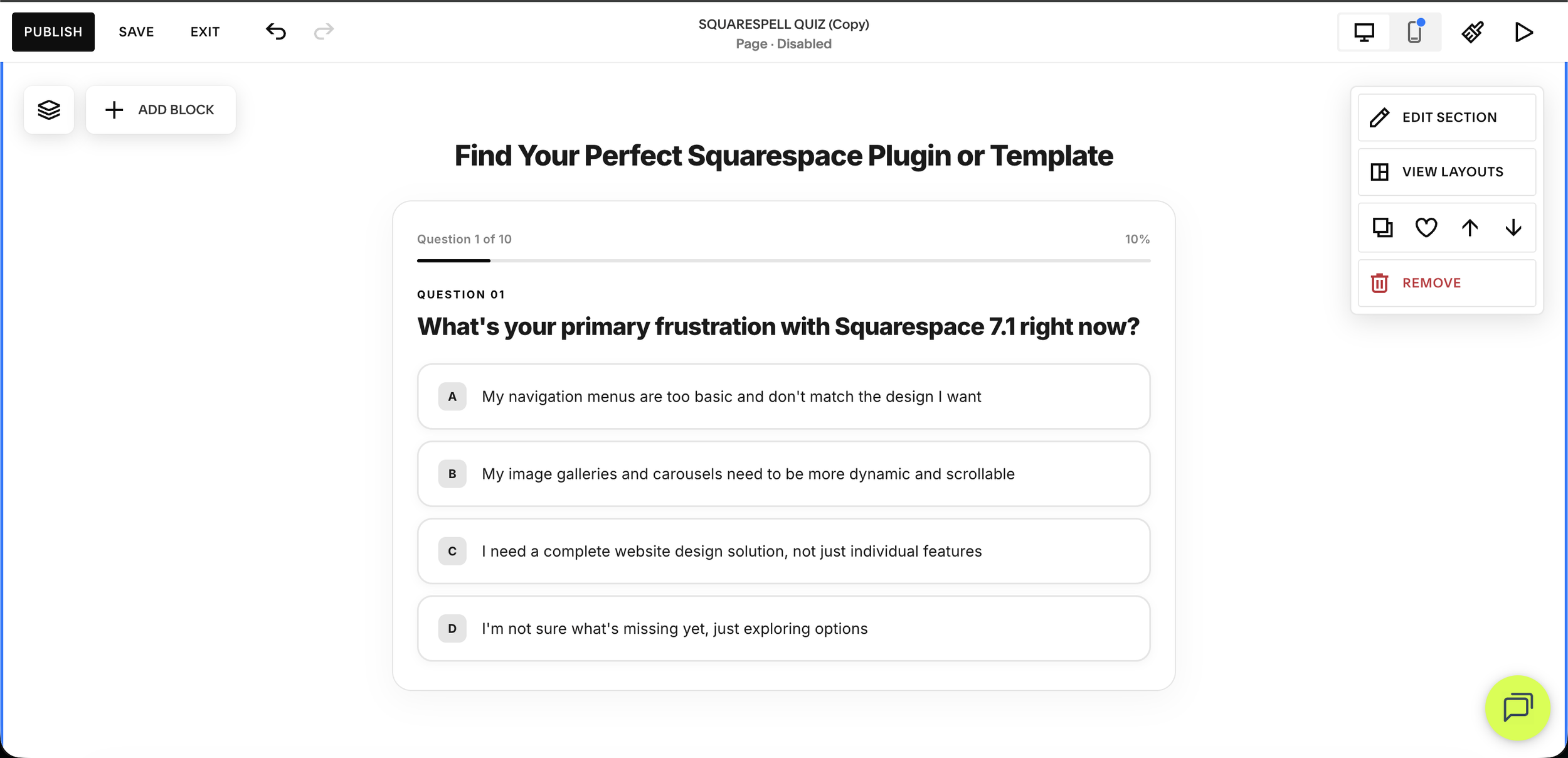
Step 4: Copy the embed code Paste into Squarespace
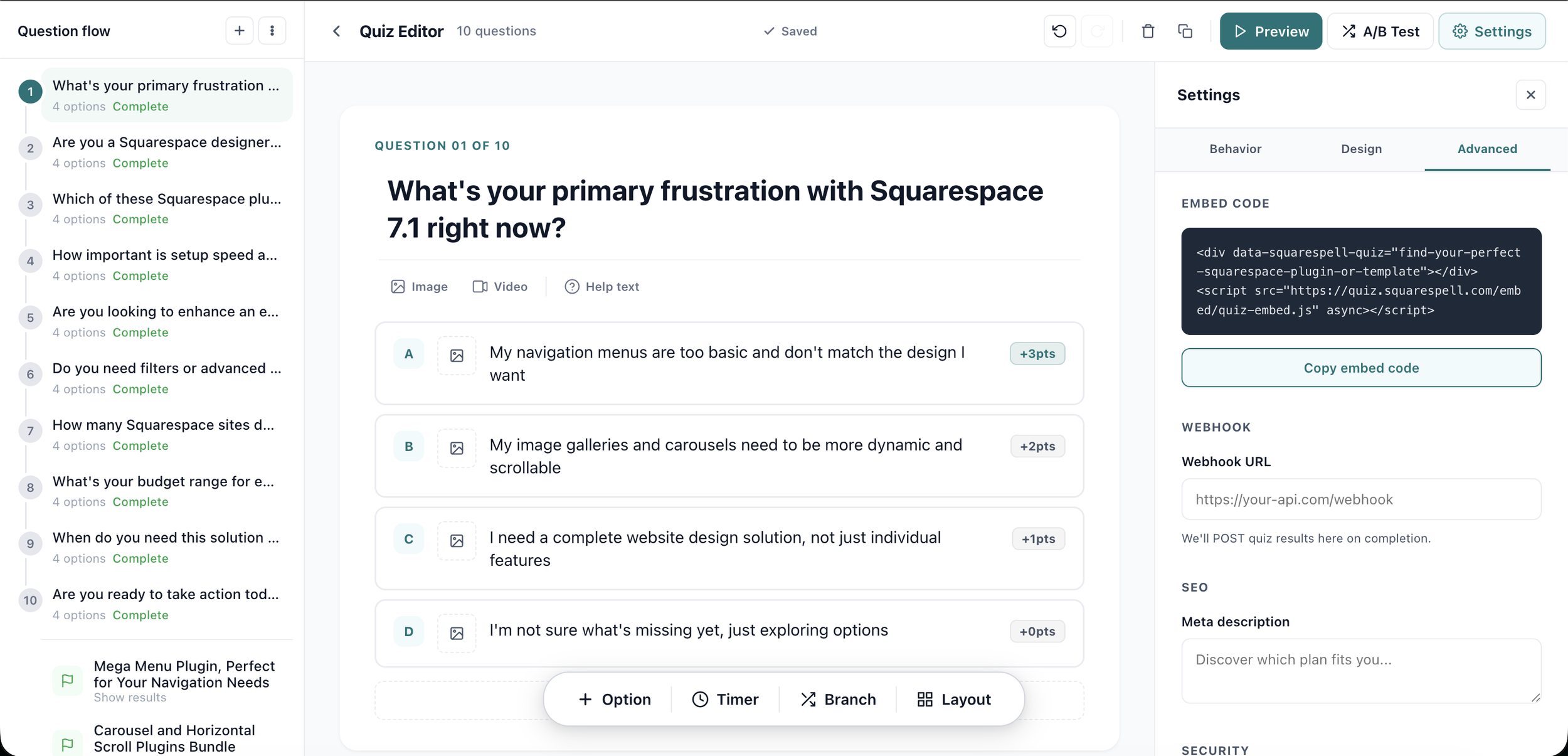
Once you have selected your embed mode, Squarespell Quiz generates a short JavaScript snippet. Click "Copy embed code" in the dashboard.
Step 6: Publish and test
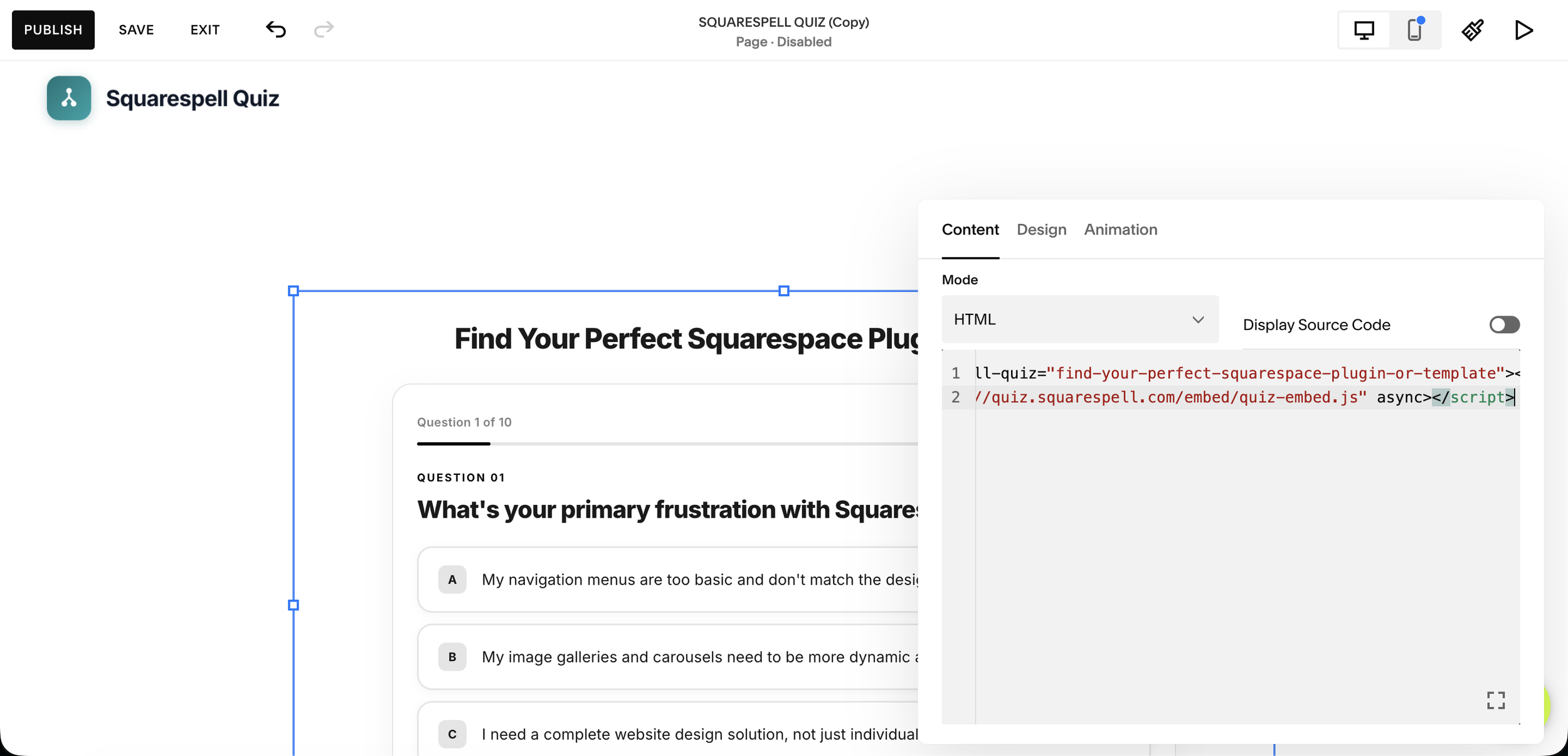
Save your changes and publish the page (or save the code injection). Open the live URL in an incognito browser window and complete the quiz yourself to confirm the embed, scoring, lead-gate, and outcome pages all work correctly. Check on a mobile device as well all Squarespell Quiz embeds are responsive by default.
Generate your first branded quiz free paste your Squarespace URL
Can I Add a Quiz to Squarespace Without Code?
You can add a quiz to Squarespace without writing or understanding any code. The only step that involves code is pasting the embed snippet that Squarespell Quiz generates it is a copy-paste action, not custom development. You do not need to understand JavaScript, CSS, or Squarespace's developer tools. The quiz itself its questions, design, scoring, and outcome pages is built entirely within the Squarespell Quiz visual editor.
The one exception is custom CSS styling beyond the AI-generated brand match, which is available on the Pro and Business plans for users who want pixel-perfect control. For most users, the AI auto-styling is sufficient without touching any code.
How Long Does It Take to Set Up a Squarespace Quiz?
Most users complete the setup from URL paste to a live, tested quiz on their site in approximately 2 minutes. The AI brand-generation step takes under 30 seconds. Reviewing and optionally editing the quiz questions takes 1–5 minutes depending on how much customisation you want. Pasting the embed code takes under a minute. Total time from sign-up to live quiz is well under 10 minutes for the large majority of users.
Compare this to building a quiz manually in a general-purpose tool like Typeform or Outgrow, which requires setting up brand colours, fonts, and design from scratch a process that typically takes 30–90 minutes even for experienced users. Squarespell Quiz's AI generation step eliminates almost all of that manual design work.
Can a Quiz Replace My Squarespace Contact Form?
A quiz can replace a contact form for most lead-generation use cases and typically outperforms it in both volume and quality. A standard contact form collects whatever information the visitor chooses to provide, often with high abandonment rates because it feels like work. A quiz feels like an interactive experience, asks the same qualifying questions in a structured sequence, and ends with a personalised result that motivates email submission.
That said, a contact form remains appropriate for certain use cases: transactional requests ("I need a quote for X"), short-form inquiries where a quiz would feel disproportionate, and situations where the visitor already knows exactly what they want. For businesses where discovery and qualification are the goal coaches, photographers, service providers, e-commerce stores a quiz is a direct upgrade. For a data-driven look at how the two compare, see what the data says about quiz vs. contact form lead quality.
How Much Does Adding a Quiz to Squarespace Cost?
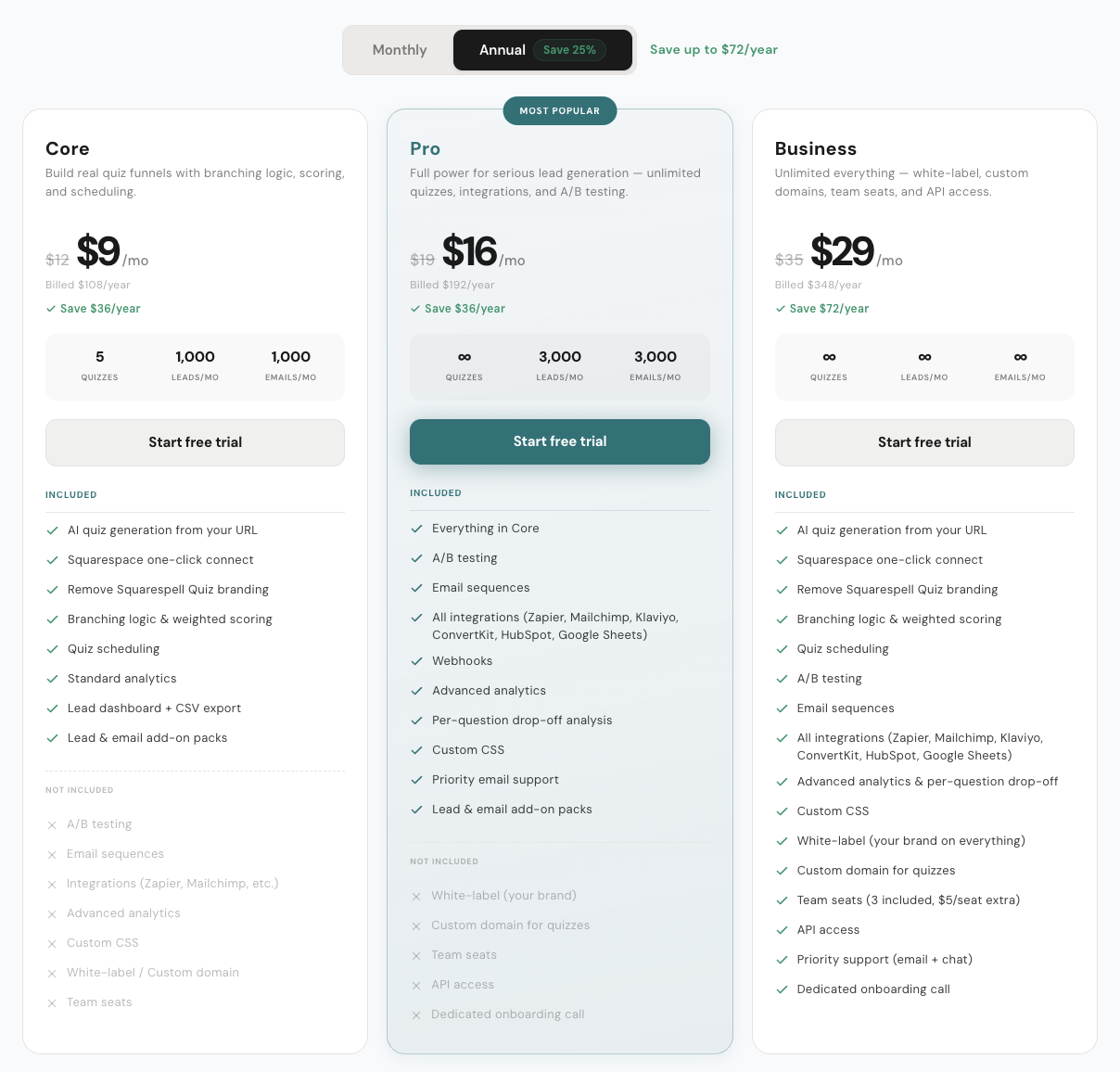
Squarespell Quiz offers three plans on annual billing: Core at $9/mo, Pro at $16/mo, and Business at $29/mo. There is a 14-day free Pro trial with no credit card required, which gives you full access to Pro features including A/B testing and custom CSS before you decide to subscribe. For a full breakdown of what each plan includes, see the Core vs. Pro vs. Business plan comparison.
The Core plan at $9/mo includes 5 quizzes, 1,000 leads per month, 1,000 emails per month, lead scoring, and integrations with Mailchimp, Klaviyo, ConvertKit, Google Sheets, and Zapier. It is sufficient for most solo business owners and small-team operations. The Pro plan unlocks unlimited quizzes, 3,000 leads and emails per month, A/B testing, and custom CSS. The Business plan adds white-label, custom domain, team seats, and priority support.
For comparison: Typeform's general-purpose plans start at approximately $29/mo (and include per-response pricing limits that can become expensive quickly), and Outgrow starts at approximately $14/mo for a limited entry tier with a more complex setup process and no Squarespace-native brand matching. Squarespell Quiz is the only quiz builder in this space that auto-generates a branded quiz directly from your Squarespace site's URL, making it uniquely suited to Squarespace users who want a seamless visual match without manual design work.
| Feature | Typeform | Outgrow | Squarespell Quiz |
|---|---|---|---|
| Starting price | ~$29/mo | ~$14/mo, entry tier | ~$9/mo |
| Pricing model | Per response tiers, can escalate quickly as traffic grows | Per lead / feature gated tiers | Flat, predictable monthly pricing |
| Setup complexity | Moderate, build from blank templates | More complex, steep learning curve for full features | Simple, auto generates from your Squarespace URL |
| Squarespace native brand matching | No, generic embed, manual styling required | No, manual styling required | Yes, pulls colors, fonts, and layout automatically |
| Time to launch first quiz | Hours | Hours to a day | Minutes |
| Design customization needed | Manual, colors, fonts, logo added by hand | Manual, theme editor required | None required, auto matched, editable if desired |
| Best suited for | General purpose form and survey builders | Marketers running lead gen funnels across platforms | Squarespace site owners who want a seamless on brand quiz |
What Types of Quizzes Can I Build for My Squarespace Site?
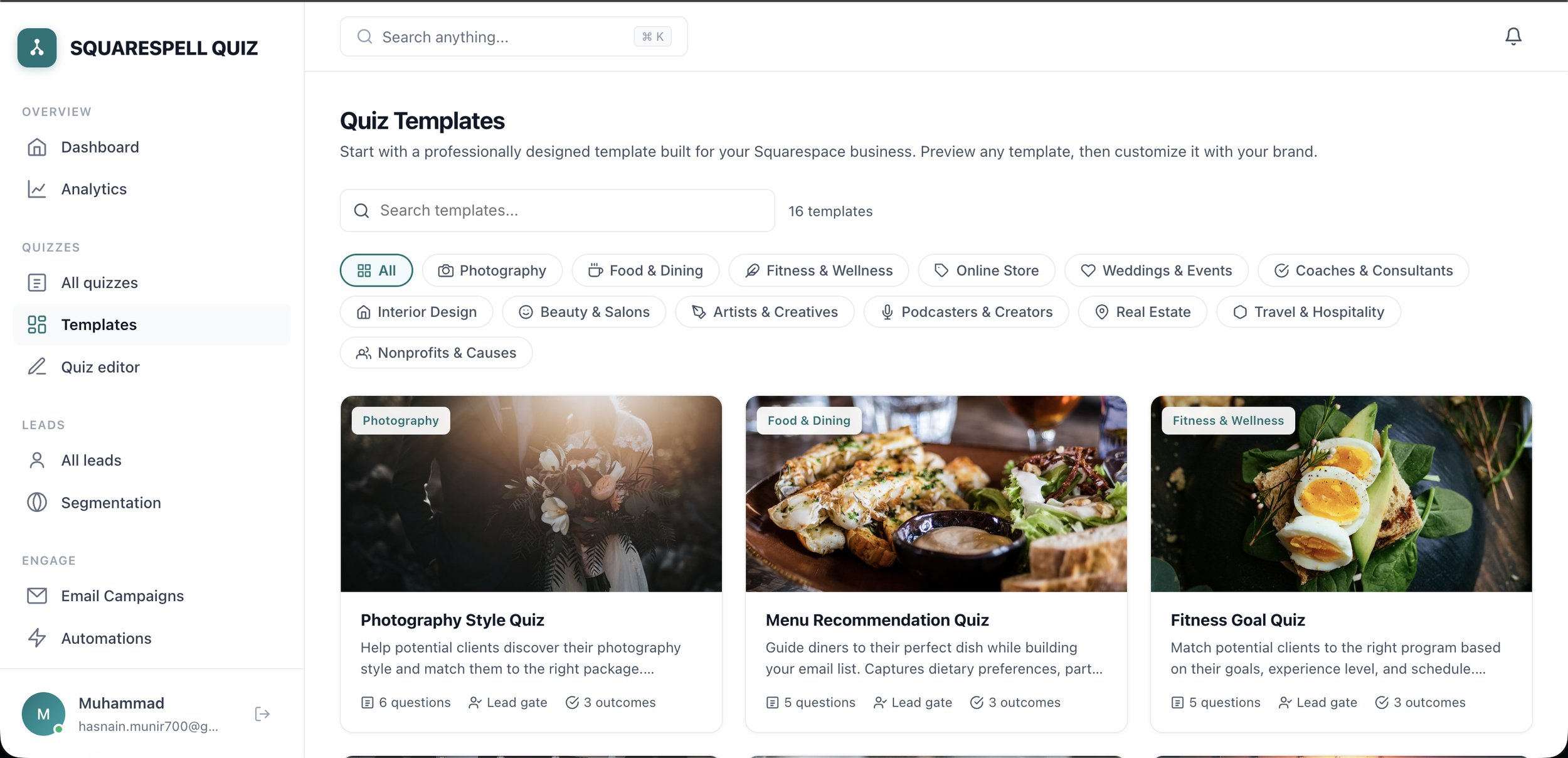
Squarespell Quiz supports scored lead-qualification quizzes, product recommendation quizzes, personality or "find your type" quizzes, and onboarding or assessment quizzes. All quiz types include lead scoring (High ≥70 / New 40–69 / Low <40), a lead-gate email capture step, and personalized outcome pages. There are 13+ industry-specific templates to start from including templates for coaches, photographers, online stores, wedding businesses, fitness professionals, and more. Browse the full library in 13 Squarespace quiz templates by industry.
Every template auto-adapts to your site's brand via the AI generation step, so you are never stuck with a generic, mismatched design regardless of which template you choose.
Is There a Free Trial for Squarespace Quiz?
Yes. Squarespell Quiz offers a 14-day free Pro trial with no credit card required. The trial gives you access to all Pro plan features, including unlimited quizzes, A/B testing, custom CSS, and the full integration suite. At the end of the 14-day period you can subscribe to Core ($9/mo), Pro ($16/mo), or Business ($29/mo) on annual billing, or let the trial expire. There is no automatic charge.
The trial is designed to let you build, embed, and test a quiz on your actual Squarespace site before committing so you can verify the AI brand-matching, the embed, and the lead capture all work correctly for your specific site.
Do I Need Squarespace 7.1 to Use a Quiz Builder?
Squarespell Quiz is compatible with Squarespace 7.1 (the current version). The embed snippet works via code injection and Code Blocks, both of which are available across Squarespace templates on 7.1. If you are on the older 7.0 platform, code injection is still available via the Developer Platform settings, though the interface differs slightly. The quiz itself renders correctly on both versions.
Related from Squarespell: full Squarespell Quiz reference
Frequently Asked Questions
-
No. Squarespace does not include a native quiz builder. It offers form blocks and contact pages, but these do not produce scored results, outcome pages, or lead segmentation. To add a quiz funnel to Squarespace, you need a third-party tool like Squarespell Quiz, which provides an AI-generated, branded quiz via a JavaScript embed snippet.
-
Yes. Adding a quiz to Squarespace requires only pasting a pre-generated embed snippet into a Code Block or your site's footer code injection a copy-paste step that requires no coding knowledge. The quiz questions, design, and logic are all configured visually inside the Squarespell Quiz dashboard.
-
Squarespell Quiz costs $9/mo (Core), $16/mo (Pro), or $29/mo (Business) on annual billing. A 14-day free Pro trial is available with no credit card required. There is no free permanent tier, but the trial gives full Pro access for two weeks.
-
Setup typically takes approximately 2 minutes from URL paste to a published quiz on your Squarespace site. The AI brand-generation step takes under 30 seconds. Most additional time is spent optionally reviewing and editing quiz questions.
-
For most service and e-commerce businesses, yes a quiz outperforms a contact form for lead capture because it qualifies visitors, reduces unqualified inquiries, and generates a personalised result that motivates email submission. Contact forms remain appropriate for short transactional requests where a quiz would feel excessive.
-
Yes. Squarespell Quiz offers a 14-day free Pro trial with no credit card required. This gives full access to all Pro features including A/B testing, custom CSS, and unlimited quizzes.