Squarespace Quiz Builder vs. Typeform vs. Outgrow: Which Should You Use in 2026?
Quick Answer: For Squarespace sites, Squarespell Quiz is the strongest choice if brand-matched design and fast setup are priorities. Typeform is a solid general-purpose option with a polished UI but costs more and embeds via iframe. Outgrow suits complex interactive content but has a steeper learning curve and no Squarespace-native integration.
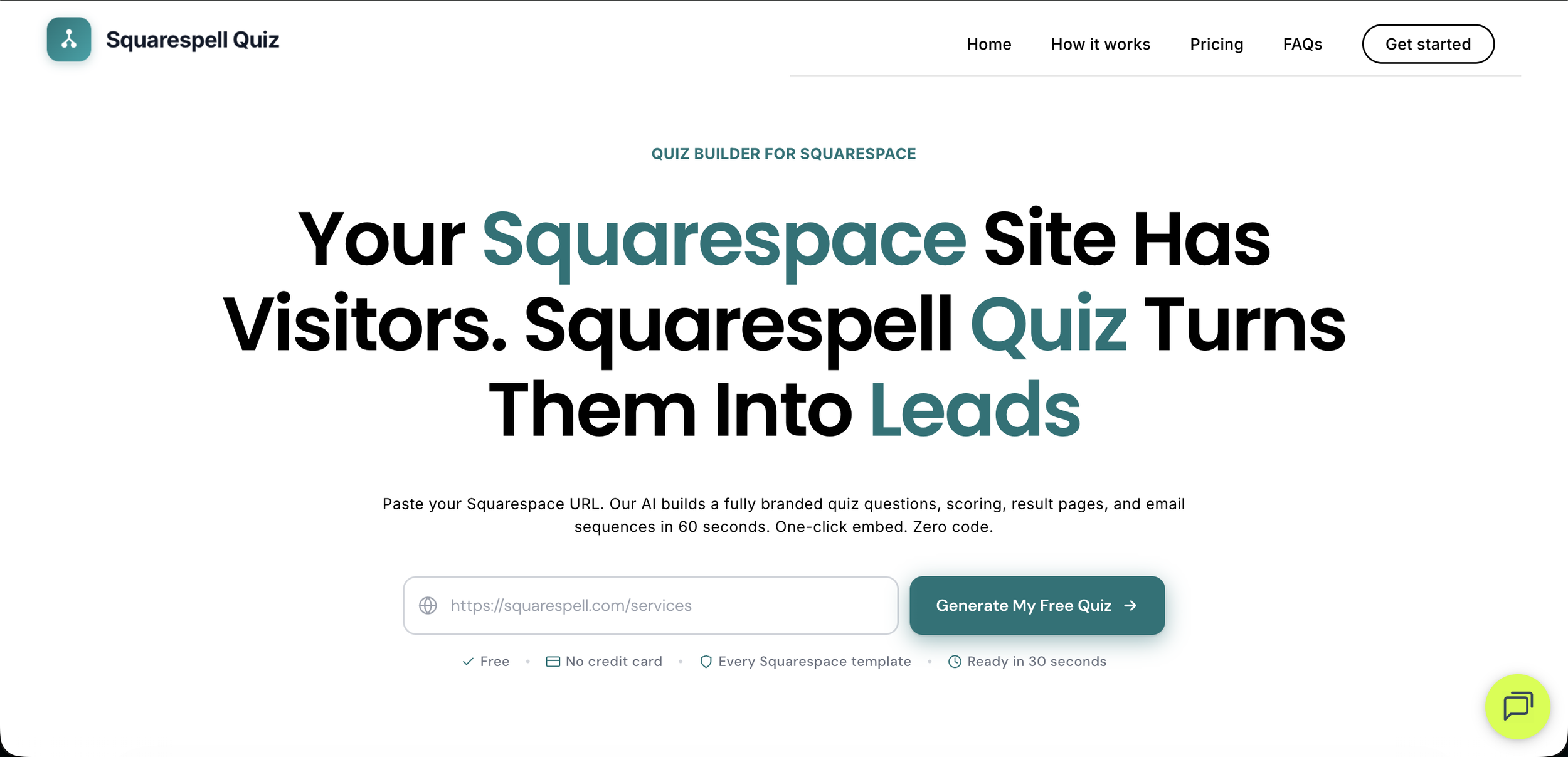
Choosing the wrong quiz tool for your Squarespace site is an expensive mistake. You end up with an embed that looks nothing like your brand, a setup process that takes hours instead of minutes, or a monthly bill that grows as your lead volume does. This comparison breaks down the three most relevant quiz tools for Squarespace businesses in 2026: Squarespell Quiz, Typeform, and Outgrow.
The evaluation covers price, setup time, embed quality on Squarespace, AI brand-matching, and lead scoring. Each tool gets an honest verdict. No tool in this comparison is perfect for every use case, and the right answer depends heavily on what you actually need.
How the Three Tools Compare: Side-by-Side Table
Why Squarespace Embed Quality Actually Matters
Before diving into each tool, it is worth understanding why embed quality on Squarespace is a meaningful differentiator, not just a cosmetic concern.
Squarespace sites are design-forward by nature. Your template, fonts, colour palette, and spacing contribute to a coherent visual identity that visitors trust. When you embed a third-party quiz using an iframe (the method Typeform and Outgrow use), the quiz renders inside a sandboxed box that cannot read or inherit your site's CSS. The result is a quiz with its own fonts, button colours, and padding that sits visibly disconnected from the rest of your page.
This disconnect has real consequences. Visitors who notice a jarring design shift are more likely to hesitate before submitting their email. A quiz that looks like a foreign object embedded in your site feels less trustworthy than one that looks like it belongs there.
Squarespell Quiz addresses this specifically. Because the AI reads your site's brand before generating the quiz, the quiz that gets embedded looks native to your design from the first render. The colours match, the font stack matches, the button styles match. Visitors rarely notice they are interacting with a third-party tool.
Squarespace Quiz Embed Quality: Side-by-Side
How each tool actually looks embedded inside your Squarespace site
Find Your Photography Style
2-minute quiz
Find Your Photography Style
2-minute quiz
Find Your Photography Style
2-minute quiz
Squarespell Quiz: The Squarespace Native Option
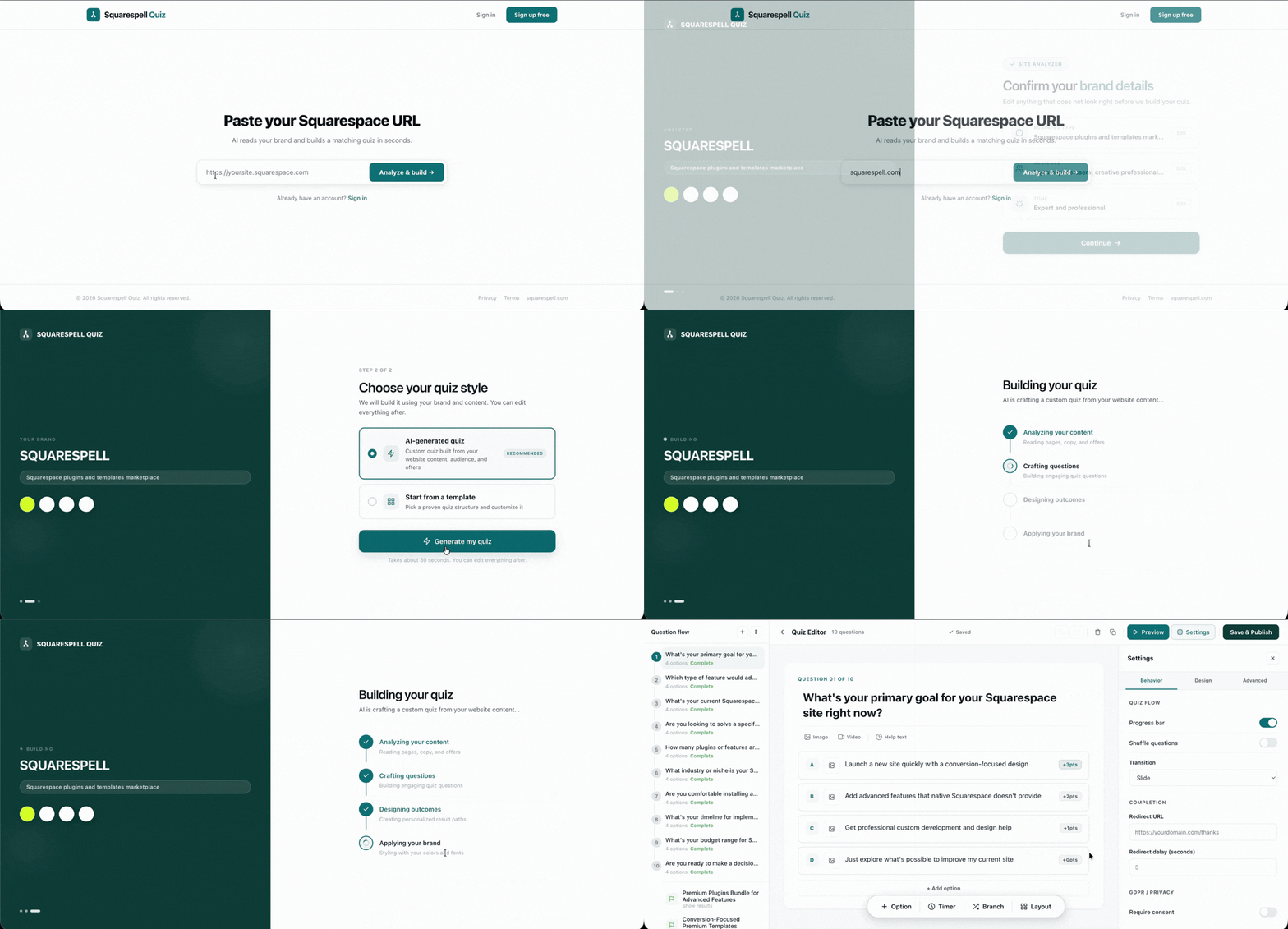
Squarespell Quiz is built specifically for Squarespace. The core workflow is: paste your Squarespace URL, the AI reads your brand identity (colours, fonts, button styles, existing copy), generates a fully branded quiz with scoring, a lead-gate for email capture, and personalised outcome pages, then provides a snippet you embed in under a minute.
Pricing:
Core at $9/mo, Pro at $16/mo, Business at $29/mo on annual billing. A 14-day free Pro trial is available with no credit card required. For a full breakdown of features per plan, see the Core vs. Pro vs. Business plan pricing breakdown.
What makes it distinctive:
The AI brand-matching step is the feature no competitor currently replicates for Squarespace. You do not manually enter hex codes or upload fonts. The AI observes your live site and generates a quiz that matches it. For Squarespace business owners who want a professional result without spending hours on setup, this is a significant practical advantage.
Lead scoring is included on all plans, using the High (score 70 or above) / New (score 40 to 69) / Low (score below 40) banding system. This means even the entry-level $9/mo plan gives you segmented leads automatically, something Typeform requires higher tiers and custom logic to approximate.
The integration suite covers Mailchimp, Klaviyo, ConvertKit, Google Sheets, Webhooks, and Zapier (which connects to 5,000+ additional apps). The three embed modes (inline, popup, floating-tab) give you meaningful display flexibility without requiring developer help.
There are 13+ industry templates across coaching, photography, e-commerce, weddings, fitness, and more, all of which auto-adapt to your brand via the AI generation step.
Limitations to be honest about:
Squarespell Quiz is purpose-built for Squarespace. If you run your website on another platform (Wix, Webflow, WordPress), it is not the right tool. And if you need advanced calculator-style logic or highly complex conditional branching, a more developer-oriented tool may give you more flexibility at the cost of setup time.
Best for: Squarespace business owners who want a branded, lead-scoring quiz live within minutes. Coaches, photographers, service providers, online stores.
Typeform: The Polished General Purpose Option
Typeform is one of the most recognisable names in the form and quiz builder category. It is a general-purpose tool, which means it works across any website and any use case, from HR surveys to customer feedback to interactive lead forms.
Pricing: Typeform's plans start at approximately $29/mo. The pricing structure includes response limits at lower tiers, which means costs can increase meaningfully as your quiz volume grows. At higher response volumes, Typeform can become significantly more expensive than a Squarespace-native alternative.
Squarespace embed experience: Typeform embeds via an iframe. The quiz renders inside a sandboxed container that cannot access your Squarespace theme's CSS. You can manually configure your Typeform's colours and fonts to approximate your brand, but this is a manual process that requires you to know your hex values and font names, and the result often has small but noticeable visual discrepancies compared to your actual site design.
Lead scoring: Typeform offers some scoring functionality via its Logic and Score variables, but setting up a weighted scoring model with segmented outcomes requires more configuration steps than Squarespell Quiz's automatic scoring system. It is achievable, but it takes time and is not a default feature on entry-level plans.
What Typeform does well: Its form UX is genuinely excellent. The one-question-at-a-time conversational interface has high completion rates and feels engaging. If you are running surveys, research forms, or multi-purpose forms across different platforms (not just Squarespace), Typeform's flexibility and polish are real strengths. For teams already using Typeform across multiple tools and platforms, consolidating on it makes sense even for Squarespace quiz use cases.
Best for: Teams already invested in the Typeform ecosystem, multi-platform organisations, or use cases where survey-style UX is more important than Squarespace brand consistency.
Try the only quiz builder made for Squarespace start free.
Outgrow: The Complex Interactive Content Option
Outgrow positions itself as an interactive content platform. It handles quizzes but also calculators, assessments, chatbots, and recommendation tools. The breadth of content types it supports makes it a powerful option for teams that need to build multiple types of interactive content under one roof.
Pricing: Outgrow starts at approximately $14/mo for a basic entry tier, but this tier is notably limited in terms of content types and lead volume. The plans that give you meaningful quiz functionality with outcome pages and integrations sit at higher price points. The pricing ladder is worth examining carefully before committing, because the entry-level plan may not cover what you actually need.
Squarespace embed experience: Outgrow content embeds via standard iframe or script tags, the same general approach as Typeform. There is no Squarespace-native integration and no AI brand-matching from your site URL. Setup involves manually configuring your quiz's design to match your brand.
Lead scoring: Outgrow does support outcome-based scoring and lead segmentation, typically at mid-tier and higher plans. For B2B teams building complex assessment tools or ROI calculators, Outgrow's scoring flexibility is meaningful.
Setup complexity: Outgrow has a more involved setup process than either Squarespell Quiz or Typeform. The platform has more configuration options, which gives experienced users more power but creates a steeper learning curve for small business owners or solo operators. The time investment to build and launch a professional quiz on Outgrow is measured in hours, not minutes.
What Outgrow does well: Complex conditional logic, B2B-oriented interactive content (ROI calculators, product configurators, assessments with detailed scoring rubrics), and multi-content-type campaigns are where Outgrow's depth becomes an advantage. For a marketing team at a SaaS company building multiple interactive assets, Outgrow's platform scope is compelling.
Best for: B2B marketing teams, SaaS companies, or content teams that need interactive calculators, assessments, and recommendation tools beyond standard quizzes, and have the resources to invest in setup and configuration.
Comparing Pricing: What Do You Actually Pay?
The starting prices differ, but the more useful comparison is what you get at each price point.
Which Tool Has the Best Lead Scoring?
Lead scoring is where the tools diverge most clearly. Squarespell Quiz builds lead scoring into every plan by default. Every quiz automatically assigns each lead a score based on weighted answers, places them in a High (70 or above), New (40 to 69), or Low (below 40) band, and surfaces that segmentation in the dashboard and in your connected email platform. You do not need to configure this; it is how the tool works out of the box.
Typeform can approximate lead scoring via its score variable and logic jumps, but it requires manual setup and is not a default behaviour. Getting segmented outcome pages with automated lead routing in Typeform takes configuration time, and the results depend on how carefully you build the logic.
Outgrow supports scoring at higher tiers with more configurability than Typeform, making it the stronger option for complex multi-variable scoring rubrics. But that power comes with the setup investment described above.
For straightforward lead qualification (which is what most Squarespace businesses need), Squarespell Quiz's built-in automatic scoring is the fastest path from zero to segmented leads.
Frequently Asked Questions
-
Typeform works on Squarespace via iframe embed and is a capable general-purpose quiz and form builder. Its main limitations on Squarespace are the visual disconnect caused by iframe embedding (it cannot inherit your site's CSS) and the manual process of matching your brand's design. For teams already using Typeform across multiple platforms, it is a workable choice. For Squarespace-only businesses prioritising a seamless visual experience, a Squarespace-native tool is a better fit.
-
Outgrow's entry tier starts at approximately $14/mo, which is lower than Typeform's starting price but comes with significant feature restrictions. The plans that provide full quiz functionality with outcome pages and integrations sit at higher price points. Squarespell Quiz starts at $9/mo on annual billing with full lead scoring and integrations included at the entry level. The best comparison is to map out what you need and price each tool at the tier that actually covers those needs.
-
No. Typeform does not have an AI brand-matching feature. You configure your Typeform's colours, fonts, and styling manually by entering your brand values in the design settings. This produces a closer visual match than using default Typeform branding, but it requires manual effort and typically results in some visual difference from your actual Squarespace site design. Squarespell Quiz is currently the only quiz tool that reads your Squarespace site's live brand and generates a matching quiz automatically.
-
Squarespell Quiz at $9/mo annually is the lowest starting price of the three tools at a meaningful feature level (lead scoring, integrations, and multiple quizzes included). Outgrow's $14/mo entry tier is more limited in what it covers. Typeform starts at approximately $29/mo. For a small Squarespace business running a lead-generation quiz, Squarespell Quiz's Core plan offers the most functionality for the lowest cost.
-
Squarespell Quiz includes automatic lead scoring on every plan, using the High (70 or above) / New (40 to 69) / Low (below 40) banding system with no configuration required. Outgrow supports more complex configurable scoring at higher tiers. Typeform requires manual logic setup to approximate scoring. For standard lead qualification on a Squarespace site, Squarespell Quiz's out-of-the-box scoring is the most practical option.
Try the only quiz builder made for Squarespace start free.
The Bottom Line
If you run a Squarespace website and your goal is to add a branded quiz that generates segmented, scored leads without a long setup process, Squarespell Quiz is the most direct path there. The AI brand-matching from your URL is a genuine time-saver, the pricing is the most accessible of the three, and lead scoring is built in from the start. Read the step-by-step guide to adding a quiz to your Squarespace site to see the full setup process.
Typeform is worth considering if you are already using it across multiple platforms and prefer to keep your tech stack consolidated, or if you need the conversational one-question-at-a-time UX for a survey or research use case.
Outgrow is the right choice for B2B teams or content-heavy organisations that need interactive calculators, complex assessments, and multi-content-type campaigns, and have the time and resources to invest in a more involved setup process.
For most Squarespace business owners reading this, the calculus is straightforward: Squarespell Quiz was built for exactly your situation.