Kava: Free Multi-Purpose WordPress ThemeFree
 WordPress · Theme
Browse by platform
View allBrowse by goal
View allFresh inventory
Kava: Free Multi-Purpose WordPress ThemeFreeWordPress · Theme CrocoBuilder: AI-Native Dynamic Frontend Builder for WordPress$79WordPress · PluginAffiliate link
 WordPress Form Builder Plugin for Gutenberg, Elementor, and Bricks$49WordPress · PluginAffiliate link
 JetStyleManager – Gutenberg Block Styles PluginFreeWordPress · Plugin
 JetGridBuilder – FREE Elementor Grid PluginFreeWordPress · Plugin
 JetBlog Plugin for Elementor$43WordPress · PluginAffiliate link
Search results
Listing checked checked Aug 2026 How verification works We checked the creator, the product page, the platform and the pricing. We have not installed it ourselves.
 By Spark Plugin
, see everything Spark Plugin publishes
By Spark Plugin
, see everything Spark Plugin publishes
 Squarespace
Over 100 no-code customisations for Squarespace 7.1 — animations, navigation, marketing widgets and block styling — applied by clicking, not by pasting CSS.

Overview
Squarespace 7.1 is a good design system with a deliberately short list of controls. The moment you want something it does not offer — a mega menu, a logo carousel, a button that animates on hover, a section that fades in as you scroll — you are into custom CSS, and custom CSS on Squarespace has a known ending: it works until Squarespace ships an update that moves the class it was hooked to.
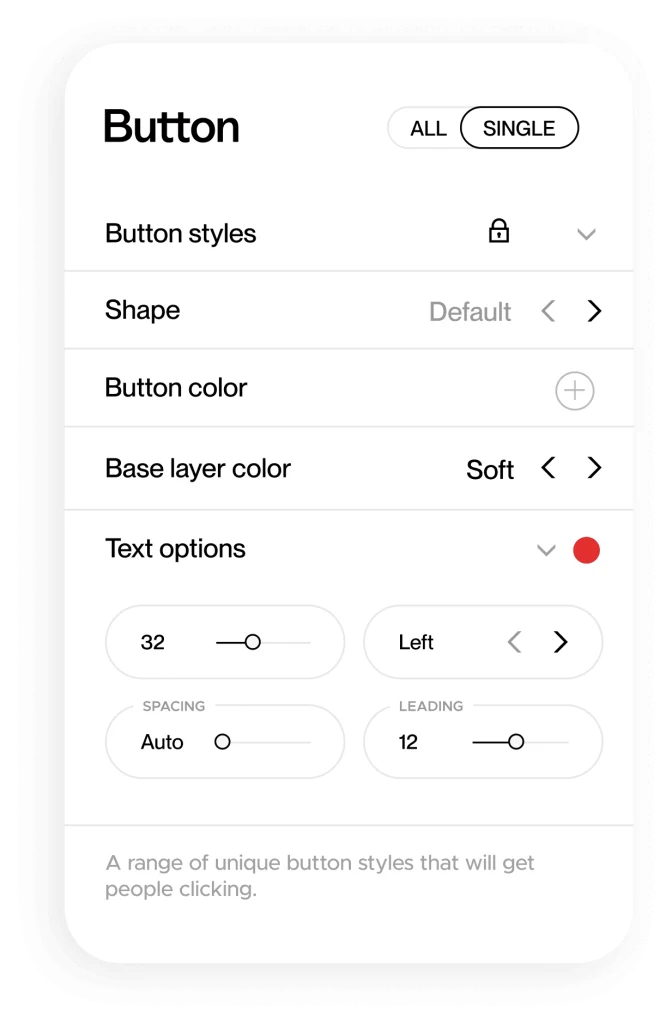
Spark Plugin replaces that with a panel. You paste one code snippet into your site, and from then on the panel opens over your own live pages: click a block, and the controls for that block appear. Over a hundred customisations are available this way, and the changes render as you make them rather than after a save-and-refresh cycle.
The part that matters commercially is who maintains it. Spark keep the customisations working against Squarespace's updates, and they release a new one every month. That is the argument for renting this rather than owning a snippet — and, as the pricing section explains, renting is exactly what you are doing.
How it works
Spark put installation at one to two minutes. There is no app to connect, no account to link on the Squarespace side, and nothing to configure before you start.
Fourteen days, full access, no credit card. You are given a code snippet.
It goes into your Squarespace site once. That is the whole installation.
Click a text block, an image, a button, a section — the panel shows what can be changed about it.
Changes render in real time. Edits are stored on your own site and adapt to future Squarespace updates.
What is in it
Spark sort their library into Animations, Design, Marketing, Navigation and Pro. A new customisation ships every month. These are the ones they lead with.
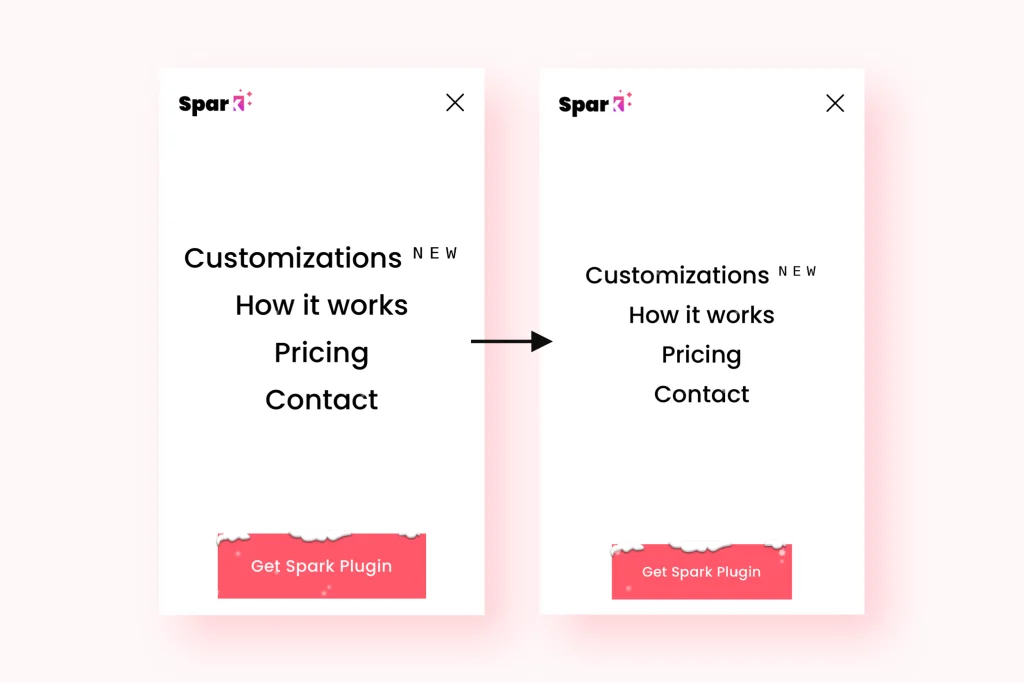
Mega Menu, a replacement dropdown, mobile menu styling, mobile menu on desktop, floating and vertical headers, and a back-to-top button.
Momentum scroll animations, per-block animation, hover animations, word-loop headlines, animated backgrounds and a custom loading screen.
Block Styler for shadows, borders, colours, margins, rotation and opacity; text effects; seven image styles; gallery, carousel and list restyling.
Popup Builder with trigger and page control, countdown timer, number counter, testimonial slider, before/after slider and scroll indicators.
Sale and sold-out labels, hiding the quantity box, hiding price on sold-out products, and a smart filter that adds sorting to any section.
Site search, live chat through WhatsApp, Messenger or email, custom scrollbars, cookie banner styling and announcement bar styling.
Pricing
Read from the pricing table in Spark Plugin's own page source on 27 August 2026. Every plan is priced by how many sites it covers; the headline figures below are the yearly-billed monthly rate for one site.
$9/mo
billed yearly · $11 monthly · 1 site
Their star plan
$19/mo
billed yearly · $23 monthly · 1 site
$29/mo
billed yearly · $35 monthly · up to 10 new sites a year
| Plan | Sites covered | Yearly (per mo) | Monthly |
|---|---|---|---|
| Personal | 1 website | $9 | $11 |
| Personal | Up to 4 websites | $15 | $19 |
| Personal | Up to 10 websites | $22 | $29 |
| Business | 1 website | $19 | $23 |
| Business | Up to 4 websites | $29 | $37 |
| Business | Up to 10 websites | $39 | $49 |
| Agency | Up to 10 new sites a year | $29 — $35 per site | $35 — $42 per site |
| Agency | Up to 30 new sites a year | $39 — $15 per site | $49 — $19 per site |
| Agency | Up to 100 new sites a year | $49 — $6 per site | $59 — $7 per site |
The full grid. Yearly billing saves about 20%; the "per site" figures on Agency are the annual cost per site, not monthly.
Before any of that there is a 14-day trial with full access and no credit card. Spark do not sell a one-time licence, and give their reason for it: Squarespace changes constantly, and the subscription is what pays for keeping every customisation working through those changes.
Read this first
This is the single most important thing to understand about Spark Plugin, and it is the difference between renting a design and owning one.
If you are a designer handing a site to a client, this decides which plan you need. On Personal or Business the client inherits a design that depends on your subscription staying alive.
Compatibility
| Supported | |
|---|---|
| Squarespace 7.1 | Yes — this is what it is built for |
| Squarespace 7.0, old templates | No |
| Squarespace Personal plan | No — Business or Commerce required |
| Mobile and all major browsers | Yes, tested per customisation before release |
| Third-party tools and custom code | Usually — Spark say conflicts are possible and support them |
| Other platforms | No — Squarespace only |
From Spark Plugin's own FAQ and how-it-works page, 27 August 2026. We have not tested any of it.
On performance, Spark's position is that edits are hosted on your own site rather than fetched from theirs, so the customisations render with the page. That is their claim rather than a measurement of ours; if page weight matters to you, measure the site before and after during the trial.
Who it is for
One subscription covering up to ten client sites, a dashboard to manage them, and — on Agency after twelve months — changes the client keeps whatever happens to your subscription.
The gap between a template and a custom site is mostly small things: a menu that behaves, a button worth clicking, sections that arrive as you scroll. This closes that gap without a developer.
If your site runs on a pile of code you pasted from tutorials and something breaks after every Squarespace update, the maintenance is the thing you are actually buying here.
Worth knowing
The subscription model is the honest objection, and it is not a small one. If you need two specific things — a logo carousel and an animated counter, say — you can buy those outright once, from us or from anyone else, and keep them. Over three years a one-off plugin is very often cheaper than renting a library of a hundred you will not use.
Spark earns its price when the breadth is the point: when you are trying ideas rather than implementing a known list, when you are building sites repeatedly, or when what you actually want to stop paying for is the maintenance. Buying it for one effect is the case where it does not add up.
The second constraint is the plan ladder. Personal is ten features, and several of the things people arrive wanting — the mega menu, momentum scroll animations, the logo carousel, the smart filter — are Pro features that begin on Business at roughly double the price.
We sell Squarespace plugins ourselves, so treat that paragraph as an interested party being straight with you rather than as neutral advice. The compatibility log and the ranking on this site are commission-blind either way.
Who makes it
Spark Plugin was started in 2021 by Rasmus Myhrberg in Gothenburg, Sweden, on the premise that Squarespace could do more than it lets you reach. It is built by a small international team of freelancers — a developer in Abuja, a customer care specialist in Rome, a designer in Bordeaux, a copywriter in England — and they publish who they are on their about page, which is more than most tools at this price do.
One incidental detail worth recording because it is checkable: Spark are part of Stripe Climate and state they give 1% of monthly revenue to carbon removal, and that their servers run on renewable energy.
Evidence
No Squarespell customer reviews yet.
Sign in to write a review We will bring you straight back here.
Nobody has reviewed this here yet. Be the first, we only publish reviews left on Squarespell in this section.
Before you subscribe
Anything about your own site or account is best asked of Spark directly — sparkplugin.com/contact
A subscription. You paste one code snippet into your Squarespace site and the customisations are delivered and maintained by Spark for as long as you pay.
That is why it is filed here under Extensions rather than Plugins: a plugin is a file you buy and keep, and this is not that.
On Personal and Business, all customisations are hidden and the site reverts to standard Squarespace. Nothing is deleted — resubscribe and everything returns as it was.
On Agency, changes stay permanently, but only after a full 12-month subscription has been completed.
No, beyond pasting the one installation snippet. Everything after that is a panel: select a block, adjust the controls, watch it change.
It works with Squarespace 7.1. Old templates on Squarespace 7.0 are not supported, and neither are sites on the Squarespace Personal plan — you need Business or Commerce.
Spark publish instructions for upgrading to 7.1 or switching plan if you are on one of the unsupported combinations.
Spark put it at one to two minutes: sign up for the trial, and you are given a code snippet with instructions for where to paste it. There is nothing to connect on the Squarespace side.
Yes — 14 days, full access to everything, and no credit card required to start it. If you want to keep the designs afterwards you pick a plan.
Personal gives you any 10 features, used as many times as you like. Business removes that cap and adds the Pro features.
Pro covers several of the things people specifically come looking for: momentum scroll animations, the mega menu, the scrolling logo carousel, the smart filter, the before/after slider and announcement bar styling.
Agency, if you want the changes to survive your subscription — that is the plan's distinguishing feature, and it activates after twelve months. It also adds a dashboard for managing every client site.
Spark's alternative suggestion is to have clients subscribe themselves on Personal or Business through your referral, which pays you and gives them 10% off.
Every plan is sold in site tiers. Personal is $9/mo for one site, $15 for up to four and $22 for up to ten, all billed yearly.
Business is $19, $29 and $39 for the same tiers. Agency is priced by new sites per year — $29/mo for ten, $39 for thirty, $49 for a hundred — which works out at $35, $15 and $6 per site respectively.
Spark's stated reason is that Squarespace changes constantly and they update the customisations to match, so the subscription funds the compatibility work, new features and support that a one-off sale could not.
Spark say edits are hosted on your own site rather than fetched from theirs, so they render with the page — and claim this is sometimes faster than Squarespace's own.
That is the vendor's claim and we have not measured it. The trial is fourteen days; measure your own pages before and after.
Spark state that all of them are, and that each one is tested across screen sizes before release. Mobile-specific controls exist too — mobile menu styling, hiding blocks or sections on mobile, and mobile menu on desktop.
Spark say it is built to be compatible with most third-party tools and custom code, and that their support team will help where there is a conflict. If you already run several plugins, the trial is the time to find out.
Spark release a new customisation every month and update existing ones to stay aligned with Squarespace changes. That maintenance is the main thing the subscription buys.
Not on this link. Spark run their programme on Rewardful, which issues each affiliate a personal referral link, and Squarespell does not hold one for Spark — so the button goes to their ordinary site and nothing is tracked or earned.
If that changes the link will be tagged and the commission disclosed under the button. Either way it cannot affect ranking: the recommendation score is barred from reading any commercial field, and a test enforces it rather than a policy.
Not yet, and the badge on this page says Untested for that reason. There is no recorded compatibility test against Spark Plugin.
Everything factual here — the plan structure, every price, the compatibility limits and what happens on cancellation — was read from Spark Plugin's own pages and page source on 27 August 2026.
Ready when you are
The trial is the honest way to judge this one: install it, try the customisations you actually came for, and check they are on the plan you were planning to buy before the fourteen days are up.
Try Spark Plugin free (opens in a new tab)No credit card required. Squarespace 7.1 on a Business or Commerce plan; 7.0 and the Squarespace Personal plan are not supported. Squarespell earns no commission on this link — no referral link is connected to this listing yet.
Affiliate link. Affiliate link: Squarespell may earn a commission if you buy. It never changes our rank or verdict.More like this
Free plan available
Free plan available
$18.99/mo
$1/mo minimum