Member Content Pro: Show Members-Only Content on Public Squarespace Pages with Native Member Sites$59
 Squarespace · PluginSquarespell Original
Browse by platform
View allBrowse by goal
View allBrowse by goal
Fresh inventory
Recently added
Member Content Pro: Show Members-Only Content on Public Squarespace Pages with Native Member Sites$59Squarespace · PluginSquarespell Original Event Tickets: Sell Tickets on Squarespace Event Pages with Ticket Types, Seats Left and Native Checkout$59Squarespace · PluginSquarespell Original
 Wholesale Order Pad: Squarespace Wholesale Order Form with Bulk Add to Cart, Order by SKU and Reorder$85Squarespace · PluginSquarespell Original
 Squarespace Summary Block Pro: More Than 30 Items, Load More and Pagination$49Squarespace · PluginSquarespell Original
 Squarespace Delivery Area Checker: Postcode and ZIP Code Checker Plugin$49Squarespace · PluginSquarespell Original
 Order Rules: Squarespace Minimum Order, Quantity Limits and Pack Sizes Plugin$49Squarespace · PluginSquarespell Original
Search results
Matching products
Squarespace
How to sell Squarespace templates in 2026: how delivery works (duplicate, invite, transfer), where to sell, and what 121 real template listings charge.
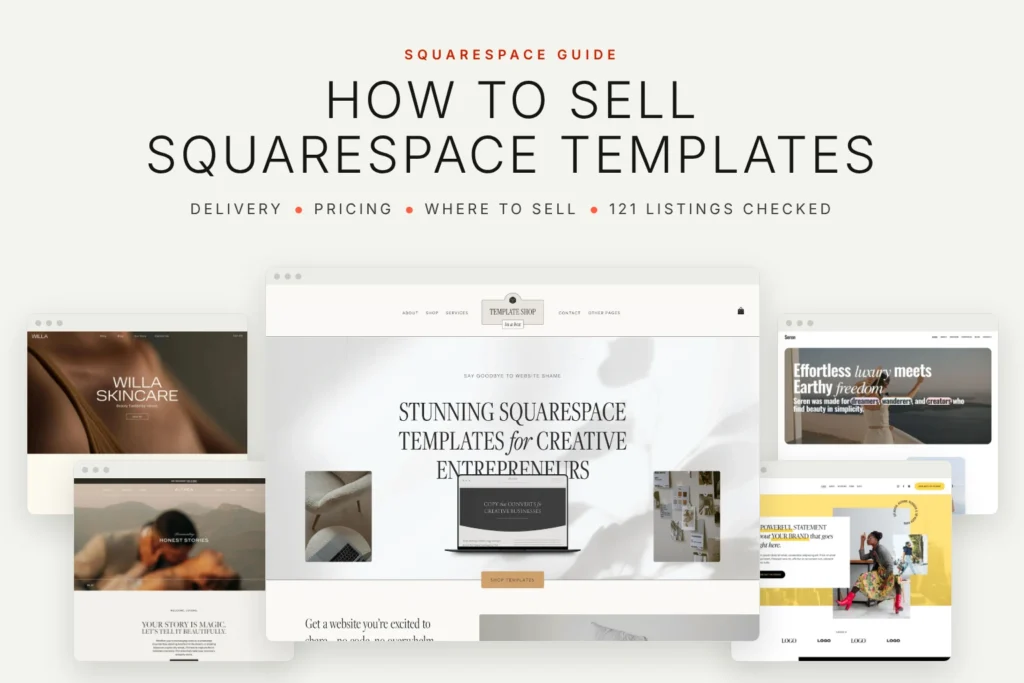
A note on how we make money. Squarespell lists third-party templates and courses with affiliate links, including Kate Scott’s Template Shop in a Box and Scale with Templates, and may earn a commission if you buy through them. Squarespell also sells its own templates and the plugins in the last shelf, and runs the marketplace described in “Where to sell”, so weigh that interest. None of it changed what we recommend: selling from your own Squarespace store, which earns Squarespell nothing, comes first because it fits most new sellers. Details are in our affiliate disclosure.
If you want the short version:
And the honest caveat before any of that matters: Squarespace owns its own templates and demo content, and its terms say demo content may not stay on your site or be distributed. Sell only design work, text and images you made or licensed for resale. A shop built by restyling a Squarespace template and leaving its photos in place is selling something that is not yours.
Last updated: 26 November 2026
Selling templates looks simple from the buyer’s side: pay, get an email, start editing. Behind that email is a manual handover, because a Squarespace design cannot be exported as a file and imported somewhere else. The seller copies a whole site and hands it to the buyer’s account. Most guides skip that part, and it decides how you take payment, what you ask for at checkout, and how fast you can deliver.
To answer the question properly we read Squarespace’s Help Center articles on duplicating sites, contributors, ownership, download products and transaction fees, plus its pricing page, terms of service and Circle programme, all on 26 November 2026. We also went through all 121 Squarespace template listings on Squarespell and recorded each shop’s regular price, delivery method, licence and refund terms, so the pricing advice below comes from what working template shops actually do rather than from guesses.
You will get the delivery steps with screenshots, the setup for a template product in your own Squarespace store, the channels worth listing on, a price table built from real shops, and the licence and refund choices you need to make before the first sale.
$1,297
On Squarespace a design is not a file you can zip and email. It lives inside a site: its pages, sections, style settings and code injection. Squarespace’s export article says its .xml export is for WordPress, leaves out style settings, and that you can’t export content from one Squarespace site and import it into another. Its article on how templates work adds that on version 7.1 a template is simply the design you pick as a starting point, and every 7.1 site has the same features and style options.
So a third-party “Squarespace template” is a finished 7.1 site that the seller copies for each buyer. The buyer receives a new site in their Squarespace account, replaces the demo content and pays Squarespace for a plan when they publish. That has three consequences for you as the seller:
If you want the buyer’s side of this in detail, our guide to how Squarespace templates work covers versions, delivery and costs from the buyer’s seat.
Two clauses in Squarespace’s terms of service matter here. Section 5.3 says that, unless Squarespace tells you otherwise, its demo content (text, photos, images, graphics, audio and video) may not remain on your site or be distributed or published. Section 5.4 says Squarespace owns its templates, including their designs and layouts, and that you may not use a template in any way that competes with Squarespace’s services.
The practical rule: build your design yourself, replace every Squarespace demo photo and line of text, and only ship images you own or hold a licence that allows redistribution. This is also why many shops say their demo photos are not included. Candor Templates’ listings state the demo photography “is licensed to the creator”, and Big Cat Creative’s say the stock photography is “not passed on with the template”.
Squarespace makes part of this automatic. Its duplicating a site article lists “free or premium licensed stock images” among the things that do not copy to a duplicate. If you used Squarespace’s stock library on your master site, those images will be missing from every buyer’s copy, so swap them before you launch.
We are not lawyers and this is not legal advice. If your design leans heavily on a Squarespace template’s layout, or you want to sell to agencies building client sites, read the terms yourself or ask a lawyer before you launch.
The master site is the one you keep and copy for every order. Build it on version 7.1 and keep it inside the limits of what duplication carries over, because anything that does not copy is something your buyer will not receive.
| Copies to the buyer’s site | Does not copy |
|---|---|
| Pages, sections, layouts and blocks | Saved sections |
| Style settings and the template | Free or premium licensed stock images |
| Code injection in advanced settings | Images and videos in the asset library that no page uses |
| Collection items (blog posts, products, events) | Audio files in audio blocks, files uploaded through the link editor |
| Site title, logo, languages and regional settings | Selling settings, including discounts and subscriptions |
| Member Sites | Domains, Email Campaigns and other add-ons |
| Text content | Analytics, billing, contacts and contributor permissions |
From Squarespace’s “Duplicating a site” article, read 26 November 2026. Sites with more than 150 pages, Developer Platform sites, parking pages and the old Cover Page plan cannot be duplicated at all.
A note on saved sections. They do not travel with a duplicated site. Circle partners can save up to 50 sections to their account (250 at Gold and Platinum) and add them to any 7.1 site they can edit, which is how some shops install a design into a buyer’s existing site. Our guide to Squarespace saved sections walks through them.
Squarespace Circle is Squarespace’s free partner programme for people who build sites. Its getting started article says it is “free and open to all Squarespace customers”. For a template seller it changes three numbers that buyers notice, which is why 76 of the 121 listings we read mention an extended trial and 84 mention a Squarespace discount.
| Benefit | Silver | Gold | Platinum |
|---|---|---|---|
| Extended free trial on new sites you start | 3 months | 6 months | 12 months |
| Discount on the first annual payment | 10% | 20% | 25% |
| Referral payment on website plans | 20% of annual value | 30% of annual value | 40% of annual value |
| Sections saved to your account | Up to 50 | Up to 250 | Up to 250 |
From Squarespace’s Circle benefits, referral payments and saved sections articles, read 26 November 2026.
Why it fits template delivery so well. When you duplicate your master site, the copy is a new trial site created in your account. Squarespace’s Circle benefits article says the discount applies to the first payment “if a Circle partner starts the website trial … even if a non-Circle partner pays”. The referral payments article says website credit goes to “the Circle partner who started the website trial”. Delivering by duplication should therefore pass your trial length and discount to the buyer without codes. Check your Circle dashboard after the first sale to confirm the site was credited to you.
One limit to know. Referral credit does not count a site that starts on a monthly plan and later moves to annual. Buyers who pay monthly still get your extended trial, but you earn nothing on them.
This is the handover most template shops use. Every step below comes from Squarespace’s Help Center, and you can do all of it from your own account once the buyer accepts the invitation.
You need owner or administrator permission on the master to duplicate it, and you become the owner of the copy. The copy is a new trial site with its own billing, so nothing you pay for on the master is affected.
If the email does not arrive, Squarespace’s invite a contributor article says you can click the buyer under Invites Sent and copy the invitation link to send yourself. Trial sites allow up to five contributors.
The buyer clicks the invitation and logs in to Squarespace, or creates an account. Ownership cannot move until they accept, so include this step in your delivery email in plain words, with a note to check spam for no-reply@squarespace.com.
Squarespace’s change the site owner article confirms that only the current owner can transfer and that the new owner should then update the billing details. Tell the buyer to do that before the trial ends.
The other route: install into the buyer’s site. Some shops ask the buyer to invite them to an existing site and rebuild the pages there, or add saved sections from a Circle account. It suits buyers who already have content, but it is slower, and duplication cannot do it for you. The Styled Square charge $199 extra for it.
Every Squarespace template listing on Squarespell records what the shop promises about delivery. Read side by side, they show four patterns, and each one tells you what buyers already expect.
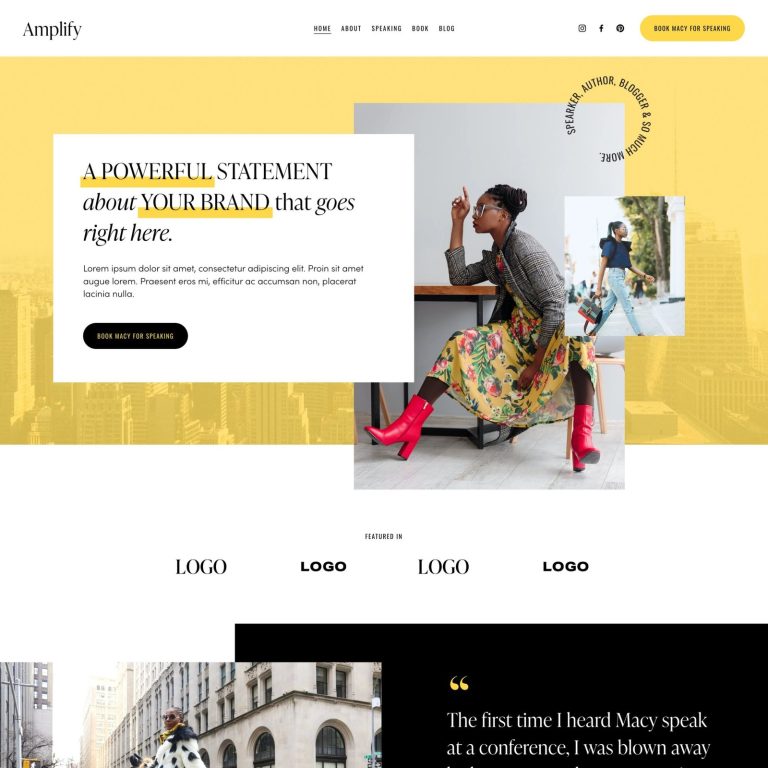
All 31 Go Live HQ listings, such as Amplify, say the template is “delivered as a new Squarespace site by contributor invite, normally within 24 hours”, with a six month trial and 20% off the first year. That is the duplicate, invite and transfer route above, run by a Circle partner.
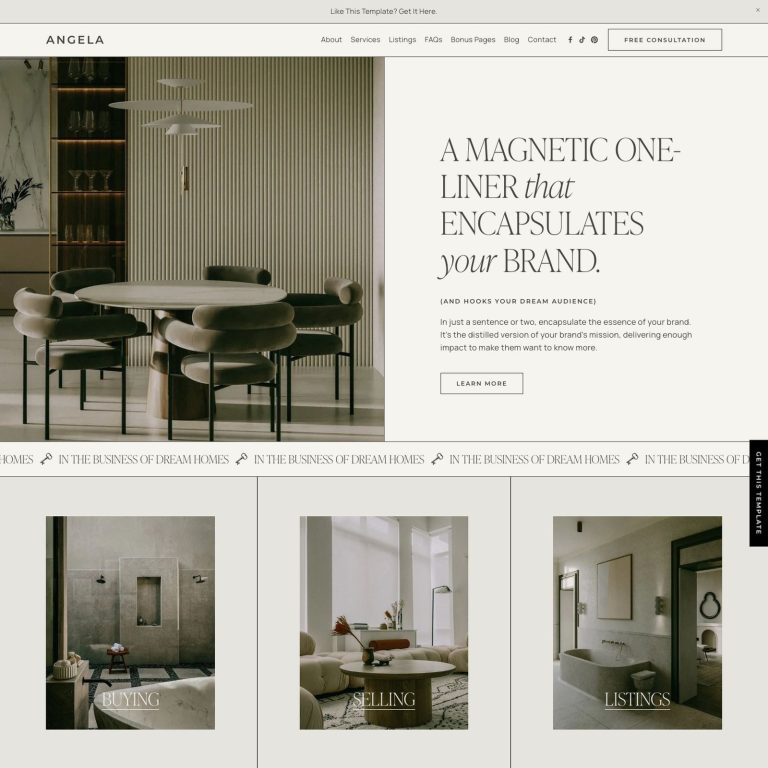
Candor’s 18 listings, such as Angela, promise delivery “straight to your Squarespace account within 24 hours”, a 12 month trial and 25% off, and note that the buyer needs a Squarespace account first. Candor also leaves its demo photography out of the package.
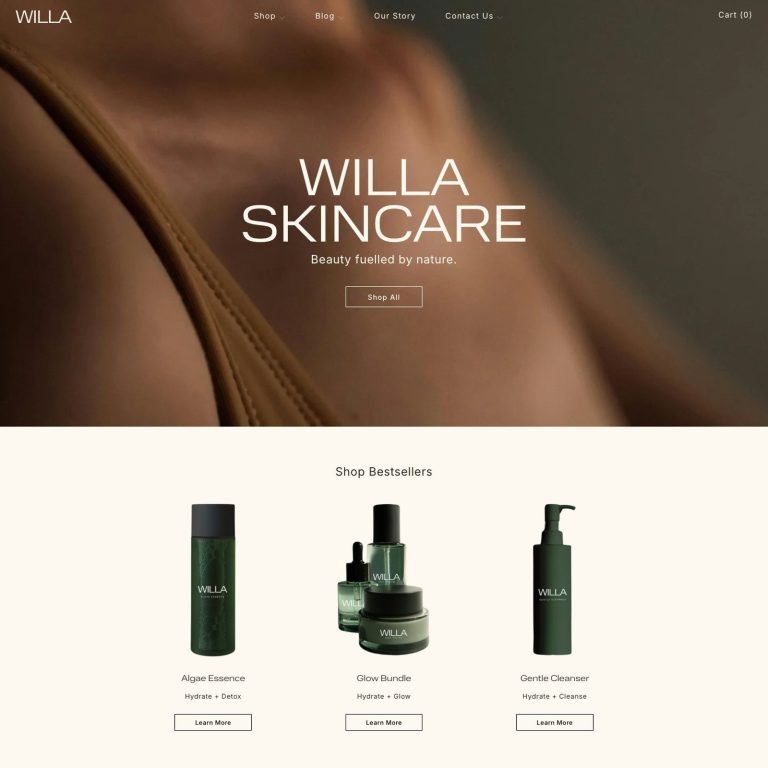
The Styled Square’s 12 listings, such as Willa, install the template into the buyer’s account within 48 hours and offer installation onto an existing website for $199 more. Their listings also state one website per licence and no refunds.
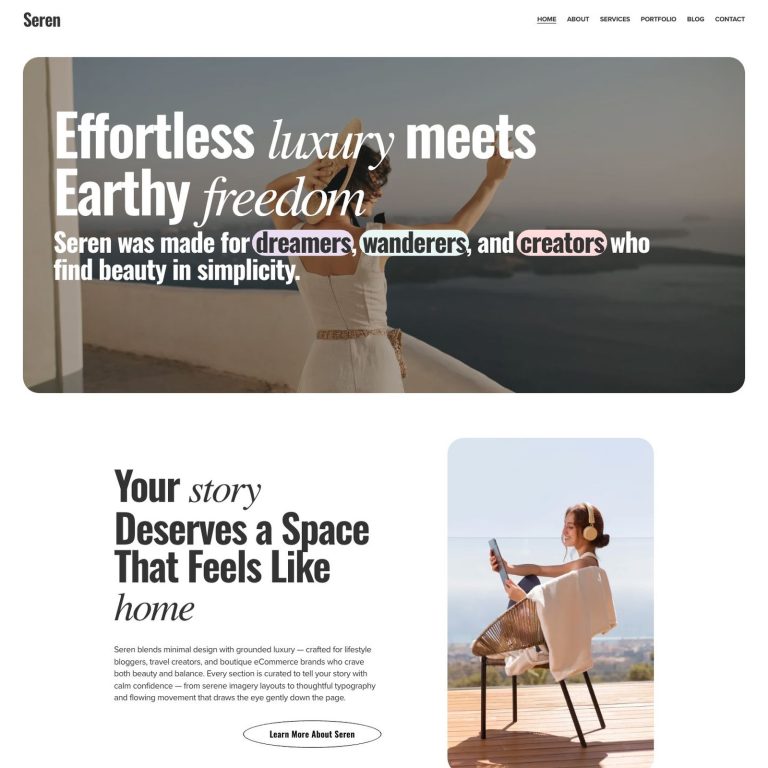
Squarespell’s own templates, such as Seren ($99), take the opposite approach: the buyer gives Squarespell access to their Squarespace account and the whole site is built there within 24 hours, one website per purchase. It is the cheapest price point in the catalogue, and it trades margin for a simpler handover.
| Shop (listings) | Delivery method | Stated timing | Trial and discount |
|---|---|---|---|
| Go Live HQ (31) | New site by contributor invite | Normally 24 hours | 6 months, 20% off |
| Candor Templates (18) | To the buyer’s account | 24 hours | 12 months, 25% off |
| Big Cat Creative (17) | New site, or installed into an existing one | Not stated on the listing we read | Not stated on the listing we read |
| Station Seven (14) | Transferred to the buyer’s account as a separate site | 24 hours | 365 days, 25% off |
| The Styled Square (12) | Installed into the buyer’s account; existing site $199 extra | 48 hours | Extended trial and a discount code |
| Studio Mesa (8) | Delivered instantly | Instant | 25% off hosting |
| Squarespell (7) | Built in the buyer’s account for them | 24 hours | None stated |
From one representative listing per shop on Squarespell, read 26 November 2026. Listings were checked against each shop’s own pages between August and October 2026.
 GoLiveHQSquarespace 7.1 · Template
$189
 Candor TemplatesSquarespace 7.1 · Template
$299
 The Styled SquareSquarespace 7.1 · Template
$99
You need two things: a checkout that collects the buyer’s Squarespace email, and places where buyers find you. One channel can do both, but the most common setup is your own store for checkout plus listings elsewhere that send buyers to it.
| Channel | What it costs you | Who runs checkout | Best for |
|---|---|---|---|
| Your own Squarespace store | A plan from $19 a month (annual); 2% Squarespace fee on Basic, 0% on Core and higher; card processing from 2.9% + $0.30 in the US | You | Everyone. It is also your demo site and portfolio |
| Squarespell marketplace listing | Editorial listing free; affiliate partnership or labelled paid placements optional | You (buyers click through to your site) | Being found by people already comparing Squarespace templates |
| General marketplaces such as Etsy or Creative Market | Not verified (their seller pages would not load for us) | The marketplace | Sellers who want marketplace search traffic and accept its fees |
| Squarespace Marketplace | Not applicable | Not applicable | Nobody selling templates: it matches clients with invited Circle Experts for design work, through 99designs by Vista |
Squarespace prices and fees from its pricing page and Help Center, Squarespell terms from its Sell on Squarespell page, all read 26 November 2026.
Selling on Etsy. It is a common search, and it can work, but the handover does not change: a marketplace checkout delivers a file or a message, while your template is a site. You would still need the buyer’s Squarespace email and still duplicate, invite and transfer. We could not load Etsy’s seller fee pages from our research environment on 26 November 2026, so we give no fee figures here. Check Etsy’s current fees and its rules on digital items yourself before listing.
Selling from your own Squarespace site keeps the demo, the shop and the checkout in one place. Two Squarespace features do the work: a Download product, which takes payment and sends a file instantly, and an Add to cart form, which collects the buyer’s Squarespace email before checkout.
Which fee applies to a template sale. Squarespace’s transaction fees article separates commerce fees (physical products, downloads, services and donations: 2% on Basic, 0% on Core, Plus and Advanced) from Digital Products fees (courses, video pages and member sites: 7%, 5%, 1% and 0%). A template sold as a Download product falls under commerce fees. If you sell your template through a Squarespace Course or Member Site instead, the higher Digital Products rates apply.
What goes in the file is up to you. A practical choice is a short PDF welcome guide: what happens next, how long delivery takes, how to accept the invitation, and links to your tutorials. These steps follow Squarespace’s download products article.
Step 1: Choose the product type. On your store page, add a product and choose Download.
Step 2: Add the name, description and images. Use the template’s name, a description that lists the pages and says the buyer needs their own Squarespace plan, and screenshots of the demo.
Step 3: Upload the file. Click Upload file. The limit is 300 MB and one file per product, so zip several files together. Remove special characters such as long dashes from the file name, which Squarespace warns can stop the download.
Step 4: Set the price, and a sale price if you are running a launch offer.
Step 5: Add categories and tags, for example by industry, if you will sell several templates.
Step 6: Write the SEO description under Marketing.
Step 7: Save and publish, or schedule it for your launch date.
Limits that affect a template shop. Download products cannot have variants, so a “template plus installation” option needs a second product or a service product. Customers cannot buy more than one download product at a time, so bundles must be a single product. Download products cannot be sold as subscriptions.
Squarespace’s Add to cart form works on download products and appears when the buyer adds the product to the cart.
The form cannot include a file upload field, and each site can have up to 100 of them. Reuse one form across every template product.
Squarespell is the marketplace this guide is published on, so read this section knowing that. It lists templates from 13 Squarespace template shops today. Buyers compare them on a structured listing and then buy on the creator’s own site. Squarespell does not run your checkout or deliver your template.
The Sell on Squarespell page describes four relationships, each labelled where it appears: a free editorial listing (publication not guaranteed), an affiliate partnership, a paid Sponsored launch and a paid Featured creator placement. It says commission and paid placements never change rankings or verification. The application form also says Squarespell lists products that have an affiliate programme, a revenue share or a paid listing, and will contact you about options.
What a listing shows about your template. Look at any listing in the shelf above: page count, delivery method and timing, the Squarespace trial and discount, licence, refund terms and what is not included. If those facts are missing from your own sales page, the listing will say so, which is a good reason to publish them before you apply.
We took the regular one-time price of every Squarespace template listed on Squarespell on 26 November 2026: 121 listings from 13 shops. Where a sale was running, we used the struck-through price rather than the sale price.
| Shop | Listings | Regular price | Shown on 26 Nov 2026 |
|---|---|---|---|
| Go Live HQ | 31 | $180 (26 listings), $299 (5) | Same |
| Candor Templates | 18 | $189 | Same |
| Big Cat Creative | 17 | $297 | $207.90 (30% off) |
| Station Seven | 14 | $269 | $188.30 (30% off) |
| The Styled Square | 12 | $299 | Same |
| Studio Mesa | 8 | $205 | Same |
| Squarespell | 7 | $99 | Same |
| Asha Glenn Design Studio | 6 | $97 to $297 | Four discounted |
| Blooming Design Co | 3 | $297 | Same |
| Intention to Empire | 2 | $2,555 | Same |
| Kate Scott | 1 | $597 | Same |
| JOA Creative Lab | 1 | $199 | Same |
| Ley Design Studio | 1 | $118.20 | Same |
Prices from Squarespell listing pages, read 26 November 2026. Shops change prices; check their own sites.
What the numbers say. 109 of the 121 listings (90%) cost between $180 and $299, and the median is $205. The two clusters are $180 to $199 (48 listings) and $297 to $299 (39). Below that band sit Squarespell’s done-for-you templates at $99 and a few cheaper Asha Glenn and Ley Design Studio designs. Above it sit three listings: Kate Scott’s template-shop kit at $597, with Figma files and a year of support, and two Intention to Empire templates at $2,555.
What buyers get at the usual price. At $180 to $299 the package usually includes video tutorials (99 of 121 listings mention tutorials or videos), delivery within 24 to 48 hours, an extended Squarespace trial and a first-year discount through Circle. A shop that offers fewer of these tends to price lower; one that adds support, Canva graphics or a launch course prices higher.
A starting point for a first template. If your template has 5 to 8 pages, tutorials and Circle benefits, the $180 to $199 cluster is where buyers will compare you. Move towards $297 to $299 when you add more pages, more support or a niche the cheaper shops do not cover. Sales are common in this market: on the day we checked, 35 of 121 listings showed a discount.
What you keep on a $199 sale, as an illustration. On Squarespace Core with Squarespace Payments and a standard US card, there is no Squarespace commerce fee and the card rate is 2.9% + $0.30, so processing costs about $6.07 and you keep about $192.93 before tax and your plan cost. On Basic the 2% commerce fee adds $3.98. International cards add 1.5%.
Decide both before your first sale and print them on the product page. The listings show three licence models and two refund models in use.
| Term | Example from the listings | Why a seller picks it |
|---|---|---|
| One website per licence | The Styled Square, Asha Glenn, Squarespell | Each extra site is another sale; simple to explain |
| Unlimited licence | Studio Mesa (“use it on as many sites as you like”) | Appeals to designers who build client sites |
| Own site only, no resale | Kate Scott’s Template Shop in a Box | Stops buyers reselling your design as their own template |
| No refunds | Go Live HQ, Station Seven, The Styled Square, JOA Creative Lab | A delivered site cannot be returned |
| Limited refund window | Studio Mesa (7 days) | Lowers the risk for buyers who are unsure |
From Squarespell listing pages, read 26 November 2026.
If you choose no refunds, make the demo do the work. Station Seven’s listings tell buyers to “walk the demo before you buy”, and Asha Glenn’s listing warns there is no public demo for one template. A password-protected live demo, a page list and a short video tour reduce the questions that refund requests come from. Refund rules also vary by country, so check what applies where you sell.
Both come from Kate Scott and both are listed on Squarespell with affiliate links. Neither is needed to sell a template; they are for people who would rather buy the shop site or the plan than build them.
Template Shop in a Box is a Squarespace 7.1 template for running a template shop. Its listing describes 30+ page designs, including a template-shop home page and a service-provider home page; shop and product pages in two versions (Squarespace Commerce, or selling on another platform); a course sales page, waitlist and webinar page; a support hub, reviews form, affiliates page and order confirmation page; custom coded features; Figma mockups; a video walkthrough; and a year of priority email support.
Limits stated on the listing. It is licensed for your own website only, with no client sites and no templates built from it for resale. Canva is needed to customise its graphics. The listing says it needs Squarespace 7.1 on the Business plan or higher; Business is now a legacy plan name, and the current plans with Code Injection are Core, Plus and Advanced. The page does not state a delivery time. It includes a 12 month Squarespace trial and 25% off.
Getting started with it:
Scale with Templates is Kate Scott’s self-study course for Squarespace designers who want to sell their own templates. The listing, checked against her page on 21 October 2026, names five parts: designing the template and the offer, customer support, the systems to sell, launching the shop, and building an audience. Bonuses include a template shop design collection, Canva templates and an email sequence swipe file.
Who should skip it. The listing says it does not teach Squarespace or design basics, that most of it applies only to Squarespace templates, and that it needs time set aside. If you are still learning Squarespace, our list of the best Squarespace courses starts with free options.
How to work through it: buy through the listing, then take the parts in order, finishing one template and its delivery process before you start the launch and audience sections. The course’s own structure follows that order.
Squarespell makes these four plugins, so weigh that interest. Each solves a specific problem on a template sales page, and each needs a Squarespace plan with Code Injection (Core, Plus or Advanced). Installation steps are on each listing’s Installation tab. Prices below are list prices; a Black Friday discount was running on Squarespell plugins when we checked.
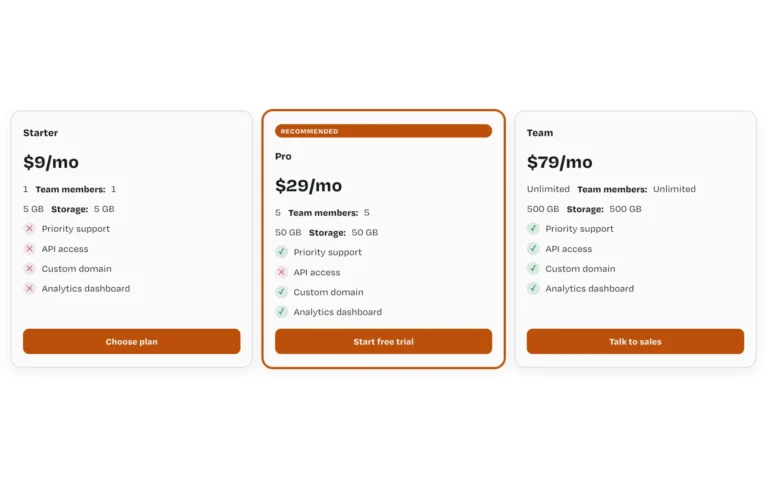
Compare builds a comparison table from plans you type in, in five styles that match your site’s colours. On a template shop it can set a single-site licence against an unlimited licence, or the template alone against the template with installation.
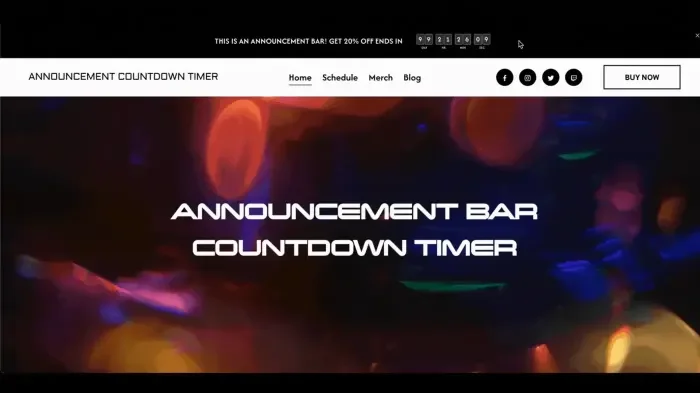
The announcement bar countdown counts down to a date you set, in Squarespace’s announcement bar. Its listing notes that Squarespace’s own reserved-cart timer only holds items at checkout and does not count down to a launch or sale.
Popup Pro turns your own Squarespace sections into pop-ups, slide-ins, bars and side panels, opened by a button or by exit, delay, scroll or idle time. Newsletter and form blocks inside keep working the Squarespace way, which suits a waitlist for your next template.
Accordion Pro extends Squarespace’s Accordion block with ten styles, search and links to each question, and can show a whole section inside an answer. A template FAQ (what is included, delivery time, licence, refunds) is where most pre-sale questions get answered.
If you write about Squarespace or build sites for clients, Squarespell’s affiliate program pays commission on its own plugins and templates.
Publishing the gaps is part of the method. This guide was researched from the pages named in it on 26 November 2026; nothing was bought, delivered or installed for it.
We did not run a delivery ourselves. The duplicate, invite and transfer steps come from Squarespace’s Help Center, and the step images are Squarespace’s own. Menu wording can change; follow the Help Center if it differs.
We could not read Etsy, Creative Market or Kate Scott’s own site. Those pages would not load from our research environment, so we give no marketplace fees, and Kate Scott’s product details come from Squarespell listings checked against her pages in October 2026.
Prices are a snapshot from one catalogue. The 121 listings are the Squarespace templates Squarespell lists, not every shop on the web. Several shops were running sales on the day we checked.
Circle benefits depend on your status. The table shows what each status offers; which status you hold depends on Squarespace’s points system, and the referral terms can change.
This is not legal advice. We quote Squarespace’s terms on templates and demo content, but licensing, refunds and consumer law depend on where you and your buyers are.
Can you sell Squarespace templates? Yes, as long as you sell your own design and content. Squarespace owns the templates it supplies and says its demo content may not stay on your site or be distributed, so you sell a 7.1 site you built and deliver a copy to each buyer’s account. Many shops do this; Squarespell alone lists 121 Squarespace templates from 13 of them.
Can you create your own template on Squarespace? Yes. Build a site on version 7.1, design the pages you want to sell, and keep it as your master copy. There is no separate template format or export: the site itself is the template, and duplicating it creates each buyer’s copy.
Does the buyer need a Squarespace account before buying? They need one before delivery, because the handover is a contributor invitation to their email address. Candor Templates’ listings say exactly this. Ask for the account email on your Add to cart form, and tell buyers without an account that the invitation lets them create one.
Can I sell the same template many times? Yes. Duplicating your master site does not change it, and each duplicate is a separate site with its own trial and billing. Squarespace’s only limits are on the site itself: no more than 150 pages, and not a Developer Platform site.
Which Squarespace plan should my shop site be on? Core is the lowest plan with no Squarespace fee on store sales and with Code Injection, at $29 a month on annual billing when we checked. Basic ($19) works but takes 2% of each sale. Plans are billed for the site that sells, not for the copies you deliver, which run on trials until the buyer upgrades.
Can I sell templates for Squarespace 7.0? Every one of the 113 listings we read that names a version is built on 7.1, and none on 7.0. Squarespace’s templates article also says 7.0 templates come with fixed style settings and features that cannot be changed, which makes a 7.0 design harder to adapt. Build on 7.1.
Do I have to be a Circle partner? No, but most shops are. Without Circle, buyers get Squarespace’s standard 14-day trial (with a one-time seven-day extension) and no first-year discount, and you earn no referral payment when they upgrade.
Join Circle, build one template you can price in the $180 to $199 band, and run a test delivery to your own second email before anything else. Then put a Download product and an Add to cart form on your own Squarespace site, and list the template where buyers compare, including Squarespell. Add the shop kit or the course only if building the shop yourself is the part holding you back.
Reviewed and last updated 26 November 2026. All prices checked on that date.
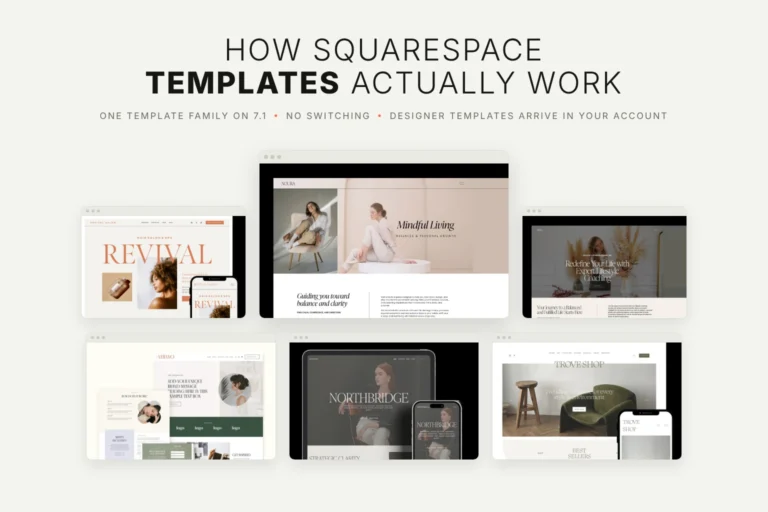
A Squarespace template is a starting design, not a file you install, and on 7.1 it cannot be switched later. Here is what that means in practice, how a paid template reaches your account, and what it costs.
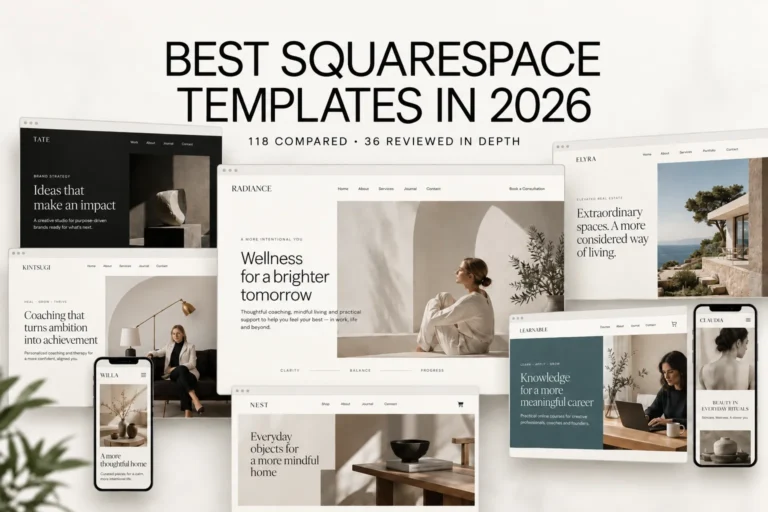
We reviewed every premium Squarespace template in the Squarespell catalogue and shortlisted 36. Prices, page structures, honest limitations and who each one suits.
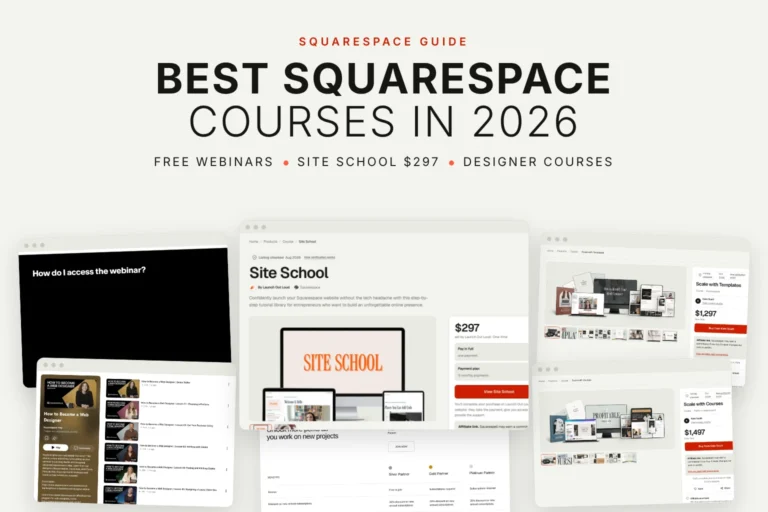
Every course that teaches Squarespace, free and paid, compared on who it is for, price, access and refunds, with the steps to get started in each. For people building their own site and for designers.
Squarespell All Access
All 48 plugins and every new one, worth $2,044 bought one by one. 14 days free, cancel anytime.
Start 14 days freeOr start free with 13 plugins, no cardFounding price until 1 December, kept for as long as you stay.