Member Content Pro: Show Members-Only Content on Public Squarespace Pages with Native Member Sites$59
 Squarespace · PluginSquarespell Original
Browse by platform
View allBrowse by goal
View allBrowse by goal
Fresh inventory
Recently added
Member Content Pro: Show Members-Only Content on Public Squarespace Pages with Native Member Sites$59Squarespace · PluginSquarespell Original Event Tickets: Sell Tickets on Squarespace Event Pages with Ticket Types, Seats Left and Native Checkout$59Squarespace · PluginSquarespell Original
 Wholesale Order Pad: Squarespace Wholesale Order Form with Bulk Add to Cart, Order by SKU and Reorder$85Squarespace · PluginSquarespell Original
 Squarespace Summary Block Pro: More Than 30 Items, Load More and Pagination$49Squarespace · PluginSquarespell Original
 Squarespace Delivery Area Checker: Postcode and ZIP Code Checker Plugin$49Squarespace · PluginSquarespell Original
 Order Rules: Squarespace Minimum Order, Quantity Limits and Pack Sizes Plugin$49Squarespace · PluginSquarespell Original
Search results
Matching products
Squarespace
Every course that teaches Squarespace, free and paid, compared on who it is for, price, access and refunds, with the steps to get started in each. For people building their own site and for designers.
A note on how we make money. The paid courses, the event pass, the designer template and the course templates in this guide are listed on Squarespell with affiliate links, and Squarespell may earn a commission if you buy through them. Squarespell also makes the plugins in this guide (Member Content Pro and the plugins in the section for designers) and sells them in its own checkout. Squarespace’s webinars, its YouTube course and Circle are free and earn us nothing. None of that decided which option we recommend for which reader. Details are in our affiliate disclosure.
If you want the short version:
And the honest caveat before any of that matters: nobody at Squarespell has taken these paid courses. Everything here comes from the creators’ own pages and Squarespace’s, read on the dates shown, so check the refund terms before you pay. Site School offers none; Kate Scott’s two big courses carry a 14-day money-back guarantee.
Last updated: 25 November 2026
“Squarespace courses” means two different things in search. One is Squarespace’s own tool for selling a course. This guide is about the other: courses that teach you Squarespace, either to build your own website without hiring anyone, or to build websites for other people as a business.
Those two readers need different things, and the price gap between options is wide. Squarespace gives away more structured teaching than most people realise: a webinar library, a 517-video help channel, a short course for new designers and a partner programme with its own forum. The paid courses earn their price only when they give you something the free material doesn’t, such as a complete, organised path, templates and swipe files you can reuse, or a community of people doing the same job.
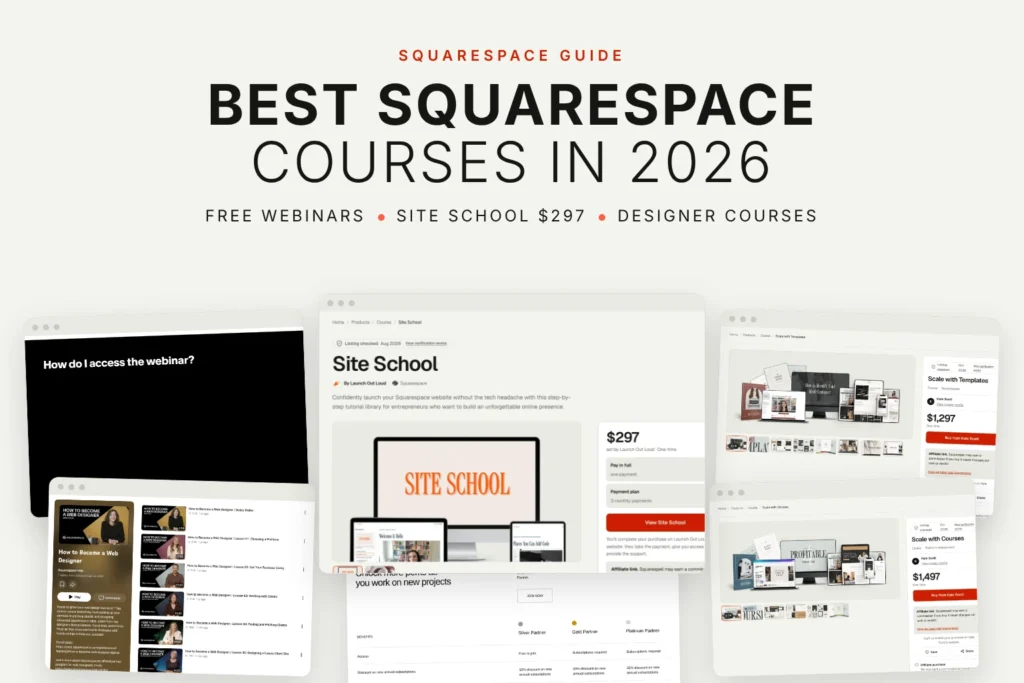
So we read every course listed on Squarespell and every free learning page Squarespace publishes, and set them side by side on price, access, refunds and who each one is written for. For each option you’ll find how to get started, step by step, with screenshots of the real pages.
$297
$1,297
$1,497
Every paid course in the Squarespell catalogue that teaches Squarespace, or teaches people who build on it, is in this guide: four courses and one event pass, plus a designer template that one of the courses is built around. To those we added the free learning Squarespace publishes itself, because for many readers it is the right answer and nobody earns from recommending it.
What we compared. Who the course is written for, what it covers, the price and payment plans, how long you keep access, the refund terms, whether support or a community comes with it, and which Squarespace version it teaches. A course that teaches the old version 7.0 editor would be a poor buy today, so the version matters.
Where the facts come from. Squarespace’s webinar pages, its webinar FAQ, its Help Center, its Circle page and its YouTube channel, all read on 25 November 2026. For the paid courses, the Squarespell listings, which were checked against the creators’ own pages in August 2026 (Site School) and on 21 October 2026 (Kate Scott’s products). The creators’ own websites could not be opened from the system we used for this guide, so where a listing quotes them, we say so.
What we did not do. We have not bought or worked through any of the paid courses, and we did not watch the webinars in full. This is a buyer’s comparison of what each one promises, not a review of the teaching.
| Option | Written for | Price | Access | Refunds |
|---|---|---|---|---|
| Squarespace Webinars | Anyone starting or improving a site | Free | On demand, sign up with an email | Not applicable |
| Squarespace Help on YouTube | Anyone stuck on one task | Free | Open, no sign-up | Not applicable |
| How to Become a Web Designer | New freelance designers | Free | Seven videos on YouTube | Not applicable |
| Site School | DIY site owners on 7.1 | $297, or 3 x $99 | Lifetime, with updates | None |
| Squarespace Circle | Designers and agencies | Free to join | Forum, events, release notes | Not applicable |
| Scale with Templates | Designers starting a template shop | $1,297, or 4 x $325 | Lifetime of the course | 14-day guarantee |
| Scale with Courses | Designers building a first course | $1,497, or 6 x $250 | Lifetime of the course | 14-day guarantee |
| Get Your Sh*t Together | Designers organising their business | $97 | Recorded, instant | Not stated on the listing |
| Square Design Summit pass | Squarespace designers | $97 to $397, by date | Waitlist only at last check | Not stated on the listing |
Free options read on Squarespace’s pages on 25 November 2026. Paid prices from the Squarespell listings on 25 November 2026, which were checked against the creators’ pages in August and October 2026.
The practical implication: if you are building your own website, the choice is between free and $297. Everything above that price is a business course for designers, and none of it teaches you how to use Squarespace from scratch.
Squarespace runs a learning site at learning.squarespace.com with recorded webinars in four groups: Build your website, Sell on Squarespace, Grow your audience and Schedule with Acuity. Its FAQ says every webinar is available on demand, that you don’t need a Squarespace or Acuity account to register, and that the hosts are members of Squarespace’s Community and Product teams.
What makes it more than a video dump is the Q&A window. The FAQ says there is one throughout each on-demand webinar, and that Squarespace’s Customer Support team replies by email to the address you signed up with. Each recording combines a video of the host with slides and a screen recording of the product.
The library is organised by topic, not as a course, so here is an order that follows the job of building a site. The lengths are the ones each sign-up page gives.
| Order | Webinar | Length | What it covers |
|---|---|---|---|
| 1 | Building a template and domains | 33 min | Starting a trial, finding your way round, domains and email |
| 2 | Site editing and styling fundamentals | 61 min | Preparing content, building a homepage, colours and fonts |
| 3 | SEO with your Squarespace site | 56 min | Keywords, headings and people-first content |
| 4 | Engage your audience with Email Campaigns | 58 min | Mailing lists, sending campaigns, deliverability |
| 5, if you sell | Getting started with your online store | 44 min | A store page, products, payment processors |
| 5, if you take bookings | How to start scheduling with Acuity | 32 min | Appointment types, availability, payments |
Lengths and topics from each webinar’s sign-up page, read 25 November 2026.
Where the webinars fall short: they teach Squarespace’s features, one at a time. They won’t tell you how to plan the pages of a service business, and the help you get afterwards is an email from support rather than a teacher who knows your site.
The Squarespace Help channel held 517 videos when we looked on 25 November 2026, most of them short tutorials on one feature each, with new ones added in the week we checked. It is the quickest answer when you know what you are stuck on: search the channel, watch two minutes, carry on.
The written equivalent is the Squarespace Help Center, which has step-by-step guides to its features and is linked from the webinar site under Resources. When a course and the Help Center disagree about a menu name or a plan requirement, follow the Help Center: it is Squarespace’s own documentation.
Under the channel’s Courses tab sits a free course from Squarespace, made for people starting a web design business. Its description says it covers setting up your services, pitching clients and designing advanced Squarespace sites, taught by the designers Becca Harpain, David Alex and Christy Price. It is a trailer and six lessons, 1 hour 23 minutes in total, and YouTube shows it as last updated on 23 January 2026.
How to take it, step by step:
That page, at pros.squarespace.com/professional-learning, also collects past episodes of Circle Live, which it describes as Circle’s monthly talk show, and recordings from Circle Day. For a designer, that is several hours of free material from Squarespace before spending anything.
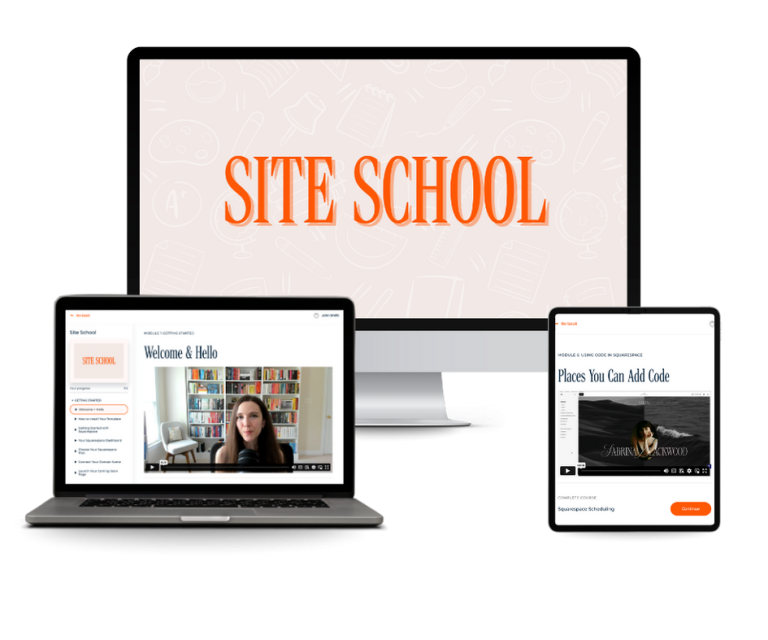
Site School by Launch Out Loud is the one paid course in the catalogue written for people building their own Squarespace site. Its listing describes a step-by-step tutorial library for entrepreneurs, for Squarespace 7.1 with Fluid Engine. Launch Out Loud say much of it still applies on 7.0, but the lessons follow the current version.
The library has five sections. Get Started covers starting a trial, the dashboard, choosing a plan and connecting a domain. Squarespace 101 covers the menu and settings. Build & Customize Your Site is the hands-on part: styles, content, and setting up a blog, shop and podcast. Squarespace Products & Tools covers Scheduling, Email Campaigns, Courses and Invoicing. Launch Your Website covers basic SEO, analytics, privacy law compliance and accessibility.
Why pay when the webinars are free? Launch Out Loud’s own answer, as the listing reports it, is structure: one organised library you can search instead of scattered videos of different ages. That is a fair point for someone who wants a single place to go back to, and less persuasive for someone happy to search YouTube.
Two terms to know before buying. There are no refunds, because access is immediate. And the course comes free with any Launch Out Loud Squarespace template, so if you are also weighing up one of their templates, buy that first.
Squarespell’s listing marks Site School as untested by us, and nobody has left a review on it yet.
Squarespace Circle is not a course, but for anyone building sites for clients it is the most useful free learning resource Squarespace has. The Help Center describes it as a programme for “creatives, developers, and designers”, free and open to all Squarespace customers, with longer trials, priority support and exclusive content.
The learning side is the partners-only forum, where the Help Center says you can get hands-on support from product experts and work with other designers, plus partner events, weekly product release notes and early access to betas. The business side is a points system with three statuses. Everyone starts at Silver, which is free and includes a 10% discount on new annual subscriptions and three-month extended trials. Gold needs 1,000 points and Platinum 5,000 in 2026, earned mainly by starting client subscriptions.
These are the steps from Squarespace’s Help Center guide, Getting started with Squarespace Circle:
The step people miss afterwards. Circle’s discounts and extended trials apply only to subscriptions started from the account you joined with. For a client site, you start the trial on your Circle account and add the client as a contributor; ownership can be handed to the client later.
One limit worth knowing: the Help Center is clear that Circle partners are not endorsed or accredited by Squarespace. Joining gives you resources and a badge, not a qualification.
Scale with Templates by Kate Scott is a self-study course for Squarespace designers who want to sell templates of their own. Its modules, as listed, run from designing the template and the offer, through customer support and the systems behind selling, to launching the shop and building an audience.
The listing is unusually direct about who should not buy it, quoting her page. It is not a Squarespace design course and assumes you can already design. Most of the content applies only to Squarespace templates, not Showit or WordPress. And it needs time set aside. The extras include a Template Shop Design Collection, Canva templates for the launch and an email sequence swipe file, plus a live call library and a private members’ community.
Kate Scott also sells Template Shop in a Box, a $597 Squarespace 7.1 template for running the shop itself. It has more than 30 page designs, including two home pages (one led by templates, one by services), shop and product pages for either Squarespace Commerce or an outside checkout, and course, webinar, support and affiliate pages.
Check the licence and the plan. The listing says it is licensed for your own website only, not client sites or templates built for resale, and that it needs a Squarespace 7.1 Business plan or higher, plus Canva for the graphics. Her page lists Figma mockups, a video walkthrough, a year of priority email support, and a 12-month Squarespace trial with 25% off.
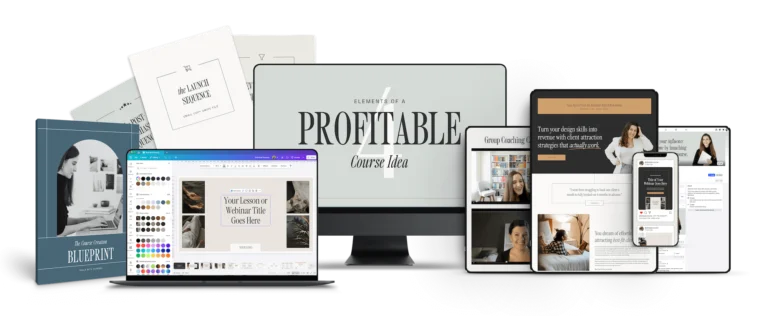
Scale with Courses is Kate Scott’s course on building a first online course, written for web designers and creative entrepreneurs. It is platform-independent: it teaches choosing and validating the idea, the curriculum, the tech for delivering it and the launch, through her Idea to Income framework, rather than any one website builder.
The bonuses are practical: a sales funnel mockup collection and Canva slide templates for lessons and webinars. Her FAQ says most courses can be built in three months or less. Two terms stand out on the listing: buyers joining during the pre-sale get the material dripped over the following weeks, and live calls are not on a fixed schedule; her page aims for at least two a year, alongside a private community.
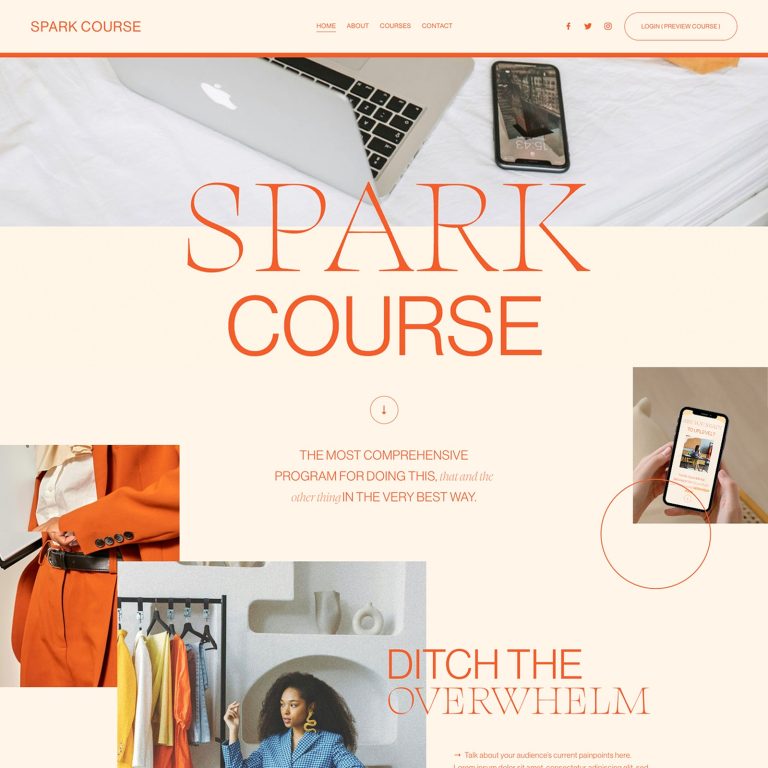
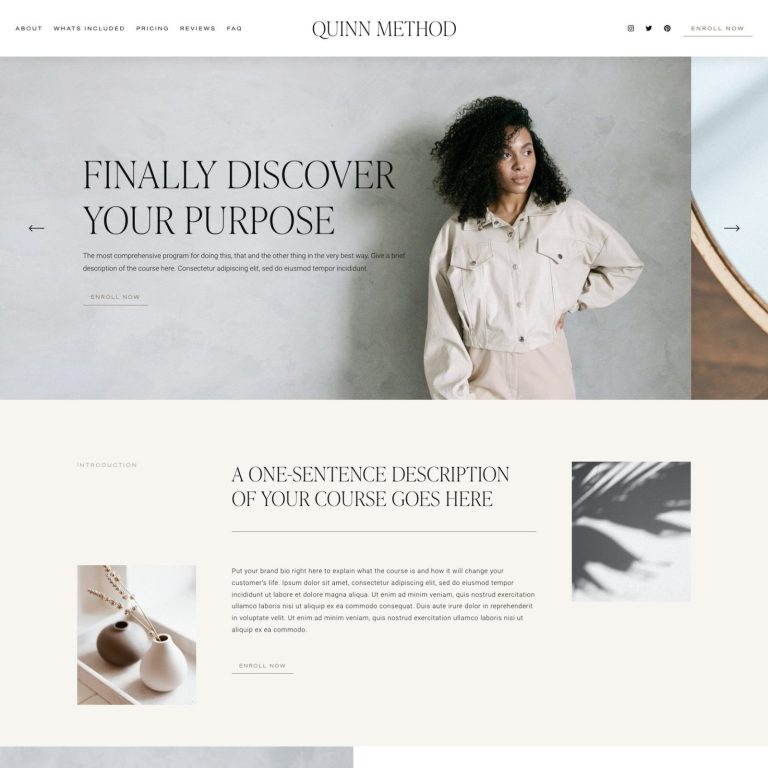
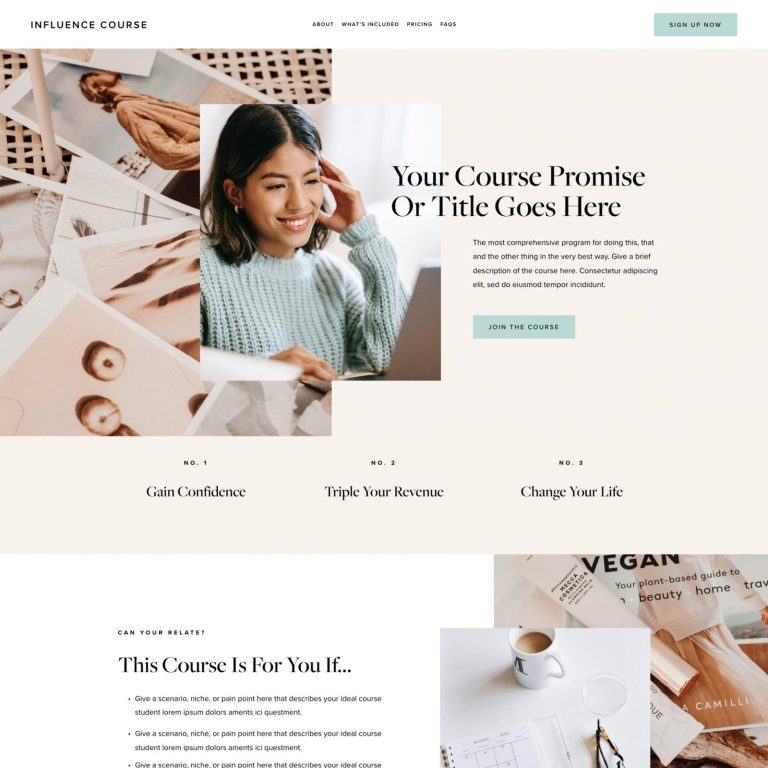
If the course will live on your Squarespace site, the catalogue has pieces for that job. Member Content Pro is Squarespell’s plugin for showing members-only sections on public pages with Squarespace’s own member sites; its listing describes a teaser and a join card for everyone else. GoLiveHQ’s Spark Course ships with six pages, while Quinn Course and Influence Course are single-page sales sites.
Get Your Sh*t Together is a recorded workshop, about an hour and ten minutes by her FAQ, in which Kate Scott walks through her own Asana setup for running a design business. The Squarespace part is in two bonuses: how she organises a dashboard of more than 100 sites, and how she built a layout library in Squarespace to reuse section designs.
The Square Design Summit is Kate Scott’s three-day virtual event for Squarespace designers, free to attend. The All-Access Pass is sold separately, and her dashboard lists four prices depending on when you buy: $97 fast action, $147 early bird, $197 full price and $397 after the summit.
You can’t buy it today. When the listing was checked on 21 October 2026, her cart forwarded to a waitlist, and her pages gave no date for the next summit beyond summer or autumn 2027. To get started, join the waitlist from the listing and decide on the pass when the speakers are announced; the cheapest price goes to people who buy early.
A course teaches the method; client work quickly runs into things Squarespace 7.1 doesn’t do by itself. Squarespell makes plugins for several of those gaps, and each one is also sold with a Multi-Use License that covers unlimited websites, which is the licence a designer needs. Squarespell makes these, so weigh that interest; the free and paid courses above don’t depend on any of them.
| Plugin | What it adds | One website | Multi-Use (unlimited) |
|---|---|---|---|
| Synced Sections | A section you build once and show on many pages; edit the original and every copy changes | $85 | $145 |
| Accordion Pro | Whole sections inside accordion answers, ten styles, search | $29 | $59 |
| Popup Pro | Pop-ups, slide-ins, bars and panels made from your own sections | $39 | $79 |
| Multi-Step Form | Steps, a progress bar and conditional fields for Squarespace Form Blocks | $49 | $99 |
| Sidebar Pro | A sidebar for blog posts and pages | $45 | $95 |
| Member Content Pro | Members-only sections on public pages | $59 | $129 |
Prices and descriptions from the Squarespell listings, 25 November 2026.
Synced Sections suits the layout-library habit the workshop above teaches: its listing describes building sections on an unlinked page and placing them wherever they are needed. Its listing sets out installation in three steps: build the sections you want to reuse, activate your licence key with the website address in the plugin’s builder and choose where each section goes, then copy the code and paste it into Squarespace. Each of the other listings gives its own install steps.
For designers who would use many of them, Squarespell All Access includes all 48 Squarespell plugins on a membership: $15 a month for one site at the founding price for people joining by 1 December 2026, then $19, with a 14-day free trial. The page lists a Studio plan for 10 sites and an Agency plan for unlimited sites.
If you write about Squarespace or build sites for clients, Squarespell’s affiliate program pays commission on its own plugins and templates.
| If you are… | Start with | Then, if you need more |
|---|---|---|
| Building your own site for the first time | Squarespace Webinars, in the order above | Site School, if you want one organised library |
| Mostly done, stuck on one feature | Squarespace Help on YouTube and the Help Center | The matching webinar |
| Thinking about designing sites for clients | How to Become a Web Designer, then join Circle | Circle Live replays and the Circle Forum |
| A designer who wants to sell templates | Scale with Templates | Template Shop in a Box for your own shop |
| A designer who wants to teach | Scale with Courses (first lesson free) | A course template or Member Content Pro |
| Busy and disorganised | Get Your Sh*t Together | Synced Sections for a reusable layout library |
The question that decides most cases: do you want to learn Squarespace, or learn to earn from it? The first is well served for free. The second is where the paid courses are, and they assume the first is already done.
For a DIY site owner using the free material, a realistic month looks like this. It uses only the webinars and Help Center above.
If that plan stalls in week 2 or 3 because you can’t find the right answer quickly, that is the point where a structured paid library like Site School starts to earn its price.
For a new designer, the equivalent month is the six lessons of How to Become a Web Designer, joining Circle, a free trial site for a portfolio piece, and one Circle Live replay a week. The paid business courses make more sense after you have built a few sites, because both of Kate Scott’s say they expect you to have the skills already.
Publishing the gaps is part of the method.
We didn’t take the paid courses. Nothing here judges the quality of the teaching in Site School, Scale with Templates, Scale with Courses or the workshop. The descriptions, prices and terms are the creators’ own, as recorded on the Squarespell listings.
We couldn’t open the creators’ own sites today. Launch Out Loud’s and Kate Scott’s pages could not be reached from the system used for this guide on 25 November 2026, so prices and terms come from listings last checked in August (Site School) and on 21 October 2026 (Kate Scott). Confirm the price and the refund terms on their checkout pages before paying.
We didn’t watch the free material in full. The webinar lengths and topics come from their sign-up pages and the course details from YouTube. We sampled the pages, not every lesson.
Two Squarespace pages wouldn’t display in our browser. The Help Center guides loaded without their content, so the Circle joining steps are reproduced as a text card from the guide’s text, and some images on the webinar site did not load in our captures.
How this guide was made. The research, comparison and draft were produced with AI assistance and then checked against the sources named in each section, including every price, length and quoted step.
Does Squarespace have free courses? Yes. Squarespace Webinars at learning.squarespace.com are free and on demand once you give an email address, the Squarespace Help YouTube channel has hundreds of short tutorials, and the channel’s How to Become a Web Designer course is free. Circle, the partner programme for designers, is free to join as well.
Is there an official Squarespace certification? Not through any of the options here. Squarespace’s Help Center says Circle partners are not endorsed or accredited by Squarespace, and none of the paid courses claims to certify you. What clients see is your portfolio, so put your learning time into finished sites.
Do I need a Squarespace account to take these courses? Not for the webinars: their FAQ says you can register without one. You need an account to practise, and a free trial is enough for that. Circle requires a Squarespace login, and Template Shop in a Box needs a Business plan or higher to run.
Will a course written for version 7.0 still help? Only partly. Site School follows 7.1 with Fluid Engine, and Squarespace’s own webinars teach the current editor; it also has a webinar on updating a 7.0 site to 7.1. If a course shows the old style editor and template switching, its layout lessons are out of date.
Can I get a refund if a course isn’t for me? It depends on the course. Site School offers no refunds. Scale with Templates and Scale with Courses carry a 14-day money-back guarantee on Kate Scott’s page. The listings don’t state a refund policy for the $97 workshop or the summit pass, so ask before buying.
I want to sell a course on Squarespace. Is this the right guide? Partly. This guide is about learning Squarespace. Scale with Courses teaches how to plan and launch a course on any platform, and the course templates and Member Content Pro shown in that section are for building it on Squarespace. Squarespace also runs a free webinar on enrolment journeys.
How long does it take to learn Squarespace? For a simple site, a month of the free webinars is a realistic pace, as in the plan above; the ones in the plan run between 32 and 61 minutes each. Launch Out Loud put Site School’s introductory lessons at about an hour, with the rest used as reference. Learning to design for clients takes longer and is mostly practice.
Building your own site: open Squarespace Webinars today and watch Building a template and domains. If you want a paid, organised library after that, Site School is the one written for you. If you are still choosing a design, our guide to how Squarespace templates work explains what you are buying.
Designing for others: watch How to Become a Web Designer and join Circle this week, both free. Pick Scale with Templates or Scale with Courses only once you know which product you want to build. Every course in this guide is also in the Squarespell course catalogue.
Reviewed and last updated 25 November 2026. All prices checked on that date.
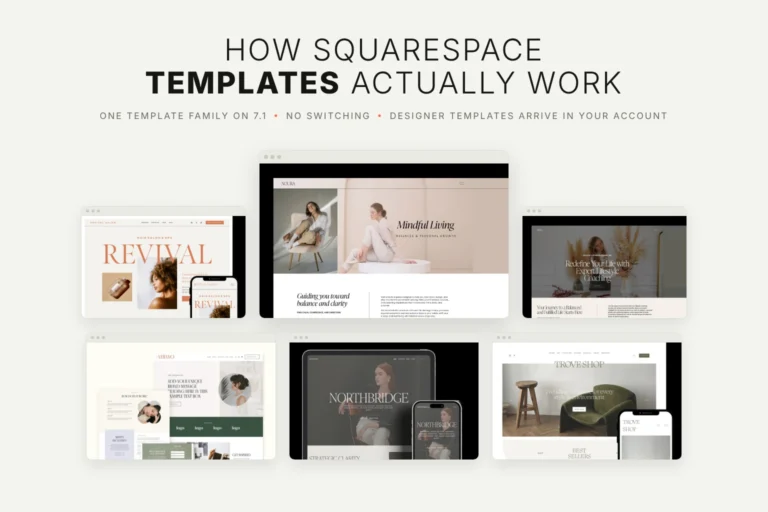
A Squarespace template is a starting design, not a file you install, and on 7.1 it cannot be switched later. Here is what that means in practice, how a paid template reaches your account, and what it costs.
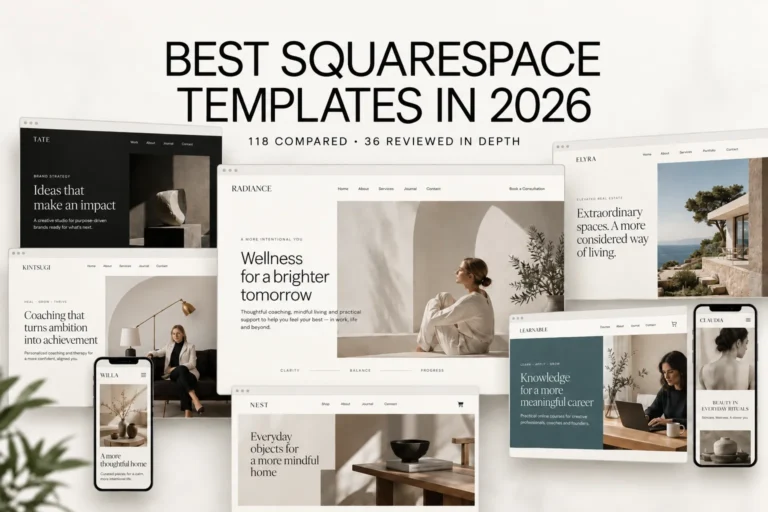
We reviewed every premium Squarespace template in the Squarespell catalogue and shortlisted 36. Prices, page structures, honest limitations and who each one suits.

Nine Squarespace templates for life, business and wellness coaches, compared on pages, price, delivery and licence, with the steps to take discovery calls, sell a programme and build a list.
Squarespell All Access
All 48 plugins and every new one, worth $2,044 bought one by one. 14 days free, cancel anytime.
Start 14 days freeOr start free with 13 plugins, no cardFounding price until 1 December, kept for as long as you stay.