Member Content Pro: Show Members-Only Content on Public Squarespace Pages with Native Member Sites$59
 Squarespace · PluginSquarespell Original
Browse by platform
View allBrowse by goal
View allBrowse by goal
Fresh inventory
Recently added
Member Content Pro: Show Members-Only Content on Public Squarespace Pages with Native Member Sites$59Squarespace · PluginSquarespell Original Event Tickets: Sell Tickets on Squarespace Event Pages with Ticket Types, Seats Left and Native Checkout$59Squarespace · PluginSquarespell Original
 Wholesale Order Pad: Squarespace Wholesale Order Form with Bulk Add to Cart, Order by SKU and Reorder$85Squarespace · PluginSquarespell Original
 Squarespace Summary Block Pro: More Than 30 Items, Load More and Pagination$49Squarespace · PluginSquarespell Original
 Squarespace Delivery Area Checker: Postcode and ZIP Code Checker Plugin$49Squarespace · PluginSquarespell Original
 Order Rules: Squarespace Minimum Order, Quantity Limits and Pack Sizes Plugin$49Squarespace · PluginSquarespell Original
Search results
Matching products
Squarespace plugin
Show Medium articles in a Medium feed that keeps content fresh, improves readability, and helps visitors discover more posts.
Free plan available set by Common Ninja · Freemium
Buy from Common Ninja (opens the creator’s website in a new tab)You’ll complete your purchase on Common Ninja’s website: they take the payment, issue the licence and provide the support.
Affiliate link. Squarespell may earn a commission if you buy. It never changes our rank or verdict.
Commission does not affect how reviews or ratings are displayed.
The case Common Ninja make for it, on their own product page.
With the Squarespace Medium Feed plugin, your Squarespace store becomes a dynamic hub of content. Your audience will have instant access to your latest thought-provoking articles directly on your store, ensuring that they stay engaged and informed. It streamlines the reading process, allowing visitors to immerse in your content without having to navigate away.
Position yourself as a thought leader in your niche. By embedding the Squarespace Medium Feed plugin on your store, visitors instantly see your wealth of knowledge and insights, establishing your brand’s authority. Your compilations of writings stand as a testament to your expertise, enriching visitor experience.
The Medium Feed plugin for Squarespace makes sharing your insightful articles a breeze. Visitors can easily peruse your content and share it within their networks, amplifying your reach and influence. Every article displayed is a potential touchpoint to connect with new audiences and broaden your impact.
The Medium Feed plugin for Squarespace features a smooth scrolling animation, reminiscent of a news ticker, bringing a dynamic flair to your webpage. This aesthetic element ensures that your Medium articles are not only read but are also visually engaging. It’s an effective way to captivate visitors right from their first glance.
Medium Feed plugin ensures your Squarespace store’s content is always current, thanks to its auto-update feature. Your embedded Medium blog posts will refresh automatically, eliminating the need for manual updates. Visitors are greeted with your latest insights and stories every time they visit your store, ensuring a continuously fresh and engaging experience.
The Medium Feed plugin for Squarespace offers two distinct content presentation styles: Categorized and Integrated. In the Categorized style, articles are sorted based on specific topics or themes, while the Integrated style blends all your posts, offering a rich and diverse content mix to your visitors. This adaptability ensures your feed aligns with your content strategy and audience preferences.
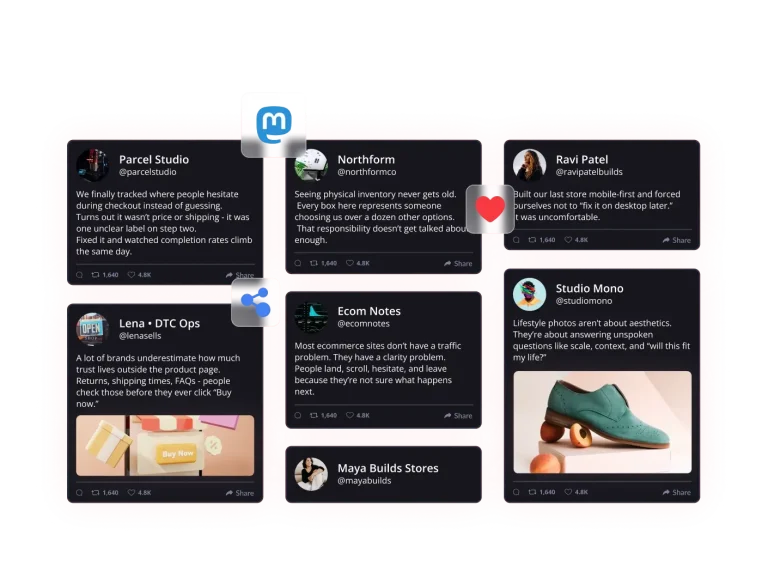
Elegance meets ease with the Squarespace Medium Feed's assortment of pre-designed themes. Bypass the hassle of color coordination and font selection by opting for one of our professionally crafted skins. Each theme is designed to cater to different aesthetics, whether you're inclined towards a modern, vibrant, or minimalist style, ensuring your Medium articles are displayed in a manner that resonates with your Squarespace store's brand identity.
The Squarespace Medium Feed plugin doesn't just showcase your content; it amplifies the aesthetic appeal of your Squarespace store. Choose from an array of skins, each meticulously designed to offer both visual allure and functional elegance. It’s about effortlessly merging your insightful Medium posts with the distinct character and style of your store, creating a harmonious and engaging user experience.
Personalize your Squarespace Medium Feed plugin with customizable date and time stamps for each post. This feature allows for a tailored presentation, ensuring your feed aligns with the aesthetic and informational needs of your Squarespace store. Your audience will appreciate the clear, chronological organization of your insightful articles.
Adjusting the display length of your Medium articles is a breeze with Squarespace's Medium Feed. This feature allows for a concise and clean presentation, ensuring your webpage remains visually appealing and easy to navigate. Visitors can quickly scan through your content, with the option to delve deeper into the articles that pique their interest.
The Medium Feed plugin for Squarespace embraces global content creators, offering comprehensive RTL support for languages written from right to left. This inclusive feature ensures that your Medium articles are accessible and visually appealing to a broader audience, breaking down language and orientation barriers to connect diverse readers.
The Squarespace Medium Feed plugin is engineered for simplicity and ease of use, requiring no coding skills. Its intuitive drag-and-drop interface empowers you to personalize the plugin to your liking, ensuring a perfect fit for your website and an enhanced experience for your audience.
Customization is at the core of the Medium Feed plugin. Tailor every element, from colors and fonts to slider aesthetics and button styles, ensuring perfect harmony with your Squarespace store’s design. Achieve a professional and cohesive look that elevates your Medium content, enhancing both visual appeal and user engagement, with an easy-to-navigate interface.
The Medium Feed for Squarespace stands out with its fully responsive design, ensuring your embedded Medium articles are accessible and visually optimized on any device. Whether your audience is viewing your content on a desktop, tablet, or smartphone, the widget adjusts gracefully, offering a seamless reading experience. In a mobile-dominated world, Medium Feed ensures your Squarespace store and content are always at their best, catering to every screen size with ease and elegance.
The Medium Feed for Squarespace takes customization to new heights with its advanced editor. Beyond the intuitive design options, users with a knack for styling can directly edit the CSS, achieving a truly personalized look. Whether it’s a subtle refinement or a complete aesthetic overhaul, Medium Feed plugin's flexibility caters to every creative impulse, making each integration unique.
Integrating Medium Feed plugin into your Squarespace store is a breeze. A single line of code is all it takes to have your Medium articles elegantly displayed. Quick and straightforward, the embedding process is designed for efficiency. As you update your Medium blog, the plugin automatically syncs, ensuring your Squarespace store always features your latest insights without requiring manual updates.
You set the widget up on Common Ninja’s own site, and they give you a short piece of embed code. That code goes into a Squarespace page wherever you want the widget to appear. They state that nothing beyond pasting the code is required.
Adding embed code to a Squarespace page needs a plan that allows it, so it is worth checking what your plan includes before you start.
There is a free tier, with paid plans above it. Common Ninja set both, and the limits and prices are on their site: we do not restate the numbers here, because they change and a stale price is worse than no price.
No. The badge on this page says Untested, and it will keep saying that until somebody here runs it on a Squarespace site and writes up what happened.
Common Ninja publish a Squarespace page for this widget, so the steps above are theirs for Squarespace specifically.
No reviews yet. Share your experience.
Sign in to write a review We will bring you straight back here.
Squarespell All Access
All 48 plugins and every new one, worth $2,044 bought one by one. 14 days free, cancel anytime.
Start 14 days freeOr start free with 13 plugins, no cardFounding price until 1 December, kept for as long as you stay.