Product Gallery Video: Add YouTube, Vimeo and Uploaded Videos to Your Squarespace Product Gallery$39
 Squarespace · PluginSquarespell Original
Browse by platform
View allBrowse by goal
View allBrowse by goal
Fresh inventory
Recently added
Product Gallery Video: Add YouTube, Vimeo and Uploaded Videos to Your Squarespace Product Gallery$39Squarespace · PluginSquarespell Original Member Content Pro: Show Members-Only Content on Public Squarespace Pages with Native Member Sites$59Squarespace · PluginSquarespell Original
 Event Tickets: Sell Tickets on Squarespace Event Pages with Ticket Types, Seats Left and Native Checkout$59Squarespace · PluginSquarespell Original
 Wholesale Order Pad: Squarespace Wholesale Order Form with Bulk Add to Cart, Order by SKU and Reorder$85Squarespace · PluginSquarespell Original
 Squarespace Summary Block Pro: More Than 30 Items, Load More and Pagination$49Squarespace · PluginSquarespell Original
 Squarespace Delivery Area Checker: Postcode and ZIP Code Checker Plugin$49Squarespace · PluginSquarespell Original
Search results
Matching products
Squarespace plugin
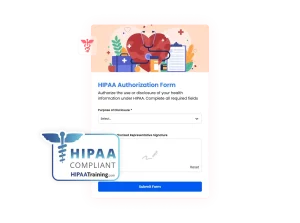
Create secure HIPAA compliant forms that protect sensitive data, offer full customization, and integrate easily for safe medical information collection.
Free plan available set by Common Ninja · Freemium
Buy from Common Ninja (opens the creator’s website in a new tab)You’ll complete your purchase on Common Ninja’s website: they take the payment, issue the licence and provide the support.
Affiliate link. Squarespell may earn a commission if you buy. It never changes our rank or verdict.
Commission does not affect how reviews or ratings are displayed.
The case Common Ninja make for it, on their own product page.
Capture complete intake, not just contact info Generic contact forms ask for name and email. A patient intake form asks the questions your practice needs, medical history, current medications, consent acknowledgments, insurance details, reason for visit, and custom fields per specialty. Staff get the information they need up front, without a second round of follow-up.
Collect secure payments alongside intake Co-pays, deposits, and self-pay balances can be collected in the same flow as the intake form through secure payment collection, instead of sending patients a separate link. Combine the form and the payment for a single-step registration that closes the loop faster while keeping data handled securely.
Built for healthcare intake, not a generic form A Contact Form (enriched at /widgets/contact-form) is for general inquiries. A Form Builder (enriched at /widgets/form-builder) is for any custom multi-field form. This HIPAA Compliance Forms widget is tuned for healthcare intake with security-first defaults, encryption, secure access, and secure data handling, so clinics, therapists, dentists, and telehealth teams start from a secure intake foundation.
01 Build your patient intake form Add the fields your practice needs, patient name and contact details, date of birth, medical history, current medications, consent acknowledgments, insurance information, reason for visit, and any custom questions. Mark fields required or optional, set validation rules, and group related fields with section headers for a clean intake flow.
02 Turn on secure handling and notifications Rely on end-to-end encryption and secure access controls so sensitive submissions are handled securely, designed for HIPAA-conscious data collection. Where a co-pay or fee applies, enable secure payment collection in the same flow. Set real-time notification recipients so the right staff member is alerted the moment a new submission arrives.
03 Embed and manage submissions Copy the one-line embed snippet and paste it on WordPress, Wix, Squarespace, Webflow, or any of the 200+ supported platforms. Submissions save to your Common Ninja dashboard with secure access, ready for reporting, insights, and integration with your existing tools. Edits in the editor push to every embed without re-paste.
Encryption and secure access Submissions are protected with end-to-end encryption and secure access controls, designed for HIPAA-conscious data collection. The widget provides the security capabilities that support HIPAA-compliant workflows, so sensitive patient data is handled securely from submission to your dashboard.
Secure payment collection Collect co-pays, deposits, and self-pay balances alongside the intake form through secure payment integration. Patients complete the form and the payment in one step, without bouncing to a separate checkout, while data stays handled securely.
Data management, integration, and reporting Submissions save to your Common Ninja dashboard with reporting and insights on what is coming in. Manage and export your data, and integrate with the tools your practice already uses so intake data flows into your existing workflow instead of living in a silo.
Stylish skins and Custom CSS Pick from a library of pre-designed skins for a fast visual fit that matches your practice branding. Layer Custom CSS for pixel-level control over field spacing, button styling, header typography, and per-section dividers, all from a one-line embed.
Custom CSS for Enhanced Creativity For those seeking advanced customization, the HIPAA Compliance Forms widget supports custom CSS. Add your own styles to fine-tune the look and functionality, ensuring the forms meet your exact requirements.
Comprehensive Compliance Tools Stay ahead of regulations with features like activity tracking and audit logs, providing transparency by recording data access events. Manage form submissions securely through an encrypted dashboard, and benefit from regular updates to keep your forms compliant with evolving HIPAA requirements.
Advanced Data Management and Integration Efficiently handle sensitive information with secure file uploads for documents like medical records and signed forms. Manage data retention by setting policies to automatically delete outdated information in compliance with HIPAA regulations. Easily export submissions in CSV format or integrate seamlessly with EMR/EHR systems, CRMs, and other HIPAA-compliant tools.
Automation and Real-Time Notifications Streamline your workflow with automation and instant notifications. Receive real-time alerts whenever a form is submitted, ensuring prompt action. Customize secure email notifications for administrators and users, and automatically send acknowledgment emails with tailored content to form submitters, enhancing communication and efficiency.
Easy-to-Use HIPAA Compliance Forms Widget No coding skills are required to set up and customize the HIPAA Forms. Its intuitive interface allows you to create and manage forms effortlessly, making it accessible for everyone, regardless of technical expertise.
Collect patient intake securely, without the compliance headaches No credit card · Setup in under 5 minutes
Does this make my forms HIPAA compliant? The widget is built with HIPAA-conscious features, end-to-end encryption, secure access controls, and secure data handling, that support HIPAA-compliant workflows. On its own it does not make your practice compliant. HIPAA compliance depends on your overall process, including your internal policies, staff training, any required Business Associate Agreement (BAA), and how you store and share data. Use this widget as one secure part of a compliant setup, and confirm the full picture with your compliance advisor. How is my patients' data protected? Submissions are protected with end-to-end encryption and secure access controls, and are designed for HIPAA-conscious data collection. Data is handled securely from the moment a patient hits submit through to your Common Ninja dashboard, where access is controlled. This gives you the security capabilities to support HIPAA-compliant workflows.
You set the widget up on Common Ninja’s own site, and they give you a short piece of embed code. That code goes into a Squarespace page wherever you want the widget to appear. They state that nothing beyond pasting the code is required.
Adding embed code to a Squarespace page needs a plan that allows it, so it is worth checking what your plan includes before you start.
There is a free tier, with paid plans above it. Common Ninja set both, and the limits and prices are on their site: we do not restate the numbers here, because they change and a stale price is worse than no price.
No. The badge on this page says Untested, and it will keep saying that until somebody here runs it on a Squarespace site and writes up what happened.
Common Ninja list Squarespace among the platforms they serve, but publish no Squarespace page for this widget in particular.
No reviews yet. Share your experience.
Sign in to write a review We will bring you straight back here.
Squarespell All Access
All 49 plugins and every new one, worth $2,083 bought one by one. 14 days free, cancel anytime.
Start 14 days freeOr start free with 13 plugins, no cardFounding price until 1 December, kept for as long as you stay.