Event Tickets: Sell Tickets on Squarespace Event Pages with Ticket Types, Seats Left and Native Checkout$59
 Squarespace · PluginSquarespell Original
Browse by platform
View allBrowse by goal
View allBrowse by goal
Fresh inventory
Recently added
Event Tickets: Sell Tickets on Squarespace Event Pages with Ticket Types, Seats Left and Native Checkout$59Squarespace · PluginSquarespell Original Wholesale Order Pad: Squarespace Wholesale Order Form with Bulk Add to Cart, Order by SKU and Reorder$85Squarespace · PluginSquarespell Original
 Squarespace Summary Block Pro: More Than 30 Items, Load More and Pagination$49Squarespace · PluginSquarespell Original
 Squarespace Delivery Area Checker: Postcode and ZIP Code Checker Plugin$49Squarespace · PluginSquarespell Original
 Order Rules: Squarespace Minimum Order, Quantity Limits and Pack Sizes Plugin$49Squarespace · PluginSquarespell Original
 Bundle Builder: Squarespace Product Bundles Plugin, Build a Box and Buy Together$59Squarespace · PluginSquarespell Original
Search results
Matching products
Squarespace
Six Squarespace templates for consultants and consultancies compared on pages, price, delivery, licence and refunds, with the steps to take discovery calls, send proposals and invoices, and build a list.

A note on how we make money. Five of the six templates compared here are sold by other creators and listed on Squarespell, and we may earn a commission if you buy through those listings. Vera and Seren are Squarespell’s own templates, and the plugins in the later sections are Squarespell’s own products too, so weigh that interest. None of it decided the order or the verdicts, and we say where another creator’s template does a consultant’s job better than ours. Details are in our affiliate disclosure.
If you want the short version:
And the honest caveat before any of that matters: a template sells you a structure, not credibility. A Case Studies page with no case studies, or a Team page for a one-person business, does more harm than a plainer site. Pick the template whose pages you can fill with real material this month.
Last updated: 23 November 2026
Consultants are one of the groups Squarespace now names on its own professional services pages, yet very few templates are built for the job. Most “business” templates are made for shops, studios or coaches, and a consultant’s site has a different task: it has to make a stranger trust your judgement before they have paid you anything, explain what an engagement actually involves, and turn a busy reader into a booked call.
That is harder than it looks, because the proof a consultant sells is often confidential and the offer is often custom. So the pages that matter are different from a coach’s: services scoped well enough to qualify an enquiry, case studies or results, credentials, a way to give something useful to people who are not ready, and a booking or enquiry route that every page leads to.
To answer the question we read all 121 Squarespace template listings in the Squarespell catalogue on 23 November 2026, searched them for consultants, advisers, professional services, case studies and agencies, and kept the six whose page structure fits consulting work. For each one we read the listing’s pages, delivery, licence and refund terms, and used the page previews on its listing, which are captures of the creator’s demo. The setup sections come from the Squarespace Help Center, read the same day.
$197
 Asha Glenn Design StudioSquarespace 7.1 · Template
$188.30 $269.00
 Station SevenSquarespace 7.1 · Template
 GoLiveHQSquarespace 7.1 · Template
$205
 Studio MesaSquarespace 7.1 · TemplateGoLiveHQSquarespace 7.1 · Template
A strategy consultant, a finance adviser, an HR consultant and a marketing consultant sell different things, but their websites share five jobs.
It has to say who you help and with what, in one screen. A buyer skimming three consultants’ sites gives each a few seconds. A plain statement of the client and the problem beats a mood photograph and a slogan.
It has to scope each offer well enough to qualify the enquiry. A strategy day, a three month engagement and a monthly retainer are different purchases. Templates with one services page force them into a list; templates with a page per offer, or a page of service detail, let each one answer the questions a buyer asks before they call.
It has to show proof. Case studies, results, client logos, testimonials and credentials do the selling in professional services. Where the work is confidential, an anonymised case study or a process page does the same job.
It has to catch the reader who is not ready. Most visitors will not book on the first visit. A guide, a checklist or an assessment turns that visit into an email address.
It has to make one next step obvious. Usually a discovery call or an enquiry form, the same from every page.
So the shortlist had to meet four conditions: built for Squarespace 7.1; at least one page shaped for selling a professional service, not a generic services block; a listing that states who delivers it, how and under what licence; and page previews we could read on the listing on the day. Price was not a ranking factor. Vera is Squarespell’s own template, which is why we have been careful to say where a $180 to $205 template from another creator fits a consultancy better.
| Template | Price | Sold by | Pages | The pages that sell | How it reaches you | Licence | Refunds |
|---|---|---|---|---|---|---|---|
| Northbridge | $197 | Asha Glenn Design Studio | 8 | Services, Services 2, Service Specifics, Resources | Into your own Squarespace account, normally within 24 hours | One site per licence; client sites need their own licence and keep the attribution | Refund policy on their site; digital templates are generally not returnable once the access link is used |
| Maven | $269 (shown at $188.30) | Station Seven | 8 | Services, General Admin, Pricing, Testimonials, Resources | A separate site in your own account, within 24 hours | Your own business; client use not addressed in their terms | None |
| Elevate | $180 ($162 with SQUARESPELL10) | GoLiveHQ | 7 | Services, Case Studies, Blog | New Squarespace site by contributor invite, normally within 24 hours | One site; each client site needs a new licence | None |
| Nautilus | $205 | Studio Mesa | 18 | Seven practice area pages, Team, Pricing, Articles, FAQ | Instantly | Unlimited sites, client work included | 7 days |
| Signify | $180 ($162 with SQUARESPELL10) | GoLiveHQ | 7 | Services, Portfolio Item (case study), Blog | New Squarespace site by contributor invite, normally within 24 hours | One site; each client site needs a new licence | None |
| Vera | $99 | Squarespell | 6 | Services, Gallery, Contact | Bought in Squarespell’s checkout and set up in your own account | One site per licence; client sites need their own | Not stated on the listing |
Prices, page counts, delivery and terms read from each listing on squarespell.com on 23 November 2026. The creators’ terms were last checked by Squarespell between 26 and 29 August 2026. Every template needs a Squarespace plan, bought separately.
The delivery column matters more than it looks. A template set up inside your own account means you log in to a finished site and start replacing words. A new site shared by invitation, which is how GoLiveHQ delivers, means you build on a separate site and move your domain across when it is ready; the steps are further down.
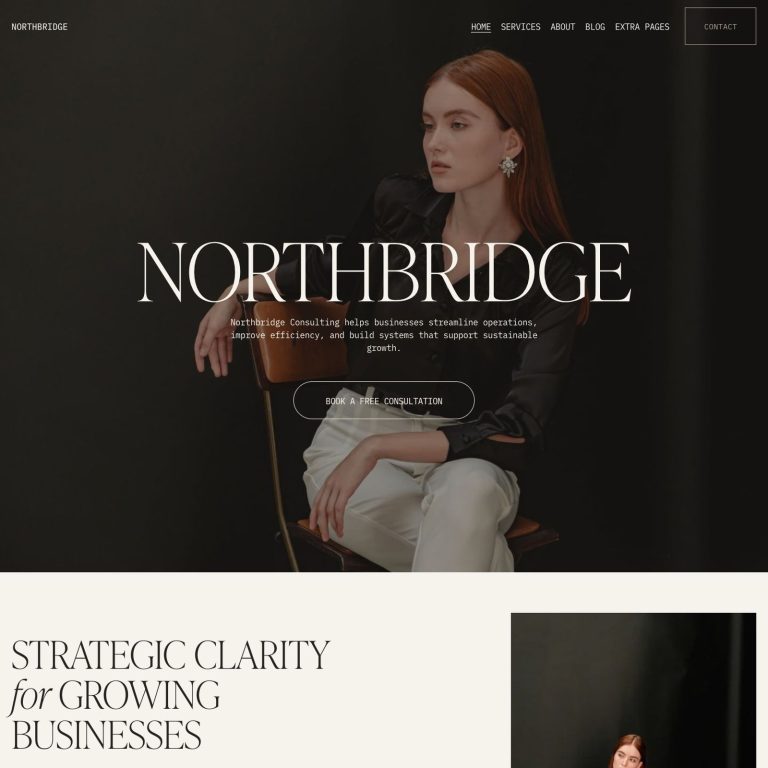
Northbridge is Asha Glenn Design Studio’s template for people “selling judgement rather than a deliverable”, in the listing’s words, $197, eight pages: Home, Services, Services 2, Service Specifics, About, Blog, Resources and a Social Media Links page. Its listing names consultants and independent advisers first among the people it is best for.
The structure is what makes it useful to a consultant. Most templates give you one services page; Northbridge gives you two, plus a Service Specifics page for the detail an interested buyer wants before they enquire. That is the right shape for a practice with a headline engagement and a smaller entry offer.
The Resources page is laid out as a lead magnet, a “Business Clarity Starter Guide” with a download button and two short panels on what you will learn and who it is for. Swap in your own guide and it becomes the route onto your list.
Know before you buy. The licence covers one website, and client sites need their own licence with the designer’s attribution kept. Asha Glenn publish their own refund policy; the listing notes that digital templates are generally not returnable once the access link has been used, so read it first. The demo is password protected, so the page previews on the listing are the quickest way to see every page.
Who should skip it. Anyone without photography that suits a dark, editorial look. The opening relies on one strong portrait. Read the Northbridge listing.
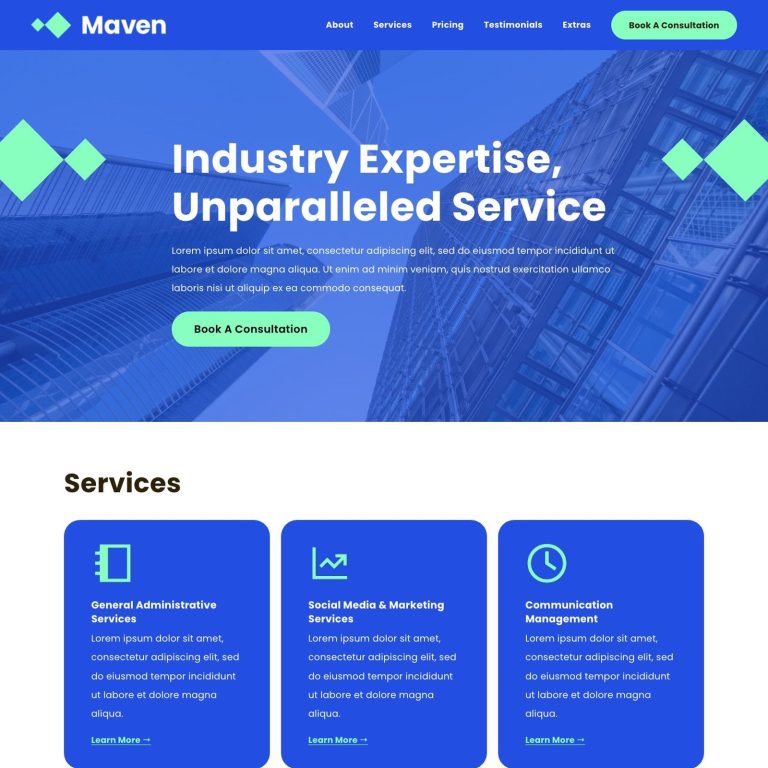
Maven is Station Seven’s solopreneur template, $269, shown at $188.30 with a 30% reduction on the day we checked, eight pages: Home, About, Services, General Admin, Testimonials, Resources, Pricing and Contact. The listing describes it as “the sleekest and most corporate” of three templates that share a structure (Nimble and Serenity are the others), and “the one to pick if your clients are businesses rather than individuals”.
The Pricing page is the one to look at. It puts three tiers side by side with what each includes, so the first call is about fit rather than a quote. For a consultant who sells fixed packages or a monthly retainer, that does a lot of qualifying for you.
Know before you buy. Station Seven sell templates as non-refundable and their published terms do not say whether a template may be used for a client, so ask them first if you are building for someone else. They are a Squarespace Circle Platinum Partner, and the listing says buyers get an extended 365 day Squarespace trial and 25% off the first year. The 30% reduction has no end date or terms on the listing; check the price at checkout.
Who should skip it. A consultant whose brand is quiet or traditional. Maven is bright and modern, and repainting it fully is more work than starting from a calmer template. Read the Maven listing.
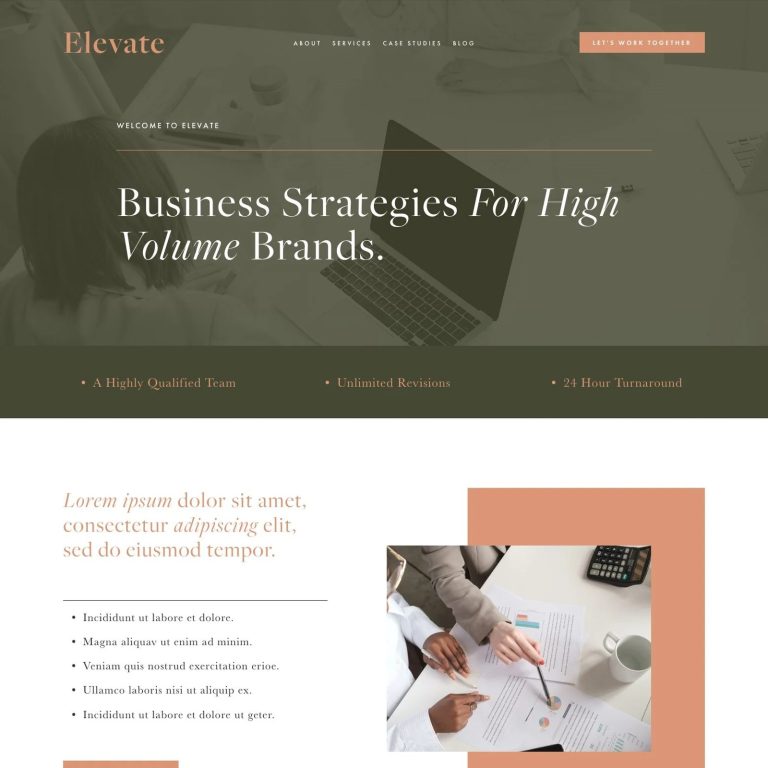
Elevate is GoLiveHQ’s template for “lawyers, consultants and professional services”, $180, or $162 with the code SQUARESPELL10 at GoLiveHQ’s checkout, seven pages: Home, About, Services, Case Studies, Blog, Blog Post and Contact. The listing puts the reasoning plainly: “in professional services the proof is the argument”.
Each case study on that page is broken into the same three parts, the project, the challenge and the solution, which is a good format even when you cannot name the client. Write “A regional logistics firm with 200 staff” and the structure still works.
What you get beyond the design. A free five day course and community, unlimited email and Loom support from GoLiveHQ, a six month extended Squarespace trial for template buyers and 20% off the first year of an annual Squarespace subscription. The licence covers one website, a client site means another purchase, and the terms rule out refunds.
Who should skip it. A consultant who sells on personality. The listing itself says that if your brand sells on personality or visual work, “this palette and structure will feel too quiet for you”. Read the Elevate listing.
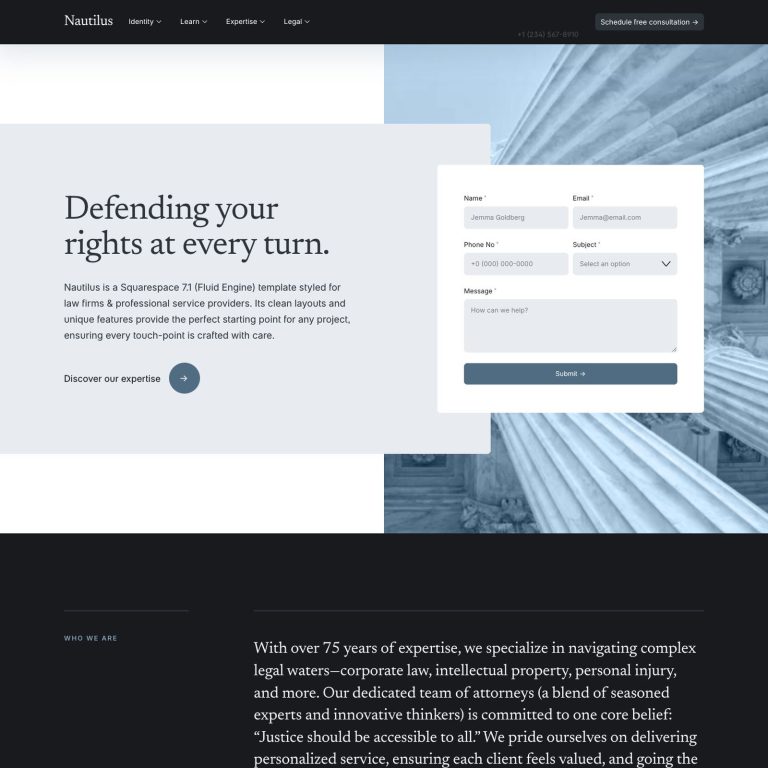
Nautilus is Studio Mesa’s template for professional practices, $205, and at eighteen pages the largest here: Home, About, Team, Pricing, Foundation, Events, Articles, FAQ, Course, Testimonials, a shared Expertise Page layout and seven practice area pages. The demo is written for a law firm, but the listing names consultancies with distinct practice areas and accountancy and advisory firms among the people it is best for.
The idea worth copying is the practice area page. “A client with an employment problem should land on employment, not on a homepage listing seven things,” as the listing puts it. A consultancy that does operations, finance and people work can give each its own page, built on the shared Expertise layout, and send search visitors straight to the right one.
Know before you buy. Nautilus has the most generous terms in this guide: an unlimited licence that covers client sites, and a 7 day refund window, which the listing says no other template creator in the catalogue offers. Studio Mesa pass on 25% off Squarespace hosting, and non-profits can ask them for a 30% code before buying. One inconsistency to check: the listing shows $205, while its own FAQ works out the non-profit saving on a $395 template. Confirm the price on Studio Mesa’s checkout.
Who should skip it. A solo consultant with one service. The listing says so too: eighteen pages for one offer is a lot of deleting. Read the Nautilus listing.
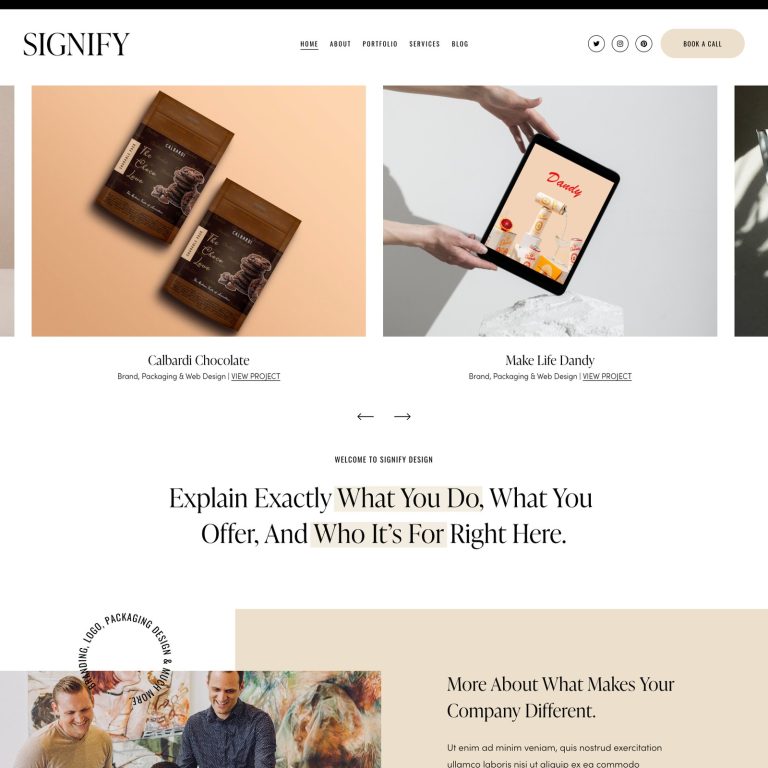
Signify is GoLiveHQ’s digital marketing agency template, $180, or $162 with SQUARESPELL10, seven pages: Home, About, Portfolio Item, Services, Blog, Blog Post and Contact. The listing describes it as “arranged so a prospect meets the results before the price”, and names consultancies with case studies and freelancers selling retainers among the people it is best for.
The Portfolio Item page is built for a single project with “room to explain itself”. For a consultant that means one engagement per page: the client situation, the scope, what you did and what changed. The Services page then sets out the retained work in blocks, each with a short process.
Know before you buy. Same GoLiveHQ terms as Elevate: one website per licence, no refunds, the five day course, support, the six month trial and 20% off the first Squarespace year.
Who should skip it. A consultant selling a fixed, buy-now product. The listing warns that “a productised, buy-now offer will find the enquiry-led structure slower than it needs to be”. Read the Signify listing.
Vera is Squarespell’s own template, $99, six pages: Home, About, Services, Gallery, Blog and Contact, in a warm neutral palette with dried-floral styling. Its listing says it is built for “a coaching or consulting practice that wants to feel personal rather than corporate”, and lists consultants building a personal brand first among the people it suits.
Vera is the opposite of Maven and Nautilus. It will not make one person read as a firm, and it is not trying to. It suits a consultant whose clients hire them as a person, such as a brand consultant, a wellbeing consultant or a career consultant, and who has their own photography to lead with.
Know before you buy. One website per licence, a separate licence for each client site, and Squarespell’s support is in-house. The listing does not state a refund policy, and the live demo was password protected when we checked, so use the six page previews on the listing.
Who should skip it. A consultant selling to corporate buyers, or anyone without their own photography. The listing says the same. Read the Vera listing.
| Situation | Template | Why |
|---|---|---|
| One person, B2B clients | Maven | Pricing and Testimonials pages; corporate look |
| One person, two offers | Northbridge | Services, Services 2 and Service Specifics |
| Several published case studies | Elevate or Signify | Case Studies page, or one Portfolio Item page per case |
| Firm with service lines and a team | Nautilus | Practice area pages, Team page, unlimited licence |
| Personal practice, lowest price | Vera | Six warm pages, $99 |
Based on each template’s page list on its Squarespell listing, read 23 November 2026.
Templates arrive in one of three ways, and it is worth knowing which before you buy. Northbridge, Maven and Vera are set up inside your own Squarespace account. Nautilus is delivered instantly. Elevate and Signify arrive the GoLiveHQ way: a new Squarespace site that GoLiveHQ shares with you by contributor invitation.
Template sales are mostly final (Nautilus is the exception, with 7 days). Open the listing, click through every page preview and decide which pages you will keep, rename and delete. If a page has no use for you, count it as work, not value.
Third-party templates are bought on the creator’s own site from the listing’s buy button; Squarespell’s own are bought in its checkout. Enter any code shown on the listing, such as SQUARESPELL10 for GoLiveHQ, at the creator’s checkout.
For a GoLiveHQ template you receive an email with the subject “New Squarespace Contributor Invitation”. Squarespace’s guide to accepting a contributor invitation has two steps: open the email and click Accept invitation, then log in, or create an account, with the same email address the invitation was sent to. If it does not arrive, check spam or search for no-reply@squarespace.com.
Only the current owner can hand a site over. In Squarespace’s steps to change the site owner, the owner opens the Permissions & Ownership panel, clicks their name under Owner, clicks Transfer Ownership, verifies their login, picks you from the list, then clicks Continue and Confirm. You must already be a contributor who has accepted. Once you own it, you choose the plan and add billing.
| Plan | Monthly billing | Annual billing, per month | Contributors | Code injection |
|---|---|---|---|---|
| Basic | $25 | $19 | 2 including the owner | No |
| Core | $39 | $29 | Unlimited | Yes |
| Plus | $65 | $49 | Unlimited | Yes |
| Advanced | $139 | $99 | Unlimited | Yes |
From squarespace.com/pricing and the Squarespace Help Center, read 23 November 2026. Prices in US dollars before tax.
Build the whole site on its temporary address, check it on a phone, and only then connect your domain. Your current site stays live until that moment.
Every template here ends in a contact page, but a calendar converts better than a form for a first call because the visitor books instead of waiting for a reply. Squarespace’s own route is a scheduling block, which shows an Acuity Scheduling page on your site. It needs an Acuity subscription, either attached to your Squarespace site or standalone.
If your Acuity account is standalone, copy your scheduling page link in Acuity (Scheduling Page, then Link) and choose Custom Link in the block instead, as the same help article explains.
This is the part most template guides skip, and it matters to consultants more than to anyone. According to Squarespace’s guide to invoicing clients, read on 23 November 2026, you can use projects to send proposals, estimates and contracts “to pitch and land clients before you bill them”, then send one-off or recurring invoices from the same account, which suits a monthly retainer. Invoice payments carry no Squarespace transaction fee, only your payment processor’s fees.
Northbridge and Maven both ship a Resources page for a free guide. Squarespace’s newsletter block collects the email addresses and can send them to an Email Campaigns list, a new Mailchimp audience, Google Drive or Zapier.
Post-submit redirects do not run while you are logged in, so test the download in a private window.
Squarespace covers the basics. These Squarespell plugins fill the gaps a consultant notices first. All of them are one-time purchases for Squarespace 7.1, and all of them need the Core plan or higher: five install through code injection, and the quiz and the counter run JavaScript in a Code Block, which Squarespace also keeps to Core and above. Each listing has the full install guide.
A single long enquiry form puts people off; a form that asks one thing at a time, and skips questions that do not apply, gets better answers. Multi-Step Form ($49) splits your own Squarespace Form Block into steps wherever you add a Line field, adds a progress bar with Next and Back, and lets rules show or hide fields and whole steps. The form still sends through Squarespace. Set-up per its listing: build your Form Block, add Line fields where each step should end, make your choices and test them in the builder’s live preview, then paste one block of code into Code Injection, Footer.
Interactive Quiz Plugin ($85) puts a package finder or a scored assessment on any page, such as “How ready is your business for a new CRM?”, and can ask for an email before the result through your own Squarespace form. Set-up per its listing: start from one of four ready quizzes in the builder, change the questions and results, check the live preview at computer and phone size, then copy the code into a Code Block. Your plan must allow JavaScript in Code Blocks.
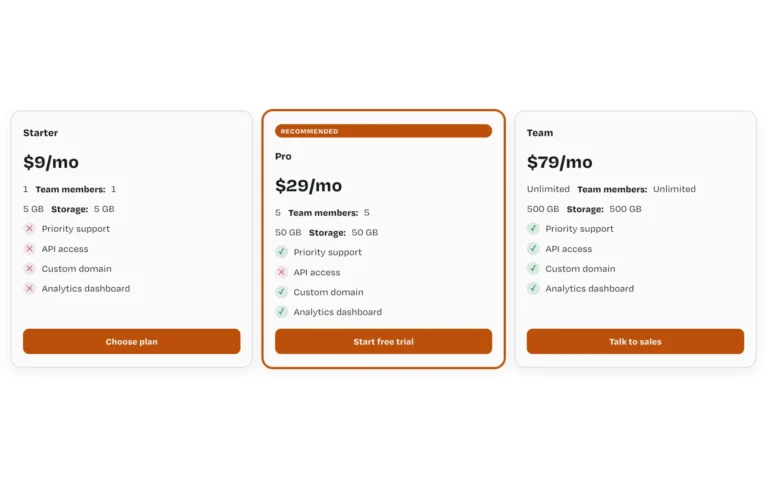
Compare ($25) turns your plans into a clickable comparison table in five styles that match your site’s colours. It suits a consultant with three tiers, as on Maven’s Pricing page. It goes in one Code Block and needs a plan with code injection (Core, Plus or Advanced).
Popup Pro ($39) turns one of your own sections into a pop-up, slide-in, bar or side panel that opens from a button or on exit, delay, scroll or idle. Newsletter blocks inside keep working. Set-up per its listing: in the builder file enter your licence key and website address and click Activate, add the pop-up and choose when it opens, click Copy settings and paste them at the end of Custom CSS (Pages, Custom Code, Custom CSS), then paste the Footer code into Code Injection.
Scrolling Logo Carousel ($25) turns a Gallery block, Gallery Section or List section of client or press logos into a strip that scrolls sideways, with each Description used as the alt text. Set-up per its listing: choose rows, speed and colours in the builder, paste a short CSS into Custom CSS and a small script into Code Injection, Footer, once for the whole site. Only show logos of clients who have agreed to it.
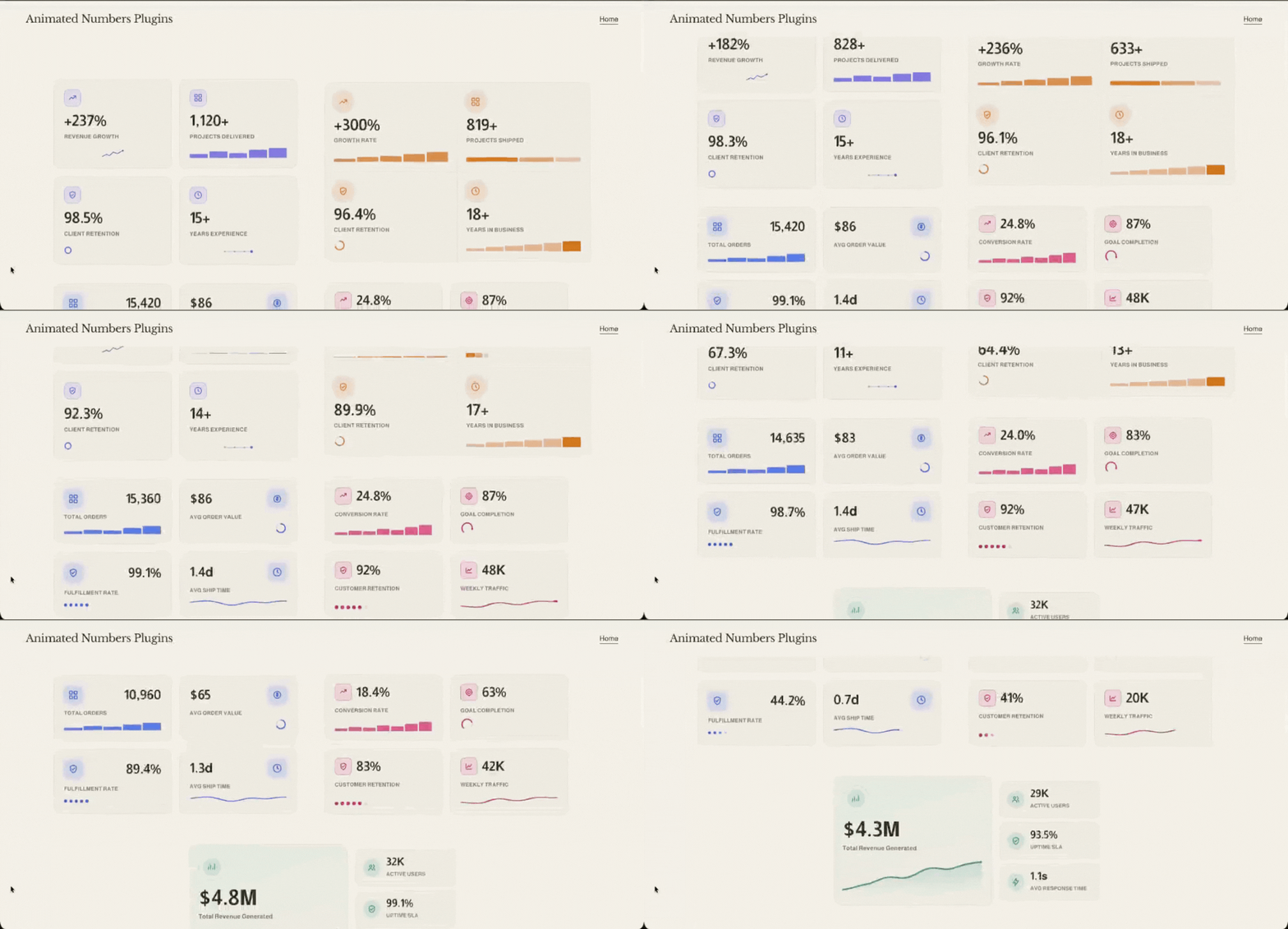
Animated Number Counter Bundle ($25) shows figures such as clients served, projects or years of experience that count up when the visitor scrolls to them. Per its listing it comes in five designs and is pasted into a Code Block. Use figures you can stand behind.
Accordion Pro ($29) upgrades Squarespace’s Accordion block with ten looks, search, links to each question and Expand all, and can show a whole section of your page inside an answer. Its Steps look suits a “how an engagement works” section. Per its listing it installs with one paste of settings and one paste of code, and needs the Core plan or higher.
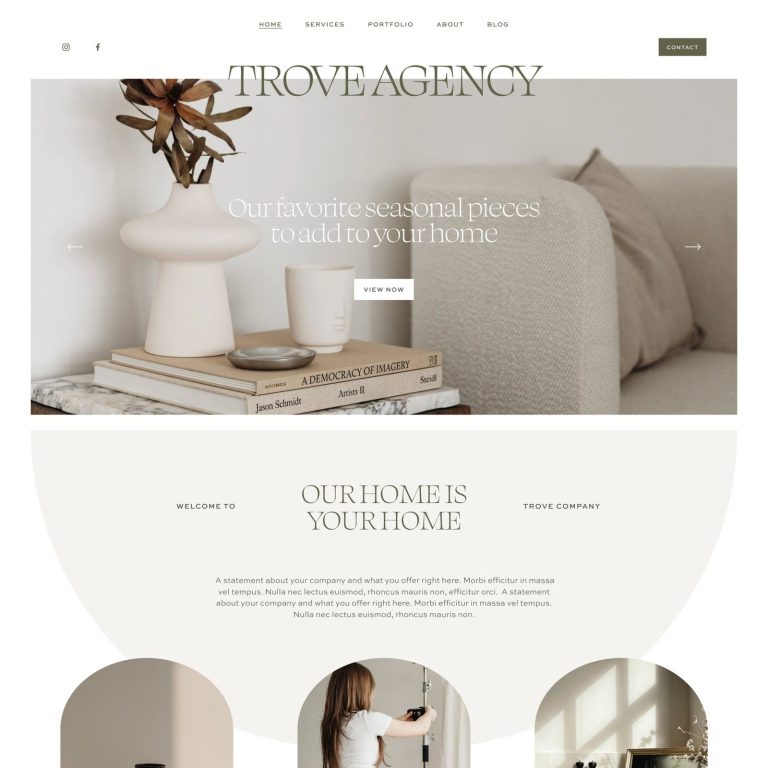
Trove Agency (GoLiveHQ, $180, or $162 with SQUARESPELL10) puts the portfolio second in the navigation, ahead of About, because “a prospect wants to see the work before they read about the team”. It suits a consultancy with named clients and published work; the listing warns it expects real case studies.
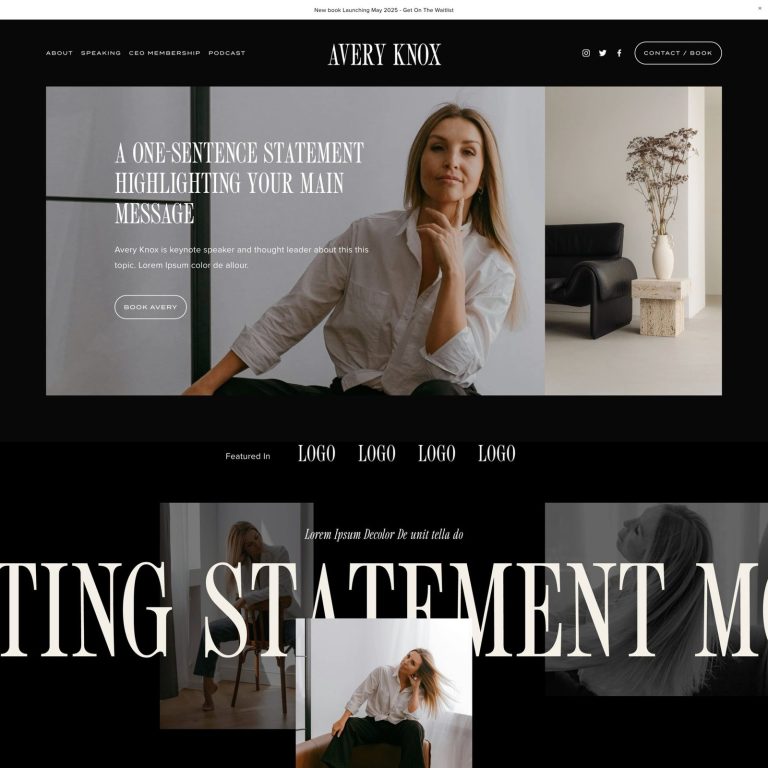
Avery Knox (GoLiveHQ, $180, or $162 with the code) is for a consultant who also speaks: a Speaking page, a Meeting Planners page for event organisers, a Podcast page and a Membership Sales page. If you sell one thing today, most of its nine pages will sit empty.
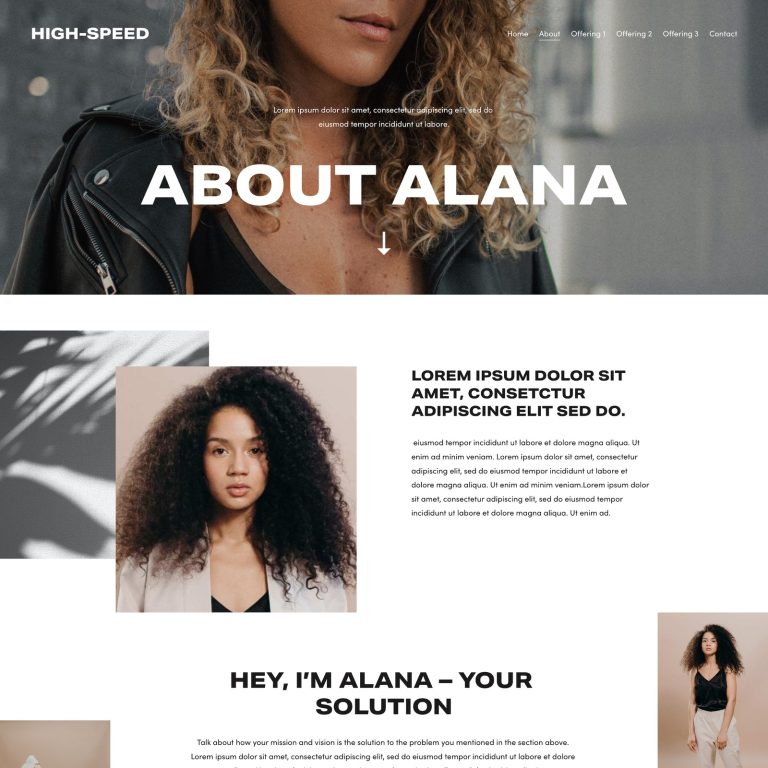
High Speed (GoLiveHQ, $299, or $269.10 with the code) gives each of three offers its own page, which suits a consultant with three clear packages. It arrives the GoLiveHQ way, by contributor invitation, so follow the install steps above.
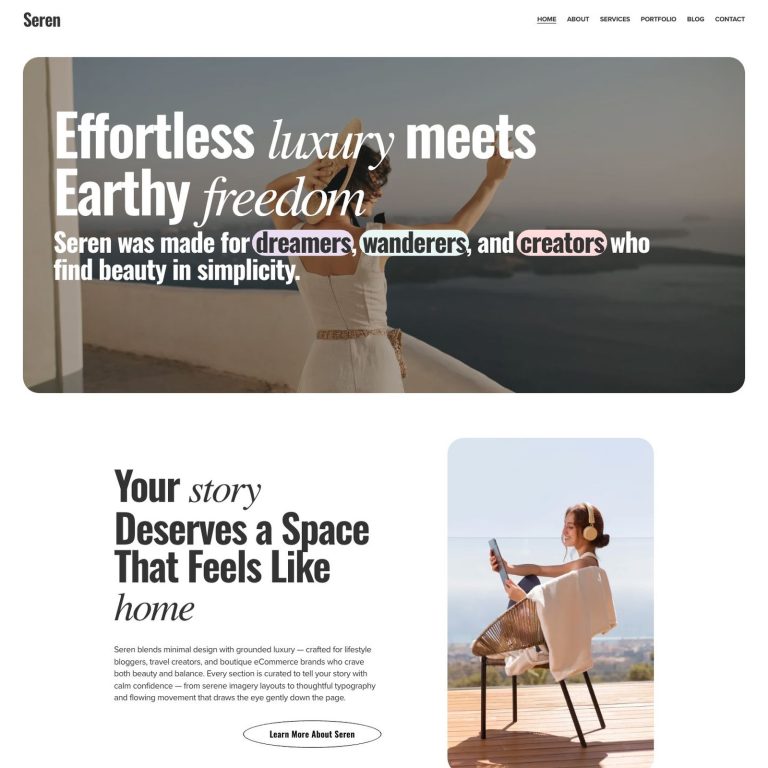
Seren is Squarespell’s own $99 kit for creatives and consultants, six pages: Home, About, Services, Portfolio, Blog and Contact. It is more lifestyle than boardroom, and suits a creative consultant who wants colour and personality. Like Vera, it is bought in Squarespell’s checkout and set up in your own account.
$99
GoLiveHQSquarespace 7.1 · TemplateGoLiveHQSquarespace 7.1 · TemplateGoLiveHQSquarespace 7.1 · TemplatePublishing the gaps is part of the method.
We did not install any of these templates. We read each listing and its page previews, which are captures of the creator’s demo. The demos for Northbridge, Maven, Elevate, Nautilus and Signify are password protected and Vera’s was password protected when we checked, so we did not open them. Squarespell checked the creators’ product pages between 26 and 29 August 2026; prices were re-read on the listings on 23 November 2026.
We did not check the creators’ own websites today. Discounts such as Maven’s 30% reduction and the GoLiveHQ code are as shown on the listings; confirm the final price at the creator’s checkout. Nautilus’s listing shows $205 while its FAQ refers to a $395 template.
The plugin steps come from their listings. We summarised each plugin’s install route from its listing rather than installing it for this guide; each listing links its full guide.
How this guide was made. It was researched and written with AI assistance, then fact-checked against the listings, the Squarespace Help Center and squarespace.com on the date shown, including the alt text and captions.
What is the best Squarespace template for consultants? It depends on your proof and your offers. Northbridge suits an independent adviser with two offers, Maven a one-person business selling to companies, Elevate a consultant with case studies, and Nautilus a firm with several service lines.
Can I use a free Squarespace template for a consulting site? Yes. Squarespace’s own templates are free with a plan, and you can build the same pages yourself. A paid template saves the time of designing a services, case study and pricing structure, which is what you are paying for.
Which Squarespace plan does a consultant need? Basic ($19 a month billed annually, read 23 November 2026) runs a site with a contact form. Choose Core ($29) if you want code injection for plugins or more than one other contributor, as Basic allows two people including the owner.
Can I take payments or send invoices from Squarespace? Yes. Squarespace’s invoicing lets you send one-off or recurring invoices and, through projects, proposals, estimates and contracts. Invoice payments carry no Squarespace transaction fee, only your payment processor’s fees.
Can I use these templates for a client’s website? Only Nautilus includes client sites in one purchase. GoLiveHQ, Asha Glenn and Squarespell require a licence per site, and Station Seven’s terms do not address client use, so ask them first.
Can I put a template on my existing Squarespace site? Not directly. Most of these arrive as a separate site, so your current site stays live while you build, and you move the domain when it is ready. GoLiveHQ also sell a service that places pages into an existing 7.1 site; ask them before buying.
Do these templates work on Squarespace 7.0? No. All six are built for Squarespace 7.1, which every new site uses.
Can I get a refund if a template does not suit me? Only Nautilus offers one, within 7 days. GoLiveHQ and Station Seven sell templates as non-refundable, Asha Glenn publish their own policy, and Vera’s listing does not state one, so read every page preview first.
Write down your offers and your proof before you look at a single template. If you have one person, two offers and little published work, start with Northbridge or Maven. If you have case studies, choose Elevate. If you are a firm, choose Nautilus. If you want the lowest cost and a personal feel, Vera does the job for $99. Then add a scheduling block, a guide behind a newsletter block and, when you are on Core, the plugin that removes your biggest friction.
For other industries, see our guides to Squarespace templates for coaches and the full best Squarespace templates comparison.
Reviewed and last updated 23 November 2026. All prices checked on that date.

Nine Squarespace templates for life, business and wellness coaches, compared on pages, price, delivery and licence, with the steps to take discovery calls, sell a programme and build a list.
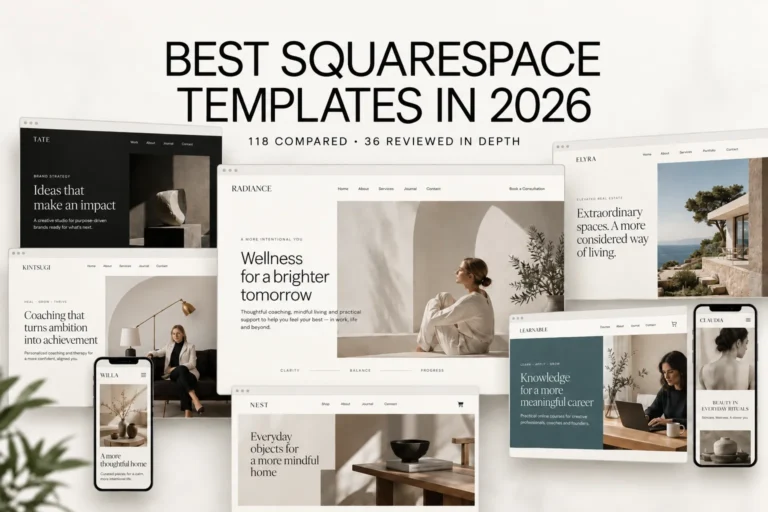
We reviewed every premium Squarespace template in the Squarespell catalogue and shortlisted 36. Prices, page structures, honest limitations and who each one suits.
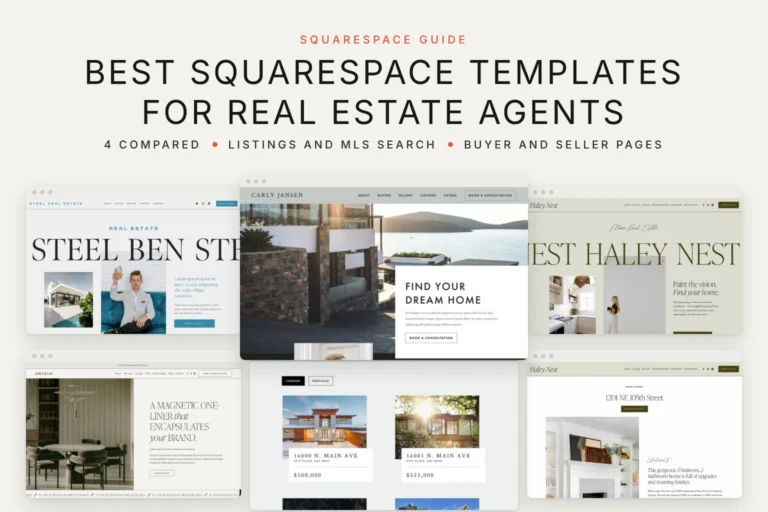
Four Squarespace templates for real estate agents, compared on price, listing pages and buyer and seller structure, with the steps to add MLS search, build your own listings and launch.
Squarespell All Access
All 47 plugins and every new one, worth $1,985 bought one by one. 14 days free, cancel anytime.
Start 14 days freeOr start free with 13 plugins, no cardFounding price until 1 December, kept for as long as you stay.