Event Tickets: Sell Tickets on Squarespace Event Pages with Ticket Types, Seats Left and Native Checkout$59
 Squarespace · PluginSquarespell Original
Browse by platform
View allBrowse by goal
View allBrowse by goal
Fresh inventory
Recently added
Event Tickets: Sell Tickets on Squarespace Event Pages with Ticket Types, Seats Left and Native Checkout$59Squarespace · PluginSquarespell Original Wholesale Order Pad: Squarespace Wholesale Order Form with Bulk Add to Cart, Order by SKU and Reorder$85Squarespace · PluginSquarespell Original
 Squarespace Summary Block Pro: More Than 30 Items, Load More and Pagination$49Squarespace · PluginSquarespell Original
 Squarespace Delivery Area Checker: Postcode and ZIP Code Checker Plugin$49Squarespace · PluginSquarespell Original
 Order Rules: Squarespace Minimum Order, Quantity Limits and Pack Sizes Plugin$49Squarespace · PluginSquarespell Original
 Bundle Builder: Squarespace Product Bundles Plugin, Build a Box and Buy Together$59Squarespace · PluginSquarespell Original
Search results
Matching products
Squarespace plugin
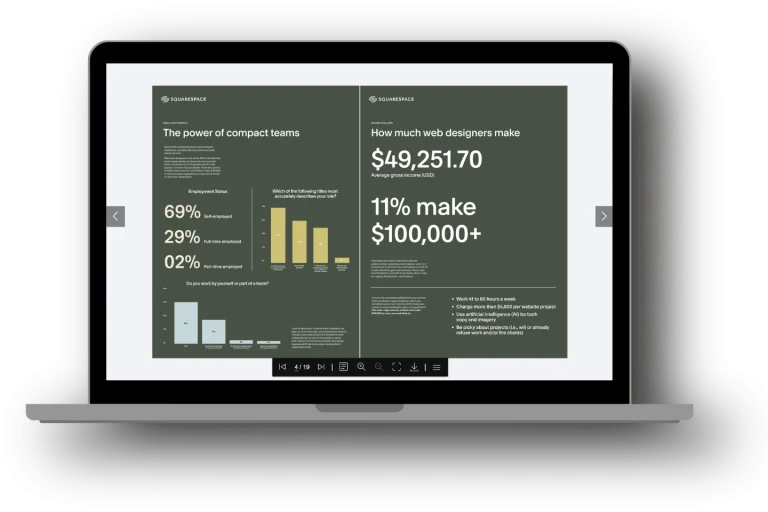
Display massive, super high-resolution images directly on your Squarespace website. Bypass the standard 2,500px compression limit without slowing down your pages or paying for external hosting.
No reviews yet · feedback about the creator$99 set by BeyondSpace · One-time
Buy from BeyondSpace (opens the creator’s website in a new tab)You’ll complete your purchase on BeyondSpace’s website: they take the payment, issue the licence and provide the support.
Save 15% No expiry
SQUARESPELL_FRIENDS
$99 $84.15 save $14.85
Enter the code at BeyondSpace checkout. Prices in USD, before any tax or charges added at checkout.
Discount terms and disclosureAffiliate link. Squarespell may earn a commission if you buy. It never changes our rank or verdict.
Commission does not affect how reviews or ratings are displayed.
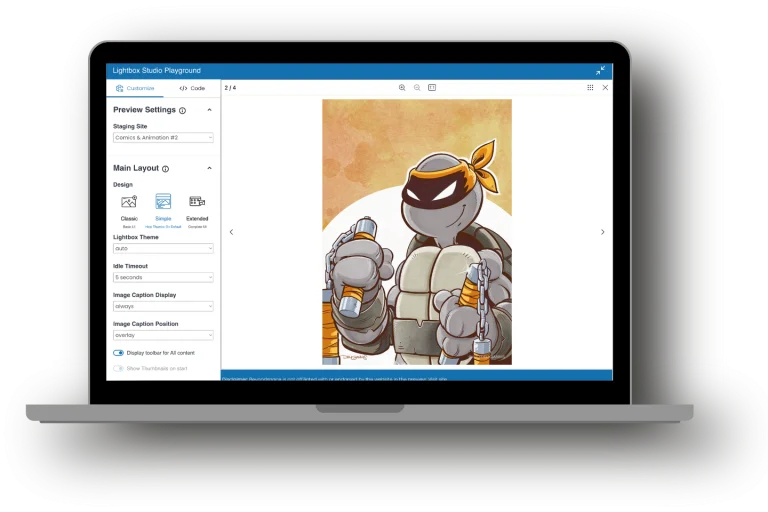
Boost engagement with Macroom Viewer for Squarespace. Allow your visitors to spend more time exploring the deepest details of your work without affect your site's performance.
Transform flat, static images into an interactive playground. Let users intuitively pinch, pan, and zoom into fine brushstrokes, architectural lines, or deep textures: an exploration experience that standard image blocks can't touch.
Prove the premium quality of your physical art, prints, or products. By revealing the microscopic details and true texture, you build instant buying trust, keep high-intent leads on your page longer, and drive higher-tier sales.
Eliminate the massive loading lag of giant imagery. The plugin fractions your master file so mobile devices and desktop browsers only load the exact pixels being viewed – making the zoom feel instant, lightweight, and fluid.
Squarespace enforces a hard limit on standard image uploads: everything is automatically downscaled, compressed, and capped at a maximum width of 2,500 pixels (around 120 Megapixels max per file). If you upload a massive 10,000px canvas painting or a blueprint, Squarespace will forcefully crush the resolution, wiping away fine brushstrokes, textures, and details.
It changes the upload strategy. Instead of uploading one massive file for Squarespace to compress, you can generate pyramic tiles of smaller pieces of the origin image.
Because each tile is well under the 2,500px threshold, Squarespace compression will be harder to notice on those.
The Macroom engine then pieces them back together dynamically on the user’s screen.
Squarespace Gallery Blocks have a native hard ceiling of 250 images per block. However, to guarantee absolute platform stability and fast rendering on lower-end mobile devices, we highly recommend aiming for a sweet spot of 70 to 120 tiles per image.
Setting your slicer engine to target a tile size of 512px or 1024px will naturally keep your high-res files perfectly optimized within this threshold.
The engine is built to process massive, gigapixel-scale master files smoothly. We have successfully stress-tested it using extreme assets with zero performance degradation, including:
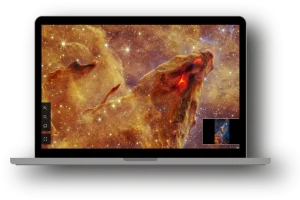
NASA’s Webb Four Pillars of Creation : 8,423 × 14,589 pixels (~159MB)
No – in fact, it does the exact opposite. This is the primary architectural benefit of a tiling framework. Instead of forcing a mobile visitor to download a single, punishing 50MB image upfront (which tanks your SEO and Core Web Vitals), the plugin initially requests just a single, tiny, ultra-low-resolution overview tile. As the user deep-zooms into a coordinate, the engine dynamically fetches only the specific, lightweight tiles required for that exact viewport. Bandwidth consumption is highly restricted and completely optimized.
Best Use Cases
Art Galleries & Photography : Displaying highly detailed digital art, fine art paintings, and complex photography portfolios where brushstrokes or fine textures matter.
No reviews yet. Share your experience.
Sign in to write a review We will bring you straight back here.
Squarespell All Access
All 47 plugins and every new one, worth $1,985 bought one by one. 14 days free, cancel anytime.
Start 14 days freeOr start free with 13 plugins, no cardFounding price until 1 December, kept for as long as you stay.