Event Tickets: Sell Tickets on Squarespace Event Pages with Ticket Types, Seats Left and Native Checkout$59
 Squarespace · PluginSquarespell Original
Browse by platform
View allBrowse by goal
View allBrowse by goal
Fresh inventory
Recently added
Event Tickets: Sell Tickets on Squarespace Event Pages with Ticket Types, Seats Left and Native Checkout$59Squarespace · PluginSquarespell Original Wholesale Order Pad: Squarespace Wholesale Order Form with Bulk Add to Cart, Order by SKU and Reorder$85Squarespace · PluginSquarespell Original
 Squarespace Summary Block Pro: More Than 30 Items, Load More and Pagination$49Squarespace · PluginSquarespell Original
 Squarespace Delivery Area Checker: Postcode and ZIP Code Checker Plugin$49Squarespace · PluginSquarespell Original
 Order Rules: Squarespace Minimum Order, Quantity Limits and Pack Sizes Plugin$49Squarespace · PluginSquarespell Original
 Bundle Builder: Squarespace Product Bundles Plugin, Build a Box and Buy Together$59Squarespace · PluginSquarespell Original
Search results
Matching products
Squarespace plugin
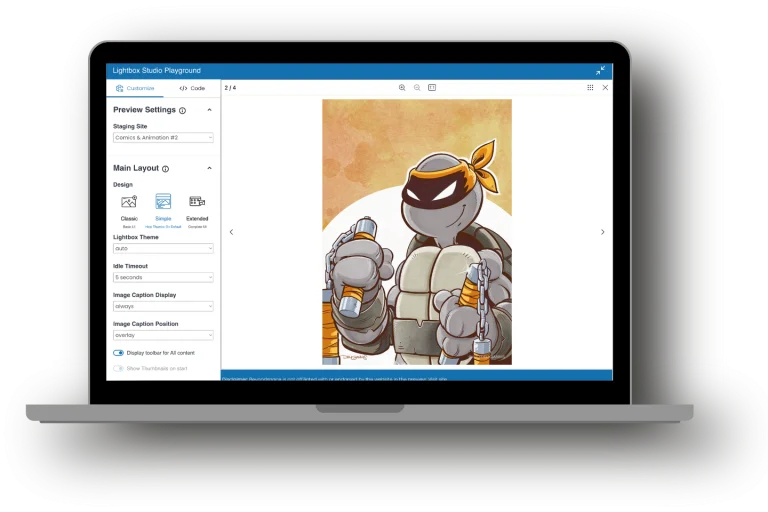
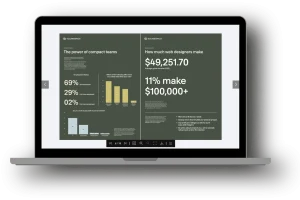
Transform Squarespace PDF files into interactive flipbooks to give visitors a responsive, page-turning reading experience – replacing clunky downloads with a sophisticated interface that keeps visitors on your site longer.
No reviews yet · feedback about the creator$59 set by BeyondSpace · One-time
Buy from BeyondSpace (opens the creator’s website in a new tab)You’ll complete your purchase on BeyondSpace’s website: they take the payment, issue the licence and provide the support.
Save 15% No expiry
SQUARESPELL_FRIENDS
$59 $50.15 save $8.85
Enter the code at BeyondSpace checkout. Prices in USD, before any tax or charges added at checkout.
Discount terms and disclosureAffiliate link. Squarespell may earn a commission if you buy. It never changes our rank or verdict.
Commission does not affect how reviews or ratings are displayed.
Boost engagement with Parper Flip for Squarespace, allow you use to stay longer when viewing your documents Support uploaded PDF files of Squarespace out of the box
Transform static documents into a visual, intuitive flow that feels natural to browse and hard to put down – outperforming standard PDFs every time.
Drive more lead interactions by keeping visitors engaged longer, encouraging them to explore more pages and take action.
Eliminate loading friction with a familiar, high-performance interface that makes viewing documents quick, seamless, and pleasant.
Squarespace doesn’t include a built-in flipbook feature. With the Beyondspace Paperless Flip Book plugin, you can easily turn PDFs into interactive, page-flipping experiences directly on your site: no external tools needed.
Since Squarespace doesn’t have a dedicated file management area for PDFs, you’ll use the Link Editor to upload the PDF. Here’s how:
Insert a Link in the Squarespace Editor: Navigate to the page where you want to add the PDF, and insert a button or hyperlink in the content.
Currently, Squarespace only allows linking PDFs for viewing on new browser window or download. Paperless Flip plugin allows you to view PDF in flipbook format in the same window
PDF files are hosted on Squarespace for maximum flexibility, with a 20MB upload limit per file.
That means you can create unlimited PDF flipbooks with Paperless Flip
Yes, embedding PDFs through Lightbox Studio offers unlimited bandwidth via Beyondspace’s proxy, provided free of charge. However, in cases of exceptionally high usage, I may contact you to explore alternative proxy options to ensure uninterrupted service.
Paperless Flip plugin has Table of Content feature so your vistors can browse complex PDFs easier
Yes! The plugin support anywhere block editor available: from blog post body, normal pages to product additional info
No reviews yet. Share your experience.
Sign in to write a review We will bring you straight back here.
Squarespell All Access
All 47 plugins and every new one, worth $1,985 bought one by one. 14 days free, cancel anytime.
Start 14 days freeOr start free with 13 plugins, no cardFounding price until 1 December, kept for as long as you stay.