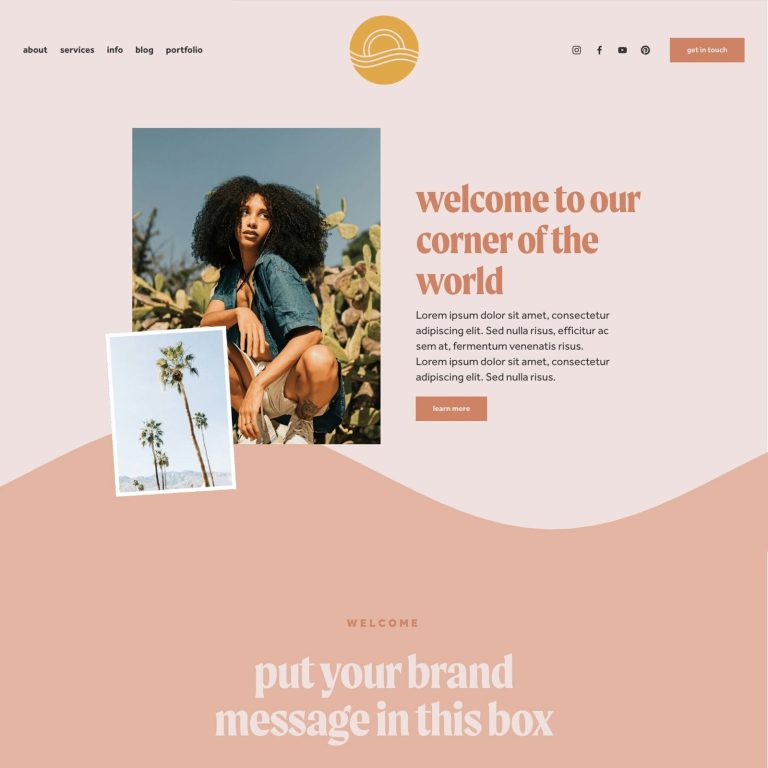
Member Content Pro: Show Members-Only Content on Public Squarespace Pages with Native Member Sites$59
 Squarespace · PluginSquarespell Original
Browse by platform
View allBrowse by goal
View allBrowse by goal
Fresh inventory
Recently added
Member Content Pro: Show Members-Only Content on Public Squarespace Pages with Native Member Sites$59Squarespace · PluginSquarespell Original Event Tickets: Sell Tickets on Squarespace Event Pages with Ticket Types, Seats Left and Native Checkout$59Squarespace · PluginSquarespell Original
 Wholesale Order Pad: Squarespace Wholesale Order Form with Bulk Add to Cart, Order by SKU and Reorder$85Squarespace · PluginSquarespell Original
 Squarespace Summary Block Pro: More Than 30 Items, Load More and Pagination$49Squarespace · PluginSquarespell Original
 Squarespace Delivery Area Checker: Postcode and ZIP Code Checker Plugin$49Squarespace · PluginSquarespell Original
 Order Rules: Squarespace Minimum Order, Quantity Limits and Pack Sizes Plugin$49Squarespace · PluginSquarespell Original
Search results
Matching products
Squarespace
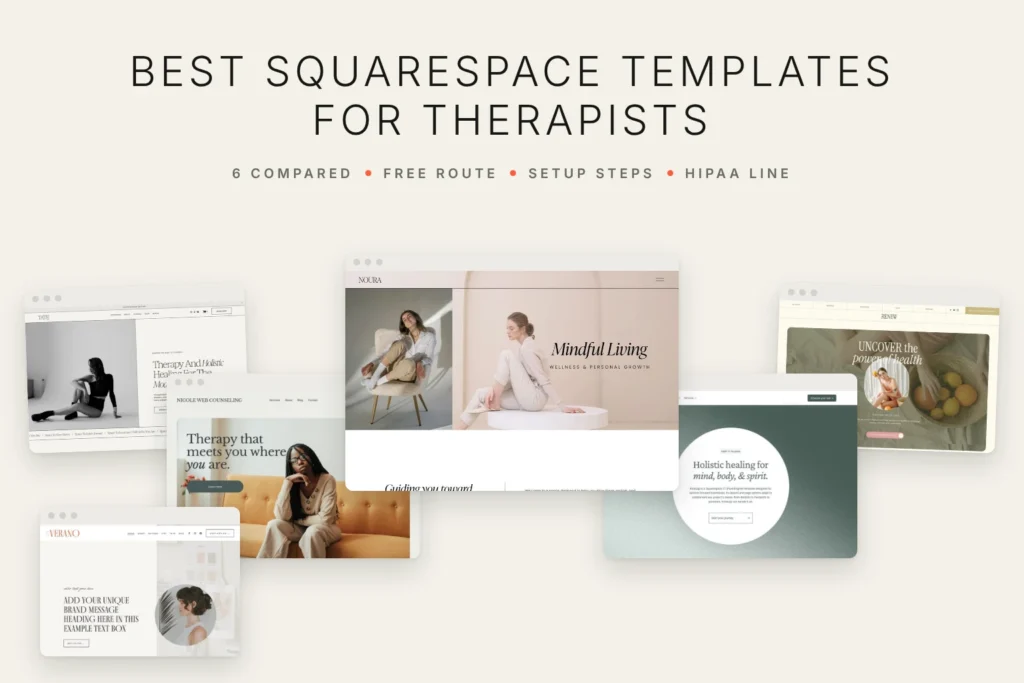
Six Squarespace 7.1 templates that suit a therapy practice, compared on their pages, price and how they are delivered, with the free route, the setup steps and the HIPAA line a practice website should not cross.
A note on how we make money. Squarespell makes Noura, one of the templates in this guide, and the Searchable Directory plugin mentioned for group practices, so weigh that interest. The other templates are listed on Squarespell with affiliate links, and we may earn a commission if you buy through them. Neither fact changed the order or what we say about each one. Details are in our affiliate disclosure.
If you want the short version:
And the honest caveat before any of that matters: no template makes Squarespace a place for clinical information. Squarespace’s own help centre says its form block “can’t be used as part of a HIPAA compliant solution”, so intake forms and anything about a client’s health belong in a compliant tool such as HIPAA-enabled Acuity Scheduling, whichever design you choose (see the HIPAA section).
Last updated: 25 October 2026
Somebody looking at a therapist’s website is usually deciding whether to make a call they have been putting off. The design sets the tone, but the structure does more of the work: whether they find their own problem named in words they would use, whether fees and first steps are clear, and whether getting in touch feels low pressure.
In Squarespace 7.1 every template has the same features. Squarespace says “all version 7.1 sites are part of the same template family, so every site has the same features and style options”. So a paid template does not buy you booking, forms or a blog; it buys a page structure, a design and the help that comes with it. That is what this guide compares.
To build the list we searched the Squarespell catalogue for therapist, counsellor, psychologist, mental health, wellness, coach, private practice and booking, kept the Squarespace templates whose creators build for therapy or wellness practices, and read every listing and its page previews on 25 October 2026. We also read Squarespace’s help centre for the plan, contributor, form and HIPAA rules. We have not installed any of these templates; the page images come from each creator’s demo as photographed for the listing.
$99
$97 $197.00
 Asha Glenn Design StudioSquarespace 7.1 · Template
$295
 Studio MesaSquarespace 7.1 · Template
$189
 Candor TemplatesSquarespace 7.1 · Template
 GoLiveHQSquarespace 7.1 · Template
 Big Cat CreativeSquarespace 7.1 · Template
Six things decided whether a template made the list and where it sits:
Price was not a ranking factor. A $97 template and a $299 template can both be the right answer for different practices, so the order follows fit, not cost.
| Template | Creator | Price (one-time) | Pages | Delivery | Licence | Best for |
|---|---|---|---|---|---|---|
| Noura | Squarespell | $99 | 6 | Squarespell builds it in your account within 24 hours | One site | Solo therapists and wellness coaches who want it done for them |
| Nicole | Asha Glenn Design Studio | $97 (listed as 51% off $197) | 5 | Template link within 24 hours adds a new trial site to your account | One site | Therapists and counsellors in private practice |
| Kintsugi | Studio Mesa | $295 | 19 | Instantly | Unlimited sites | Group practices with several specialisms |
| Tate | Candor Templates | $189 | 8 | Into your Squarespace account within 24 hours | Not published | Holistic, somatic and healing practitioners |
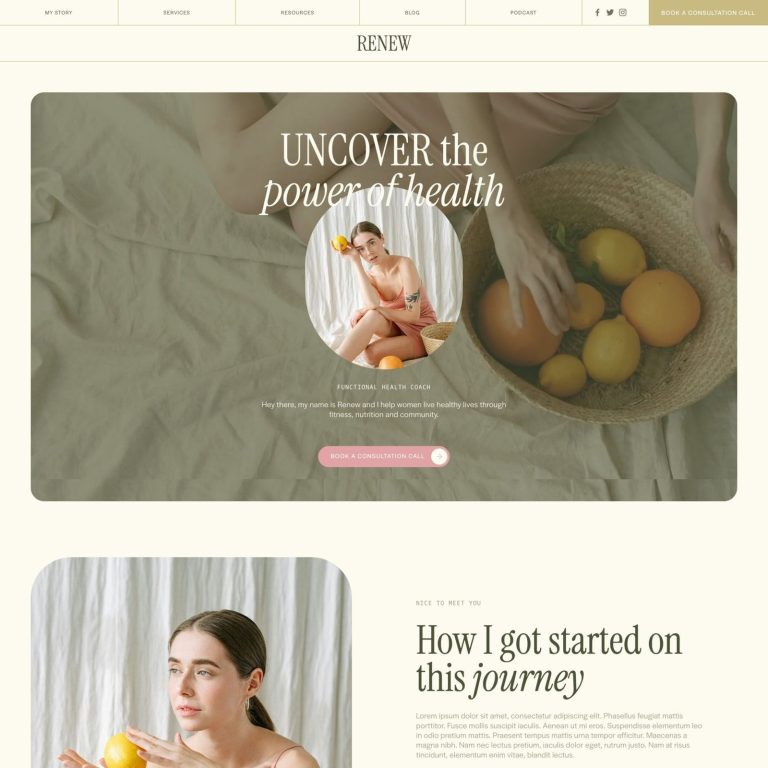
| Renew | GoLiveHQ | $299 ($269.10 with code SQUARESPELL10) | 12 | Contributor invite to a new site within 24 hours | One site | Health coaches with two programmes |
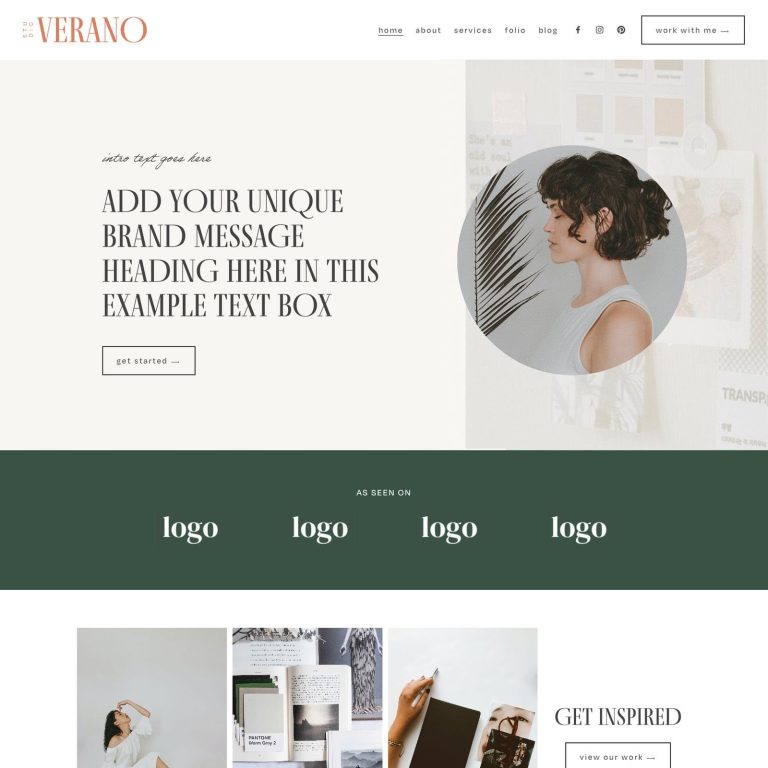
| Verano | Big Cat Creative | $297 | 7 | New site or install into your existing 7.1 site within 48 hours | One project or business | Practices that already run a Squarespace site |
| Health & Beauty templates | Squarespace | No extra charge | Varies | Chosen when you start a site | Your site | Tight budgets, or a fully custom build |
Prices, page counts, delivery and licence terms from each Squarespell listing, read on 25 October 2026. The Squarespace plan is billed separately in every case.
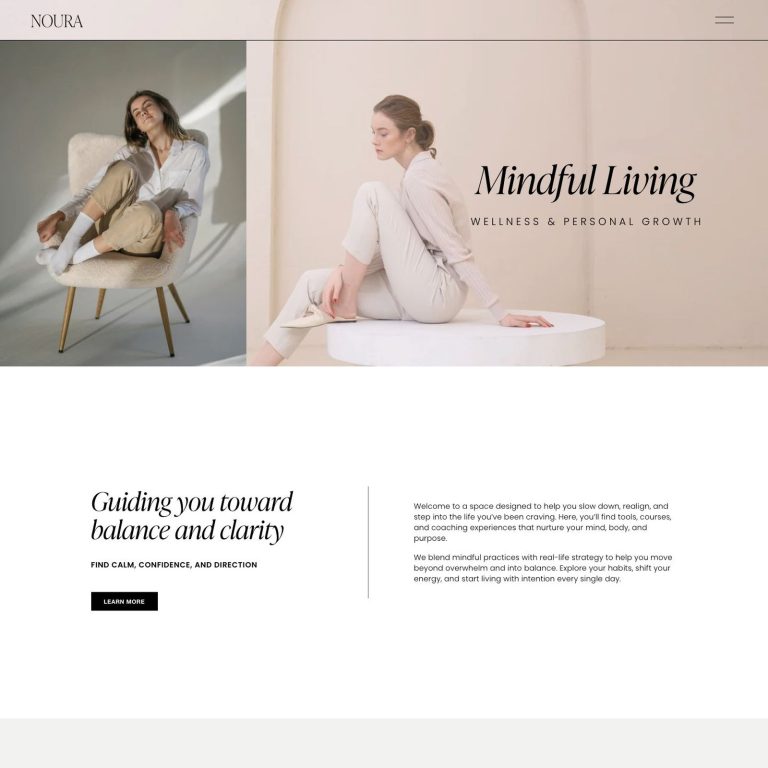
Noura is Squarespell’s own template for wellness coaches, therapists and holistic practitioners, and its listing describes the design’s job as lowering the temperature. It ships as six pages: Home, About, Services, Portfolio, Contact and Blog. The home page opens slowly, with plenty of space, and the route to Contact is short from every page.
The services page gives each offer its own block with room around it, which suits a therapist with a small number of clearly priced sessions or packages. Portfolio is the odd page out for a therapist; most practices will rename it for programmes, workshops or resources, or delete it.
What is different about it: you do not install anything. The listing says Squarespell builds the full site inside your own Squarespace account within 24 hours of purchase, and you replace the demo content. Its limits: six pages is a small kit, and the listing itself suggests another template for large practices that need many service pages. It is $99 for one website and is not refundable once the installation has been done.
If you write about Squarespace or build sites for clients, Squarespell’s affiliate program pays 20% commission on its own templates and plugins, with a 60-day window, according to the program page on 25 October 2026.
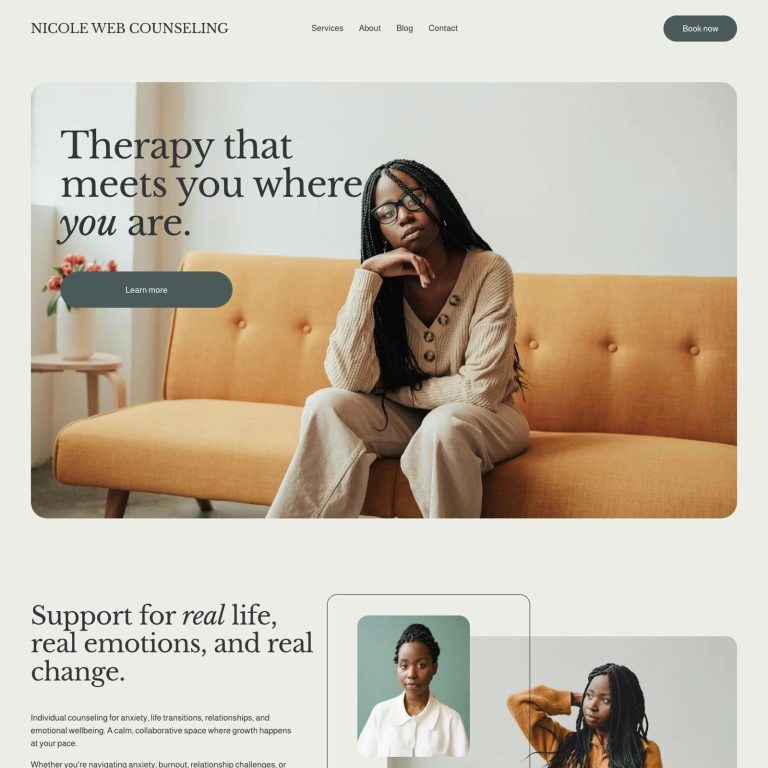
Nicole is the template Asha Glenn Design Studio built for therapists, counsellors and private practices. The listing’s point is that a therapy site is not a portfolio: the visitor is deciding whether to get in touch at all. The home page leads with “Therapy that meets you where you are” and a short “I can help with” list.
Its strongest page is Services. Instead of listing modalities, it names presenting concerns (Anxiety & Stress, Life Transitions, Personal Relationships), each with its own block and a Book now button. That is the right way round for a client who knows what is wrong but not which kind of therapy fixes it.
The contact page pairs a short form with a FAQ that covers consultations, first sessions and insurance, which answers the practical questions before the enquiry arrives. Nicole ships as five pages, so a practice with many specialisms will add pages of its own.
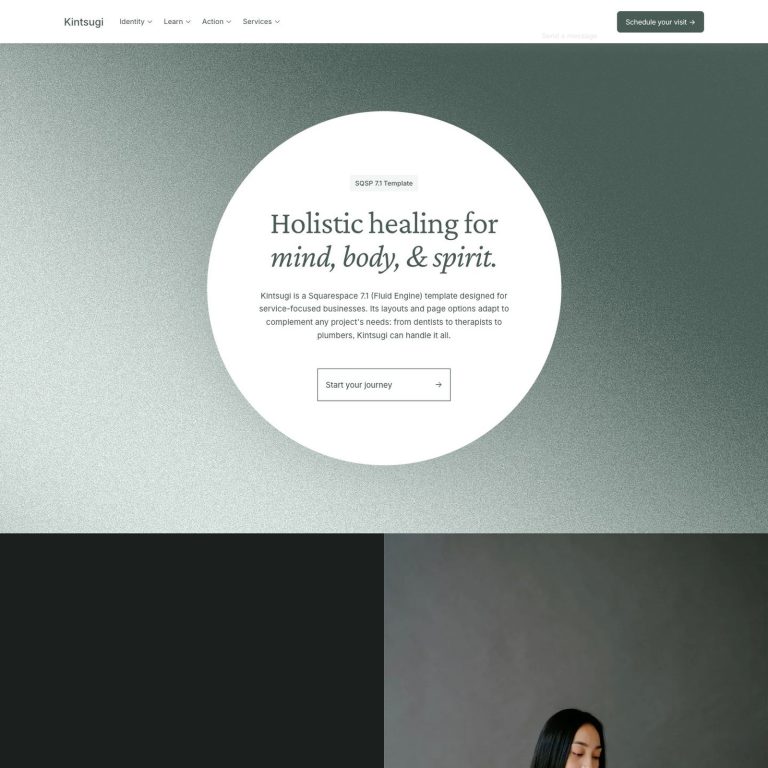
Kintsugi is the biggest template here: 19 designed pages. Its structure is built around presenting concerns, with five service-detail pages in the demo (Mental Wellness, Goal-Setting, Couples Therapy, Newlywed Counseling and Team Coordination). Around them sit an Approach page, testimonials, care plans with pricing, a scheduling page and a careers page for a practice that hires.
Each concern gets a full page, which helps both the client who searches for “couples therapy near me” and the practice that wants each service to be found on its own.
The Care Plans page lays out three tiers with a comparison table underneath, a useful pattern if you offer packages or a sliding scale. The demo figures are placeholders; put in your own fees.
Two things set it apart commercially: an unlimited licence (one purchase covers as many sites as you build) and a 7-day refund policy, which the listing calls the only refund window among the template creators in Squarespell’s catalogue. The trade-off is size: a solo practitioner may spend more time deleting pages than using them, and the demo’s “New patient form” page is exactly the kind of page that should not collect health details through a Squarespace form.
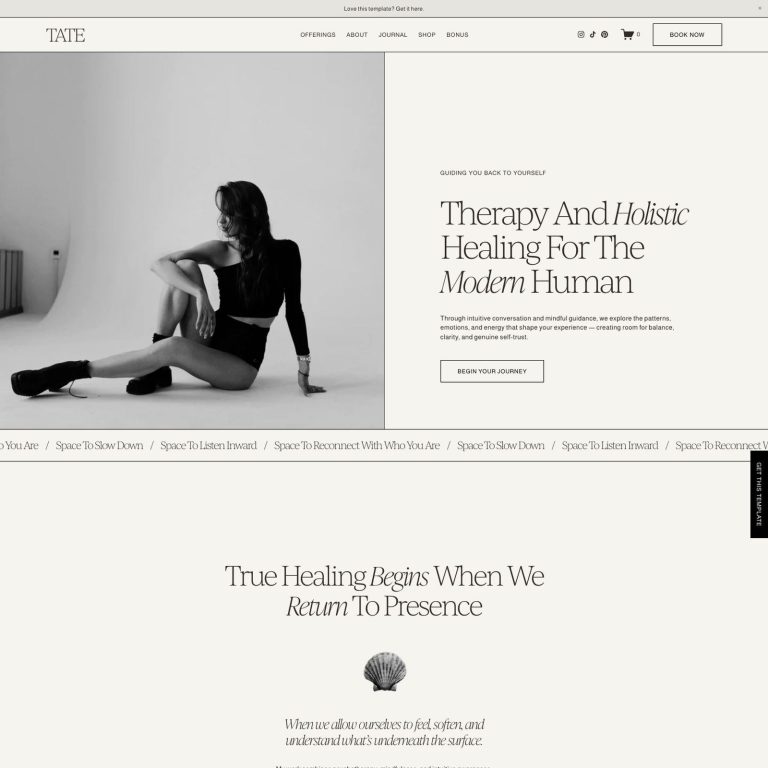
Tate is for therapists, healers and wellness practitioners, in a black and white design that the listing describes as calm rather than clinical. It ships with eight pages: Home, All Offerings, Service 01, About, Journal, Shop, Social Links and Schedule A Call.
All Offerings introduces every modality on one page and Service 01 takes one in depth, which suits practitioners whose clients do arrive asking for a specific approach (somatic work, breathwork, reiki). The journal gives you somewhere to write, and the Social Links page doubles as a link-in-bio page that matches the site.
The listing is candid that a coach selling on energy and personality will find it too still. Candor do not publish licence terms for Tate, so ask them before using it for a client. Demo photography is not included.
Renew is built for health coaches, and it gives each coaching programme its own sales page rather than a shared services list. It ships with 12 pages, including My Story, Services, a Course page, two programme pages, Resources, a podcast and a blog.
The My Story page carries the credibility that wellness clients look for, told as a timeline. For a licensed therapist this is the least clinical template in the list; it suits a nutrition, wellness or health coach better than a psychotherapy practice.
The listing’s own warning is worth repeating: Renew assumes two distinct programmes. With one offer a sales page sits empty; with more than two you are back to a services list.
Verano is a seven-page Fluid Engine template (Home, About, Services, Info, Folio, Blog, Contact) aimed at turning visitors into enquiries. Big Cat Creative list therapists among the businesses it suits. The Info page, built for pricing, process and practical questions, is the useful one for a practice: it is where fees, insurance, cancellation and “what happens in a first session” go.
Verano’s difference is delivery: Big Cat will deliver it as a new site or install it into an existing Squarespace 7.1 site, and you choose which when you buy. If your practice already has a site and a domain on Squarespace, that saves a migration. It also comes with Canva graphics, a copywriting workbook with AI prompts, an SEO checklist and a launch guide. The Squarespell listing has no public demo link.
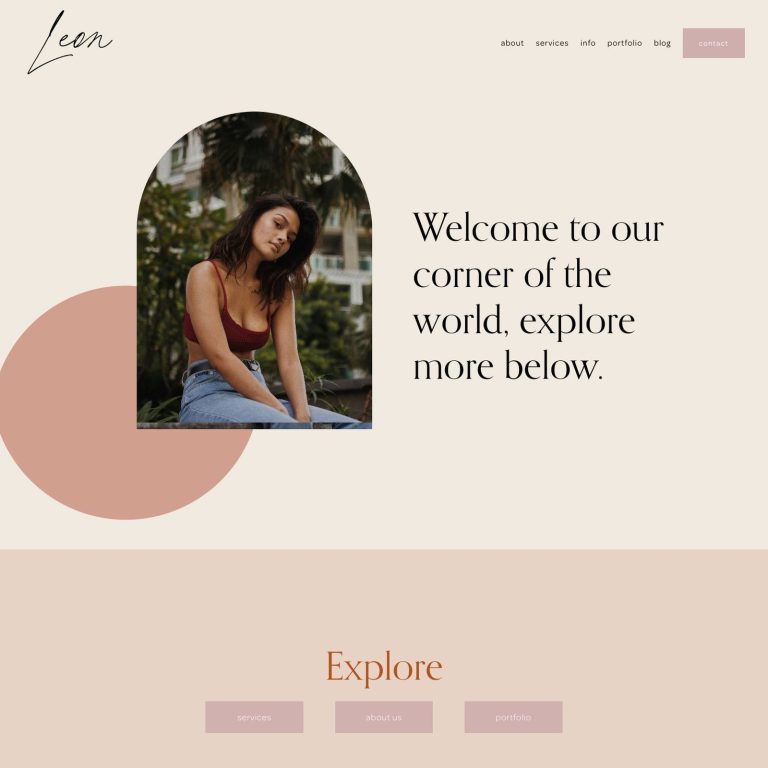
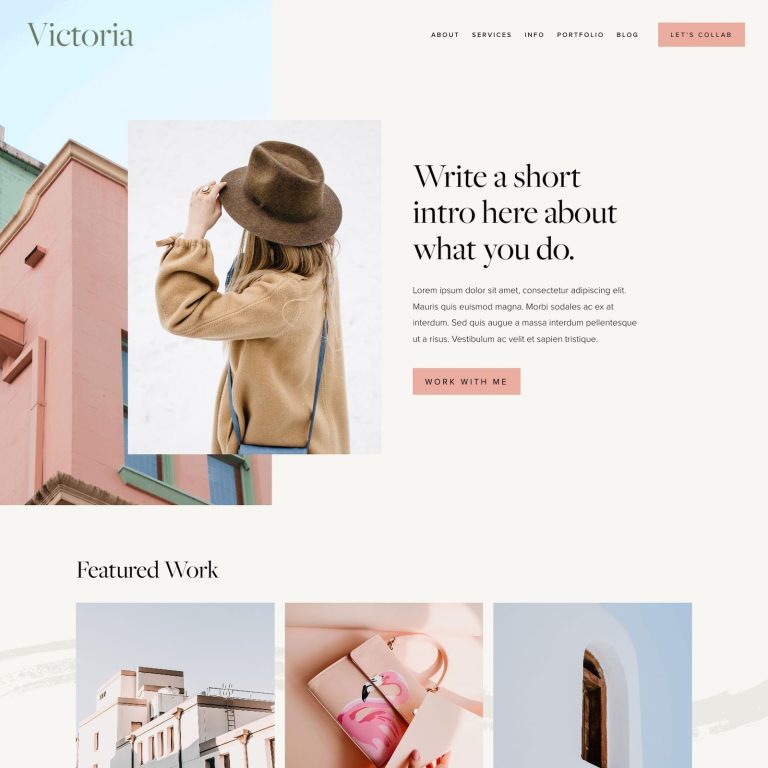
Big Cat Creative also list therapists among the businesses suited to Ava Grand, Leon, Victoria and Ventura, each a seven-page design at $297 on 25 October 2026. They are delivered the same way as Verano. Ava Grand is the most neutral of the four; Leon’s retro styling and Ventura’s layered graphics suit a practice with a playful brand.
Big Cat CreativeSquarespace 7.1 · TemplateBig Cat CreativeSquarespace 7.1 · TemplateBig Cat CreativeSquarespace 7.1 · TemplateBig Cat CreativeSquarespace 7.1 · TemplateSquarespace’s own templates cost nothing on top of the plan: you choose one when you start a site. On 25 October 2026 its Health & Beauty category listed 22 templates, including Almar, Meriden, Myhra, Alignflow and Clove. Because every 7.1 template has the same features, any of them can become a therapy site; what you lose is a structure written for therapy and the tutorials and support that come with a paid template.
Choose the free route if your budget is tight, you enjoy building, or you plan to rework the layout completely. Pay for a template if you want the services, fees and contact pages already shaped for clients, and the hours that saves.
Prices checked on Squarespace’s pricing page on 25 October 2026, US dollars before tax.
Whichever template you choose, the same Squarespace steps follow its delivery. These are written from Squarespace’s help centre, read on 25 October 2026.
Templates run on any Squarespace plan, but two plan rules matter. Basic allows only one contributor besides you, which can be tight while a designer has access, and custom code (needed by many plugins, including the directory below) starts on Core. If you only need pages, a form and a link to your booking tool, Basic is enough.
Templates arrive in one of three ways: a link that adds a new trial site to your account (Nicole), a contributor invitation to a site the designer built (Renew), or an install into a site you already have (Noura, Verano, Tate). For an invitation, open the email “New Squarespace Contributor Invitation”, click Accept invitation and log in with the email you want to manage the site with, as Squarespace’s invitation guide describes.
If the template came as someone else’s site, ask them to make you the owner before you pay for a plan. Only the current owner can do it, from Permissions & Ownership, then Transfer Ownership; afterwards you update the billing and remove the old owner if they no longer need access (Squarespace’s ownership guide).
Noura’s contact page shows the pattern: a short form that asks for nothing clinical. Nicole’s, shown earlier, adds a FAQ that answers practical questions first.
Squarespace form submissions are emailed to you and, when the form has a required email field, stored on the site as contacts until you delete them (form block guide). Ask only for a name, an email and a general message, and add a line asking people not to share health details in the form.
For scheduling and intake that may carry health information, use a tool that offers a Business Associate Agreement. Inside Squarespace that is Acuity Scheduling; Squarespace’s HIPAA guide gives these steps to make an Acuity account HIPAA-enabled:
Then link your template’s booking button (Kintsugi’s Schedule your visit, Tate’s Schedule A Call, Nicole’s Book now) to that scheduling page.
Squarespace’s policies guide suggests a privacy policy, a cookie policy and terms of service, and is clear that it is not legal advice. A therapy site’s privacy policy should say what the contact form collects, where it goes and how long you keep it.
Squarespace’s SEO checklist asks for a site title (under 60 characters is its suggestion), a site description and a unique SEO description of 50 to 300 characters for each page. Name your town and your main concerns in the titles of the pages that cover them. Then choose a plan, connect your domain and publish.
Squarespace’s Acuity Scheduling and HIPAA article (updated 10 July 2026, read 25 October 2026) draws the line clearly:
In practice: use the Squarespace site for the pages that introduce you and explain your services, and keep intake forms, scheduling that carries health information and notes in a tool that signs a BAA with you. This is general information about website setup, not legal or compliance advice; check your own obligations with your adviser or licensing body, including any rules on client testimonials before you fill a testimonials page.
Squarespace help centre, read 25 October 2026.
A group practice soon outgrows a single team page. Squarespell’s Searchable Directory plugin turns a normal Squarespace 7.1 Blog page into a directory with search as you type, filters from your categories and tags, A to Z and sorting, with Call, Email, Website and Directions buttons. Its listing names therapists and clinics among the uses, and its demo includes a provider finder filtered by specialty, format, language and town.
Each clinician stays a blog post with its own page, so every therapist profile can be found on its own. The plugin is a one-time $85 for one website ($145 multi-use), needs the Core plan or higher for Code Injection, and works with Squarespace 7.1 only. It does not let clinicians edit their own listings: you add each one as a post.
There is more on directories in our guide to creating a directory in Squarespace.
| Your situation | Start with | Why |
|---|---|---|
| Solo therapist, no time to build | Noura | Built in your account within 24 hours; you only replace content |
| Solo private practice, writing your own site | Nicole | Services by presenting concern, copy prompts, $97 |
| Group practice with several specialisms | Kintsugi | A page per concern, care plans, careers; unlimited licence |
| Holistic, somatic or energy work | Tate | All offerings plus in-depth service pages, still design |
| Health or nutrition coach with programmes | Renew | Two programme sales pages, resources, podcast |
| Already on Squarespace with a live domain | Verano | Can be installed into your existing 7.1 site |
| Tight budget or fully custom design | Squarespace’s own templates | No template fee; you shape every page yourself |
Based on each listing’s pages and delivery terms, read 25 October 2026.
Publishing the gaps is part of how we work.
We didn’t install any of these templates. Pages, prices, delivery and licence terms come from the Squarespell listings, which record checks against each creator’s own page in late August 2026, and were read again on 25 October 2026. The page images are the listings’ own photographs of each demo.
We couldn’t open the creators’ own websites from our checking environment on 25 October 2026. Prices and terms can change: confirm them at checkout. The Kintsugi listing shows $295, while a line in its own FAQ mentions a $395 template; the checkout price is the one that counts.
We couldn’t capture screenshots of Squarespace’s help pages or template thumbnails. The setup steps quote the help articles’ text as published on 25 October 2026; only the contributor invitation image comes from Squarespace’s help centre.
The vendors’ exact handover steps are summarised from their listings. Each creator’s delivery email or tutorials are the authority if they differ.
This is not legal or HIPAA advice. The HIPAA section reports what Squarespace’s documentation says. Whether your practice is a covered entity, and what your licensing body allows on a website, are questions for your own adviser.
How this article was made. It was researched and drafted with AI assistance, then every price, page count and Squarespace rule was checked against the listing or help article named next to it.
Is Squarespace good for therapists? Yes for the public side of a practice: introducing you, explaining services and fees, and giving people a calm way to get in touch, all without plugins to maintain. It is not a place for clinical information. Squarespace says its form block cannot be part of a HIPAA compliant solution, so intake and health details belong in HIPAA-enabled Acuity or another tool that signs a BAA.
Is there a free Squarespace template for therapists? Squarespace’s own templates are free with any plan, and its Health & Beauty category listed 22 of them on 25 October 2026. None is labelled for therapists specifically, but every 7.1 template has the same features, so you can shape any of them into a practice site. A paid template saves the time it takes to write that structure yourself.
Do I need a paid Squarespace plan as well as the template? Yes. Every template here needs your own Squarespace site, and the plan is billed by Squarespace separately. On 25 October 2026 plans started at $19 a month on annual billing. Several creators pass on extended trials or first-year discounts, listed in each section above.
Can I put a premium template on my existing Squarespace site? Sometimes. Verano can be installed into an existing 7.1 site, Squarespell installs Noura into your account, and Tate is delivered into your account. Renew arrives as a new site, with an install into an existing site sold separately. Nicole arrives as a new trial site. A new site means moving your domain when you are ready.
Can I switch to a different template later? In Squarespace 7.1 there is no template switch: all 7.1 sites are one template family. To change design you restyle the site or start a new one and move your content and domain across, so pick the structure carefully up front.
What pages should a therapist website have? At minimum: a home page that says who you help, a services page (or pages) named by presenting concern, an about page, a fees and first-session page, a contact or booking page and a privacy policy. A blog helps people find you through search over time.
Can I add online booking to these templates? Yes. Every template has a booking or contact button you can point at a scheduling tool. If appointments or intake will carry health information, use HIPAA-enabled Acuity (Powerhouse or Premium plan) or another compliant scheduler rather than a Squarespace form.
Wix or Squarespace for a therapy website? Either can run a practice’s public website. This guide only compares Squarespace templates; if you are weighing platforms, check each one’s HIPAA position for scheduling and forms first, because that decides where intake lives, then compare templates.
If you want the site done this week and you are a solo practitioner, start with Noura. If you would rather write it yourself with a structure made for therapy, start with Nicole, and if you run a group practice, walk the Kintsugi demo first. Whichever you choose, sort out booking and intake in a compliant tool before you publish. For the booking side, see our comparison of Squarespace booking and scheduling plugins, and for more designs, our guide to the best Squarespace templates.
Reviewed and last updated 25 October 2026. All prices checked on that date.

We reviewed every premium Squarespace template in the Squarespell catalogue and shortlisted 36. Prices, page structures, honest limitations and who each one suits.
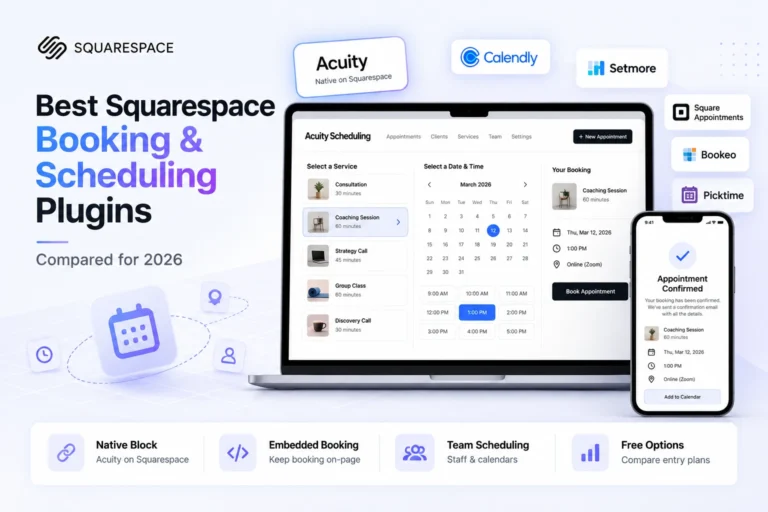
Most Squarespace sites should start with Acuity, because it is the only scheduler that drops into a native Squarespace block. This comparison shows where that stops being true, with verified prices, calendar and staff limits, and the setup method each tool actually uses.

Squarespace has no directory feature, but a Blog page holds most of what one needs. Five ways to build a searchable member, business, staff or job directory, with costs, limits and every setup step.
Squarespell All Access
All 48 plugins and every new one, worth $2,044 bought one by one. 14 days free, cancel anytime.
Start 14 days freeOr start free with 13 plugins, no cardFounding price until 1 December, kept for as long as you stay.