Member Content Pro: Show Members-Only Content on Public Squarespace Pages with Native Member Sites$59
 Squarespace · PluginSquarespell Original
Browse by platform
View allBrowse by goal
View allBrowse by goal
Fresh inventory
Recently added
Member Content Pro: Show Members-Only Content on Public Squarespace Pages with Native Member Sites$59Squarespace · PluginSquarespell Original Event Tickets: Sell Tickets on Squarespace Event Pages with Ticket Types, Seats Left and Native Checkout$59Squarespace · PluginSquarespell Original
 Wholesale Order Pad: Squarespace Wholesale Order Form with Bulk Add to Cart, Order by SKU and Reorder$85Squarespace · PluginSquarespell Original
 Squarespace Summary Block Pro: More Than 30 Items, Load More and Pagination$49Squarespace · PluginSquarespell Original
 Squarespace Delivery Area Checker: Postcode and ZIP Code Checker Plugin$49Squarespace · PluginSquarespell Original
 Order Rules: Squarespace Minimum Order, Quantity Limits and Pack Sizes Plugin$49Squarespace · PluginSquarespell Original
Search results
Matching products
Squarespace plugin
Showcase photos with an image gallery that displays pictures and captions in grids, improves design, and boosts visitor engagement.
Free plan available set by Common Ninja · Freemium
Buy from Common Ninja (opens the creator’s website in a new tab)You’ll complete your purchase on Common Ninja’s website: they take the payment, issue the licence and provide the support.
Affiliate link. Squarespell may earn a commission if you buy. It never changes our rank or verdict.
Commission does not affect how reviews or ratings are displayed.
The case Common Ninja make for it, on their own product page.
With the Image Gallery for Squarespace, you can easily showcase your work or products in the most visually appealing, and easy-to-follow way. Ideal for photographers and artists who rely on showing their visual works and shop owners who wish to display their products on their store.
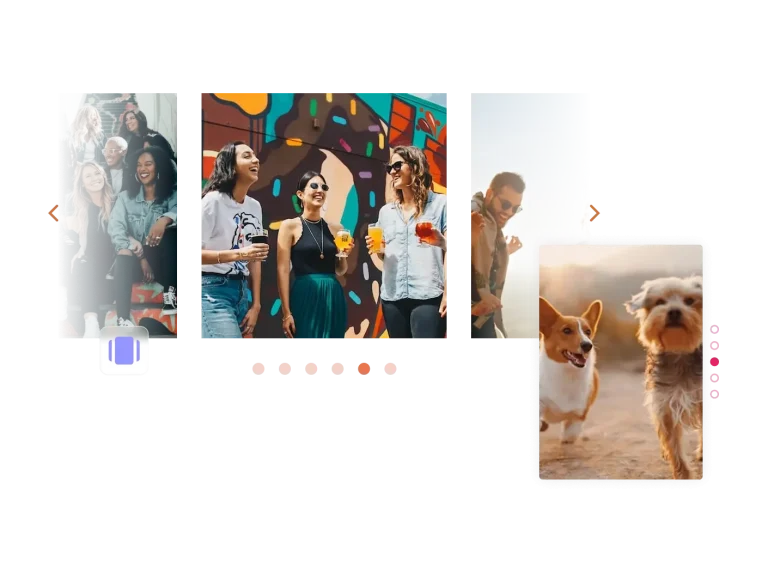
Creating a Squarespace Image Gallery is a great way to improve its aesthetics. With different grid types and animations, it’s especially easy to stand out and wow your Squarespace store visitors.
With a clear representation of your work or products via an interactive image gallery plugin, visitors are more likely to engage with those images and convert to paying customers once they see the amazing work or products you offer.
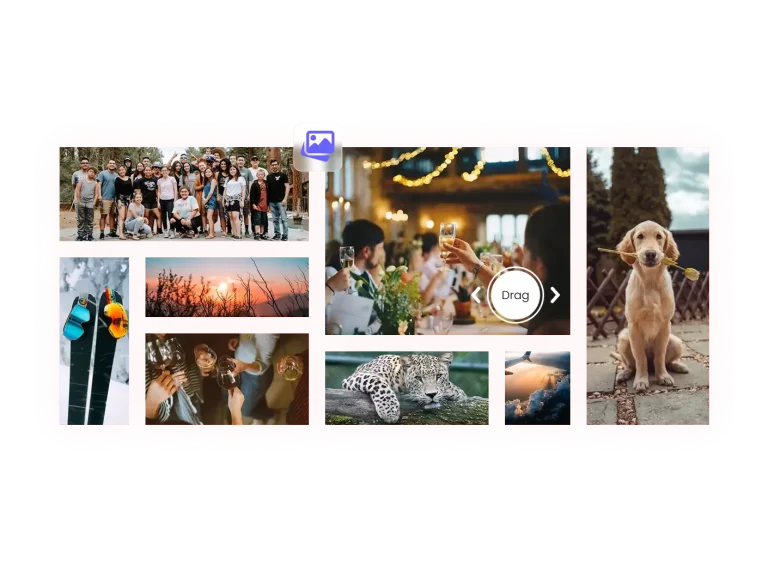
The Image Gallery for Squarespace offers five grid layouts to select from, giving you the choice between organized, uniform boxes or more unique boxes of varying sizes to better align with your brand, personality, and store design. You can customize the visual experience for your Squarespace store visitors by selecting from a variety of grid layouts offered by the Image Gallery plugin.
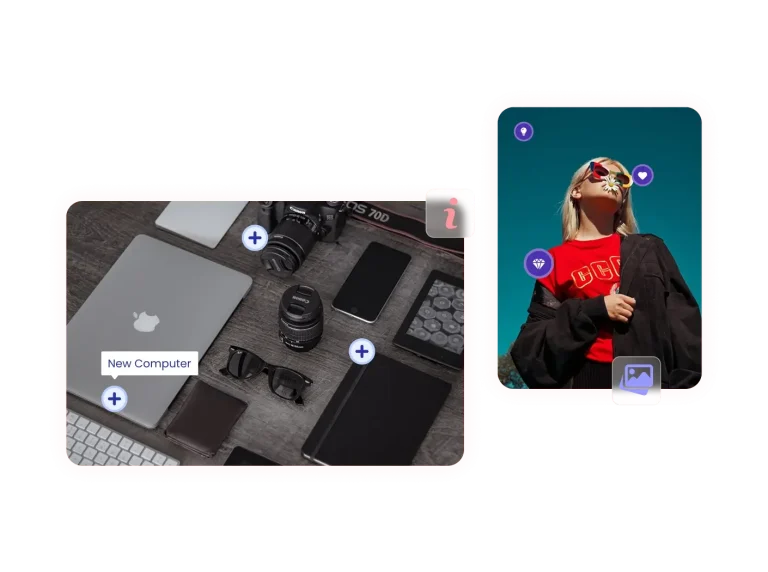
The Squarespace Image Gallery provides the option to add captions and descriptions to images to help users understand what the image is of. Captions and descriptions are a great way to provide search engines with helpful information, which can make it easier for people to find your Squarespace store when searching for similar content. Enhance the visibility of your store on Squarespace and draw more traffic to your store.
You can customize Image gallery plugin for Squarespace to fit the needs of your Squarespace store. By utilizing this function, you have the ability to design a one-of-a-kind visual journey for your Squarespace store guests, expressing your brand and character, and distinguishing your store from competitors.
By opening images in a popup, the Image Gallery for Squarespace allows for easy interaction and an immersive user experience.
Micro animations incorporated into the Image Gallery plugin make the process of interacting with images more enjoyable and dynamic. The use of subtle yet impactful micro animations can increase engagement and improve user-friendliness on your store, making it a more enjoyable experience for visitors.
There is no coding required for Image gallery for Squarespace. With our intuitive dashboard, you can easily customize the Image gallery plugin for Squarespace according to your preferences with a few clicks of your mouse.
The Image gallery plugin for Squarespace is responsive and looks great on any device. By ensuring that your Squarespace store is mobile-friendly, you can attract and retain more visitors, improve your search engine rankings, and increase your online visibility, resulting in more leads and sales for your business.
As with all Common Ninja plugins, Image gallery for Squarespace can be customized with custom CSS. Adding custom CSS to your Image gallery plugin allows for even more creative freedom, giving you the ability to fine-tune the design and make your Squarespace store truly unique.
Copy a line of code, and you will be able to embed the Image gallery plugin on your Squarespace store. Additionally, the Squarespace Image gallery will be updated automatically on your Squarespace store if any changes are made.
You set the widget up on Common Ninja’s own site, and they give you a short piece of embed code. That code goes into a Squarespace page wherever you want the widget to appear. They state that nothing beyond pasting the code is required.
Adding embed code to a Squarespace page needs a plan that allows it, so it is worth checking what your plan includes before you start.
There is a free tier, with paid plans above it. Common Ninja set both, and the limits and prices are on their site: we do not restate the numbers here, because they change and a stale price is worse than no price.
No. The badge on this page says Untested, and it will keep saying that until somebody here runs it on a Squarespace site and writes up what happened.
Common Ninja publish a Squarespace page for this widget, so the steps above are theirs for Squarespace specifically.
No reviews yet. Share your experience.
Sign in to write a review We will bring you straight back here.
Squarespell All Access
All 48 plugins and every new one, worth $2,044 bought one by one. 14 days free, cancel anytime.
Start 14 days freeOr start free with 13 plugins, no cardFounding price until 1 December, kept for as long as you stay.