Member Content Pro: Show Members-Only Content on Public Squarespace Pages with Native Member Sites$59
 Squarespace · PluginSquarespell Original
Browse by platform
View allBrowse by goal
View allBrowse by goal
Fresh inventory
Recently added
Member Content Pro: Show Members-Only Content on Public Squarespace Pages with Native Member Sites$59Squarespace · PluginSquarespell Original Event Tickets: Sell Tickets on Squarespace Event Pages with Ticket Types, Seats Left and Native Checkout$59Squarespace · PluginSquarespell Original
 Wholesale Order Pad: Squarespace Wholesale Order Form with Bulk Add to Cart, Order by SKU and Reorder$85Squarespace · PluginSquarespell Original
 Squarespace Summary Block Pro: More Than 30 Items, Load More and Pagination$49Squarespace · PluginSquarespell Original
 Squarespace Delivery Area Checker: Postcode and ZIP Code Checker Plugin$49Squarespace · PluginSquarespell Original
 Order Rules: Squarespace Minimum Order, Quantity Limits and Pack Sizes Plugin$49Squarespace · PluginSquarespell Original
Search results
Matching products
Squarespace 7.1 plugin
A quiz that hands every lead to your own Squarespace form.
Price: $85
Instant download · Sold by Squarespell
Bundle & save
Automatically applied at checkout on Squarespell plugins.
Requires Squarespace 7.1 and a plan that allows JavaScript in Code Blocks.
Put a quiz on any Squarespace 7.1 page: a personality quiz, a product or package finder, a scored assessment or a knowledge check.
Good to know: Squarespace 7.1 only. Your Squarespace plan must allow JavaScript in Code Blocks. The Personal plan does not.
Each answer counts for the results you choose, so the result follows your logic and not a template.
The submission goes wherever your form is set to send it: your email, Google Drive, Mailchimp and the other storage options Squarespace offers.
Answers become large cards that are easy to tap, and the popup fills the screen.
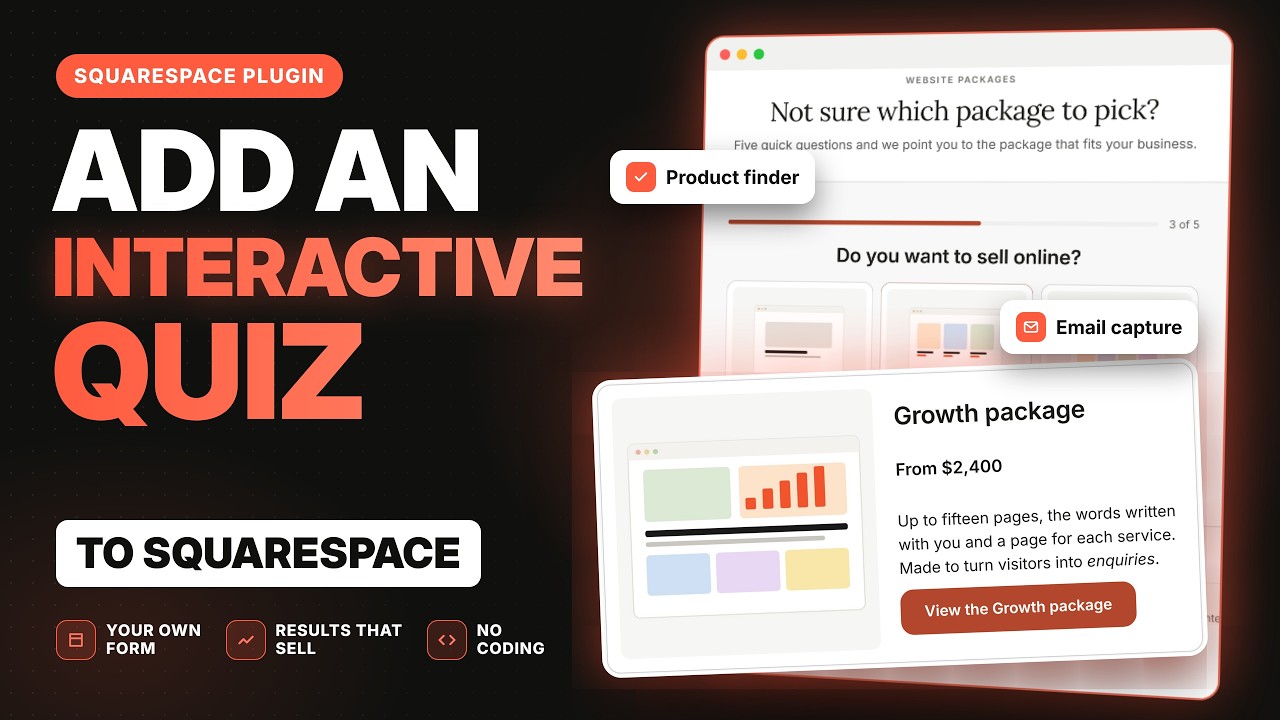
Put a quiz on any Squarespace 7.1 page: a personality quiz, a product or package finder, a scored assessment or a knowledge check. Visitors answer one question at a time and get their result, and you can ask for their email first through your own Squarespace form. You build it in a builder with a live preview and paste one block of code into a Code Block.
Squarespace has no quiz, and its Form block cannot show a result. This plugin adds the quiz: questions with words or pictures, a result picked from the answers, and an optional email step that uses the Form block you already have, so leads land in the same email, Google Drive or Mailchimp connection as your other forms.
Quizzes come up again and again on the Squarespace forum: a quiz that helps customers pick the right package, a product recommendation quiz, a "which type are you" quiz for a coach or a shop, a short knowledge check after each lesson. Squarespace itself has no quiz feature. The Form block collects answers but has no logic and shows the visitor nothing back, so the usual advice is a quiz service with a monthly fee, an embed from another website and a second place where your leads end up.
Interactive Quiz runs on your own page. Visitors see one question at a time with a progress bar, choose their answers on large cards, and get a result at the end: a personality type, the product or package that fits them, a score band, or how many answers they got right. You decide what each answer counts for, so the result follows your logic and not a template.
If you want leads, the quiz can ask for a name and email before the result or under it. The recommended way uses a normal Squarespace Form block on the same page. The quiz moves the form into the email step, fills in the visitor's result and answers, and Squarespace stores the submission and sends it wherever your form already sends things. There is no second account to set up and no cap on the number of responses.
Everything is set up in a builder file that runs in your browser. Start from one of four ready quizzes, change the questions and results, and watch the live preview on a sample page at computer and phone size. Then copy the code and paste it into a Code Block.
Personality. Each answer counts for one or more results, with 1 to 3 points. The result with the most points wins, and on a tie the result higher in your list wins. Good for "what is your style" or "which type are you" quizzes.
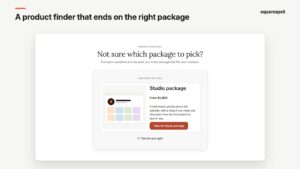
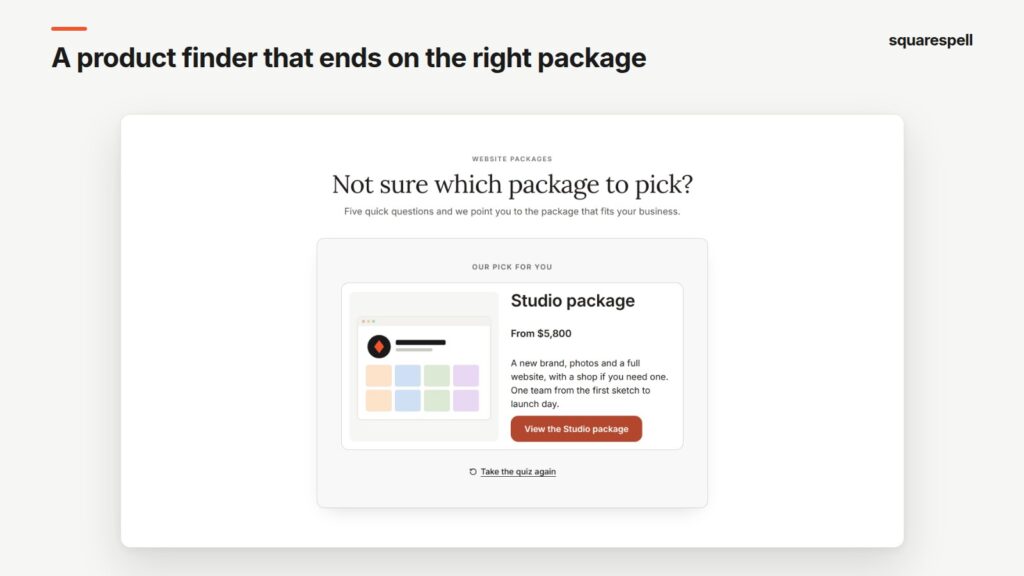
Product finder. Works like a personality quiz, but the result is shown as a product card with a picture, a name, a price text you type and a button to the product or package page. Good for "which package is right for me".
Score. Every answer has points, and the total picks a result band, for example 5 to 11, 12 to 18 and 19 to 25. You can show the score, such as "You scored 18 of 25". The builder checks that your bands leave no gaps and do not overlap, and Fix bands spreads them over every score the quiz can give.
Knowledge check. Each question has one or more right answers. Results are bands of percent right, with an optional pass mark that shows "Passed" or "Not passed yet". Visitors can see right or wrong after each answer, with your explanation, and a list of every question with their answer and the right one at the end.
Each result has a title, a picture, a text with bold, italic and links, a button with your link and an optional second link. Visitors can take the quiz again with one click. If you prefer, the quiz can send visitors straight to the page of their result instead of showing it.
Add a Form block to the same page with the usual Name and Email fields, plus a Text field called "Quiz result" and, if you like, a Text Area called "Quiz answers" and a Text field called "Quiz score". When the visitor reaches the email step, the quiz moves your form into the quiz, fills in those fields and hides them, so the visitor only sees name and email. When Squarespace confirms the submission, the result appears.
The submission is a normal Squarespace form entry. It goes wherever your form is set to send it: your email, Google Drive, Mailchimp and the other storage options Squarespace offers. Your form keeps its own look. The email step can come before the result, with an optional "Skip and see my result" link, or under the result.
The quiz uses Text and Text Area fields, not Hidden fields, because Squarespace fills Hidden fields only from the page address. If the page has no form with a Quiz result field, the quiz simply goes straight to the result, and a note that only you can see tells you what to add.
Webhook. Paste a Zapier "Catch Hook" or Make "Custom webhook" address. The quiz sends the quiz name, the result, the score, every question with its answer, the name, the email, the consent choice, the page and the time.
Web3Forms. Paste your free Web3Forms access key and each lead is emailed to you with the result and the answers. The key is visible in your page's code; Web3Forms keys are made for that, as they can only send email to you.
With these two the quiz shows its own small form: first name (optional), email, and a consent checkbox with your text and your privacy link if you want one. A slow connection never holds back the result: it shows after four seconds at the latest.
Interactive Quiz is a one-time purchase. You build the quiz in the builder, paste one Code Block, and the quiz runs inside your own site with no monthly fee.
We also make Squarespell Quiz, a separate hosted quiz app at squarespellquiz.com. It drafts a quiz from your Squarespace site address with AI, emails each person their result, sends follow-up email sequences, connects to Mailchimp, Klaviyo, Kit, Google Sheets and webhooks, and shows funnel and drop-off analytics. Plans start at $9 a month billed yearly, and every plan starts with a 14-day Pro trial with no credit card needed.
Pick Interactive Quiz if you want to pay once and keep leads in your own Squarespace form. Pick Squarespell Quiz if you want result emails, sequences and analytics handled for you. Try Squarespell Quiz free for 14 days at squarespellquiz.com.
Show the quiz where the Code Block is, open it in a popup from any link or button that links to #quiz, or both. The popup closes with its X button, the Escape key or a click outside it, the page behind does not scroll while it is open, and the visitor's answers are kept. A link to your page address with #quiz at the end opens the quiz straight away. With two popup quizzes on one page, give each its own link name.
The quiz uses your site's fonts. Text takes the color of the section it sits in, light or dark. Buttons, the progress bar and chosen answers use your site's button color in that section, or one color of your own, with the button text color picked to stay readable. Choose a card or a plain panel, answer rows with letters or text tiles, the rounded corners and the largest width.
Answers become large cards that are easy to tap. Picture answers sit two per row, a 1 to 10 scale wraps into two rows of five, and the popup fills the screen with its close button in reach.
Answers are real radio buttons and checkboxes. Tab moves through the quiz, the arrow keys choose an answer and Enter goes on. The progress text is read out by screen readers, and focus moves to each new question. In the popup, Tab stays inside the window and Escape closes it. Visitors who turn off animations on their device get no motion.
If your site already has Google Analytics 4, the quiz sends three events: quiz_start, quiz_complete with the result, and quiz_lead. You can switch them off. Nothing else is tracked, and the quiz adds no tracking of its own.
Your key is in the order email and under My Account, Licenses on squarespell.com. You enter it once in the builder, together with the address of the website the quiz is for. The code you copy then works on that website.
Open the builder file. Enter your license key and your website address, then click Activate. Pick a ready quiz or start your own, and write your questions and results. The preview updates as you go.
Click Copy code.
In Squarespace, edit the page, click Add Block where the quiz should show and choose Code. Keep the mode on HTML. Paste the code and click Save.
That is the whole installation. While you are logged in and editing, Squarespace shows "Embedded scripts are disabled" in place of the quiz. That is normal: open the page in a private window to see it the way your visitors do. The PDF guide included with the plugin shows every step with screenshots. For the email step with your own form, add the Form block with the Quiz result field to the same page. For a popup, add a Button block that links to #quiz. Use one Code Block per quiz. To change the quiz later, open the builder again, copy the new code and paste it over the old one.
For service businesses that want visitors to find the right package, shops that want a product recommendation quiz, and designers building Squarespace sites for clients.
Squarespace 7.0 templates are not supported.
Answers to common questions about how the plugin works.
Not with Squarespace alone. The Form block collects answers but cannot score them or show a result. This plugin adds a quiz to any 7.1 page with one Code Block, and it can still use your Form block for the email step.
Build the quiz in the builder, click Copy code, add a Code Block where the quiz should show, paste and save. The PDF guide shows each step with screenshots.
Yes. Choose Product finder. Each answer counts for one or more products, and the result is a product card with a picture, a price text and a button to the product or package page.
Yes. Choose Score to give every answer points and show a result band, or Knowledge check for questions with right answers, a pass mark and a review of every answer at the end.
With your own Squarespace Form block, each lead is a normal form submission with the quiz result and answers in it, sent wherever your form is set to send things, such as your email, Google Drive or Mailchimp. You can also use a webhook for Zapier or Make, or Web3Forms email.
Yes, if you want. Switch on "Skip and see my result", or put the email step under the result instead of before it.
No. Leads reach those services through your Squarespace form's storage options or through a Zapier or Make webhook. Direct connections would need private API keys inside your page.
Yes. Choose "In a popup" or "Both" in the builder and add a Button block that links to #quiz. Any link to #quiz on the page opens it.
Yes. Use one Code Block for each. Every quiz has its own questions, results and answers.
Yes. Answers become large cards, picture answers sit two per row and the popup fills the screen.
Yes. It uses your site's fonts and the colors of the section it sits in, light or dark. Buttons and chosen answers match your site's button color, or a color you choose.
The code is about 56 KB with no libraries and no outside fonts. Nothing is loaded from another server unless you set up a webhook or Web3Forms, and then only when a visitor sends the form.
No. You pay once. There is no monthly fee and no limit on responses.
No. You build the quiz in the builder, click Copy code and paste it into a Code Block. To change something later, copy new code from the builder and replace the old one.
A plan that allows JavaScript in Code Blocks. The Personal plan does not. It is built for Squarespace 7.1.
A Single License covers one website at a time, and you can move it yourself. A Multi-Use License covers unlimited websites. Each website is activated in the builder with your license key.
Interactive Quiz is this plugin: a one-time purchase that runs inside your Squarespace site and sends leads to your own Squarespace form, a webhook or Web3Forms. Squarespell Quiz (squarespellquiz.com) is a separate hosted app with a monthly or yearly plan that adds AI drafting from your site, result emails, email sequences, direct Mailchimp, Klaviyo and Kit connections, and analytics. It has a 14-day Pro trial with no credit card needed.
No reviews yet. Share your experience.
Sign in to write a review We will bring you straight back here.
Interactive Quiz Plugin for Squarespace 7.1 · Single License
Squarespell All Access
All 48 plugins and every new one, worth $2,044 bought one by one. 14 days free, cancel anytime.
Start 14 days freeOr start free with 13 plugins, no cardFounding price until 1 December, kept for as long as you stay.
Lead Pack
Turn visitors into leads and enquiries
$99 $173 You save $74Black Friday pack price until 1 December
Single site licences, paid once. The pack price shows in the cart.