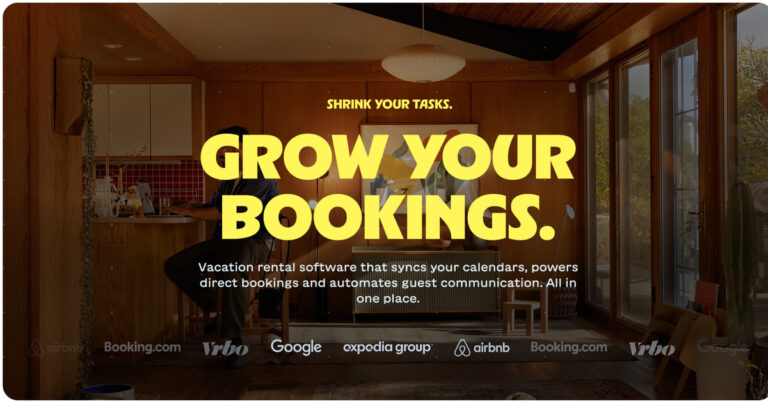
 Lodgify: Vacation Rental Website and Channel Manager$18Affiliate link





Listing checked checked Aug 2026 How verification works We checked the creator, the product page, the platform and the pricing. We have not installed it ourselves.
Squarespace Horizontal Scrolling Sections
By Squarespell
, see everything Squarespell publishes
 Squarespace

Create horizontal scrolling sections on Squarespace with this step-by-step guide. No plugins needed—just simple CSS & JavaScript.
- Instant horizontal scrolling: No plugins or extra costs
- Copy-paste code: CSS + JavaScript included
- Easy to edit: Effect only appears on live site (edit mode stays normal)
- Lightweight: Won’t slow down your website
- Save money: One-time solution , no monthly fees
- Mobile Supported: Supported on mobile devices
Features
Everything you need. Nothing you don’t.
Pure, purposeful, battle-tested on live Squarespace 7.1 sites.
-
Instant Horizontal Scrolling
Vertical scrolling by the visitor triggers horizontal movement through your sections no extra plugins, no page rebuilds, no layout changes required.
-
Mobile Layout, Your Choice
The carousel runs on phones and tablets with a narrower card width. A ready-made media query is included for when you would rather small screens fall back to a plain stacked list instead.
-
Copy-Paste Install
The CSS goes into Custom CSS and the JavaScript into Footer Code Injection. No npm, no build tools, no FTP and no developer invoice.
-
Light By Design
Vanilla CSS and JavaScript with no external libraries, so there is nothing extra for the browser to download and the animation runs on the GPU.
-
Edit Mode Stays Completely Normal
The effect only fires on your published site. Inside Squarespace’s editor you can drag, rearrange, and design sections without any disruption.
-
One-Time Fee, Updates Included
Pay once and the plugin is yours. When a Squarespace change affects it we ship a fix, and you get it at no extra cost for as long as we sell the plugin.
White Glove Support
We don’t disappear after you pay
Every Squarespell customer gets real human support before, during, and after install.
-
Free Installation Help
Not sure which Section IDs to target? Send us a message after purchase. We’ll walk you through it step by step or install it on your site for you, free of charge.
-
Step by Step Documentation
A detailed written guide plus a video walkthrough showing exactly where to go in Squarespace. Everything arrives in your purchase confirmation email immediately.
-
Real Human Email Support
Every support message goes to a real person who knows Squarespace inside-out. We respond within 48 hours typically much faster.
-
Updates Included
When a Squarespace change affects the plugin we ship a fix, and your one-time purchase covers it at no extra cost for as long as we sell the plugin.
Evidence
Customer reviews & feedback
No Squarespell customer reviews yet.
Sign in to write a review We will bring you straight back here.
Squarespell reviews
Nobody has reviewed this here yet. Be the first, we only publish reviews left on Squarespell in this section.
FAQ
Common questions answered
How do I add horizontal scrolling to Squarespace 7.1?
Still have a question? Email us →
How do I add horizontal scrolling to Squarespace 7.1?
Paste the Squarespell CSS and JavaScript snippet into Settings → Advanced → Code Injection → Footer in your Squarespace dashboard. Once published, your designated sections will scroll horizontally as visitors scroll down. The full process takes under 15 minutes and we include a step-by-step video walkthrough.
Does horizontal scrolling work on mobile in Squarespace?
Yes the plugin includes a built-in media query that automatically disables the horizontal scroll effect on mobile and tablet devices, reverting to a standard vertical layout. Your site works beautifully on every screen size without any extra configuration from you.
Will I still be able to edit my Squarespace site normally?
Yes, completely. The horizontal scroll effect only activates on the published live version of your site. Inside Squarespace’s editor everything looks and behaves exactly as normal you can drag, drop, rearrange, and design sections without any disruption whatsoever.
Is this a subscription or a one-time payment?
Completely one-time. $35 for a multi site licence, no monthly fees, no renewals, no hidden charges. Lifetime updates and support are included in that single payment.
Which Squarespace templates does this work with?
The plugin is compatible with all Squarespace 7.1 templates. It requires a Business Plan or higher (necessary for Code Injection access). It is not compatible with Squarespace 7.0, and does not support sections that use Squarespace’s Background Image WebGL parallax effects.
Will it slow down my Squarespace site?
Not at all. The plugin is pure vanilla CSS and JavaScript with zero external dependencies. It loads asynchronously and has no measurable impact on your Core Web Vitals, LCP, or Google PageSpeed score.
How do I choose which sections scroll horizontally?
You target sections by their Section IDs unique identifiers Squarespace assigns to each section. We recommend using our free Section ID Finder Chrome extension, which highlights Section IDs as you hover over sections on your live site. A guide for this is included in your purchase email.
Can I use this on multiple client sites?
Yes! It covers multi Squarespace sites. If you’re a designer or agency building multiple client sites, this is for you.
Also from Squarespell
More plugins to power your Squarespace site
-
SquarespellSquarespace · Plugin
-
SquarespellSquarespace · Plugin
-
SquarespellSquarespace · Plugin
-
SquarespellSquarespace · Plugin
-
SquarespellSquarespace · Plugin
-
SquarespellSquarespace · Plugin
-
SquarespellSquarespace · Plugin
-
SquarespellSquarespace · Plugin
-
SquarespellSquarespace · Plugin