

FORBES-FEATURED | 15,000+ TEMPLATES SOLD
GoLive HQ Squarespace Templates: Full Review, Pricing & a 10% Off Code
Disclosure: Squarespell is a paid affiliate of GoLive HQ. If you buy through this link we earn a small commission same price for you, we just get a thank-you from GoLive HQ.
QUICK ANSWER
GoLive HQ is a premium Squarespace template shop founded in 2015 that sells designer-built, plug-and-play templates for solopreneurs, coaches, speakers, and small service businesses. Templates cost a fraction of custom design fees, require no coding, and include video tutorials and email support. Squarespell readers get 10% off any GoLive HQ template with code SQUARESPELL10.
What Is GoLive HQ?
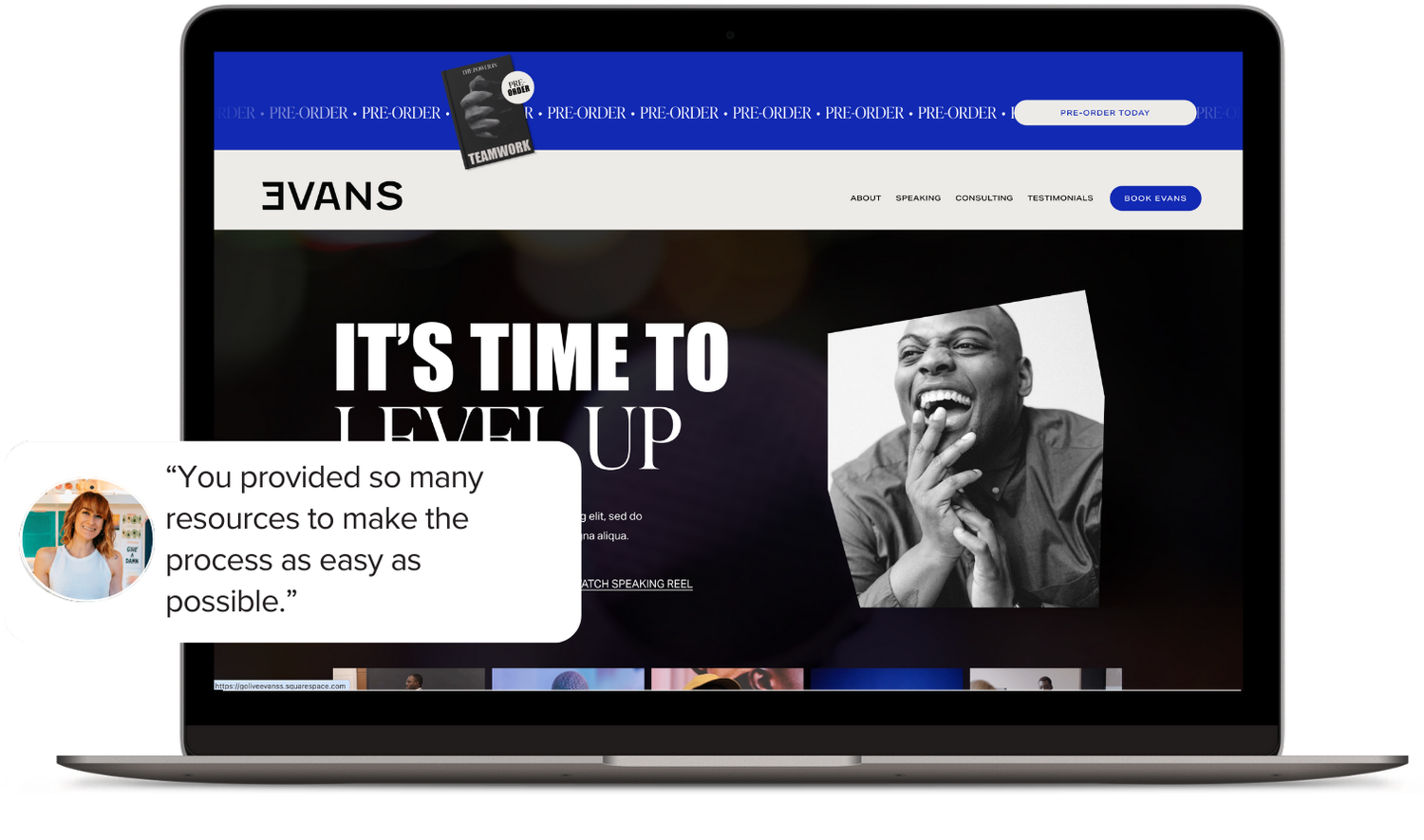
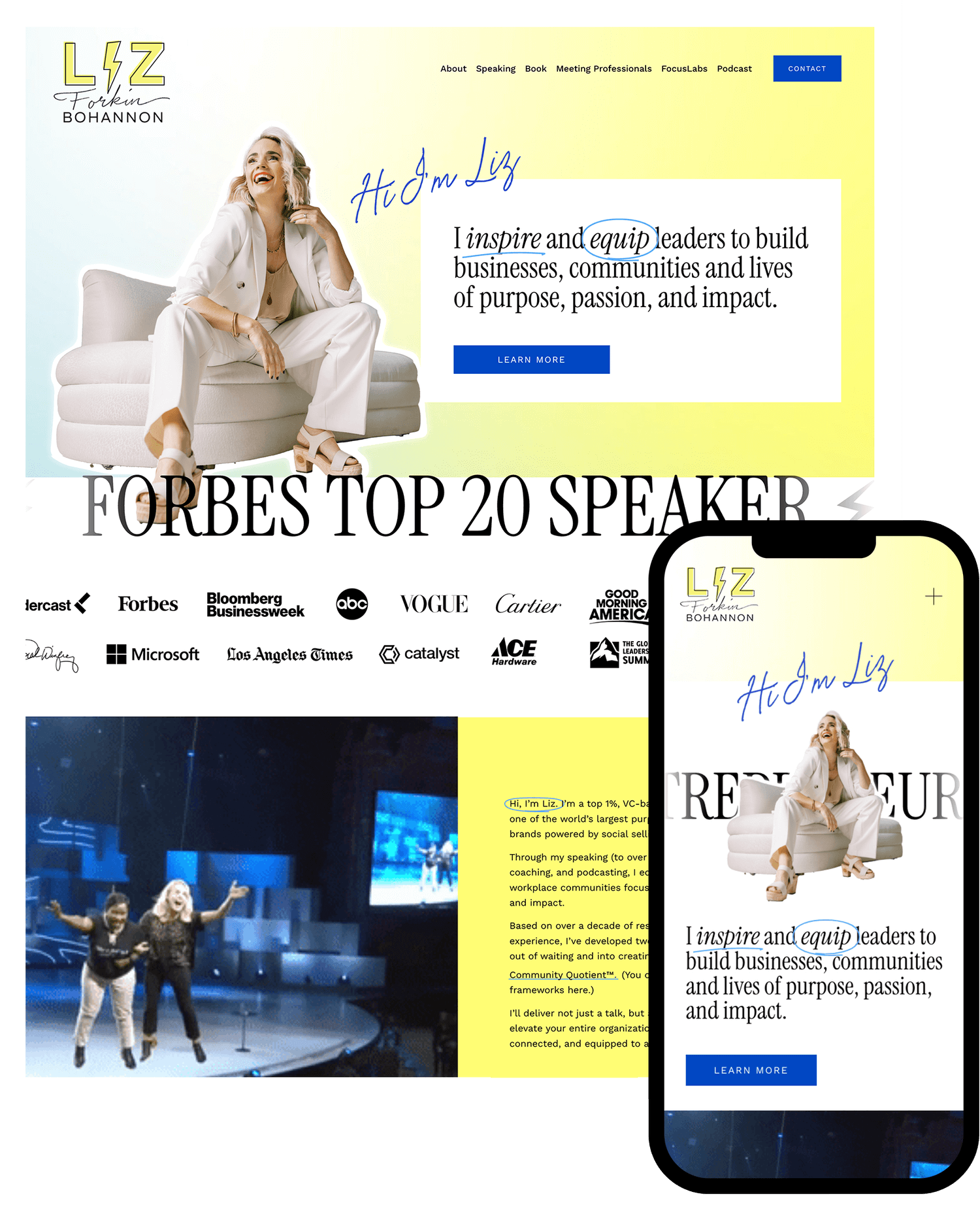
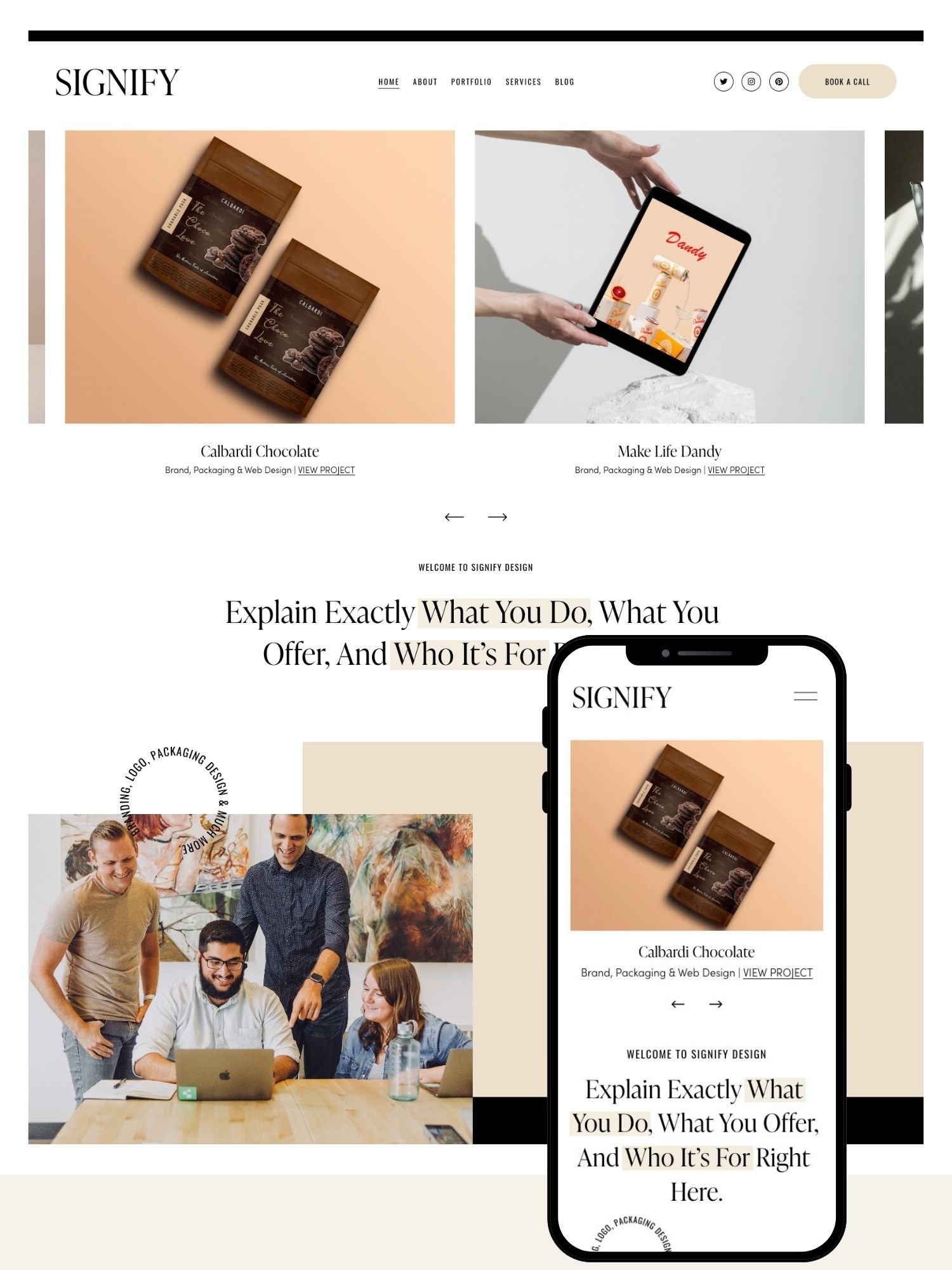
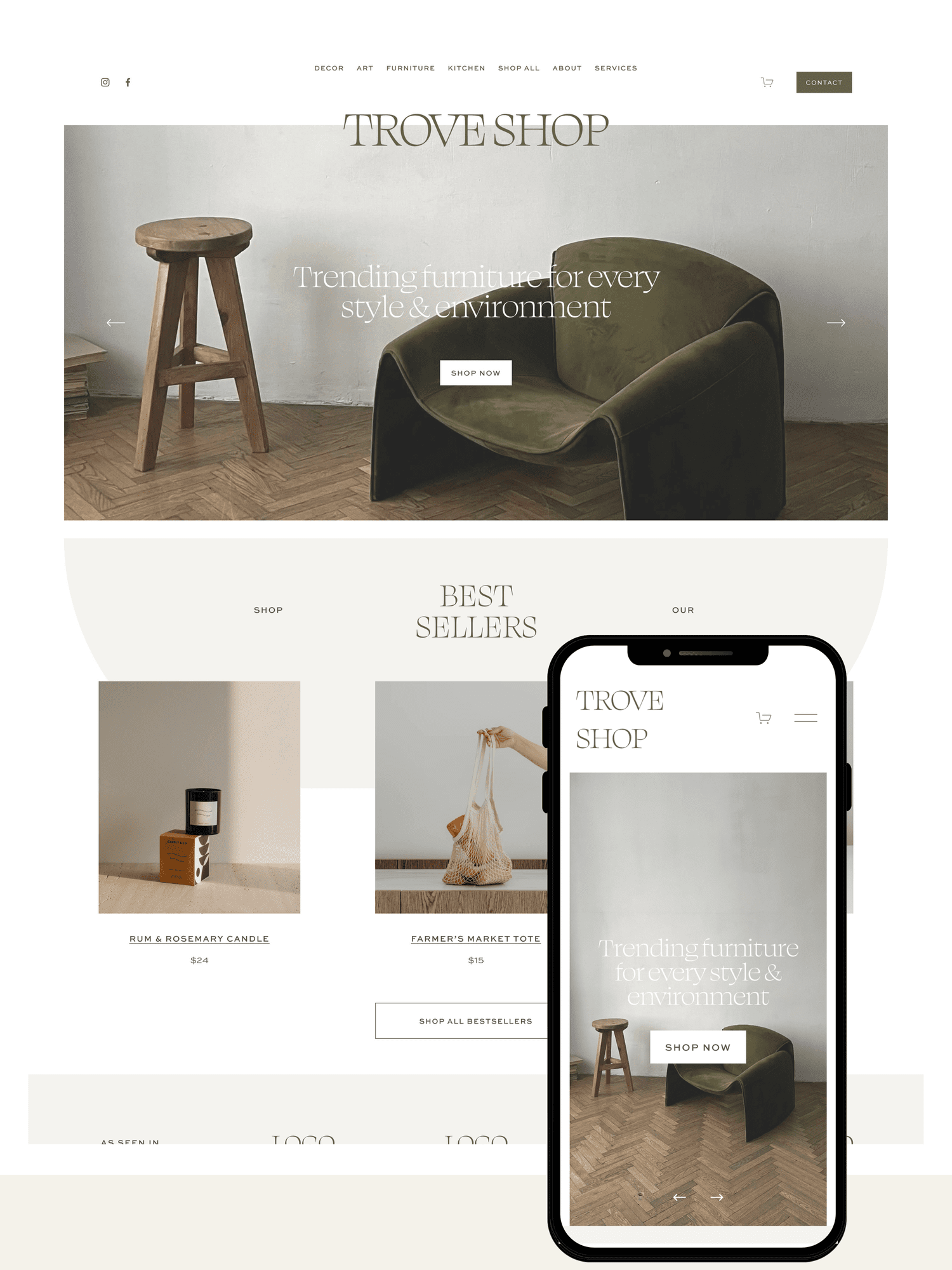
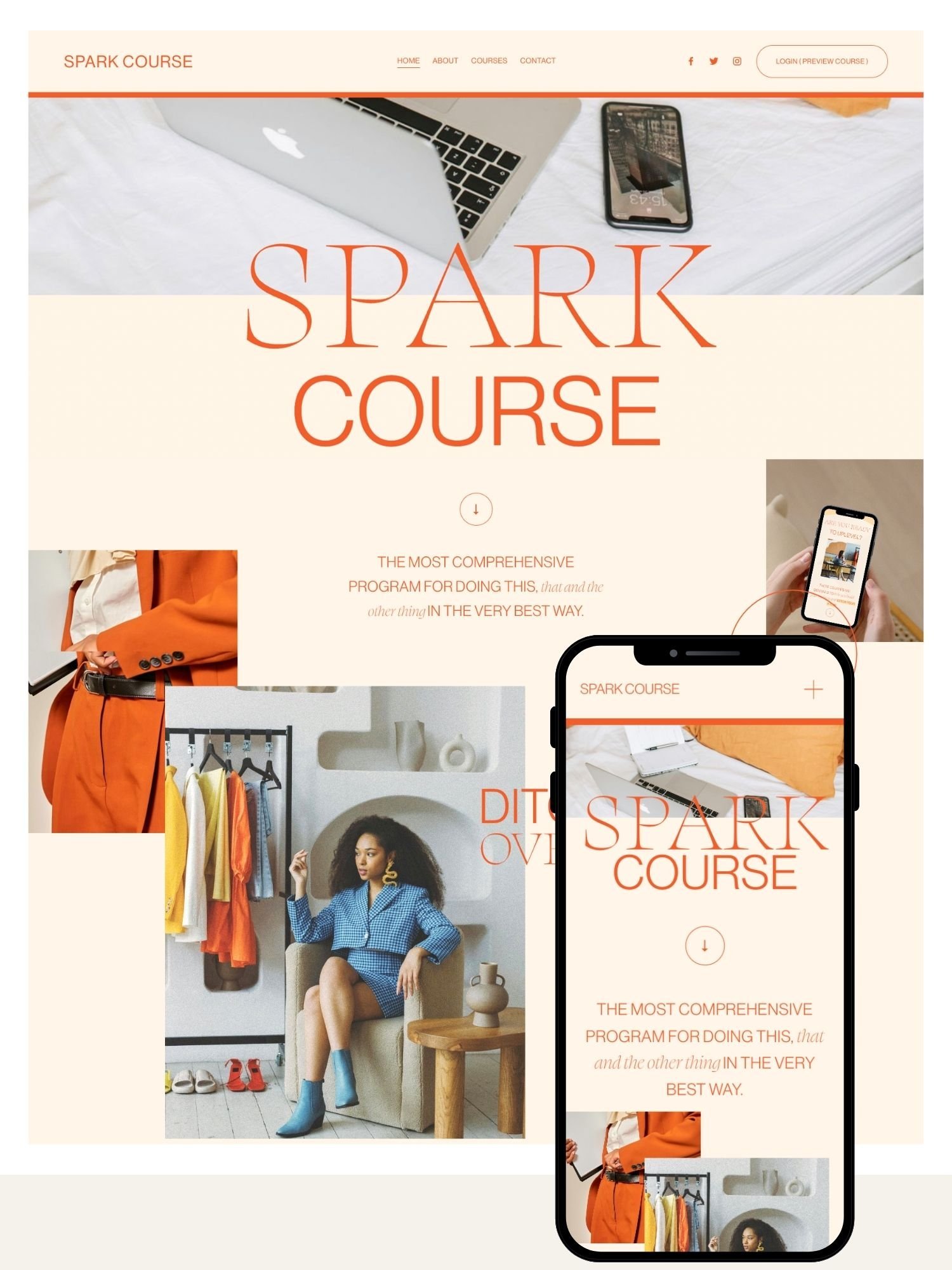
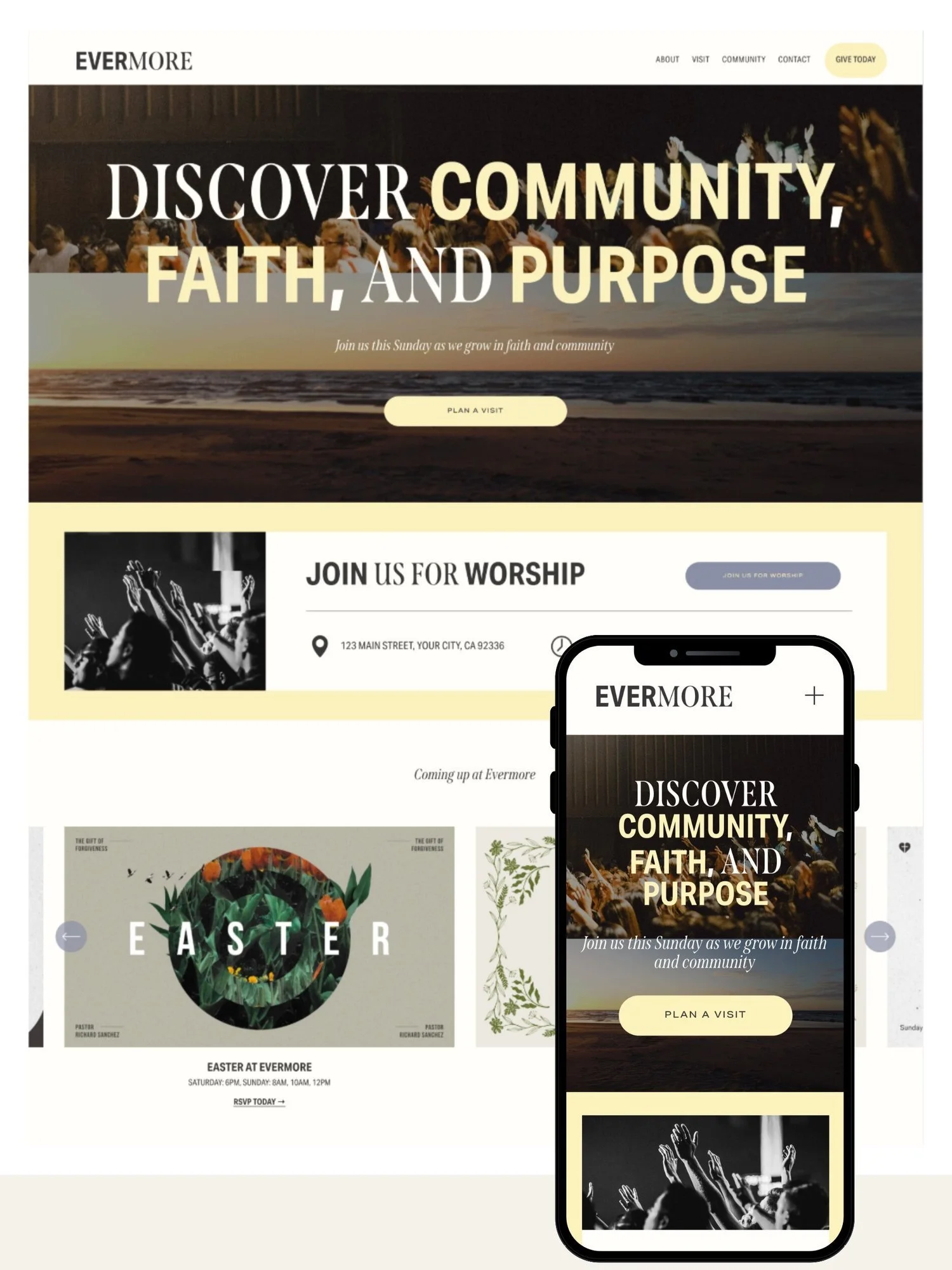
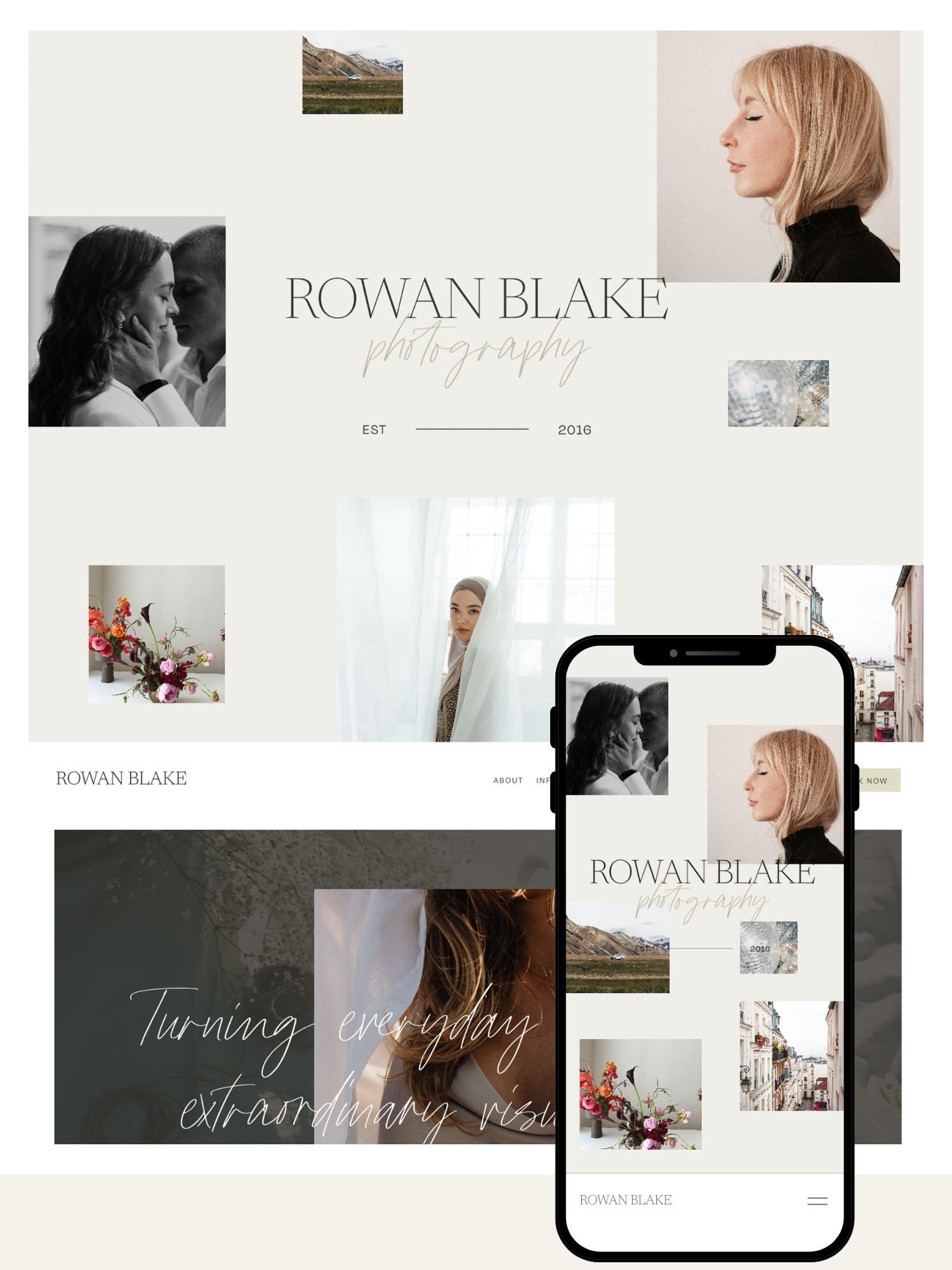
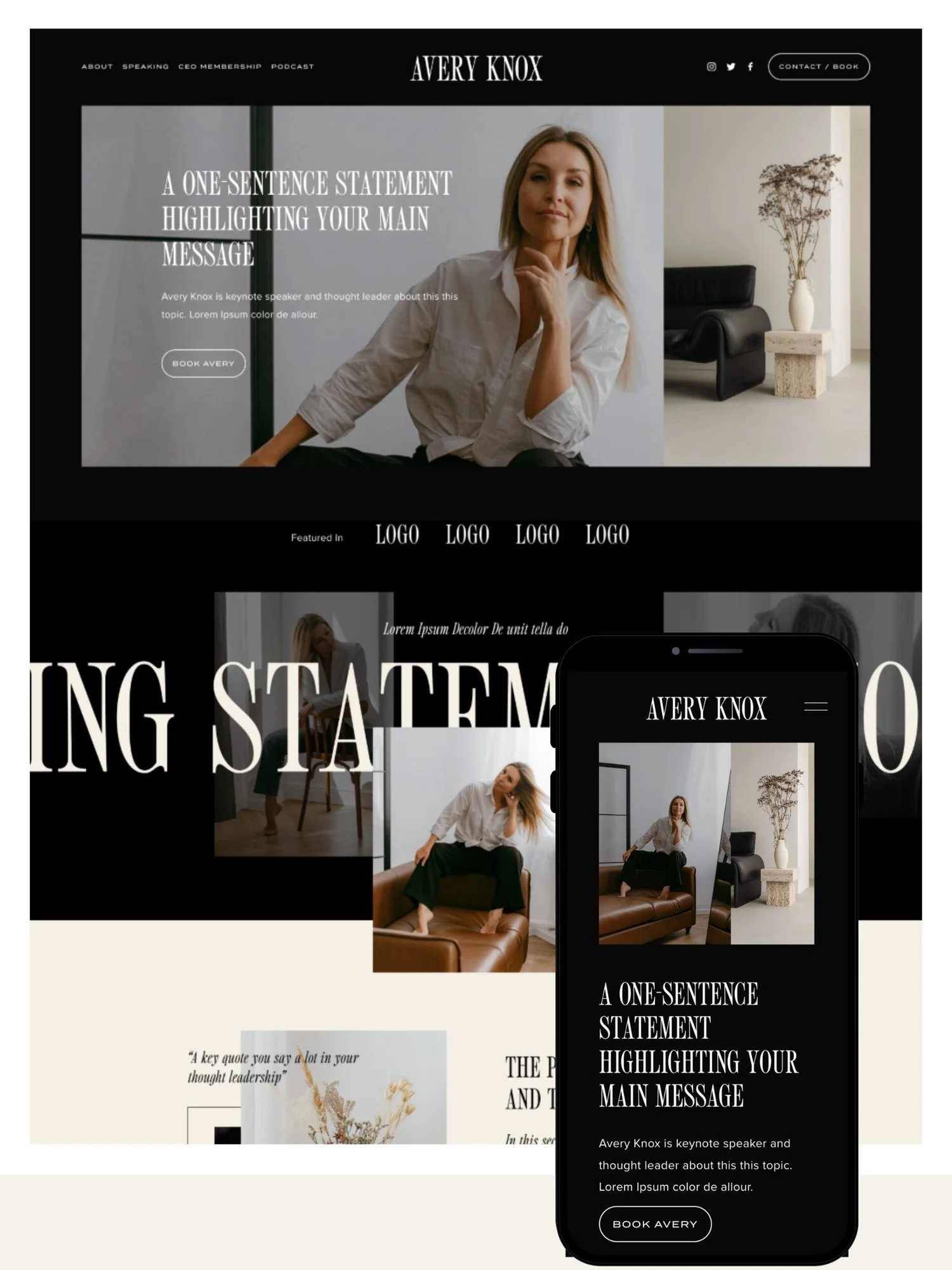
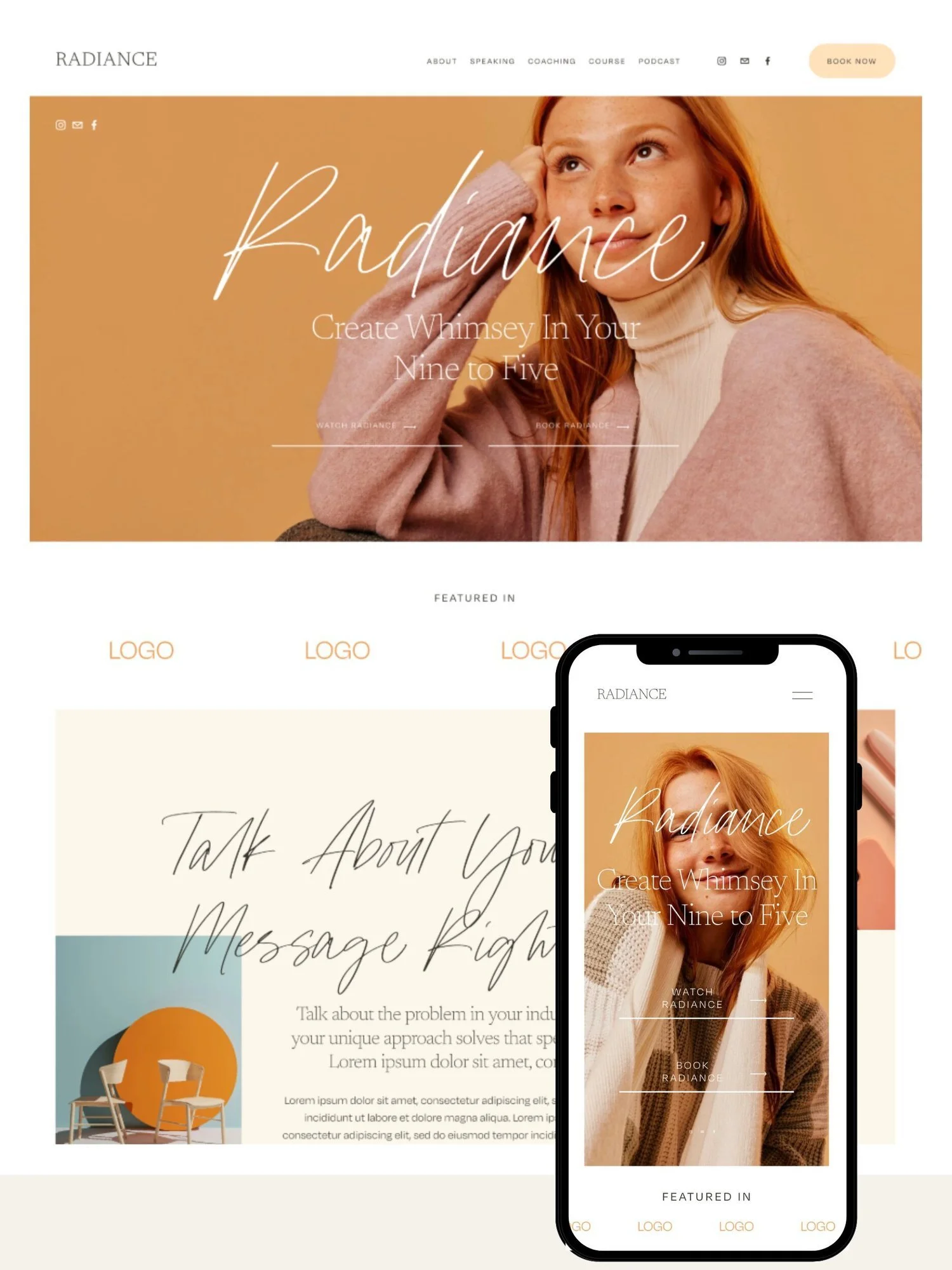
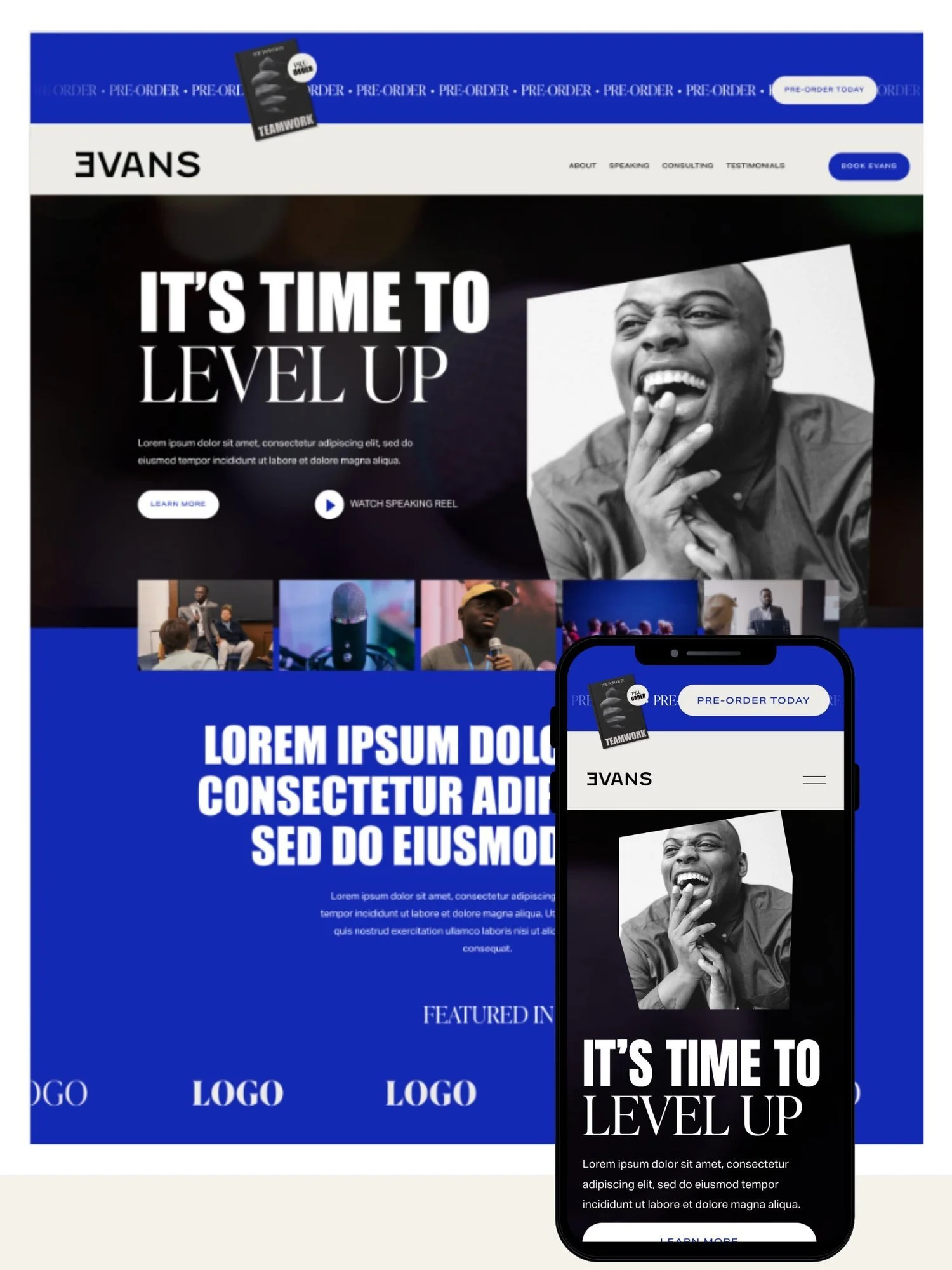
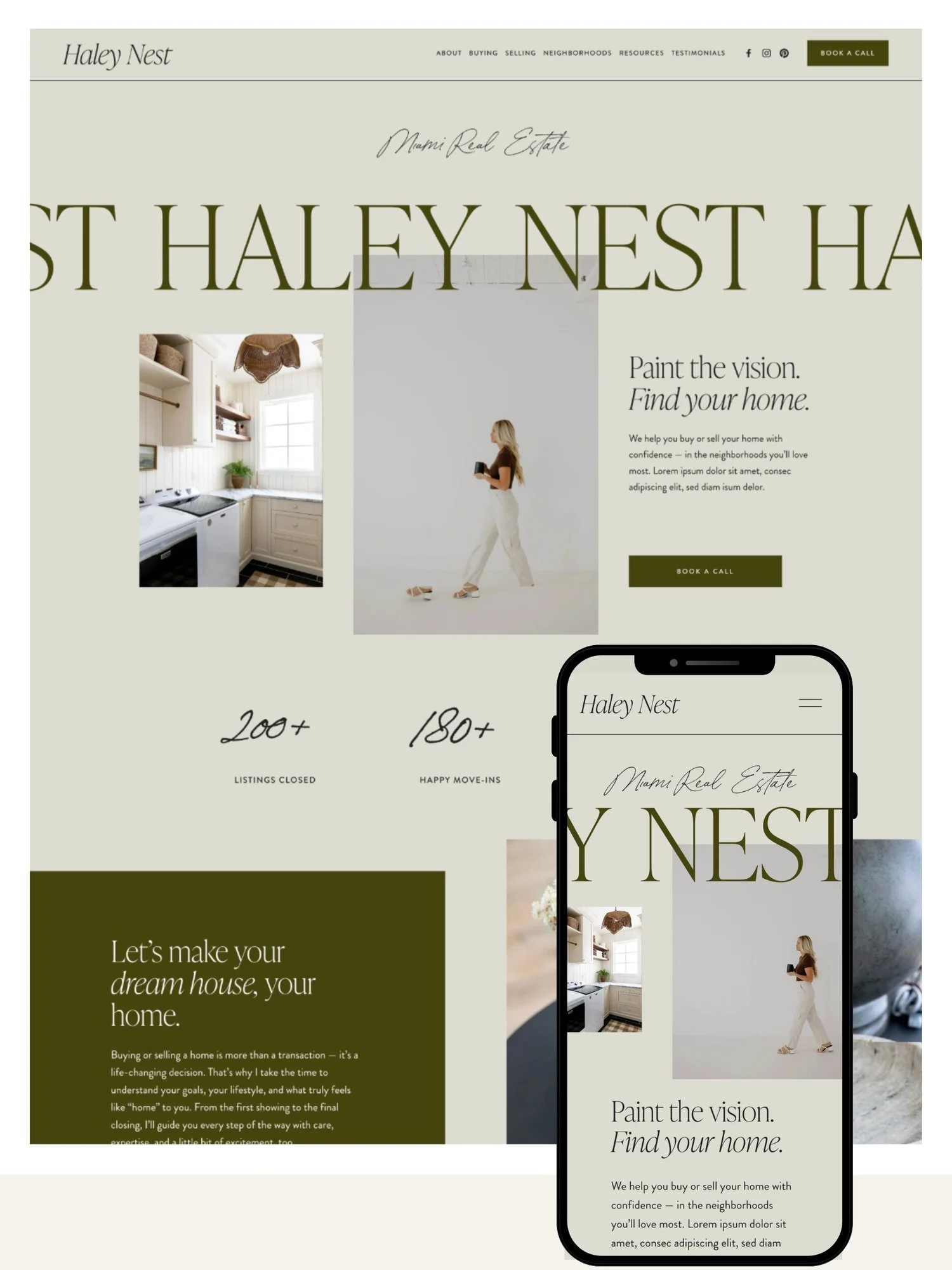
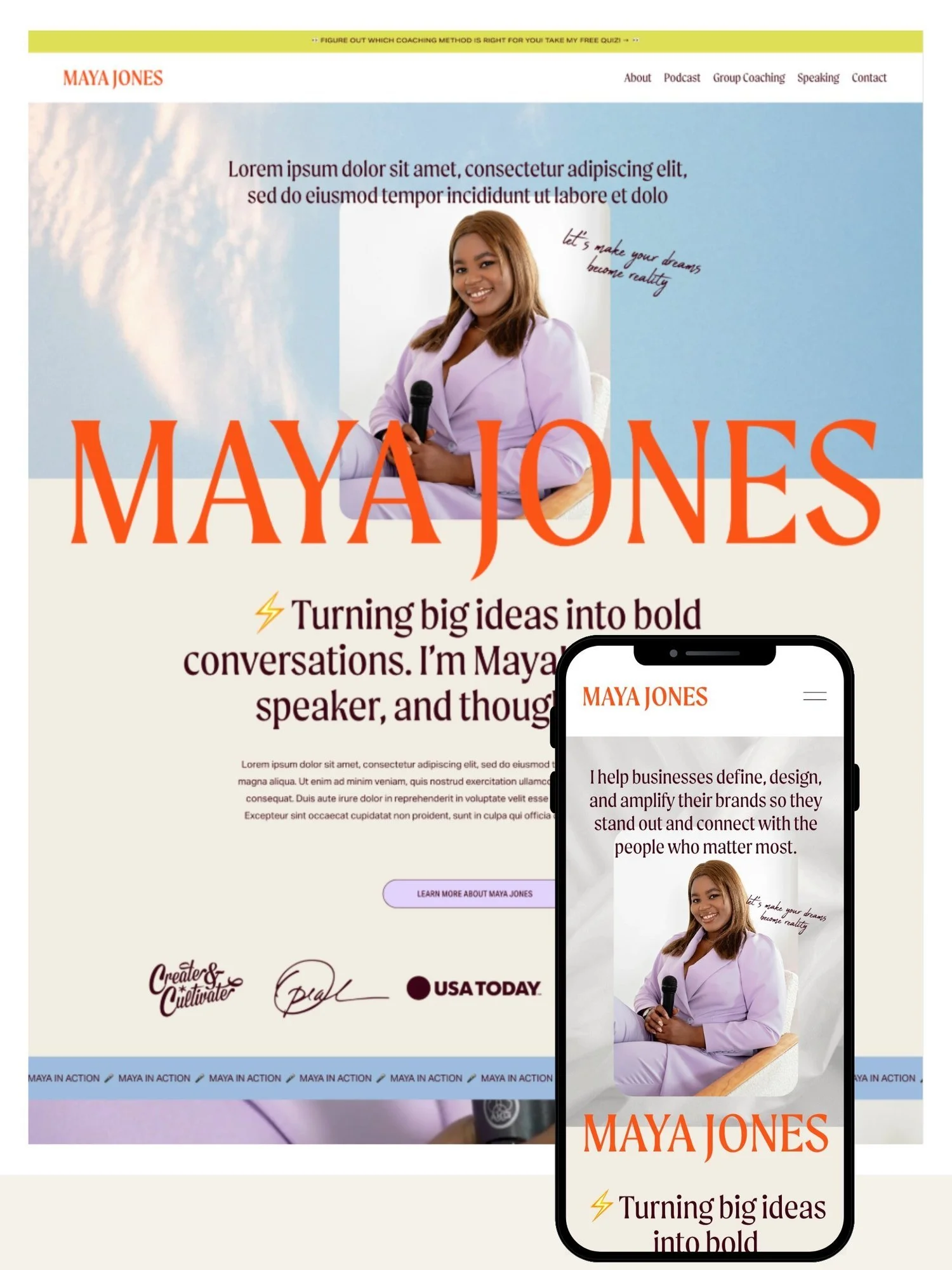
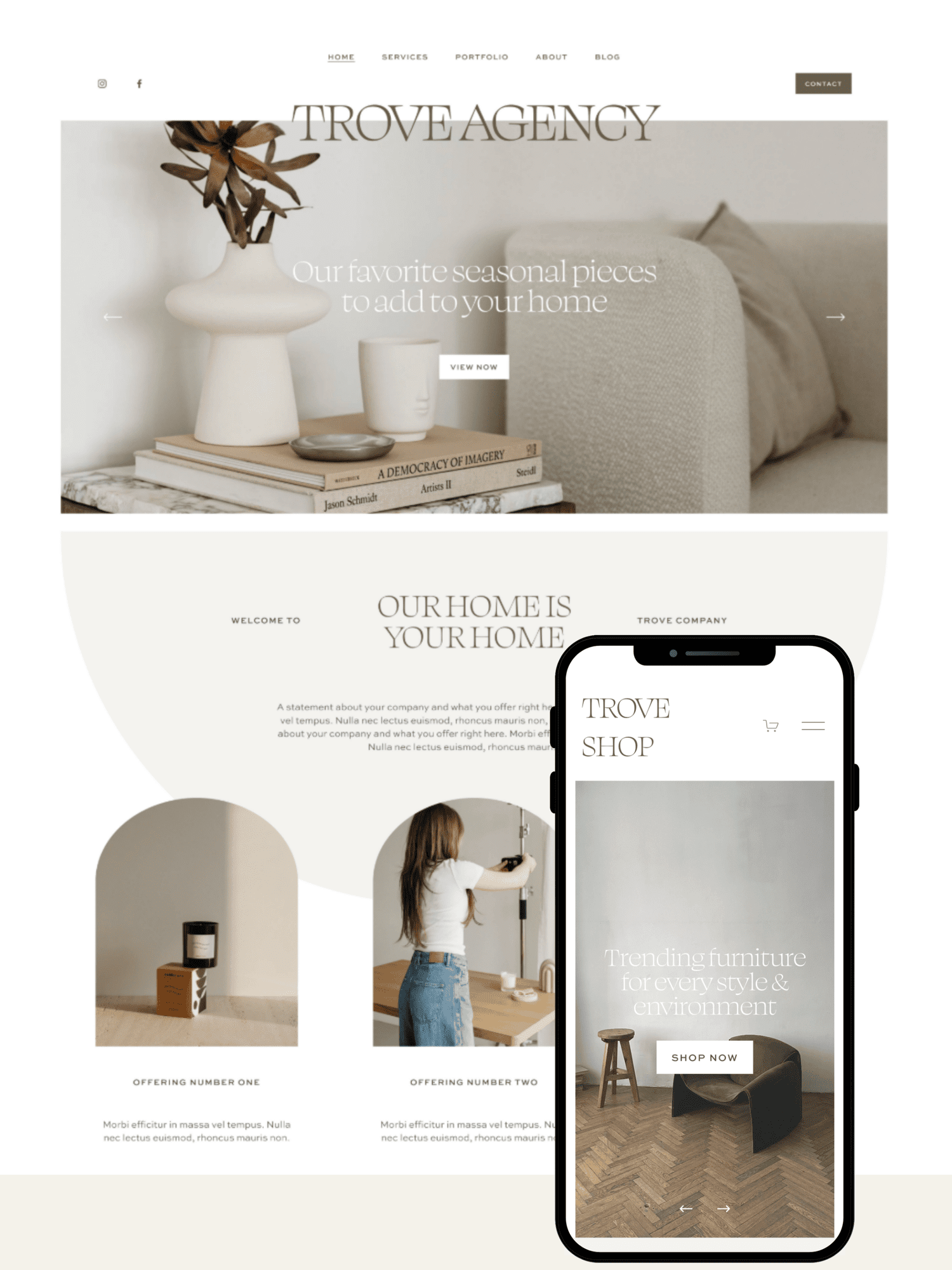
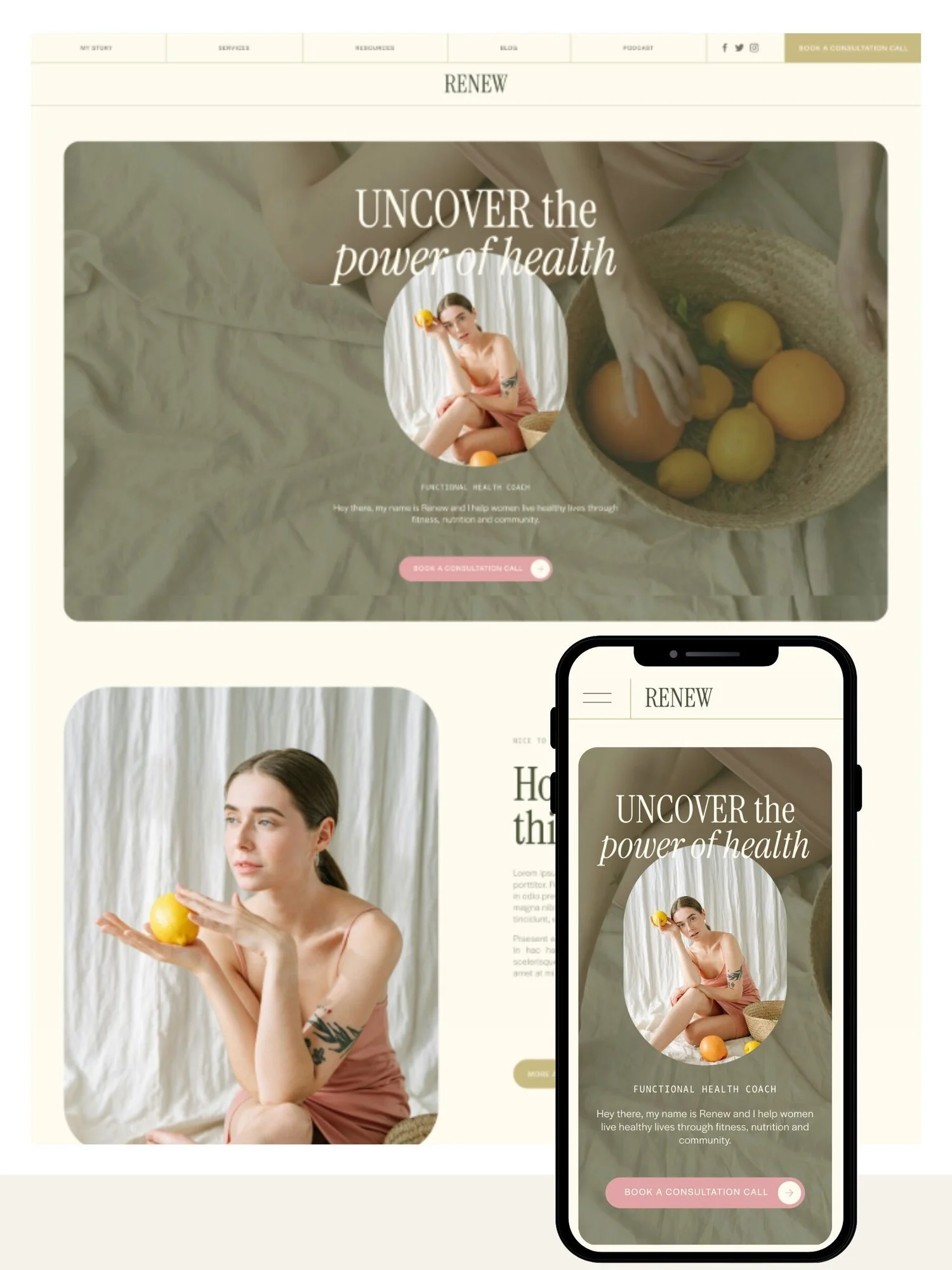
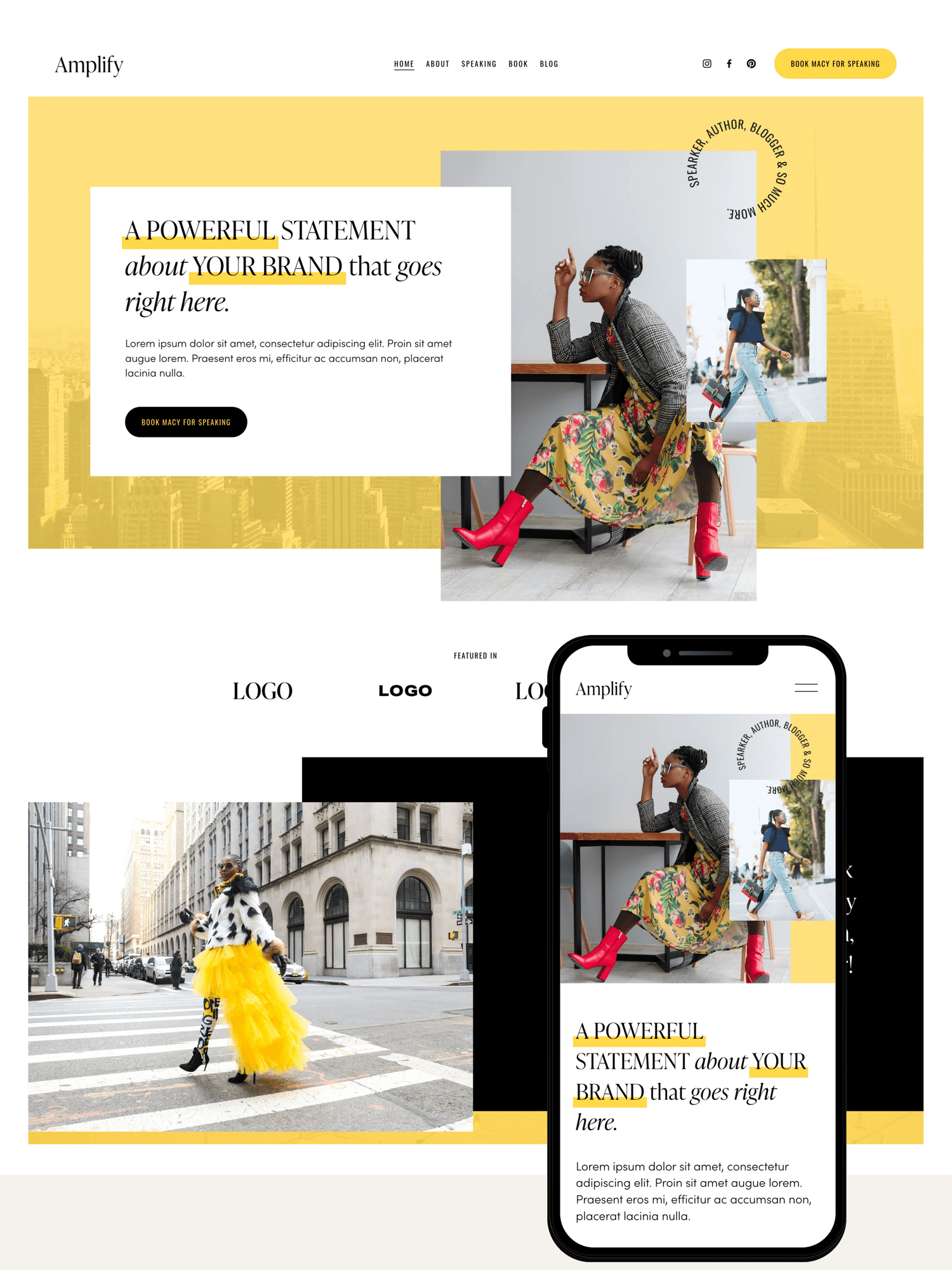
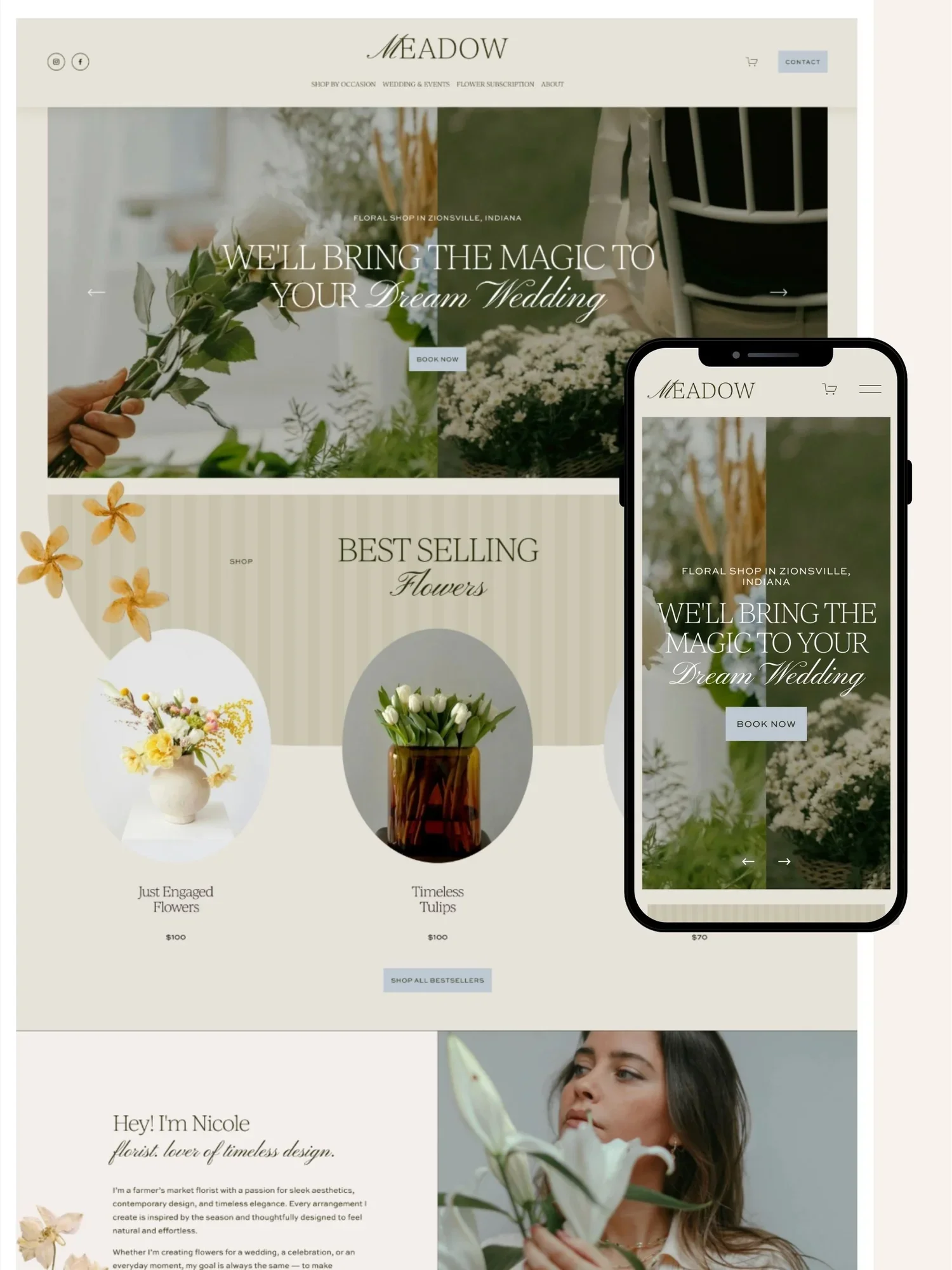
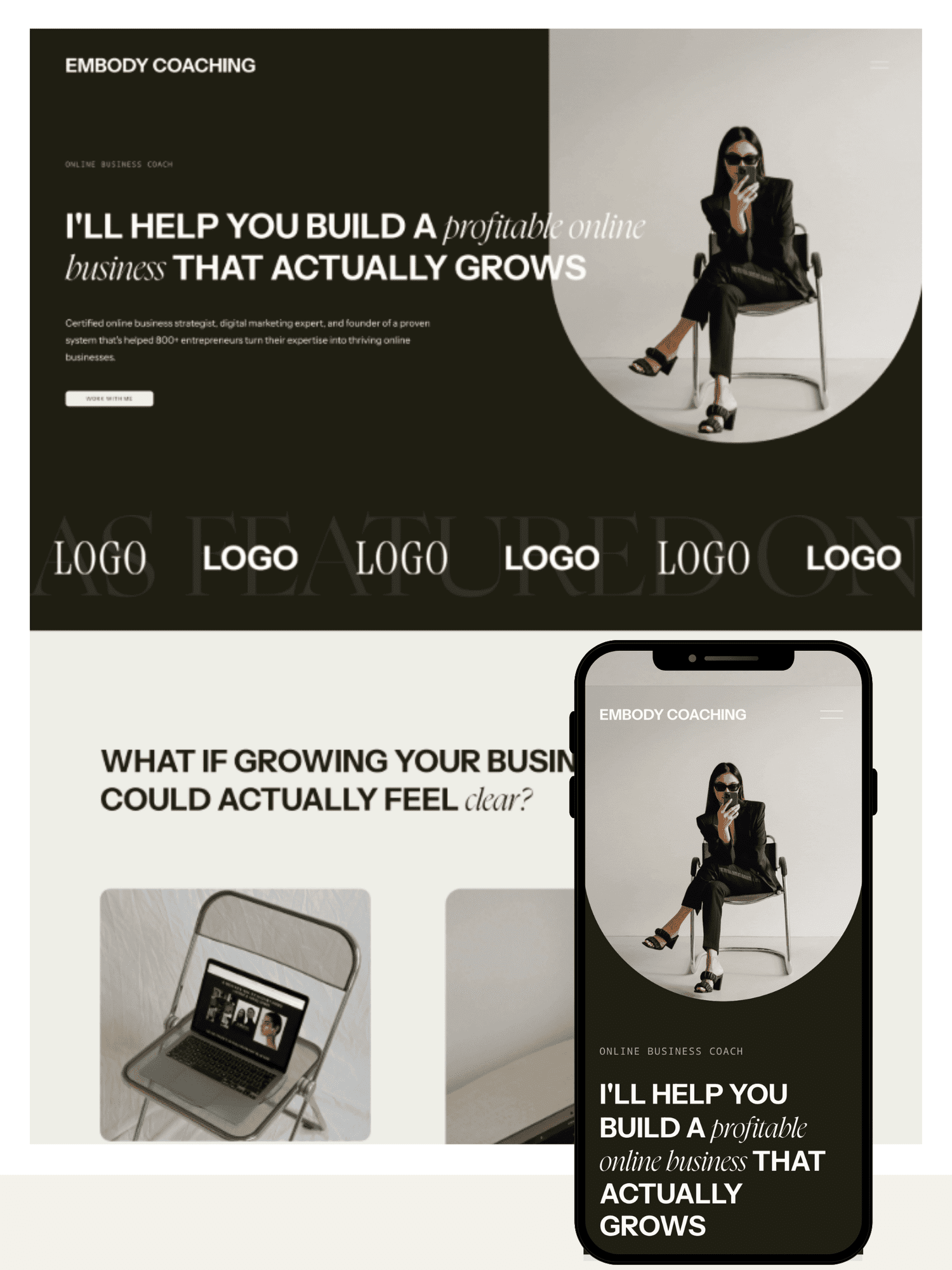
GoLive HQ is a Squarespace design agency and premium template shop founded in 2015 by designer Promise Tangeman. The company has been featured in Forbes and has sold 15,000+ templates while completing 800+ fully custom Squarespace builds. GoLive HQ runs two distinct product lines: a template shop, where you buy a pre-designed layout and install it yourself, and a custom agency service, where their team builds a site from scratch.
DEFINITION
A premium Squarespace template is a paid, pre-designed website layout built by a third-party designer, not Squarespace itself that you install into your own Squarespace account and customize with your own content.
This review covers the template shop, since that's what most solopreneurs are weighing against free built-in templates, other premium shops, or hiring a freelance designer.
Get 10% off with code SQUARESPELL10Applied automatically when you click through.
Who It's Best For
✓ Best for
- Coaches, consultants, and service providers who need a credible site fast
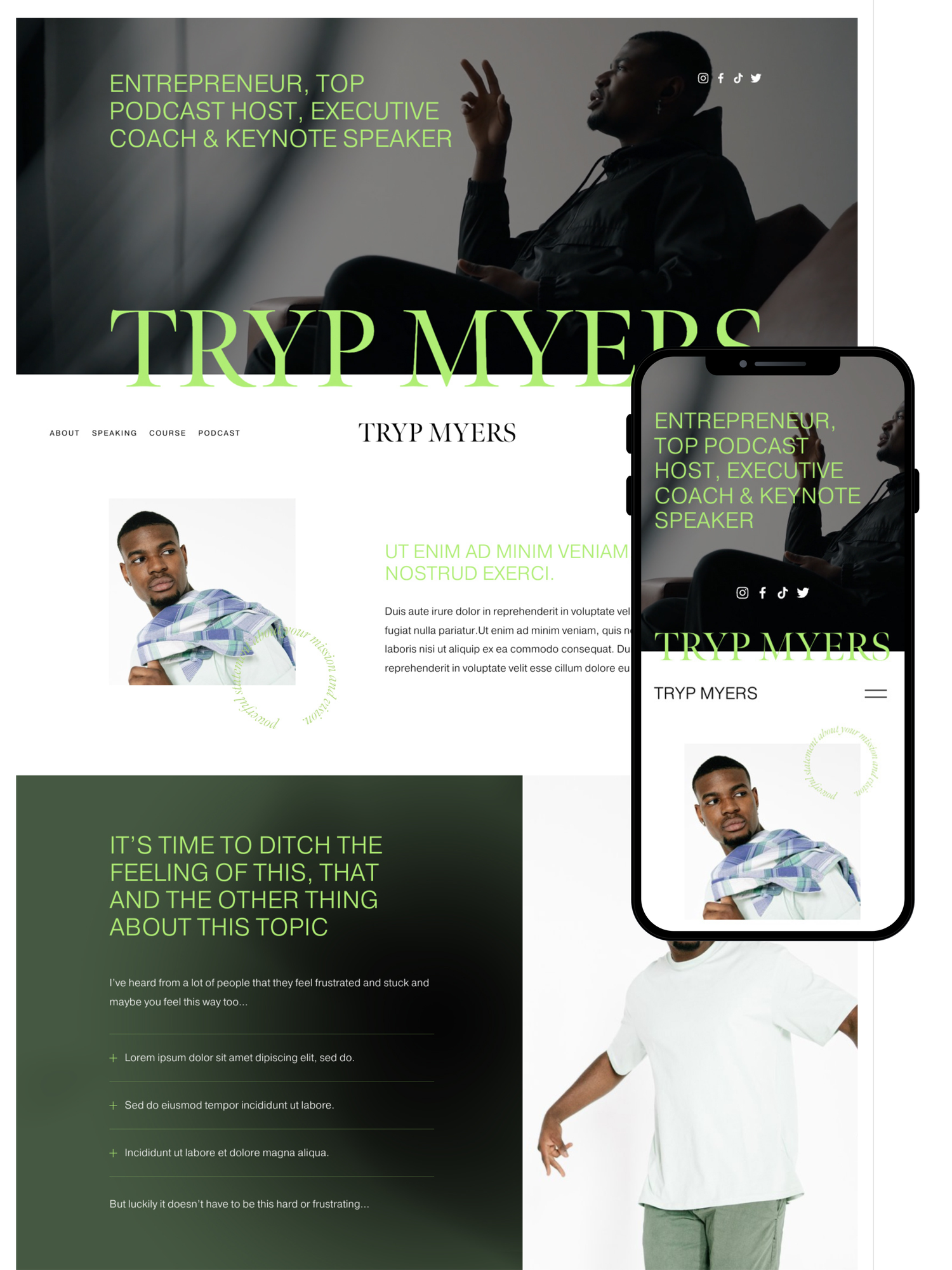
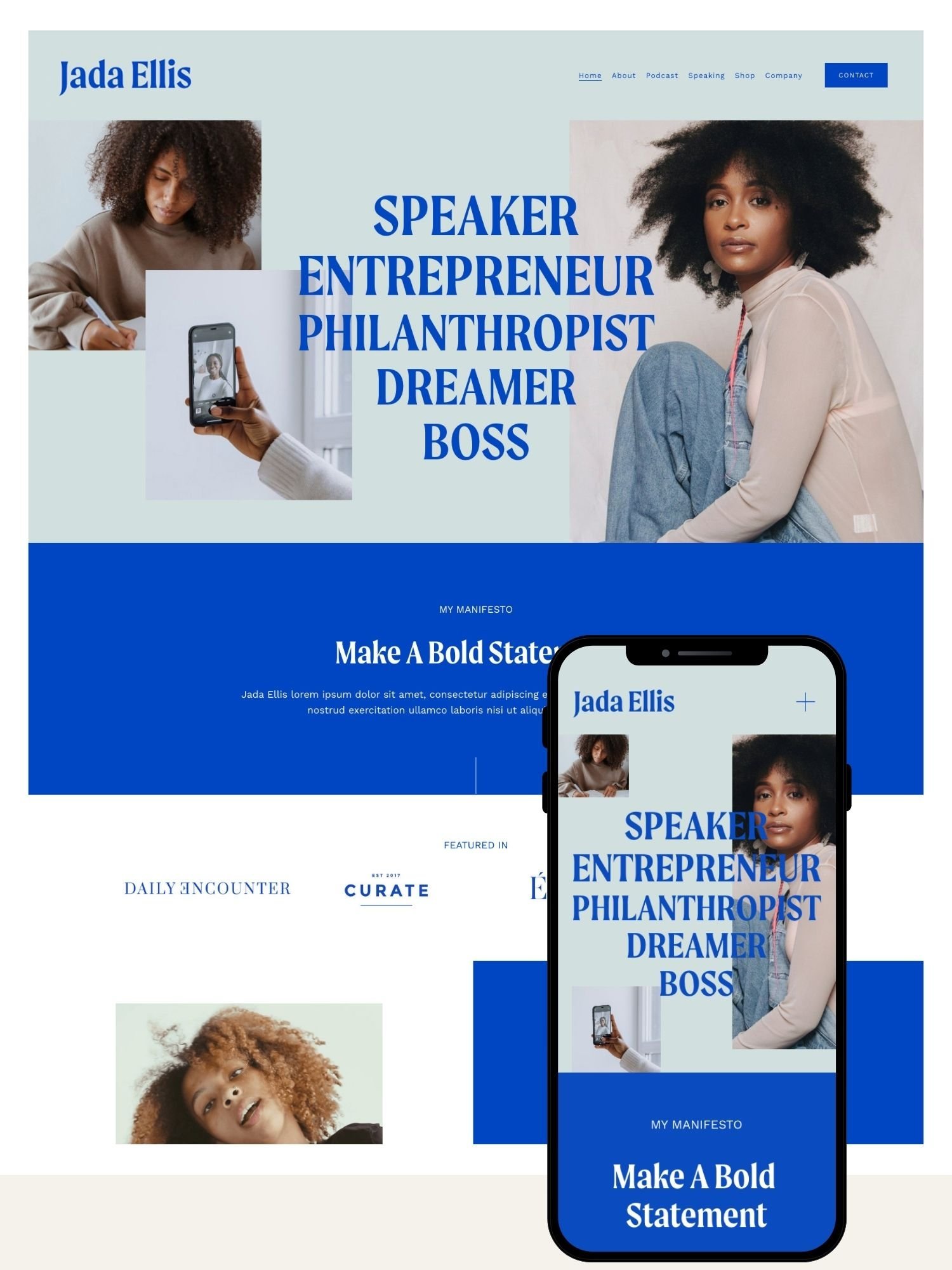
- Speakers, authors, and personal brands wanting a strategy-driven layout
- Solopreneurs who want a designer look without agency pricing
- People comfortable following video tutorials to self-edit a site
✕ Who should avoid it
- Anyone needing a platform other than Squarespace
- Complex e-commerce operations needing advanced store features
- Buyers wanting a fully unique, one-of-a-kind custom design
- Anyone unwilling to risk a non-refundable digital purchase
Pros and Cons
- Established shop with a decade-long track record and Forbes coverage
- No coding needed, pure drag-and-drop customization
- 20% off Squarespace subscription + extended trial included
- Video tutorials walk through every step
- Optional done-for-you setup if you'd rather not DIY
- Built for Squarespace 7.1 Fluid Engine, the current standard
- Digital templates are non-refundable once delivered
- Squarespace-only, no portability to other platforms
- Support is email/video-based, not live chat
- Done-for-you setup and add-ons increase total cost
- Popular templates can look familiar if left uncustomized
Features Breakdown
Design & Customization
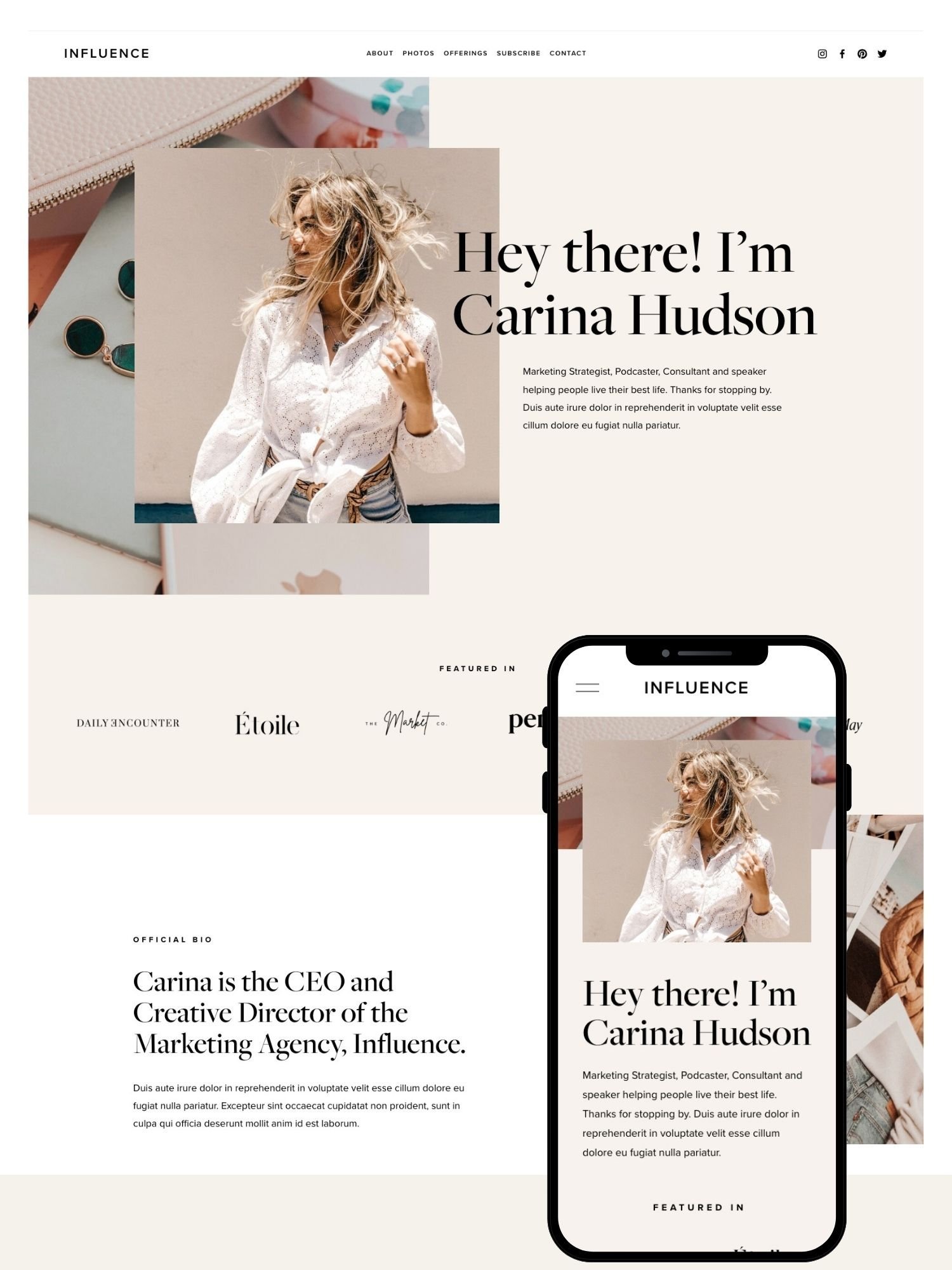
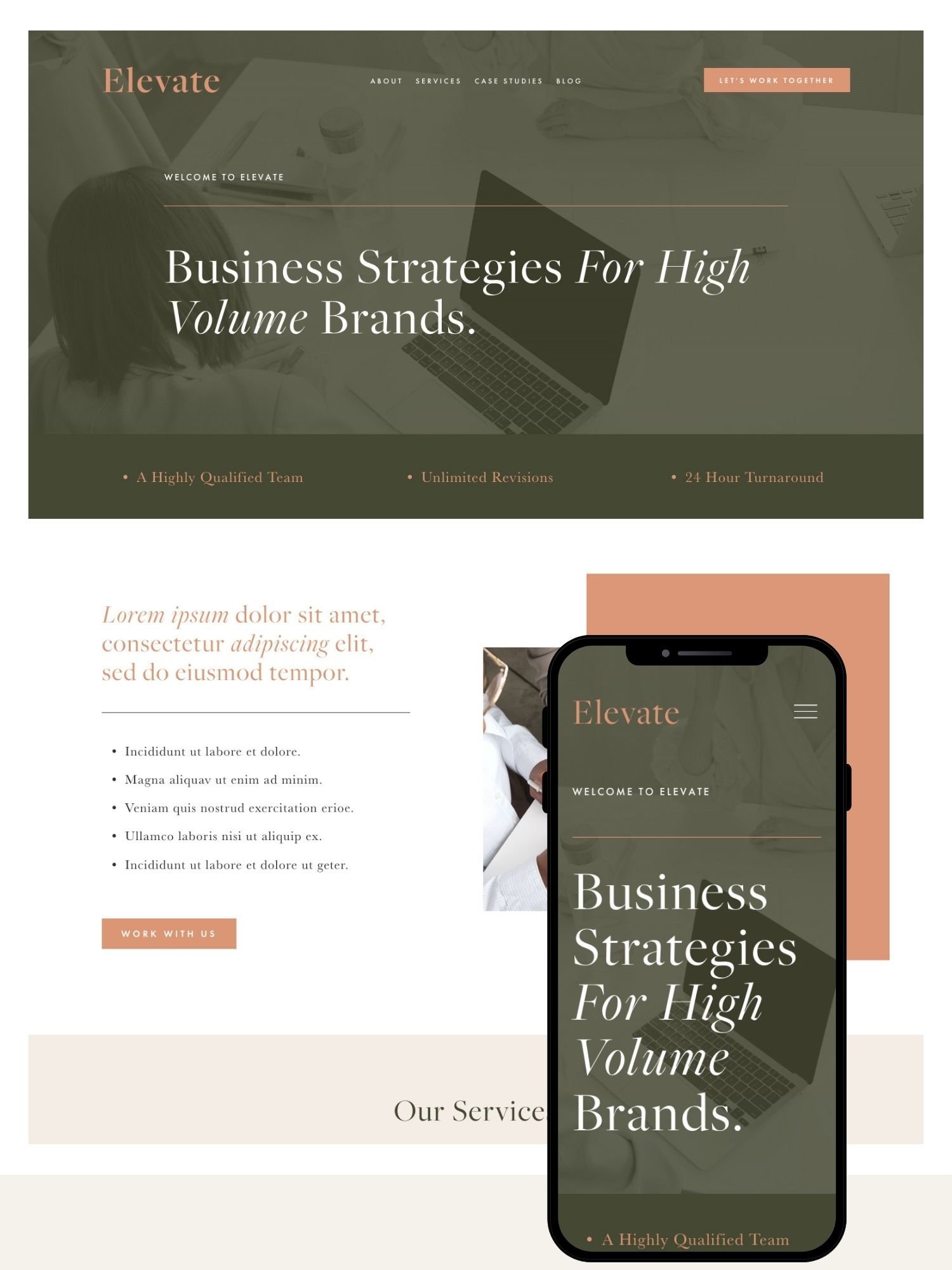
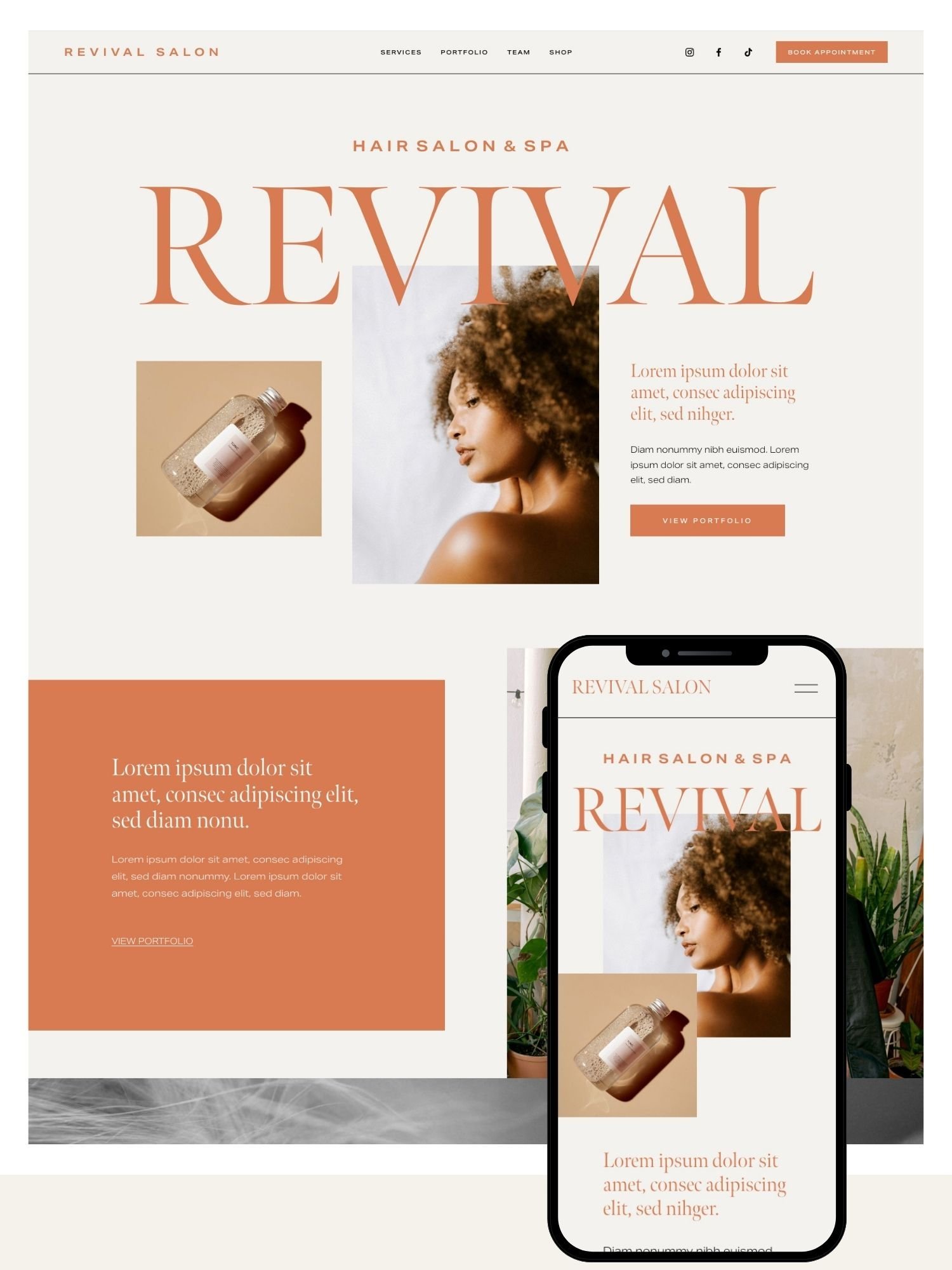
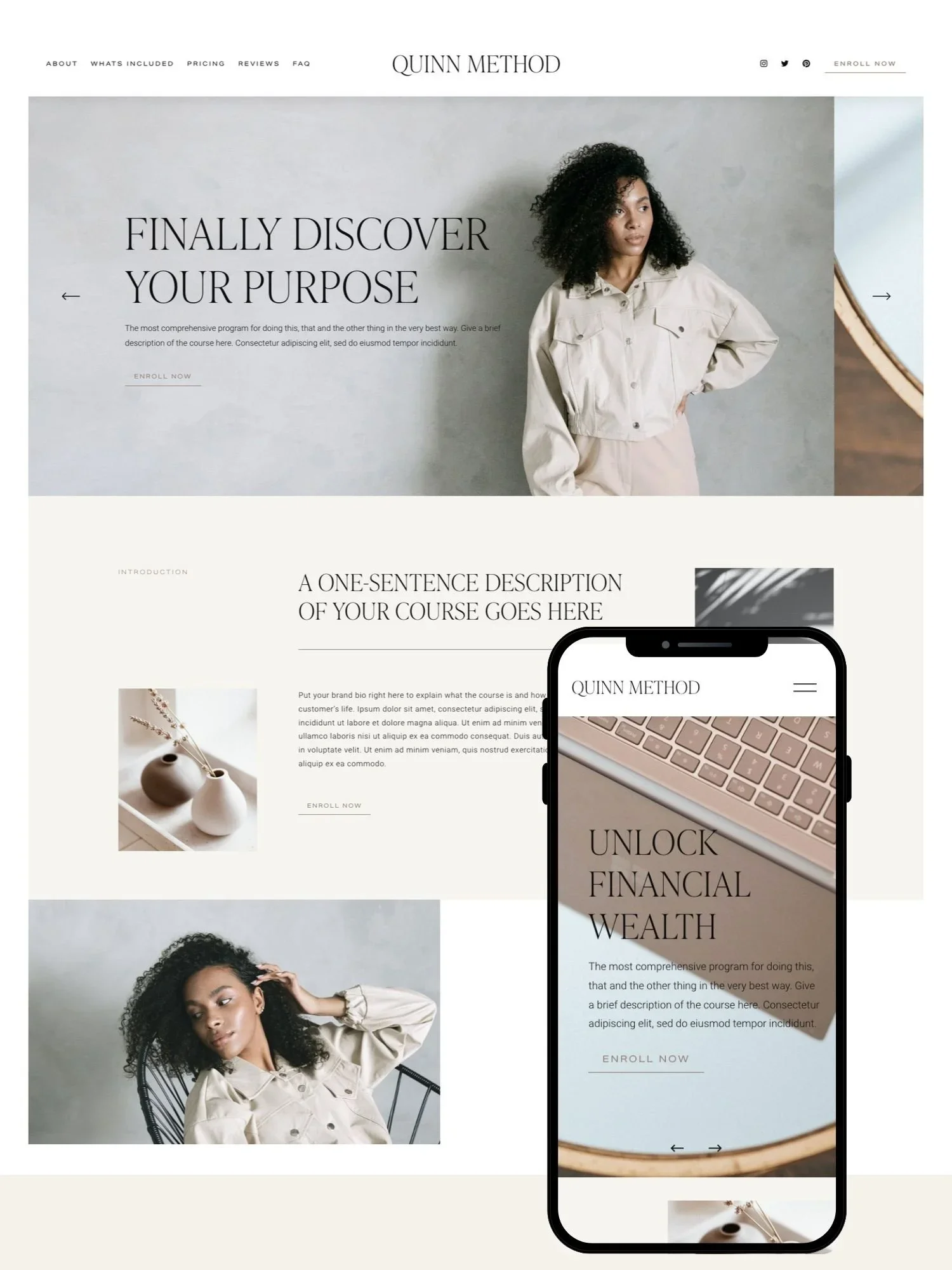
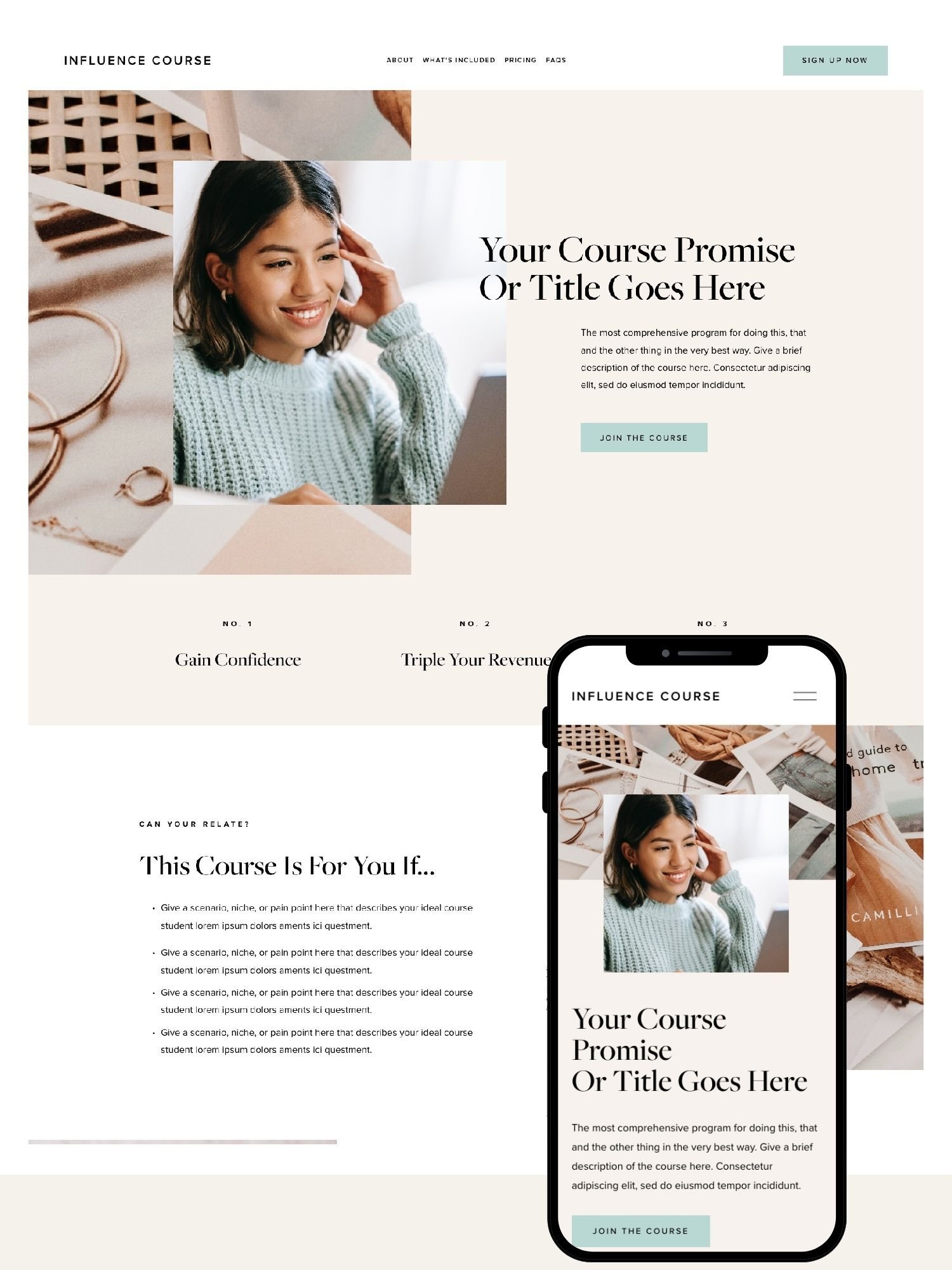
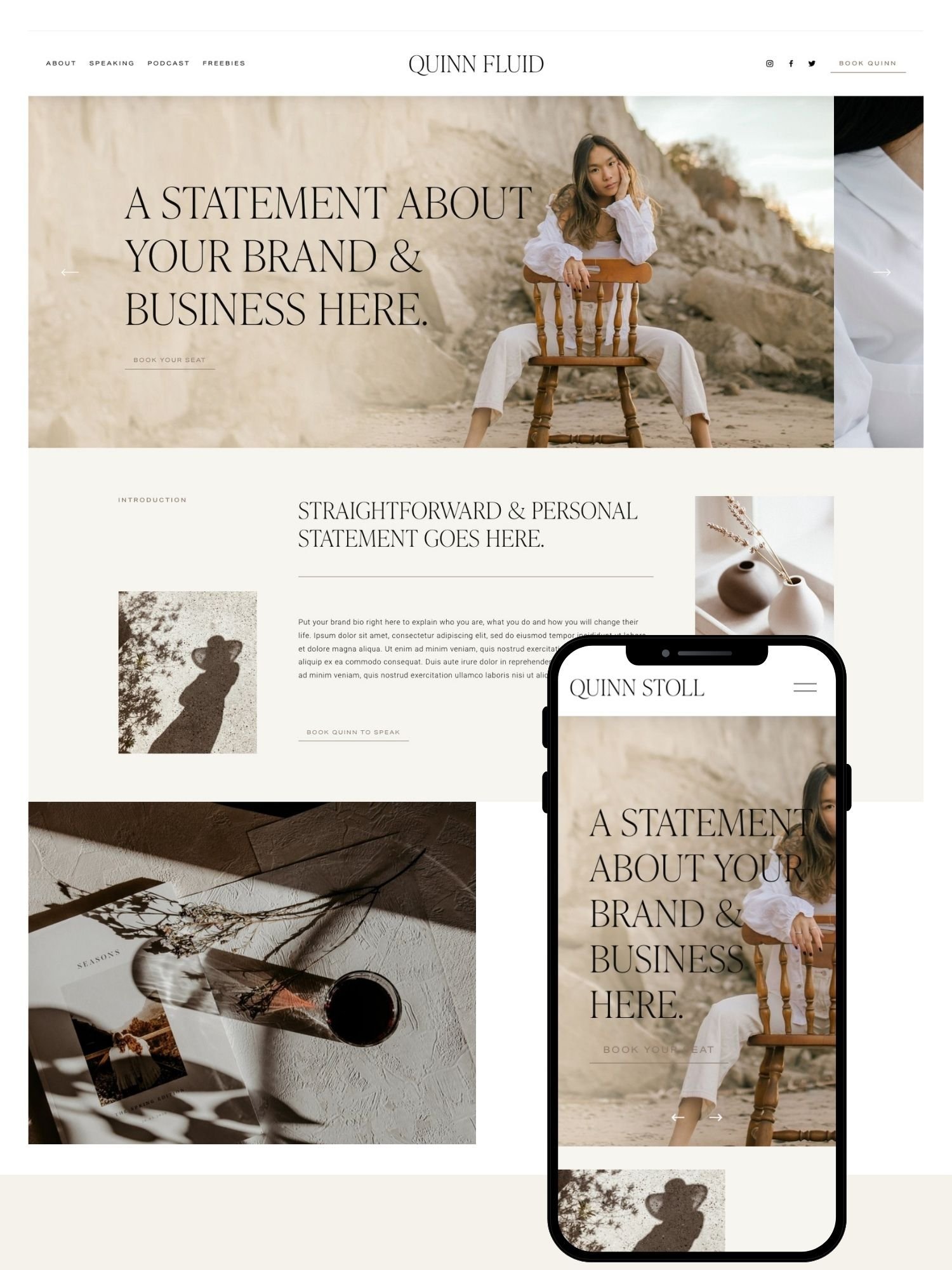
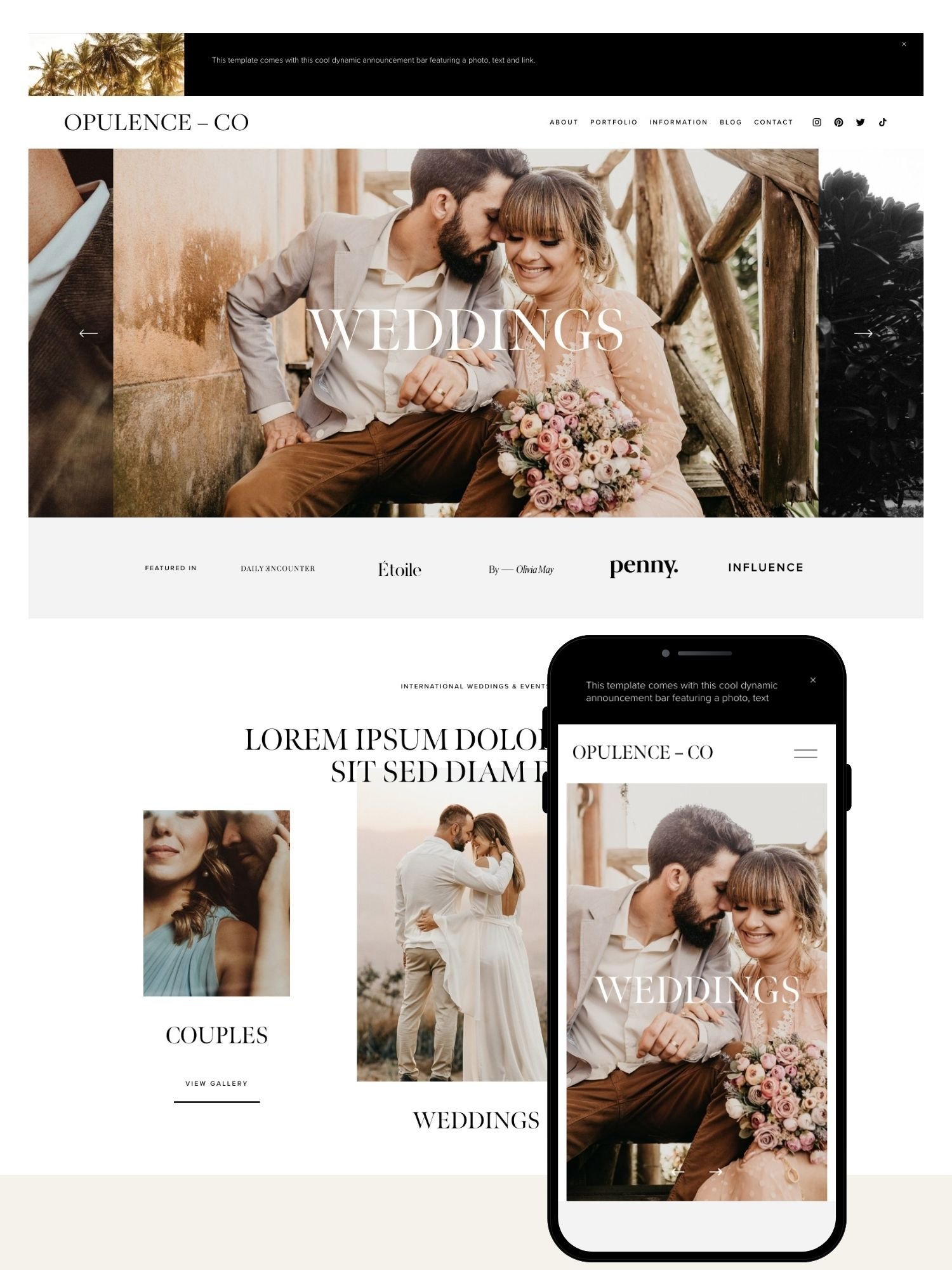
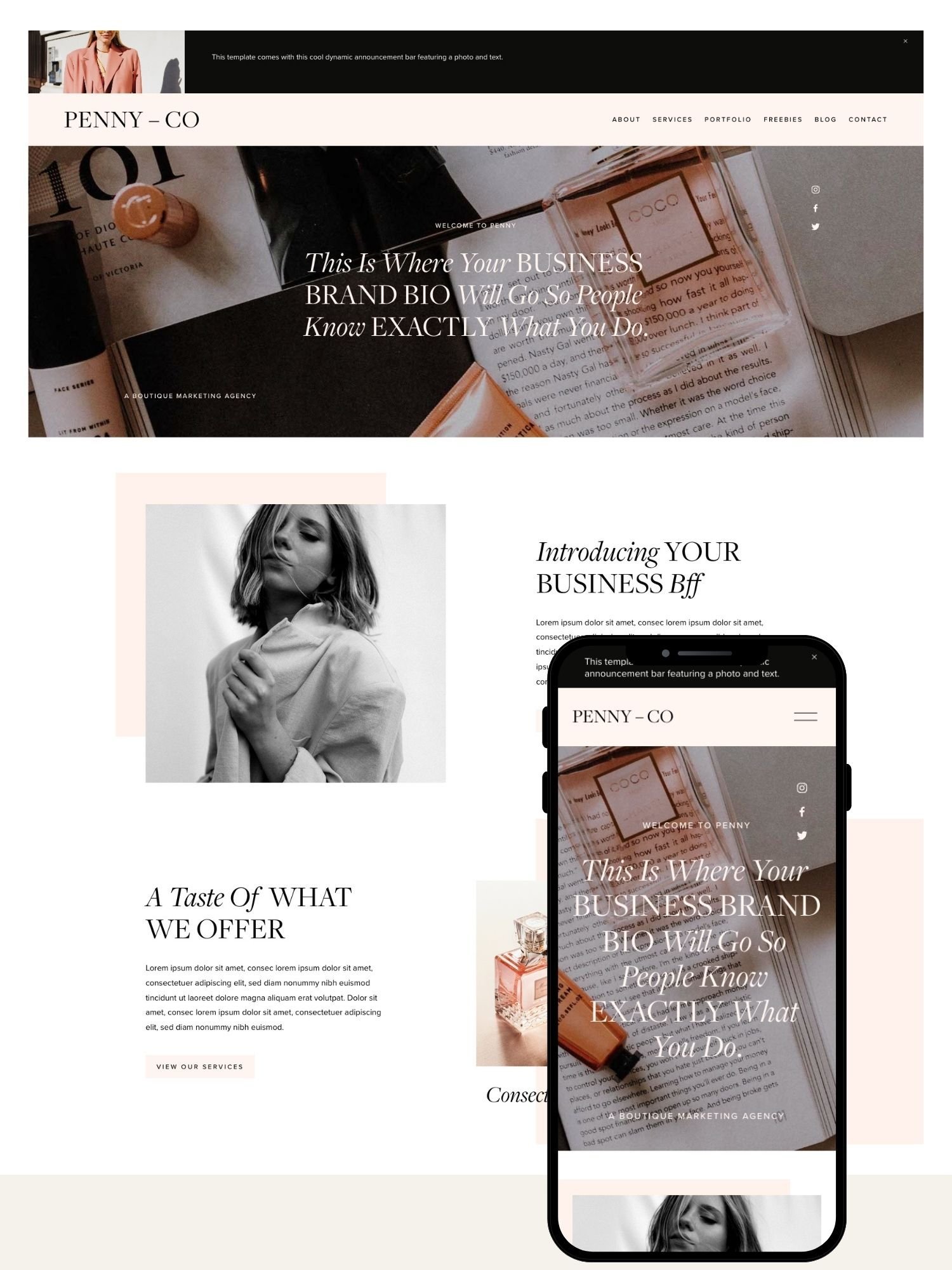
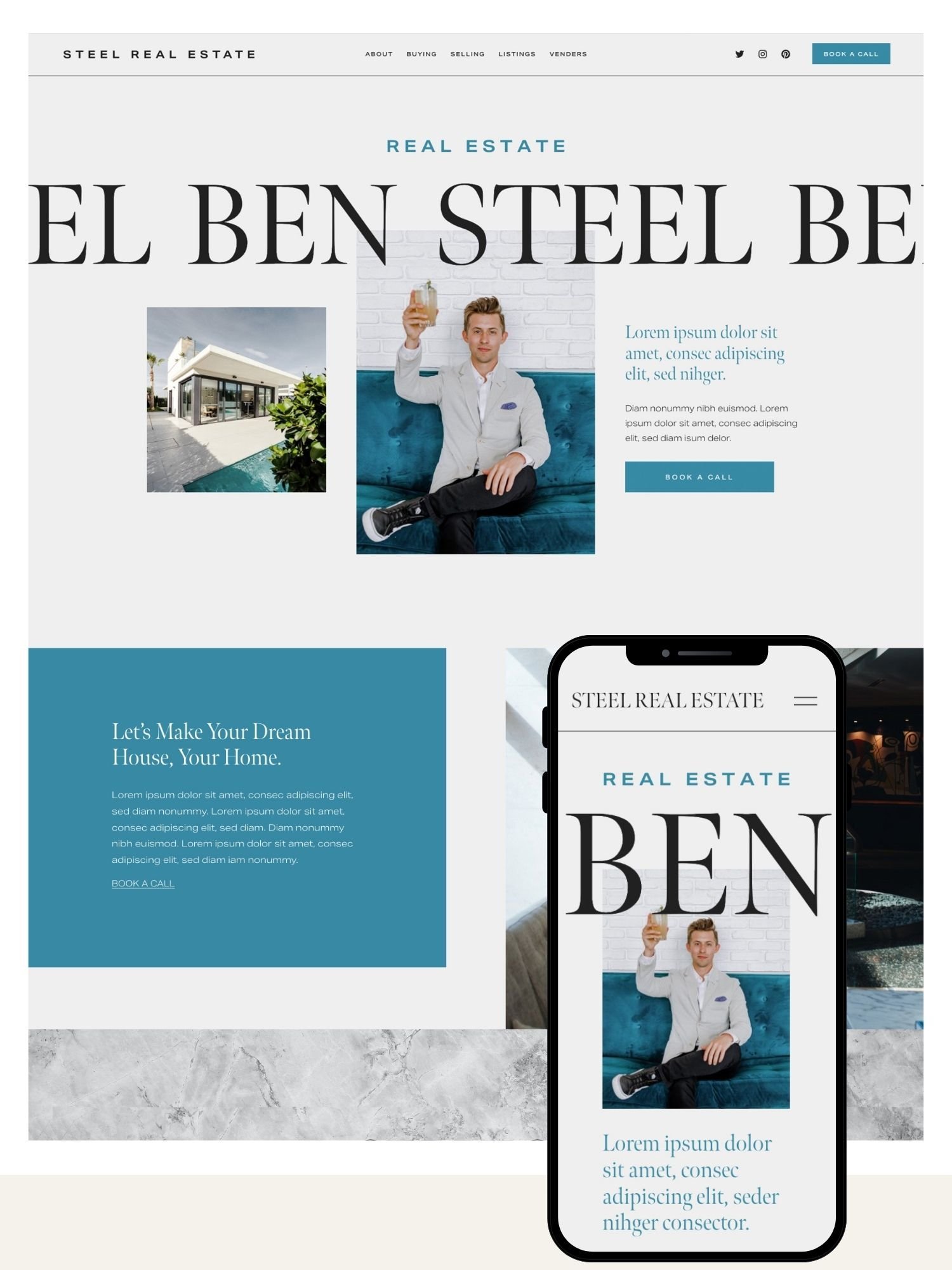
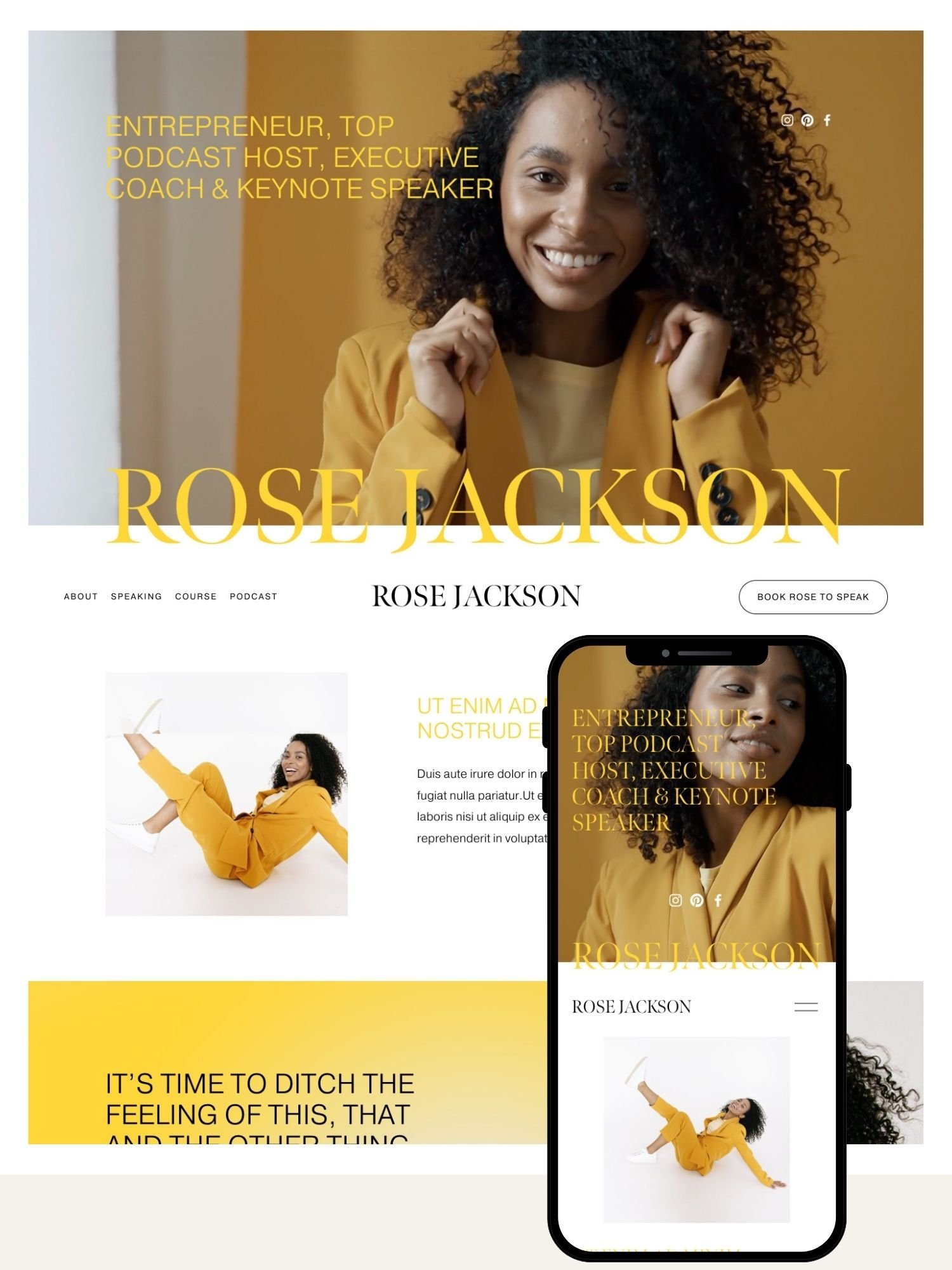
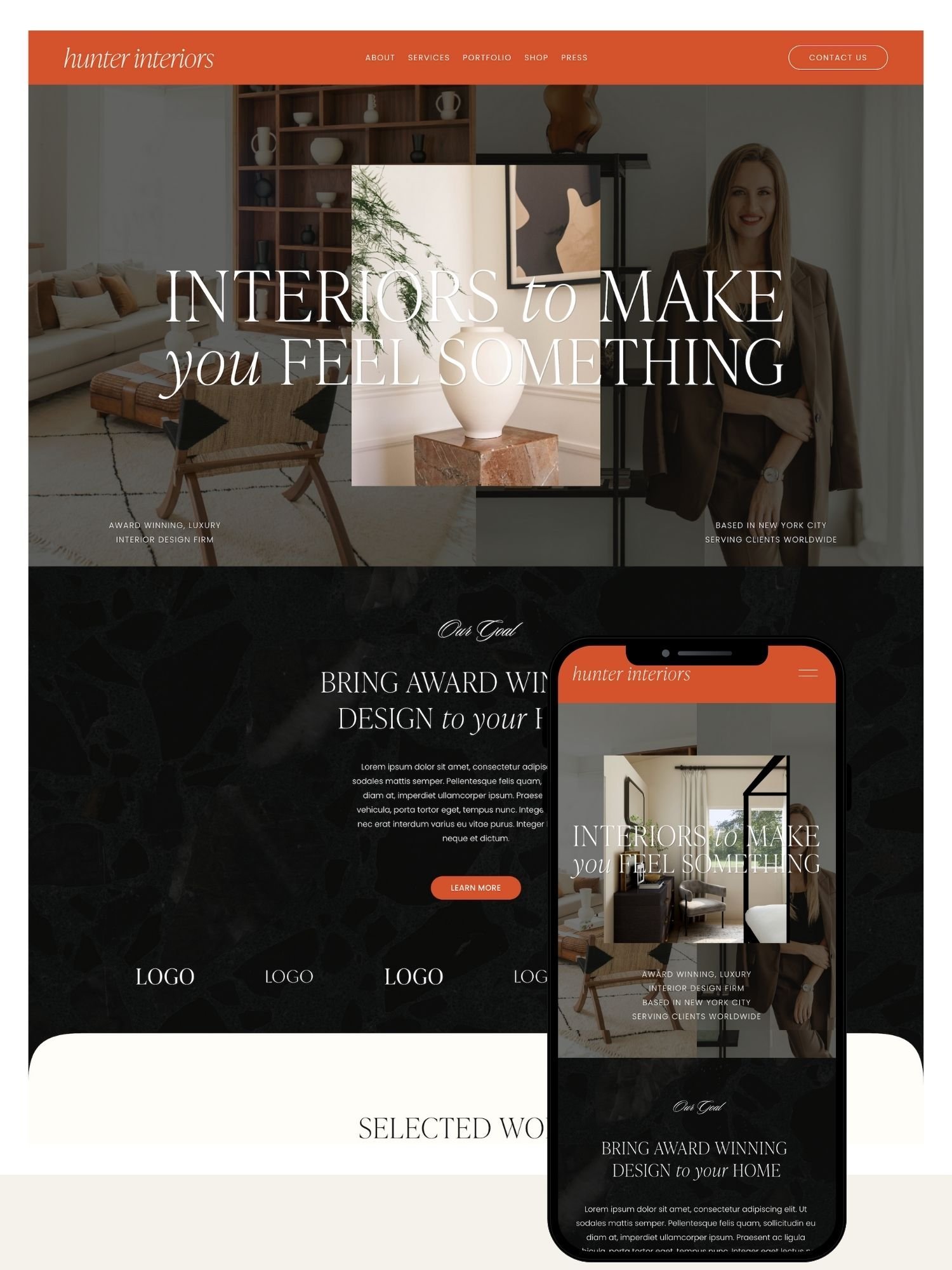
Every template ships with editable colors, fonts, spacing, and section order through Squarespace's native style panel no code required. Pages can be added, removed, or rearranged, and imagery is meant to be swapped for your own brand photography before launch.
Platform Compatibility
Current templates are built for Squarespace 7.1 using the Fluid Engine, which gives more granular, pixel-level section control than older Squarespace template families but also means they aren't compatible with legacy 7.0 sites without a rebuild.
Onboarding & Support
Buyers get installation instructions and video tutorials, typically within 24 hours of purchase. Ongoing support runs through email (and Loom video responses for more complex questions) for a defined window after purchase check the current listing for exact terms.
"The template is the starting point, not the finished product the sites that look distinctive are the ones where someone actually swapped out the defaults."
Ready to browse the catalog?10% off is applied automatically when you click through.
How It Works, Step by Step
Pick a template: Browse by industry or style most templates are built around a specific use case (speaker, coach, boutique, etc.).
Purchase and receive access: Installation instructions and video tutorials arrive by email, typically within 24 hours.
Install to a trial site: The template installs into a free Squarespace trial, so you don't need a paid plan yet.
Customize: Swap in your logo, photography, copy, and brand colors or hand this step to the done-for-you service.
Subscribe and publish: Activate a Squarespace plan with your discount applied, then publish.
GoLive HQ Pricing vs. Alternatives
| Item | Price | Notes |
|---|---|---|
| Template (one-time) | Low–mid hundreds, varies by design | Required |
| Squarespace subscription | Plan pricing; 20% off first year for GoLive HQ customers | Required to publish |
| Done-for-you setup | Add-on fee, priced separately | Optional |
| Copywriting / branding add-ons | Add-on fee, priced separately | Optional |
| GoLive HQ10% off | Low–mid $100s | Coaches, speakers, service pros |
| Squarespace built-in | Free (included in plan) | Tightest budgets, fastest start |
| Station Seven | $100s–low $1,000s | Broader industry range, agency polish |
| Christy Price | ~$127–$399 | Bloggers, creatives, budget-conscious |
| Big Cat Creative | ~$225–$297 | Distinctive, editorial-style brands |
| Custom design agency | $1,000s–$10,000s+ | Fully bespoke sites, larger budgets |
Frequently Asked Questions
Pricing & Discounts
How much do GoLive HQ Squarespace templates cost?
GoLive HQ templates are typically priced in the low-to-mid hundreds of dollars per template, separate from your Squarespace subscription. Exact pricing varies by design, so check the current listing on golivehq.co.
Is there a GoLive HQ discount code?
Yes. Squarespell readers can use code SQUARESPELL10 for 10% off any GoLive HQ template at checkout.
Does the coupon work on all templates?
SQUARESPELL10 applies across GoLive HQ's standard template catalog. It does not apply to custom design agency packages, which are quoted separately.
Do I still need to pay for Squarespace itself?
Yes. The template purchase is separate from your Squarespace hosting subscription. GoLive HQ customers typically get 20% off their first year of an annual plan plus an extended trial.
Is the done-for-you setup service extra?
Yes, GoLive HQ's site setup service, where their team installs your branding, images, and content for you, is an optional paid add-on on top of the template price.
Are there recurring fees after buying a template?
The template itself is a one-time purchase. Your only recurring cost is the Squarespace subscription required to host any Squarespace website, template or not.
Beginners & Getting Started
Do I need to know how to code to use a GoLive HQ template?
No. Templates are edited entirely through Squarespace's built-in drag-and-drop style editor. No HTML, CSS, or developer mode is required for standard customization.
How long does it take to launch a site with a GoLive HQ template?
Most buyers report launching within a few days to two weeks, depending on how much content they have ready. The done-for-you add-on can compress this to about a day of setup work.
What do I get immediately after purchase?
You typically receive an email with template installation access and video tutorials within minutes to 24 hours of purchase.
Do I need a Squarespace subscription before buying a template?
No. Many buyers purchase the template first, install it during a trial period, and only subscribe once ready to publish, which also preserves eligibility for the subscription discount.
Can I try the template before paying for Squarespace?
Yes, GoLive HQ customers generally get an extended free trial period to build out the template before committing to a paid Squarespace plan.
What if I've never used Squarespace before?
Templates come with step-by-step video tutorials designed for non-technical users, and the underlying Squarespace editor is widely considered one of the more beginner-friendly website builders.
Features & Compatibility
Are GoLive HQ templates built on Squarespace 7.1 / Fluid Engine?
Current-generation GoLive HQ templates are built for Squarespace 7.1 using the Fluid Engine, which allows more flexible, pixel-level section editing than older Squarespace versions.
Are the templates mobile-responsive?
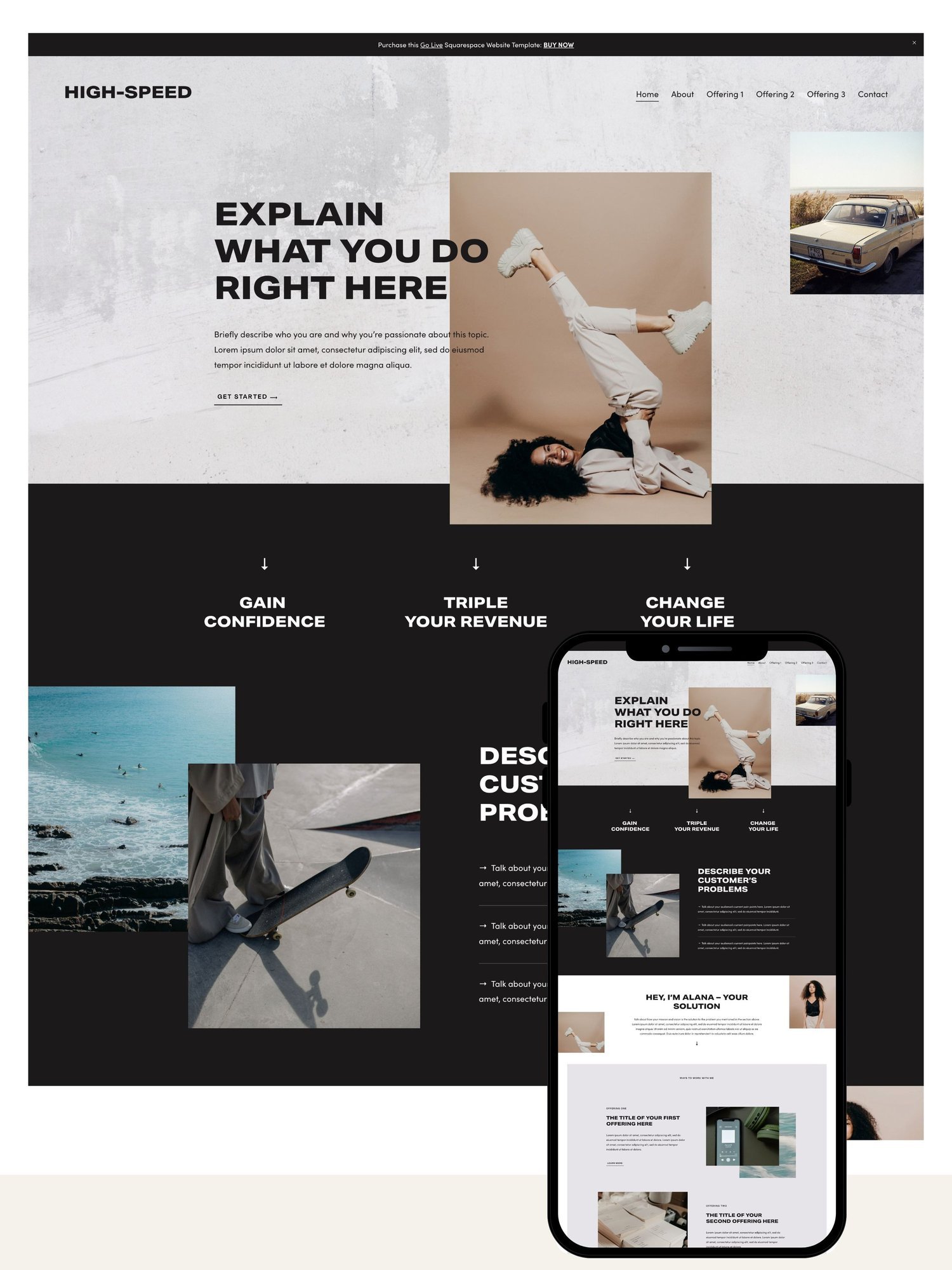
Yes. All templates are designed to adapt automatically to mobile and tablet screens without needing a separate mobile layout.
Do the templates include an online store / e-commerce setup?
Some templates include e-commerce-ready layouts, but store functionality itself depends on your Squarespace plan tier, which must support commerce features separately.
Can I use a GoLive HQ template on Wix or WordPress?
No. GoLive HQ templates are built exclusively for the Squarespace platform and are not compatible with Wix, WordPress, Webflow, or other builders.
Do templates include stock photos?
Templates are typically delivered with placeholder or demo imagery to show the intended layout; you're expected to swap in your own brand photography before launch.
Can I add my own custom code or integrations?
Yes, if your Squarespace plan includes Developer Mode or custom code injection, you can extend a template beyond its default setup, though this isn't required for normal use.
Design & Customization
Can I change the colors and fonts?
Yes. Colors, fonts, spacing, and section order are all editable through Squarespace's native style panel without touching code.
Can I add or remove pages?
Yes. The template's page structure is a starting point, not a fixed limit, so you can add, remove, or reorder pages as your site grows.
Will my site look exactly like the demo?
Only if you keep the default layout, fonts, and colors. Most buyers adjust these to match their own brand, so the finished site looks distinct from the demo.
Can two people buy the same template and have different-looking sites?
Yes. Because colors, fonts, imagery, and content are all fully customizable, two sites built on the same template can look meaningfully different once branded.
Support & Troubleshooting
What kind of support comes with a template?
Template purchases generally include several months of email and video-based support plus written or recorded tutorials for common customization tasks.
What if I get stuck customizing my site?
You can typically reach GoLive HQ's support team by email, and many buyers also use Squarespace's own help center for platform-level questions unrelated to the template.
What happens if I break something on my site?
Squarespace's editor makes most changes non-destructive and reversible, and support channels can help you undo unwanted changes if you get stuck.
Does GoLive HQ offer live chat support?
Support is primarily handled through email and recorded video responses rather than live chat, with typical response times cited around 24-48 hours.
Refunds & Licensing
Are GoLive HQ templates refundable?
No. Like most digital template products, GoLive HQ templates are generally non-refundable once delivered, since the files can't be "returned." Review the current policy before purchase.
Can I use one template license on multiple websites?
Standard template licenses are typically single-site use. If you're building for multiple clients or brands, check licensing terms or contact GoLive HQ directly.
Can I resell or share the template file?
No. Template purchases are licensed for your own use, not for resale, redistribution, or sharing the source files with others.
What happens if GoLive HQ discontinues a template I bought?
Your live site keeps working regardless of whether the template is still listed for sale, since the design is already installed on your Squarespace account.
Comparisons
Is GoLive HQ better than Squarespace's free built-in templates?
Built-in templates are free but widely used, so sites can look similar to thousands of others. Premium templates like GoLive HQ's cost more but offer more distinctive, strategy-driven layouts.
How does GoLive HQ compare to other premium Squarespace template shops?
GoLive HQ is one of the longer-running and more established premium Squarespace template shops, alongside others like Station Seven, Christy Price, and Big Cat Creative, each with slightly different design styles and price points.
Is a premium template worth it vs. hiring a custom designer?
A premium template costs a fraction of custom design fees and launches faster, but a custom designer can tailor every detail; templates are the better fit for tighter budgets and timelines.
Should I buy a template or use the done-for-you service?
Choose the template alone if you're comfortable following video tutorials and want to save money; choose done-for-you if your time is more valuable than the setup fee.
SEO & Performance
Are GoLive HQ templates SEO-optimized?
The templates are built to follow general SEO-friendly structure, but on-page SEO, titles, meta descriptions, headings, and content, still needs to be set up by whoever launches the site.
Will using a template hurt my site speed?
Site speed on Squarespace depends more on image sizes, embedded media, and third-party scripts than on the template itself, so a well-optimized template shouldn't meaningfully slow down your site.
Can I rank on Google with a template-based site?
Yes. Rankings depend far more on content quality, backlinks, and on-page SEO than on whether the underlying design is templated or custom-built.
Advanced & Misc
Can agencies or freelancers use GoLive HQ templates for client work?
This depends on the specific license terms attached to each template; agencies building for clients should confirm commercial/client-use rights before purchase.
Do templates get updated over time?
Template shops periodically refresh designs to stay current with Squarespace platform updates, though previously purchased and installed templates aren't retroactively changed.
What's the difference between GoLive HQ's template shop and their custom design agency?
The template shop sells pre-designed layouts you self-install and customize; the agency side builds a fully custom Squarespace site from scratch for a much higher fee.
Final Verdict
For solopreneurs, coaches, speakers, and small service businesses who want a distinctive, professional Squarespace site without custom-agency pricing, GoLive HQ is a solid, established option backed by a decade-long track record and a straightforward, no-code editing experience. The main trade-offs non-refundable purchase, Squarespace-only compatibility are typical of the premium-template category, not unique downsides.
Disclosure: Squarespell is a paid affiliate of GoLive HQ. Same price for you, we just get a thank-you from GoLive HQ.
Squarespell Editorial Team:We track pricing, policies, and terms across premium Squarespace template shops so readers don't have to dig through every checkout page themselves. This page is independently written and periodically re-verified; Squarespell is a paid affiliate partner of GoLive HQ and may earn a commission on purchases made through links here, at no extra cost to you. Pricing and policy details are subject to change always confirm current terms on golivehq.com before purchasing.
Method — a Squarespace 7.1 template by GoLiveHQ. Suits: Service Based Business, Blog, Shop.
Get This Template →
This is an affiliate link. We may earn a commission if you purchase, at no extra cost to you.