 Lodgify: Vacation Rental Website and Channel Manager$18Affiliate link





SquarespaceButtons
Button – Shakey Hover Style

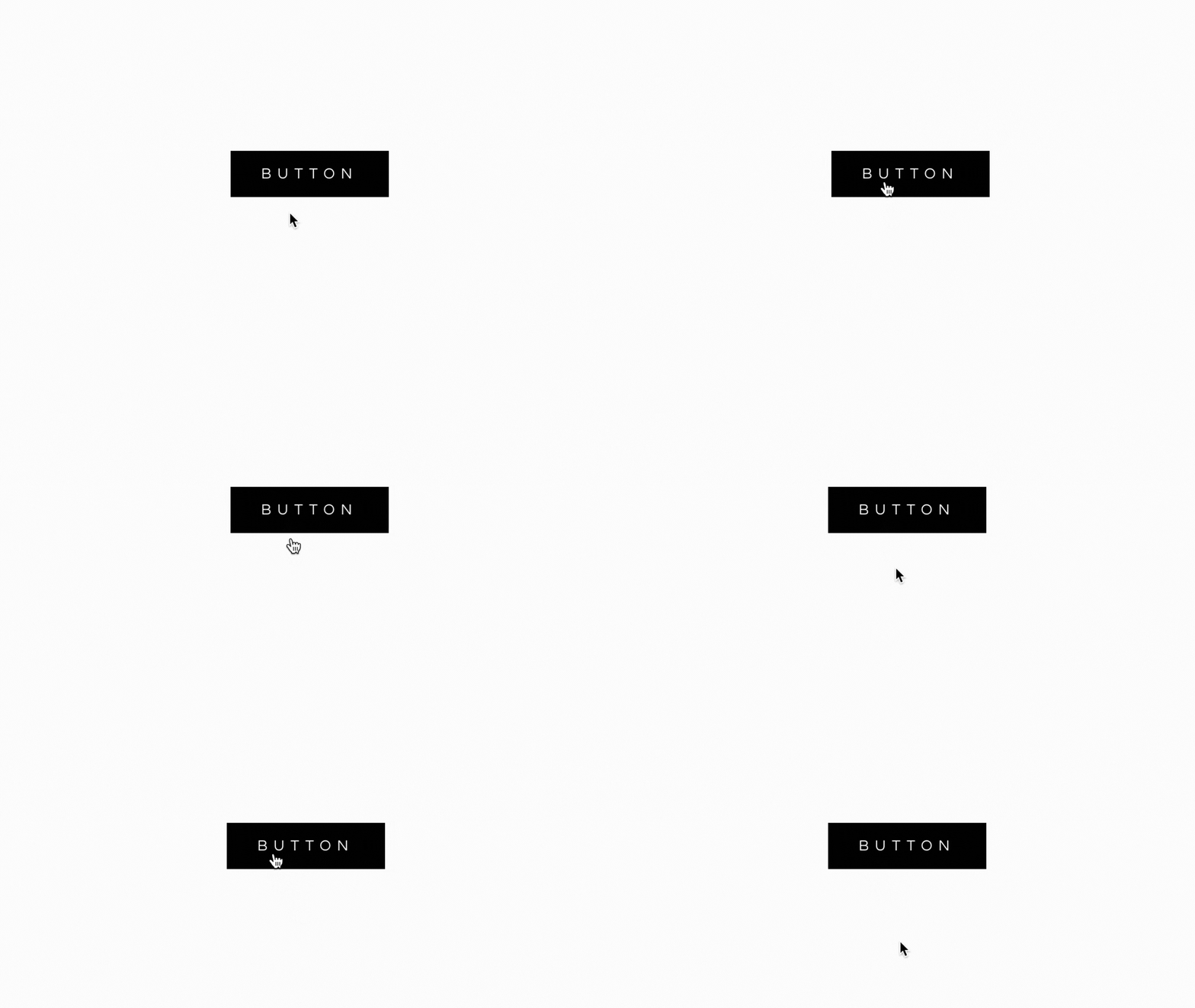
Add a stylish shaky hover effect to your Squarespace buttons with this simple tutorial.
1. How it Works
Adds a dynamic shaky hover effect to button blocks of all sizes.
Fully compatible with Squarespace 7.0 and 7.1.
Utilizes custom CSS for seamless integration into your site design.
Perfect for enhancing button interactivity on your Squarespace website.
2. Add this code to CSS
//WWW.SQUARESPELL.CO.UK//

.sqs-block-button .sqs-block-button-element:hover {
  animation-name: shiver;
  animation-duration: 1s !important;
  animation-iteration-count: infinite;
  animation-timing-function: ease-in-out;
  opacity: 1 !important;
}

/* --- Do Not Edit Below ---- */

@keyframes shiver { 10%, 90% { transform: translate3d(-2px, 0, 0); } 20%, 80% { transform: translate3d(2px, 0, 0); } 30%, 50%, 70% { transform: translate3d(-4px, 0, 0); } 40%, 60% { transform: translate3d(4px, 0, 0); } }

//WWW.SQUARESPELL.COM//
To apply this code to your Squarespace site, simply follow the steps provided. If you encounter any issues or need further assistance, feel free to reach out to us—we’re here to help!
More free plugins

Confetti-Pop! Button
Learn how to create fun and interactive Confetti Pop buttons on your Squarespace 7.1 website.
JavaScriptView plugin

Button – Newsletter gradient color
Discover how to create an eye-catching gradient color button for your Squarespace 7.1 newsletter signup.
CSSView plugin
Button – Solid to Outline
Learn how to create a stunning solid-to-outline button animation in Squarespace 7.1.
CSSView plugin